
.webp)
Top Tools for Customer Journey Analytics 2026



Tracking customer behavior across channels is critical for businesses in 2026, especially with new challenges like the phase-out of third-party cookies and the rise of AI-driven analytics. This guide highlights eight key tools that help businesses understand, analyze, and optimize the customer journey:
- Quantum Metric: Combines digital and offline data, uses AI for friction detection, and integrates with CRMs for a unified view. Great for enterprise teams focused on resolving issues quickly.
- Google Analytics 4 (GA4): Free or enterprise-level tool for cross-device tracking with predictive insights. Best for businesses leveraging Google Ads.
- Adobe Customer Journey Analytics (CJA): Offers omnichannel data stitching and advanced AI insights. Ideal for large enterprises managing complex data ecosystems.
- Contentsquare: Focuses on user behavior and revenue impact using AI and auto-tracking. Perfect for e-commerce and UX/UI teams.
- Fullstory: Provides detailed session replays and AI-powered friction detection. Suited for teams diagnosing technical issues.
- Glassbox: Captures 100% of user sessions with real-time alerts and revenue impact analysis. Designed for regulated industries like finance and healthcare.
- Woopra: Tracks real-time user journeys and automates responses with CRM integrations. Tailored for SaaS and subscription businesses.
- Reform: Specializes in form analytics to improve lead quality and conversion rates. Best for B2B and SaaS teams creating high-converting lead forms.
Quick Comparison
| Tool | Focus | Key Features | Best For | Pricing |
|---|---|---|---|---|
| Quantum Metric | Unified data analysis | AI friction detection, real-time alerts | Enterprises resolving digital issues | Custom enterprise pricing |
| GA4 | Web & app tracking | Predictive insights, Google Ads integration | SMBs using Google Ads | Free or ~$50,000/year (GA4 360) |
| Adobe CJA | Omnichannel integration | AI insights, identity stitching | Large enterprises | Custom enterprise pricing |
| Contentsquare | User behavior analytics | Auto-tracking, revenue impact analysis | E-commerce, UX/UI teams | Flexible, based on usage |
| Fullstory | Session-level insights | AI-powered replays, friction detection | Teams solving technical issues | Free to enterprise ($39/month+) |
| Glassbox | Compliance-grade tracking | 100% session capture, revenue impact | Regulated industries | Custom enterprise pricing |
| Woopra | Real-time journey tracking | CRM integrations, churn prediction | SaaS & subscription businesses | $49-$999/month (custom for enterprise) |
| Reform | Form analytics | Abandonment tracking, CRM integrations | B2B and SaaS teams | $15-$35/month |
Each tool solves distinct challenges - whether it's resolving friction, improving conversions, or integrating data across platforms. Choose based on your business needs and budget.
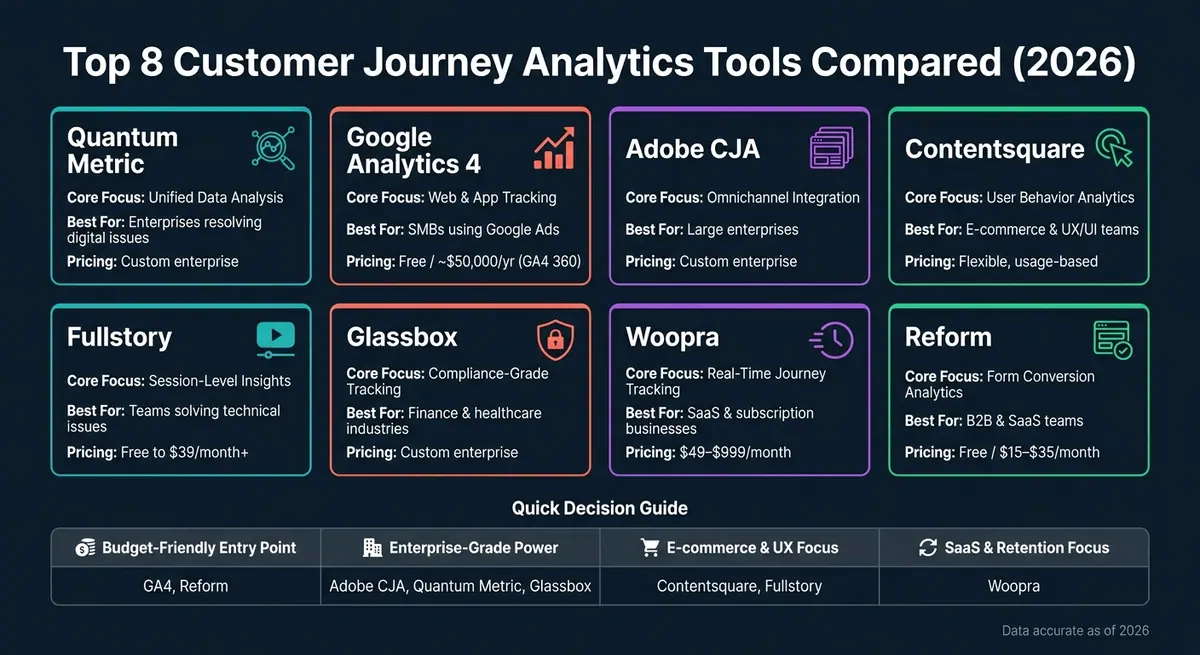
Top 8 Customer Journey Analytics Tools Compared (2026)
Understand Customer Actions & Uncover Privacy‑Compliant Journey Insights with Adobe CJA
sbb-itb-5f36581
1. Quantum Metric
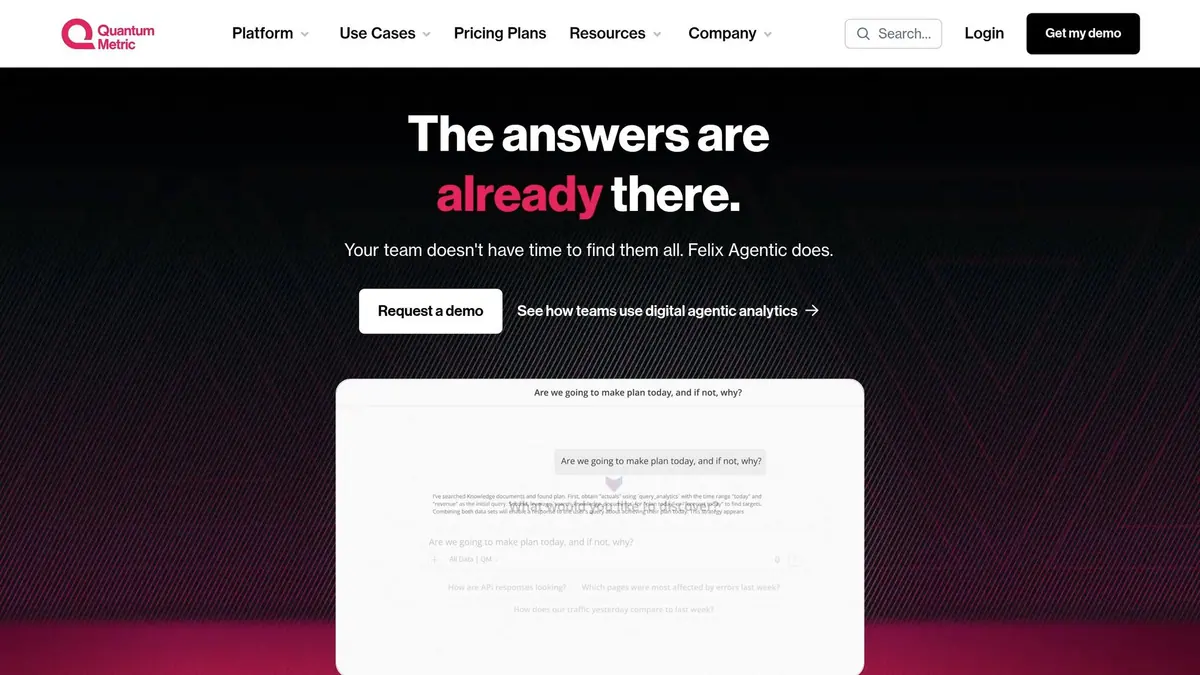
Quantum Metric is designed to uncover not just what customers do, but why they do it. Its autocapture technology automatically collects over 300 data points - including clicks, scrolls, swipes, and API responses - creating a detailed behavioral record in real time. This rich dataset provides a full picture of how customers interact with your platform.
What sets Quantum Metric apart is its ability to combine digital and offline data. From web sessions and mobile app usage to contact center logs, in-store visits, and loyalty program data, it brings everything together in one unified view. By breaking down data silos, it delivers clearer insights across all customer touchpoints.
At the heart of its analytics is Felix AI, a tool that analyzes millions of interactions in seconds. It identifies friction points that could hurt conversions and triggers marketing automation strategies across your tech stack to resolve issues instantly.
"Felix AI powers teams with instant answers and automated actions that drive digital outcomes." - Quantum Metric
The platform's Experience Alerts feature ensures proactive monitoring by flagging anomalies like rage clicks or failed API calls before they escalate into bigger problems. These alerts integrate seamlessly with tools like Slack, Microsoft Teams, or project management platforms, enabling teams to address issues quickly. Businesses using Quantum Metric have reported a 90% faster resolution time for digital issues and a 40% boost in online sales.
Quantum Metric also integrates with CRMs, CDPs, and automation platforms, giving support agents access to real-time session replays. This functionality streamlines workflows and enhances the customer journey at every step. Pricing is tailored for enterprise needs, so you'll need to contact their sales team for a quote.
2. Google Analytics With Journey Analytics Features
Google Analytics 4 (GA4) is a standout analytics tool that moves beyond the traditional session-based approach. It uses an event-based data model to track individual user interactions across websites and mobile apps, offering a detailed look at customer behavior and funnels.
One of GA4's strengths is its ability to unify cross-device interactions through tools like Google Signals and User-ID. For example, McDonald's Hong Kong reported a 550% jump in in-app orders, while Lider achieved an 18× boost in conversions and cut their cost per acquisition by 85%.
GA4’s Exploration reports, such as Path and Funnel Exploration, provide clear visualizations of user behavior, highlighting where users drop off or retrace their steps. Additionally, the Predictive Audiences feature uses machine learning to identify users who are likely to make a purchase or stop engaging within the next 7–30 days. These audiences integrate seamlessly with Google Ads, making it easier to run targeted remarketing campaigns. This combination of insights and automation tools helps businesses act on customer data in real time.
However, GA4 does have some drawbacks. For example, it lacks native CRM integration, meaning businesses need to export data to BigQuery or use an API to connect with systems like Salesforce or HubSpot. Another challenge is its default data retention period of just two months, which requires manual adjustment to extend it to 14 months for historical analysis. Addressing these limitations is crucial for those looking to incorporate GA4 into their marketing automation workflows.
| Feature | Google Analytics 4 |
|---|---|
| Identity Resolution | Google Signals (cross-device) |
| CRM Integration | API only / BigQuery export |
| Marketing Integration | Native (Google Ads, Search Ads 360) |
| Automation | Predictive Audiences & ML insights |
| Cost | Free (Standard) / ~$50,000/year (GA4 360) |
GA4 is a strong, no-cost option for journey analytics, especially for businesses already using Google Ads. However, if you need advanced CRM integration or detailed contact-level attribution right out of the box, you may need to explore additional tools.
3. Adobe Customer Journey Analytics
Adobe Customer Journey Analytics (CJA), built on the Adobe Experience Platform (AEP), brings together data from all customer touchpoints - web, mobile, in-store, call center, and beyond. Unlike tools that mainly focus on digital interactions, CJA handles both online and offline data in its raw form, offering unmatched flexibility.
One standout feature is identity stitching, which connects anonymous sessions to known customer IDs across fragmented sources. This creates a complete view of the customer lifecycle, enabling more accurate and intuitive data exploration.
The Analysis Workspace provides a drag-and-drop interface for tasks like pathing, funnel analysis, and attribution. According to Adobe:
"The tool allows [marketers] to visualize the customer journey in full context across all channels in real time without limitations that many other BI tools have." - Adobe
CJA also incorporates automation to simplify workflows. With tools like the Data Insights Agent, users can query data using plain English, while Root Cause Analysis uses AI to pinpoint the drivers behind metric fluctuations. These features deliver actionable insights at speed. A Forrester Total Economic Impact™ study highlighted a 431% ROI from using Adobe's combined tools, including CJA, Real-Time CDP, and Journey Optimizer.
Integration is another strength. CJA works seamlessly with Adobe Journey Optimizer to deliver real-time, personalized offers triggered by customer signals. It also integrates with platforms like Salesforce, HubSpot, and Marketo Engage through AEP's connectors, merging CRM data with behavioral insights. Real-time reporting, which updates visualizations instantly within the Analysis Workspace, is available with the Ultimate package.
| Feature | Details |
|---|---|
| Omnichannel Stitching | Combines online and offline data using a unified customer ID |
| Analysis Interface | Drag-and-drop functionality; no SQL required |
| AI Automation | Includes Data Insights Agent, Root Cause Analysis, and Intelligent Captions |
| Key Integrations | Works with Adobe Journey Optimizer, Real-Time CDP, Salesforce, HubSpot, and Marketo Engage |
| Real-Time Reporting | Available exclusively in the Ultimate package |
| Pricing | Custom enterprise pricing; tiered options (Select, Ultimate) |
However, the platform’s complexity can be a drawback. CJA has a steep learning curve and often requires dedicated resources to unlock its full potential. It’s particularly suited for large enterprises with advanced data infrastructures. For teams still building foundational analytics capabilities, the required investment might outweigh the benefits.
4. Contentsquare
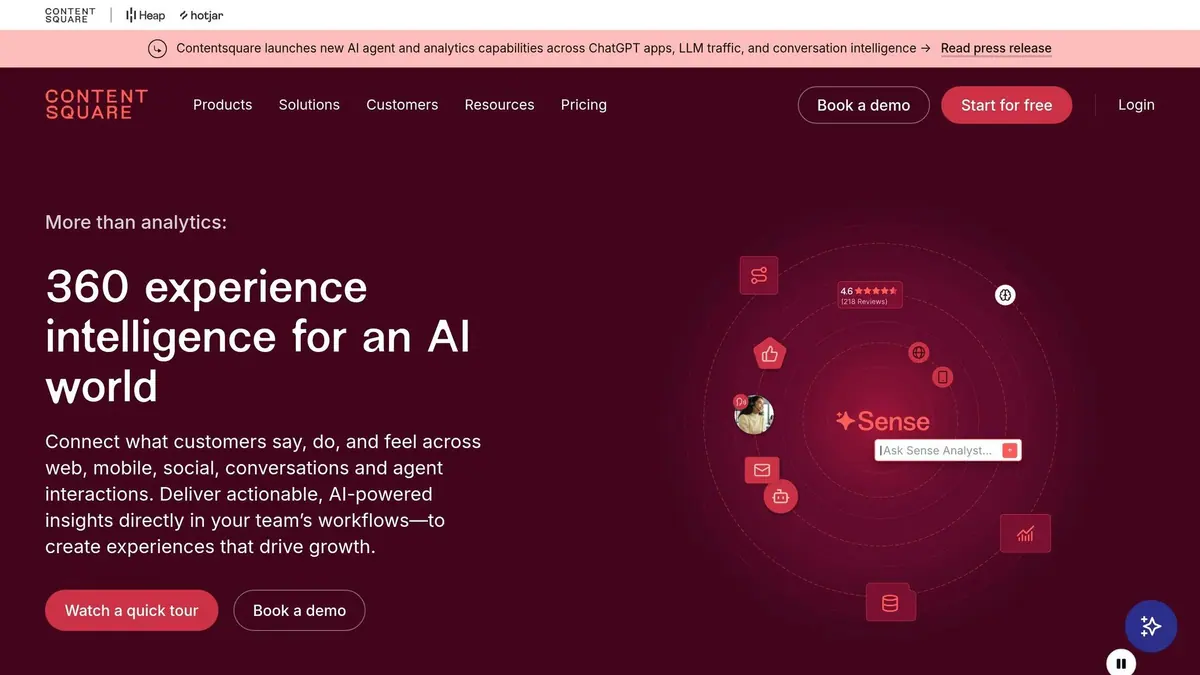
Contentsquare takes a streamlined, automated approach to tracking customer interactions across multiple channels - web, mobile, email, voice, chat, and social media - all with just one tag. Its tagless auto-capture feature records every click, scroll, hesitation, and even "rage clicks", eliminating the need for manual setup. This means you can analyze past user behavior even if specific tracking wasn’t set up in advance.
The platform’s Impact Quantification tool goes a step further by linking friction points and technical issues directly to revenue. This helps teams focus on fixes that have the biggest financial impact. Jessica Dewing, Senior Product Manager at Royal Caribbean, highlights its practicality:
"Every chance I get, I remind people, 'We have an issue? Go look at the data in Contentsquare! We can check the errors, quantify them, and prioritize based on that.'"
Sense AI brings advanced analytics into the mix, summarizing hundreds of sessions in moments and providing proactive alerts via Slack or Jira. For non-technical users, the AI CoPilot allows plain-language queries, making data insights accessible to everyone. Calvin Jose, Manager of Trigger & Site Optimizations at Optimum, shared:
"Sense Analyst has been instrumental in onboarding new employees and accelerating discovery and learning. It enables stakeholders - especially newer users - to self-serve insights."
Contentsquare integrates seamlessly with over 100 tools, including Salesforce, HubSpot, Google Analytics, Adobe Analytics, Optimizely, and Qualtrics. Its bi-directional CRM integration allows behavioral segments to be exported to Salesforce while also enriching audience profiles with imported CRM data. A great example of this in action comes from ŠKODA. Using Journey Analysis, they identified users repeatedly navigating between pages due to confusion. By redesigning their site with a "sticky tools" bar, they saw a 40% jump in test drive visits and a 10% increase in Finance Calculator usage. Optimizing these high-intent touchpoints is a core strategy in our lead conversions playbook.
| Feature | What It Does |
|---|---|
| Tagless Auto-Capture | Automatically tracks all user actions, allowing for retroactive analysis |
| Impact Quantification | Prioritizes fixes by evaluating how much errors cost in revenue |
| Sense AI / AI CoPilot | Simplifies data analysis and provides 24/7 session summaries |
| Journey Analysis | Maps user paths, identifies looping behaviors, and highlights high-converting detours |
| Proactive AI Alerts | Sends notifications to Slack or Jira when key metrics shift |
Pricing is flexible, scaling with monthly pageviews or app sessions. Smaller teams can access free plans, while larger organizations have enterprise-tier options. With a 4.7/5 rating on G2 and Gartner, Contentsquare is highly regarded by users.
5. Fullstory
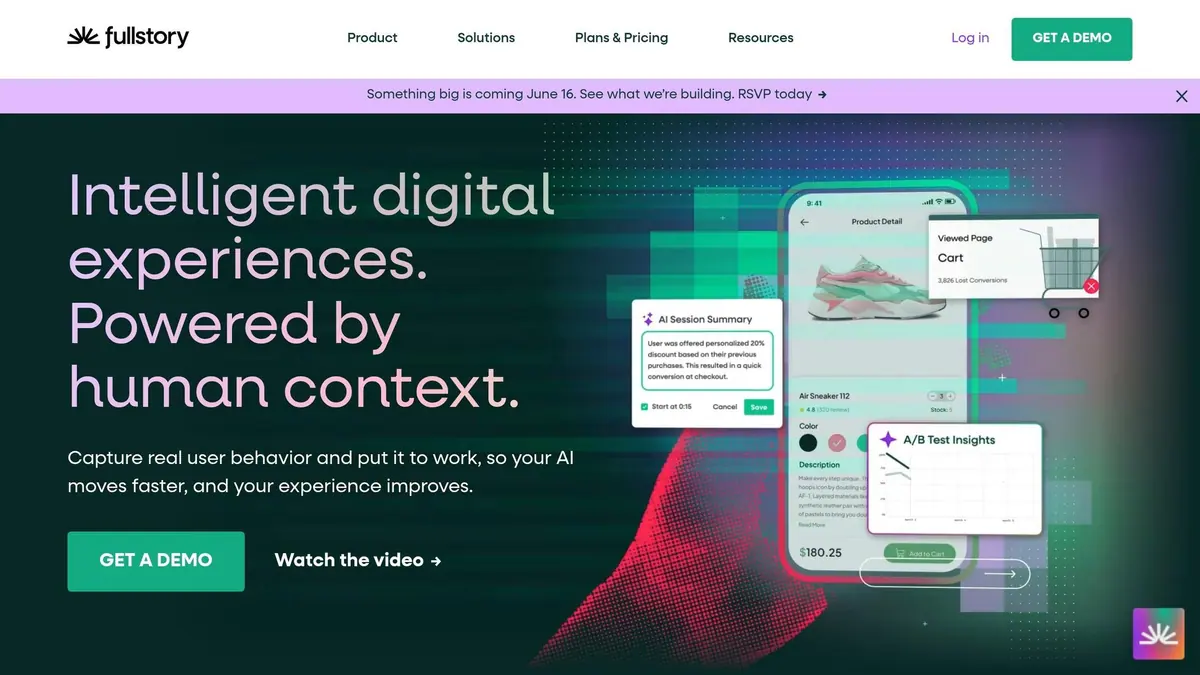
Fullstory stands out with its Fullcapture technology, a tagless and automatic data collection system. This feature records every click, scroll, hover, pageview, and form fill, giving your team a complete behavioral dataset from day one. It works across both web and mobile platforms, offering a unified view of the customer journey.
A key feature of Fullstory is StoryAI, an AI-powered toolset designed to streamline workflows. It includes multi-session summaries, friction detection, and a natural language query tool called "Ask StoryAI." These tools make it easier for teams to quickly pinpoint user pain points and areas for improvement. This often includes optimizing multi-step form design to reduce friction.
"StoryAI's multi-session Summaries have transformed how we work. No more hours of replays - Fullstory's StoryAI instantly pinpoints where our users struggle." - Manager, IT Digital Operations, JetBlue
Fullstory also excels in integrations, ensuring smooth data flow with platforms like Salesforce, Google Analytics, Adobe Analytics, Optimizely, Jira, and Slack. Its Data Layer Capture feature automatically syncs JavaScript objects from tools like Google Tag Manager and Adobe Analytics. Additionally, it allows data export to platforms like Snowflake, BigQuery, and Segment .
Here’s a quick overview of Fullstory's standout features:
| Feature | What It Does |
|---|---|
| Fullcapture | Automatically captures all user interactions without tags |
| StoryAI | Provides AI-powered session summaries, friction detection, and queries |
| Data Layer Capture | Syncs JavaScript objects from tools like Google Tag Manager |
| Guides & Surveys | Offers in-app feedback or tours triggered by user struggles |
| Privacy Controls | Includes built-in PII redaction and certifications like SOC 2 and ISO 27001 |
Pricing options include a free plan for up to 30,000 sessions per month with 12-month retention, a Starter plan at $39/month, and custom enterprise solutions . Fullstory has earned a 4.5/5 rating on G2, with users appreciating its detailed session replays and easy setup. However, some have noted that its advanced features come with a bit of a learning curve.
6. Glassbox

Glassbox captures 100% of user interactions, automatically recording every digital touchpoint and technical event across web and mobile apps - no manual tagging required. On average, it logs and categorizes over 1,000 events per user session, giving teams a comprehensive view of the customer journey.
The platform’s Augmented Journey Map™ combines web and mobile behaviors into a unified view. It highlights drop-offs, user struggles, and errors in real time while estimating the revenue impact of these friction points. This allows teams to prioritize fixes based on the financial loss tied to each issue.
With GIA (Glassbox Insights Assistant), AI becomes part of the workflow. GIA summarizes user sessions, detects anomalies, and supports plain-language searches, cutting down analysis time. It also identifies frustration signals like rage clicks and dead clicks, automatically surfacing critical issues.
The value of Glassbox is evident in real-world results. Marriott improved their login process and reduced customer support requests by 60%. Sainsbury's addressed site friction points, recovering $200,000 in lost revenue through targeted fixes.
"With Glassbox we're able to identify not just the struggle but the impact of the struggle. We identified the issue, we quantified it and we fixed it." - Jim Bassett, Head of Site Operations and Product Information, Sainsbury's Digital
Glassbox also integrates seamlessly with platforms like Salesforce, Adobe Analytics, GA4, Qualtrics, Medallia, Optimizely, and Slack, offering one-click setups for easy connectivity. Pricing is customized across three tiers (Production Operation, Marketing/Business, and Product), with no public rates available. The platform boasts a 4.9/5 rating on G2 from 808 reviews, though some users mention a steep learning curve due to its extensive features.
Next, we’ll compare these tools side by side to see how they stack up on key features.
7. Woopra
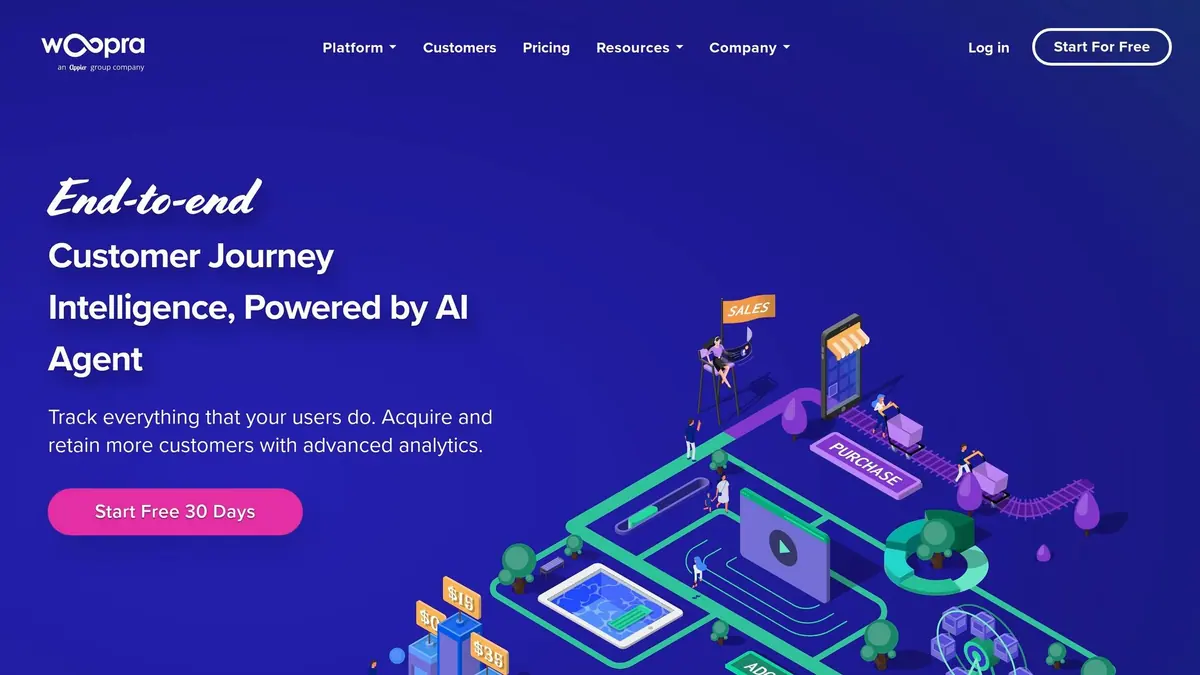
Woopra brings together web, mobile, CRM, support, and marketing data into a single "People Profile", allowing businesses to track customer journeys from their very first interaction to conversion. With 50+ one-click integrations - including Salesforce, HubSpot, Marketo, Intercom, and Zendesk - it eliminates the fragmented insights caused by data silos, providing teams with a more comprehensive view of their customers. This unified approach supports in-depth analytics and real-time automation.
One standout feature is Woopra's 3D Journey Modeling, which takes customer journey analysis beyond traditional funnels. By incorporating multiple variables - such as optional actions like reading a setup guide - it identifies behaviors that most strongly influence conversions. This data is most effective when paired with high-converting forms that capture clean lead data. This approach has been shown to improve predictions for customer satisfaction and churn by 30–40%.
Woopra also excels in automation. Its real-time Triggers respond in just 200 milliseconds, enabling actions like updating Salesforce leads, notifying sales teams via Slack, or sending personalized discounts. Additionally, Scheduled Batches can automatically push customer segments, such as cart abandoners, to marketing tools for targeted campaigns.
"The Salesforce integration allows our sales team to leverage product behavioral data directly from within Salesforce to optimize the sales flow and conversions." - Vinny Pasceri, Director of Product Management, iSpot.tv
"An engineering request that might have taken weeks to accomplish can now be done by our own marketing team in the same day." - Ryan Stevens, Product Manager, Mayvenn
Woopra's offerings now include AI Copilot and AI Suggestions on the Pro plan, while Enterprise users gain access to advanced AI Agents and Predictions. Pricing starts at $49/month for the Starter plan, with Pro plans at $999/month (supporting over 5 million monthly events, 50 seats, and 2-year data retention). Enterprise pricing is customized, and a 30-day free trial is available. The platform holds a 4.4/5 rating on G2 based on 207 reviews. By combining unified data, sophisticated modeling, and real-time automation, Woopra continues to shape the future of actionable customer insights in 2026.
8. Reform
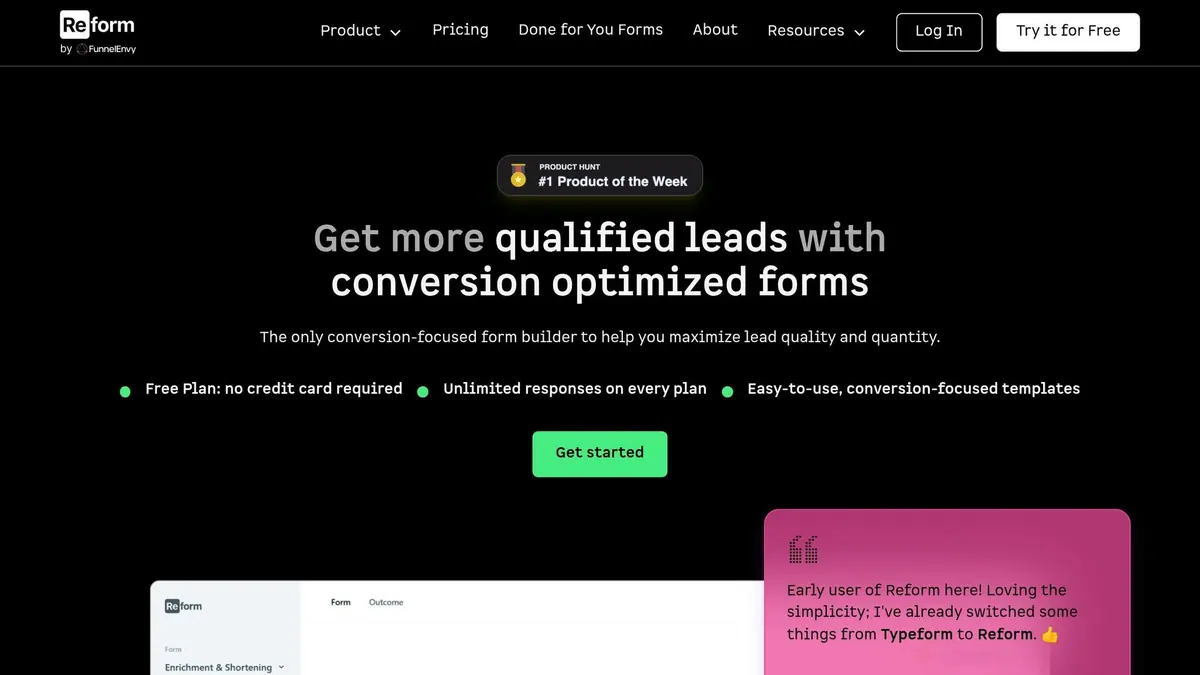
Reform takes a unique approach to customer journey analytics by focusing entirely on form interactions. While many tools analyze behavior across entire sessions or pages, Reform zeroes in on one of the most critical and challenging moments in any marketing funnel: when a prospect fills out a form. Designed by conversion rate optimization experts, this no-code form builder is all about boosting lead quality and improving conversion rates. Its laser focus on forms allows for advanced tracking and optimization capabilities.
One of Reform's standout features is its ability to track abandoned submissions. It doesn't just record completed forms - it also pinpoints where prospects drop off, giving teams the insights needed to make quick, data-driven adjustments. With real-time analytics and A/B testing built in, you can refine strategies on the fly. These features have helped B2B and SaaS companies achieve impressive results, such as a 215% increase in qualified leads.
Reform also excels in creating seamless user experiences with features like conditional routing. For example, a high-intent prospect can be routed directly to a scheduling link, while others might be sent to a prerecorded demo. Its lead enrichment feature further reduces friction by auto-filling known information, shortening forms, and improving completion rates. Additionally, it tracks UTM parameters, linking every form submission back to its marketing source and providing a clearer picture of attribution.
On the integration front, Reform connects with popular tools like HubSpot, Close, and Salesforce (coming soon). It also supports marketing automation platforms like Kit (ConvertKit) and Marketo, enabling teams to trigger nurturing sequences immediately after a form is submitted. For even greater flexibility, Reform works with Zapier, Webhooks, and APIs, opening the door to thousands of additional integrations.
Users have shared glowing feedback about Reform's simplicity and effectiveness:
"Reform is what Typeform should have been: clean, native-feeling forms that are quick and easy to spin up. Reform does the job without a bunch of ceremony." - Derrick Reimer, Founder, SavvyCal
"I've been using Reform for months on two projects... Simple, elegant, and stays out of the way." - Nick Persico, Director of Sales, Close
Reform's pricing aligns with its modern approach to marketing automation. It offers a free plan (no credit card needed), a Basic plan for $15/month, and a Pro plan for $35/month. The Pro plan includes advanced features like incomplete response tracking, custom CSS and JavaScript, and CRM integrations. A 14-day free trial is also available for Pro features, giving users the chance to explore its full potential before committing.
Comparison Table
Each tool serves a specific purpose in customer journey analytics. Choosing the right one comes down to identifying your biggest challenges - whether it's connecting data across channels, detecting real-time user behavior, understanding session-level friction, or improving form conversions. Here's a side-by-side look at how these eight tools stack up across important categories:
| Tool | Core Focus | Analytics | Automation Features | Data Integrations | Best-Fit Use Case |
|---|---|---|---|---|---|
| Quantum Metric | Continuous product design | Quantifies UX impact; detects real-time behavioral anomalies | Real-time anomaly detection; frustration signal tracking | IT and business operations tools | Teams needing a unified view across product and IT functions |
| Google Analytics 4 | Web and app tracking | Path exploration; funnel analysis | Predictive audiences via machine learning | Google Ads, BigQuery (native) | Small-to-medium businesses prioritizing Google Ads performance |
| Adobe CJA | Omnichannel integration | Cross-channel identity stitching; 360° customer profiles | AI-driven insights; automated anomaly alerts | Adobe Experience Cloud (native) | Large enterprises managing complex, multi-channel data ecosystems |
| Contentsquare | Digital experience analytics | Zone-based heatmaps; revenue and path attribution | AI-powered friction detection; auto-tracking (no manual tagging) | UX/UI tools; e-commerce platforms | E-commerce and UX teams focused on improving page-level performance |
| Fullstory | Behavioral intelligence | High-fidelity session replay; funnel analysis | Frustration scoring (e.g., rage clicks); auto-event capture | Product management and development tools | Teams diagnosing technical friction in user interactions |
| Glassbox | Compliance-focused digital experience | 100% session capture; journey mapping for web and mobile | AI-based behavioral pattern identification; real-time struggle alerts | Enterprise mobile and web SDKs | Regulated industries like finance and healthcare |
| Woopra | Real-time journey tracking | People-centric profiles; live journey visualization | Behavioral triggers; churn prediction | 50+ one-click integrations (Salesforce, CRMs, help desks) | SaaS and subscription businesses prioritizing retention strategies |
| Reform | Form conversion analytics | Tracks abandoned submissions; UTM attribution; A/B testing | Conditional routing; lead enrichment; CRM and marketing automation triggers | HubSpot, Close, ConvertKit, Marketo, Zapier, APIs | B2B and SaaS teams improving lead quality through forms |
This breakdown highlights the core strengths and ideal scenarios for each tool, helping you pinpoint which ones align with your needs.
For enterprise-level identity resolution and compliance-grade session capture, Adobe CJA and Glassbox are standout options. On the other hand, GA4 is a budget-friendly entry point for teams already leveraging Google Ads. If you're looking to link on-page behavior to revenue, Contentsquare is a strong contender, while Fullstory excels at uncovering frustration signals like rage clicks.
Woopra shines when real-time user actions demand immediate responses, and Reform stands out for its laser focus on form analytics - tracking everything from field-level drop-offs to post-submission routing.
For a well-rounded strategy, consider combining a broad analytics platform with a specialized tool. For example, pairing Fullstory for session-level friction with Reform for form conversion insights can provide a deeper understanding of key customer touchpoints.
Conclusion
Every tool we've discussed tackles a specific challenge in the customer journey. Some focus on connecting data across channels, others identify friction points in real time, and tools like Reform zero in on critical touchpoints where leads are either captured or lost. No single platform can master every function, which makes choosing the right tool an exercise in prioritization.
The starting point? Pinpoint the exact problem you need to solve. As one industry analysis wisely notes, "The real challenge isn't collecting more data, but connecting the dots across touchpoints and figuring out what actually drives conversion, retention, and loyalty." Let this be your lens when evaluating potential solutions.
Integration is just as important as features. Tools with native CRM synchronization often outperform those relying on middleware, offering better speed and reliability. Before committing, map out all the systems that will exchange data and test the tool with live contacts to identify any integration issues early. This ties back to earlier discussions about the complexities of data integration.
Don’t overlook the total cost of ownership. Beyond subscription fees, factor in implementation time, developer hours, and potential overage charges. For instance, enterprise-level implementation services can range between $15,000 and $30,000.
A layered strategy often works best: combine a broad analytics platform for cross-channel insights with a specialized tool designed to address specific friction points. This approach avoids overwhelming you with unnecessary data while turning the information you gather into actionable insights - exactly what you need to drive decisions and results effectively.
FAQs
How do I choose the right customer journey analytics tool for my business?
To get started, pinpoint your main objective: Are you trying to understand customer behavior or take real-time action based on it? Next, think about your most pressing challenge - whether it’s managing cross-channel coordination, identifying where users drop off in the funnel, proving ROI, or improving retention rates.
You’ll also want to check how well the tool integrates with your existing tech stack, whether it can grow with your needs, and if it offers specific features you might require, like predictive alerts or session replays. Lastly, don’t forget to evaluate the full cost, factoring in onboarding expenses and any potential overage fees.
What’s the best approach for customer journey analytics without third-party cookies?
To understand customer journeys without relying on third-party cookies, shift your focus to privacy-first, first-party data approaches. Collect data directly from users through form submissions, CRM activities, and other direct interactions. This creates a strong, reliable data foundation while respecting privacy.
Anchor your analytics in first-party warehouse data to maintain compliance with privacy regulations. You can also use UTM parameters and event-level tracking to link user identities across various touchpoints - no outdated cookie-based methods needed.
Should I pair a full journey analytics platform with a form analytics tool like Reform?
Yes, pairing a customer journey analytics platform with a tool like Reform can be a game-changer for improving customer experiences. Journey platforms help map out interactions and identify where users drop off, while Reform zeroes in on boosting conversions with branded, multi-step forms. By integrating these tools, you can ensure detailed lead data flows smoothly into your analysis, making it easier to understand customer behavior and identify areas causing friction.
Related Blog Posts
Get new content delivered straight to your inbox

The Response
Updates on the Reform platform, insights on optimizing conversion rates, and tips to craft forms that convert.




Drive real results with form optimizations
Tested across hundreds of experiments, our strategies deliver a 215% lift in qualified leads for B2B and SaaS companies.
