
.webp)
Form.io JavaScript SDK: Complete Guide 2025


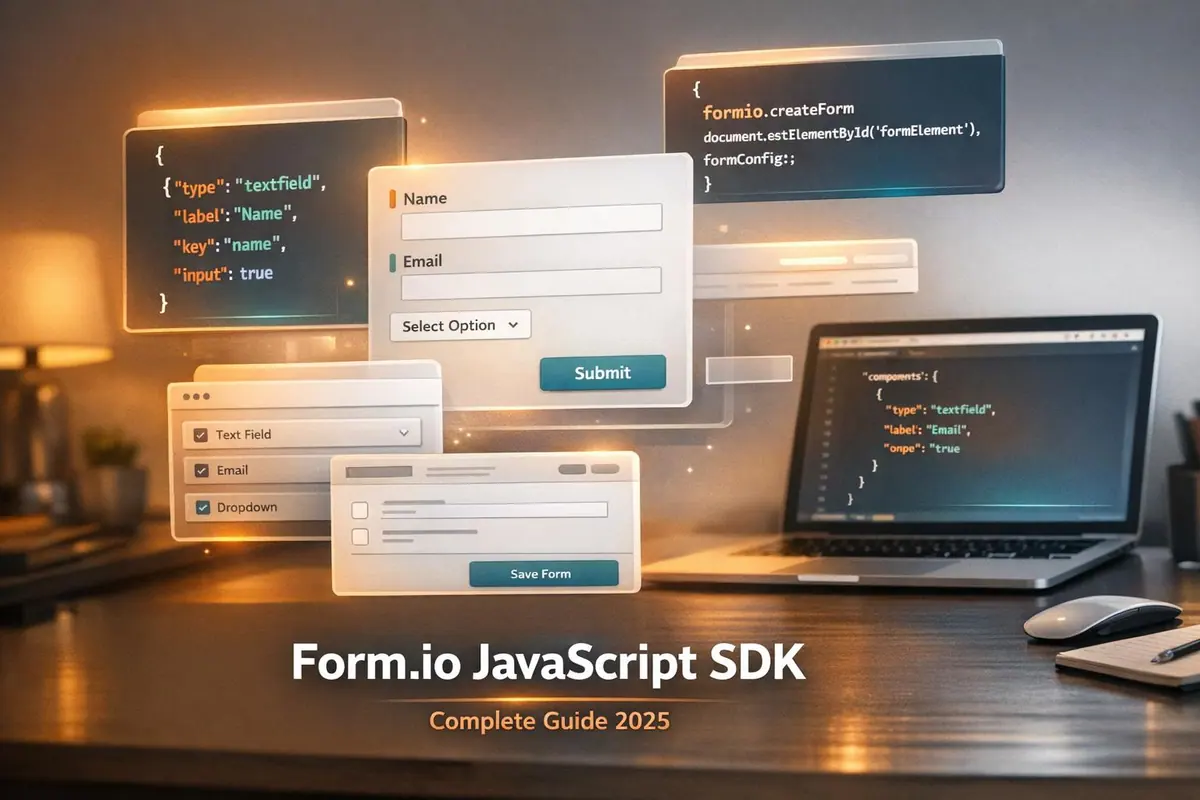
The Form.io JavaScript SDK is a powerful tool for building and managing web forms using JSON schemas. It allows developers to render forms, handle submissions, and interact with APIs - all without server-rendered HTML. Here’s what you need to know:
- Core Features: Render forms from JSON, drag-and-drop Form Builder, and manage submissions via API.
- Framework Compatibility: Works standalone or integrates with Angular, React, and Vue.
- Installation Options: Available via npm (
@formio/js) or CDN for quick setups. - Customization: Supports custom components, event handling, conditional logic, and multi-step workflows.
- Use Cases: Ideal for SaaS apps, CMS platforms, and enterprise workflows.
Key Benefits:
- Simplifies form management with a JSON-driven approach.
- Framework-agnostic, but offers dedicated wrappers for popular libraries.
- Built-in tools for validation, submission handling, and custom event logic.
Whether you’re building a mobile-first app, embedding forms in a CMS, or managing complex workflows, this SDK offers flexibility and ease of use. Below, we’ll dive into setup, features, and advanced integrations.
Using Form.io SDK
Getting Started with the Form.io JavaScript SDK

Form.io JavaScript SDK Installation Methods and CDN Options Comparison
Installation and Setup
The Form.io SDK is available as the open-source formio.js library, which you can install via npm or include through a CDN. For modern ES6 projects, use the command: npm install --save @formio/js. If you're working with older codebases, run: npm install --save formiojs.
For quick prototypes or CMS integrations, the CDN method is a great option. Simply add the following script to the <head> of your HTML file:
<script src="https://cdn.form.io/js/formio.full.min.js"></script>
This version includes both the form renderer and the API interface. If you only need the rendering functionality and want to reduce the file size, use this URL instead:
<script src="https://cdn.form.io/js/formio.form.min.js"></script>
Before diving in, make sure you have a Form.io account and an active project. You'll need a Form API URL or a JSON schema to get started. For forms that require authentication, store a valid JWT token in the formioToken localStorage variable. Keep in mind, Form.io now uses tokens that expire after 90 days and require two-factor authentication.
| Installation Method | Command / Source URL |
|---|---|
| npm (Modern) | npm install --save @formio/js |
| npm (Legacy) | npm install --save formiojs |
| CDN (Full SDK) | https://cdn.form.io/js/formio.full.min.js |
| CDN (Renderer Only) | https://cdn.form.io/js/formio.form.min.js |
Once installed, you'll configure the SDK to connect your app to Form.io.
Basic Configuration
After installing the library, initialize it to start working with your forms. For ES6 projects, import the library like this:
import { Formio } from '@formio/js';
Next, create an instance of Form.io by connecting it to your form endpoint:
const formio = new Formio('https://yourproject.form.io/yourform');
To ensure all API calls point to the correct environment, set your base URLs at the beginning of your application:
Formio.setBaseUrl('https://api.form.io');
Formio.setProjectUrl('https://yourproject.form.io');
For authentication, use this command to globally manage tokens across API requests:
Formio.setToken('JWT_TOKEN');
If you're working with multiple Form.io apps on the same domain, you can avoid token conflicts by using the namespace option in the constructor. The SDK also offers additional configuration options, such as:
readOnly: Disables all input fields.language: Sets the interface language.iconset: Lets you choose between Bootstrap Icons or Font Awesome.
Creating Your First Form
To render a form, use the following method:
Formio.createForm(element, source, options);
This method returns a promise that resolves to the form instance. Here's how it works:
element: A DOM container, typically a<div>.source: The form's source, which can be a hosted URL (e.g.,https://examples.form.io/example) or a local JSON schema object.
A Form.io JSON schema is built around a components array. Each component requires a type (e.g., 'textfield'), a key (used for data mapping), and a label. It's important to keep the form's structure (JSON schema) separate from its submission data. When you receive submission data, it will be nested inside a data object.
Once the form is rendered, you can control its behavior in the .then((form) => { ... }) block. Here, you can set submission data, listen for events (like change or submit), and interact with the form instance. Always use the form.ready promise to ensure all components are fully loaded before applying any logic.
For proper styling, include Bootstrap CSS (version 4.6.0 works well) alongside the Form.io CSS file. The form renderer relies on Bootstrap classes for layout and design.
Core Features and Functions
Form Rendering and Customization
The SDK simplifies form rendering in the browser by transforming a JSON schema into a fully functional form. When you use Formio.createForm(), you can provide either a Form API URL or a raw JSON schema object. This generates a form instance that you can manage using the Form Controller pattern.
The SDK supports various display modes, including multi-page wizards, and allows for extensive customization through an options object. For instance, setting readOnly: true makes the form non-editable, while the iconset option lets you choose between Bootstrap Icons (bi) or Font Awesome (fa).
You can use dot-notation in component keys for organizing nested data structures. For example, a field with the key customer.firstName will automatically create a nested JSON object in the submission data. If you need to add custom components, you can extend FieldComponent. To ensure all components are ready before applying any logic, wrap your code inside form.ready.then().
| Option | Description | Default |
|---|---|---|
renderMode |
Defines the template style (e.g., 'form' or 'flat') | form |
viewAsHtml |
Displays the form in a read-only HTML view | false |
The renderer integrates seamlessly with Bootstrap CSS, but you can apply custom templates to support other frameworks.
Event Handling in Forms
Once your form's appearance and behavior are set, the SDK's event system enables dynamic, real-time interactivity.
Powered by the EventEmitter3 library, the SDK allows you to handle form lifecycle and user interaction events. You can register events using form.on('eventName', callback) within your Form Controller. Events cover everything from lifecycle actions like formLoad and render to user-driven data changes like change and blur.
For example, the change event triggers whenever a form value is updated, making it ideal for real-time logging or updating external interfaces. The submit event is fired when the user clicks the submit button, while submitDone confirms successful data submission.
You can also emit custom events from buttons in the Form Builder and listen for them in the SDK. For more complex workflows, use form.getComponent('key') in your event listeners to dynamically update fields or modify their states based on user actions. If you need to validate data without showing error highlights, use form.checkValidity(data, dirty, row, silent) with the silent parameter set to true.
| Event Name | Description | Arguments Provided |
|---|---|---|
change |
Triggered when any form value changes | (changed, flags, modified) |
submit |
Triggered when the submit button is clicked | (submission, saved) |
submitDone |
Triggered after successful API submission | (submission) |
render |
Triggered when the form finishes rendering | (element) |
error |
Triggered when validation or system errors occur | (errors) |
Data Validation and Management
Beyond rendering and event handling, the SDK ensures accurate submissions with robust validation tools.
Form schemas and submission data are kept separate. Submission data is stored in a data object, where the keys correspond to the component keys in your schema. You can access or modify this data using the form.submission property, which acts as both a getter and setter. Pre-populating a form with existing data is as simple as setting this property.
For visual validation checks, use form.checkValidity(null, true). The second parameter determines whether errors are displayed to the user. If your environment restricts the use of JavaScript eval(), you can disable it by setting Formio.Evaluator.noeval = true and use JSON Logic for validations instead.
The SDK includes components like datagrid, editgrid, and container for managing complex data structures. When working with nested or containerized components, use Formio.Utils.getValue(submission, key) to fetch data reliably. The form.everyComponent(callback) method allows you to iterate through all components for batch operations or transformations.
Custom validation logic can return specific error messages as strings. For example:
valid = (input === data.password) ? true : 'Passwords must match'
Within custom JavaScript evaluations, you can access the evaluation context, which includes data (entire submission), row (nested component data), and value (current component value).
sbb-itb-5f36581
Advanced Implementation and Integration
Framework Integration
The Form.io JavaScript SDK offers seamless integration with popular frameworks like React, Angular, and Vue, thanks to its dedicated wrapper libraries. These libraries enhance the core formio.js renderer, providing native components that simplify integration while retaining full SDK functionality.
For React applications, you can use the @formio/react package. It includes the <Form /> component, which works with the onFormReady prop. This prop is essential - it captures the form instance via a useRef, enabling you to call SDK methods like setSubmission() or getComponent() within React's lifecycle. The SDK also supports state management and the onChange event, making it easy to synchronize your app's state with form updates.
In Angular, the @formio/angular package provides a smooth setup. Developers import FormioModule into the AppModule and embed forms using <formio [src]="'...'"></formio>. Angular's built-in authentication and resource modules simplify the creation of complex applications.
For Vue, the @formio/vue package offers a straightforward approach. You can register forms with the <formio :src="..." /> component, which accepts either a URL or a JSON schema as props. It also emits native Vue events, making it easy to handle interactions.
All three framework wrappers are lightweight, sitting atop the core SDK. If needed, you can bypass the wrappers and directly call Formio.createForm(element, formUrlOrJson) for more granular control.
| Framework | NPM Package | Primary Component | Key Feature |
|---|---|---|---|
| Angular | @formio/angular |
<formio [src]="'...'"></formio> |
Built-in authentication and resource modules |
| React | @formio/react |
<Form src="..." /> |
Works seamlessly with React Hooks |
| Vue | @formio/vue |
<formio :src="..." /> |
Prop-driven configuration and event handling |
Building Dynamic Workflows
The SDK excels in creating dynamic form behaviors, including multi-step workflows. By setting the form schema's display property to wizard, you can enable built-in navigation controls and page-based validation. For more advanced control, use methods like form.nextPage() and form.prevPage() to navigate between steps, or jump directly to a specific page with instance.root.setPage(pageNumber). These methods work well with custom logic triggered by the change event.
Conditional workflows are another powerful feature. The SDK provides evaluation context variables like data (the full submission object), row (contextual data within grids), and instance (the component object). These variables help you define calculated values and dynamic validations with precision. If security is a concern, you can disable JavaScript eval() by setting Formio.Evaluator.noeval = true. Instead, use JSON Logic to define conditional visibility and validation rules without running arbitrary code.
For managing nested data, components like datagrid, editgrid, and container are invaluable. By using dot-notation in component keys (e.g., user.address.city), you can structure the submission JSON into nested objects automatically, without needing extra layout components. To apply bulk operations across all form elements, the form.everyComponent((component) => { ... }) method allows you to iterate efficiently and implement custom validation or updates.
Customizing Form Behavior
Once you’ve set up your workflows, you can fine-tune form behavior with programmatic customization. The Form Controller pattern gives you control over form events. For instance, you can use the promise returned by Formio.createForm() to attach event listeners:
Formio.createForm(...).then((form) => {
  form.on('change', callback);
});
For extended functionality, create Custom Components by inheriting from base classes like Field or Input. Override lifecycle methods such as render(), attach(), and getValue() to define unique behaviors. During the attach() phase, the loadRefs method can map DOM elements to this.refs, ensuring event listeners are properly bound.
If you need global customizations, you can register Modules with Formio.use(MyModule). These modules can include custom components, templates, validation rules, or even fetch plugins that intercept API requests. This is particularly useful for adding custom headers or logging. Additionally, you can inject custom helpers into the evalContext option of Formio.createForm(), making utilities like a global phone number validator available across all components.
For a practical example, Form.io offers a sandbox demo (JSFiddle ID: z63jvwkp) showcasing a "Kitchen Sink" form. This example uses Formio.createForm with external CDN resources for formio.full.min.js and Bootstrap 4 CSS. It’s a handy tool for testing custom JavaScript evaluations and event listeners in real time.
Best Practices and Performance Optimization
This section focuses on performance tweaks and essential tips for making the most of the Form.io SDK. By fine-tuning bundle size, managing errors effectively, and ensuring accessibility, you can unlock the full potential of the Form.io JavaScript SDK.
Reducing Bundle Size
To keep your bundle size lean, use targeted imports. For example, you can import only what you need with import { Formio } from '@formio/js/sdk'; or import Formio from 'formiojs/Formio'; for ES6-based projects. If your needs are limited to utility functions like eachComponent or flattenComponents, stick to import Utils from 'formiojs/utils'; to avoid pulling in unnecessary rendering components.
Selecting the appropriate CDN file can also significantly improve load times:
- Use
formio.form.min.jsfor basic form rendering. - Opt for
formio.full.min.jsonly when the Form Builder is required. - For lightweight embedding, go with
formio.embed.js. - If you're working with API-only interactions, stick to
formio.min.js.
The SDK also offers a feature to lazy-load external libraries like Lodash using Formio.requireLibrary(name, property, src, [polling]), which prevents bloating your main application file.
| CDN File Name | Purpose | Recommended Use Case |
|---|---|---|
formio.form.min.js |
Renderer Only | Displaying and submitting forms |
formio.full.min.js |
Full Library | Applications requiring the Form Builder |
formio.embed.js |
Inline Embedding | Quick integration with minimal configuration |
formio.min.js |
SDK Only | API interactions without rendering |
Error Handling and Debugging
When working with forms containing over 2,000 fields, you might encounter performance hiccups. One common issue is an "infinite onchange" loop caused by conflicting conditions. To identify this, monitor the change events using:
form.on('change', (change) => { console.log(change); });
If the logs continue endlessly without user interaction, you've pinpointed the problem.
"To determine if you have hit an infinite on change issue, you can add the following to your form logic... If you see this change event going crazy without ever stopping then this tells me that is the source of the problem." - Travis, Member, Form.io
Custom JavaScript logic is executed within a secure virtual machine (VM) with a default timeout of 500ms. If your scripts exceed this limit, a "Script Execution Timed Out" error will appear. You can extend the timeout by increasing the FORMIO_VM_TIMEOUT environment variable (e.g., to 1,000ms). For lengthy forms with multiple sections, enabling lazy loading on panels can help. This feature ensures the SDK renders panel contents only when users expand them, improving performance.
These strategies not only improve debugging but also contribute to smoother performance.
Maintaining Accessibility Standards
Performance optimization goes hand in hand with making forms accessible and user-friendly. The Accessibility Compliance Module (a licensed add-on) helps enforce accessibility by restricting non-compliant components and automating features like focus management, ARIA attributes, and announcements for screen readers. Pairing this module with the USWDS (U.S. Web Design System) template ensures proper color contrast and WCAG-compliant HTML markup.
For multi-page forms, programmatically shift focus to the top of the new page or the first error field after submission to assist screen reader users. Avoid validating fields on blur events, as this can confuse users relying on assistive technologies. Instead, validate on form submission and provide a unified error list. Stick to native HTML5 elements like input type="date" for better compatibility with assistive tools, and group related fields using fieldset and legend tags for improved context.
Conclusion
Summary of Features and Benefits
The Form.io JavaScript SDK takes a JSON-driven, framework-neutral approach to form rendering, ensuring a clear separation between structure and data. This design allows you to update layouts dynamically without touching the underlying code. It also provides a consistent API that simplifies the handling of key functionalities.
With its zero-dependency rendering engine, the SDK supports nested components, data grids, and conditional logic, all in plain JavaScript. Its built-in event system (change, submit, render, error) gives you full programmatic control over interactions. As highlighted earlier, these advanced event-handling and workflow capabilities streamline form management across your application.
For enhanced security, the SDK offers options like Formio.Evaluator.noeval = true or the @formio/protected-eval plugin to disable custom JavaScript execution when necessary. Additionally, framework-specific wrappers for React, Angular, and Vue integrate seamlessly, allowing you to align schema-driven forms with modern component lifecycles and native state management.
Next Steps for Developers
The SDK not only simplifies form management but also lays the groundwork for building robust applications. To make the most of its features, start by diving into the official SDK documentation at formio.github.io/formio.js/docs/, where you’ll find detailed information on Webform, Wizard, and PDF components. The open-source GitHub repository (formio/formio.js) is another valuable resource, offering updates and community-contributed plugins. You can also use the Form.io Builder Sandbox to visually create and test JSON schemas before implementing them.
For developers working with specific frameworks, pre-configured starter kits are available on GitHub: React (formio/react-app-starterkit), Angular (formio/angular-app-starterkit), and Vue (formio/vue-app-starterkit). These kits provide ready-to-use project setups. For more advanced integration tips, refer back to the Advanced Implementation and Integration section.
To get started, initialize your app by setting the base and project URLs with Formio.setBaseUrl() and Formio.setProjectUrl() at the entry point. When using createForm, chain .then((form) => { ... }) to register event listeners for tasks like post-submission redirects or audit logging.
FAQs
How do I use the Form.io JavaScript SDK with React, Angular, or Vue?
To use the Form.io JavaScript SDK with React, Angular, or Vue, the process begins with installing the core SDK (@formio/js) and the framework-specific wrapper.
-
React: Install the SDK and wrapper, then utilize the
<Form>component inside a<FormioProvider>for rendering forms. To access API methods, use theuseFormioContexthook. -
Angular: Add
FormioModuleto your app module. You can then include the<formio>component in your templates and leverage theFormioServicefor more advanced functionality. -
Vue: Register the
@formio/vue-formioplugin globally. Use the<formio-form>component in your templates, and access SDK methods directly through the component’s$formioobject.
While the specifics vary slightly, the general workflow is consistent: install the SDK and wrapper, set up the wrapper in your project, embed the form component, and tap into the SDK’s API for additional capabilities.
How can I improve the performance of my Form.io SDK integration?
To get the best performance from your Form.io SDK integration, start by loading the SDK in the most efficient way. The easiest approach is to use the minified library hosted on Form.io's CDN. This lets browsers cache the file, speeding up load times and cutting down on build steps. If you're bundling your own code, install the SDK via npm and import only the modules you actually need (e.g., import { Formio } from '@formio/js'). This keeps your bundle smaller and improves loading speed.
Make use of utility functions like Utils.eachComponent and Utils.getComponent to efficiently manage nested layouts without wasting resources. For custom features, encapsulate them in modules and register only the plugins you need. For example, you could add a custom fetch plugin to batch or cache API calls. Starting with version 4.5.0, Form.io supports modules, making it easier to expand functionality without bogging down the renderer.
Stick to general JavaScript best practices as well. Use Formio.createForm for lazy-loading forms, so they only render when necessary - like after a user interaction. Cache form schemas and submission data when it makes sense, and always ensure you're using the latest SDK version to take advantage of performance updates and improvements.
How does the Form.io JavaScript SDK handle data validation and events?
The Form.io JavaScript SDK simplifies data validation by automatically checking inputs before submission and allowing developers to define custom rules using JavaScript. It includes built-in validators such as email, URL, regex, and required, all of which are configured within the component's JSON schema. These validators run during user interactions like changes, blurs, or submissions. For more complex scenarios, developers can write custom validation code that operates within a secure sandbox. This sandbox has access to the form's JSON structure, submission data, field values, and the specific component instance, offering precise control over validation logic.
When it comes to event handling, the SDK employs a publish/subscribe model. This allows developers to listen for key events like formLoad, change, submit, and error. By attaching event listeners with form.on('eventName', handler), you can respond to user actions, validation results, or submission progress. On top of that, component-level events can be triggered or monitored, making it straightforward to implement features like conditional logic, real-time user feedback, or integrations with external systems.
Related Blog Posts
Get new content delivered straight to your inbox

The Response
Updates on the Reform platform, insights on optimizing conversion rates, and tips to craft forms that convert.




Drive real results with form optimizations
Tested across hundreds of experiments, our strategies deliver a 215% lift in qualified leads for B2B and SaaS companies.
