
.webp)
Marketing Automation Analytics: Tools Comparison 2026


Marketing automation analytics tools help businesses simplify processes, improve lead quality, and boost sales productivity. Here’s a breakdown of the top tools in 2026:
- Google Analytics 4 (GA4): Free, integrates well with Google tools, supports real-time analytics, and handles up to 10 million monthly events. Best for web traffic tracking.
- HubSpot Marketing Hub: Combines marketing, sales, and service data. Offers robust CRM integration and real-time analytics. Pricing starts at $20/month but can increase significantly with more contacts.
- Funnel: Focused on data aggregation with over 600 connectors. Automates ETL processes and integrates with BI tools. Plans start at ~$299/month.
- Mixpanel: Tracks user behavior in real time, offering precise event-based analytics. Free for up to 1M events, then usage-based pricing starts at $0.28 per 1,000 events.
- Amplitude: Specializes in tracking user actions and syncing behavioral cohorts with marketing tools. Free for up to 50,000 monthly tracked users (MTUs), with advanced plans starting at $49/month.
- Reform Real-Time Analytics: A no-code form builder with real-time submission tracking, A/B testing, and CRM integrations. Pricing starts at $15/month.
- Supermetrics: Automates reporting by connecting 150+ platforms to BI tools and spreadsheets. Pricing begins at $29/month, with advanced features available for higher tiers.
Quick Comparison:
| Tool | Best For | Real-Time Capability | Scalability | Starting Cost |
|---|---|---|---|---|
| GA4 | Web Traffic | Baseline Event Tracking | High (Sampling Issues) | Free |
| HubSpot | All-in-One Inbound | Full-Funnel Dashboards | High (Expensive) | $20/month |
| Funnel | Data Aggregation | Automated ETL | High (500+ Sources) | ~$299/month |
| Mixpanel | Product Analytics | Live User Behavior | High (Event-Based) | $0.28/1K events |
| Amplitude | Behavioral Insights | Real-Time Cohorts | Enterprise-Grade | $49/month |
| Reform | Form Performance | Instant Submission Data | Medium (Form-Focused) | $15/month |
| Supermetrics | Reporting Automation | Scheduled Refreshes | High (BI-Focused) | $29/month |
Each tool offers unique strengths. Choose based on your goals, budget, and technical needs. Tools like GA4 and Mixpanel are ideal for event tracking, while HubSpot and Funnel excel in CRM integration and data aggregation. Reform is great for lead generation, and Supermetrics simplifies reporting for multi-channel campaigns.
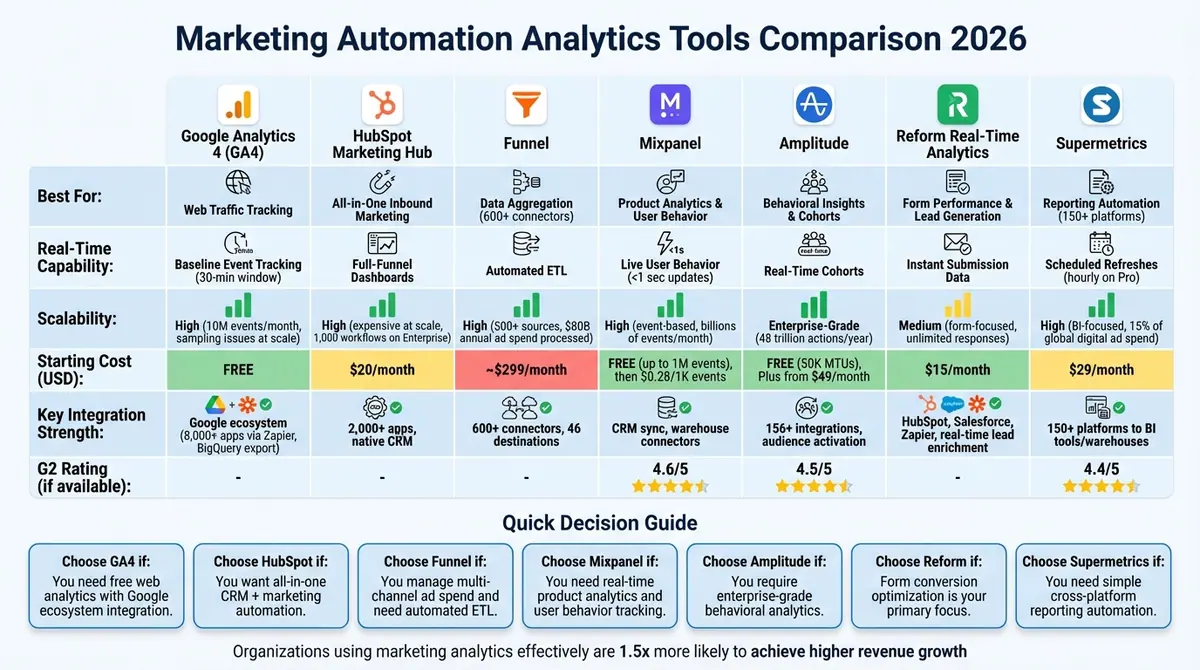
Marketing Automation Analytics Tools Comparison 2026: Features, Pricing & Capabilities
Best Marketing Analytics Tools for Agencies: How to Track Campaign Performance & Revenue
sbb-itb-5f36581
1. Google Analytics 4

Google Analytics 4 (GA4) plays a key role in most marketing automation setups because it works seamlessly with the entire Google ecosystem. This includes tools like Google Ads for Smart Bidding and BigQuery for exporting raw data. What sets GA4 apart is its ability to link web activity directly to ad performance without needing third-party connectors. For teams managing multi-channel campaigns, GA4 data can integrate with CRM platforms like HubSpot, tying traffic sources to real sales outcomes.
Integration Capabilities
GA4 connects to over 8,000 apps using automation tools like Zapier. This allows you to automate actions such as triggering a "New Conversion Event" to create or update CRM contacts in platforms like Salesforce, Pipedrive, or HubSpot. Another standout feature is its free export to BigQuery, enabling teams to combine web behavior data with offline CRM insights for advanced modeling, like lifetime value analysis.
However, nearly 90% of GA4 accounts are misconfigured due to missing custom dimensions. To avoid attribution issues, make sure your UTM parameters are standardized across all platforms. Use Google Tag Manager to ensure that a GA4 event is triggered whenever a form is submitted. Setting up these integrations properly ensures a strong foundation for GA4’s real-time monitoring features.
Real-Time Analytics
GA4’s real-time analytics provide actionable insights crucial for making quick campaign adjustments. The Real-Time report tracks user activity, such as clicks, page views, and form submissions, within the last 30 minutes —often captured via optimized lead generation forms—. This feature is especially helpful for verifying that new automation triggers or tracking codes are working as intended. Since standard GA4 reports can take 24 to 48 hours to process, real-time data is invaluable for immediate troubleshooting.
The DebugView tool further enhances accuracy by allowing you to confirm that tracking tags are firing correctly before launching a campaign. This can save teams from costly data errors down the line.
Scalability
GA4 is built to grow with your business. Its free version can handle up to 10 million events per property each month before data sampling kicks in. It also supports exporting billions of rows to data warehouses like BigQuery, bypassing the platform's 14-month data retention limit. For larger enterprises, GA360 offers enhanced features, including 50-month data retention and higher sampling thresholds, starting at around $150,000 per year.
As Jagdip Kumar puts it:
"GA4 is not just an update - it's a new way to understand users".
Pricing (USD)
The standard version of GA4 is free and includes BigQuery export with 10GB of storage and 1TB of queries per month. For mid-market companies, implementation services - covering setup and training - typically range from $20,000 to $80,000 in the first year. BigQuery operates on a pay-as-you-go model, offering flexibility for growing teams without requiring upfront commitments.
2. HubSpot Marketing Hub

HubSpot Marketing Hub brings together marketing, sales, and service data into a single, real-time contact record. This eliminates the hassle of piecing together information from different systems. It provides a comprehensive timeline of every interaction, from ad views to email clicks, all in one place.
Integration Capabilities
HubSpot's App Marketplace offers over 2,000 apps with more than 2.5 million installations globally. Currently, about 466,709 live websites use HubSpot integrations. The platform supports native integrations, middleware tools like Zapier, and API-driven custom workflows. For eCommerce, its Shopify integration ensures real-time data sync and provides pre-built dashboards. Additionally, the WordPress plugin simplifies tracking code installation and embeds HubSpot forms directly into WordPress sites.
Larger organizations are increasingly adopting Reverse ETL strategies, where customer data is stored in warehouses like Snowflake or BigQuery. In this model, HubSpot serves as an engagement layer rather than the primary system of record. As the Automation Strategy Group puts it:
"The efficacy of your platform is governed by the platforms it connects to and how those integrations are used".
This interconnected approach allows for real-time marketing performance monitoring, giving businesses a clearer picture of their efforts.
Real-Time Analytics
HubSpot’s real-time analytics connect early-stage marketing activities to revenue outcomes. You can set up alerts for unusual traffic spikes or drops in conversions and flag "at-risk" opportunities, such as delayed deals or overdue follow-ups. The platform supports multiple attribution models - like first-touch, last-touch, linear, U-shaped, and W-shaped - so you can link revenue to specific marketing efforts. For B2B users, HubSpot often delivers MQL-to-SQL conversion rates between 13% and 27%.
Hooman Radfar, Co-founder and CEO of Collective, shared:
"The Sona Revenue Growth Platform has been instrumental in the growth of Collective. The dashboard is our source of truth for CAC and is a key tool in helping us plan our marketing strategy".
Scalability
HubSpot’s scalability makes it suitable for businesses of all sizes, from startups to large enterprises. The Enterprise tier doubles limits for workflows (up to 1,000), custom reports (up to 500), and dashboards (up to 50). Large organizations benefit from team-based partitioning, which allows marketing assets to be assigned by department or region, ensuring users see only the content relevant to them. Custom objects add flexibility, enabling companies to track unique data like product usage or inventory, which can then trigger automated workflows. These features streamline operations and allow the platform to grow alongside your business.
Oren Ezra, Head of Enterprise Marketing at Monday.com, noted:
"HubSpot is a key foundation of our massive scale, enabling us to nurture our customers and prospects with great content that's segmented by and personalized to industry and persona".
Pricing (USD)
| Plan | Price (USD/Month) | Best For |
|---|---|---|
| Free | $0 | Startups, basic email marketing |
| Starter | $20 | Small businesses, email automation |
| Professional | $890 | Growing companies, full automation |
| Enterprise | $3,600 | Large teams, advanced attribution |
The Professional plan costs between $800 and $890 per month, while the Enterprise plan starts at $3,600 per month. Pricing adjusts based on the number of contacts and additional hubs (Sales, Service, CMS) added to the platform.
3. Funnel
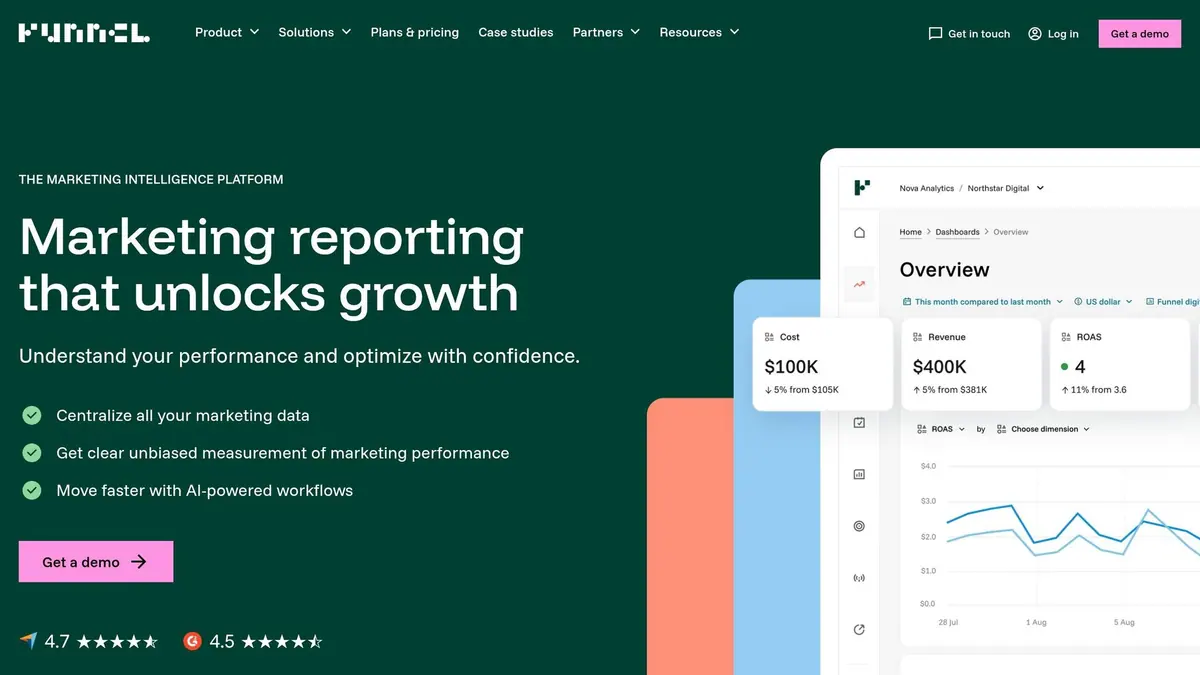
Funnel functions as a managed infrastructure platform, processing an impressive $80 billion in annual ad spend and supporting over 600 data connectors. In 2024, it handled 11% of the global digital ad spend through its infrastructure. Its Data Hub preserves raw historical data, ensuring records remain intact even if ad platforms delete older entries.
Integration Capabilities
Funnel boasts a vast library of data connectors, spanning major ad platforms, CRM tools like HubSpot (Companies and Contacts) and Salesforce, as well as regional ad networks. The platform automatically manages API changes and schema updates, ensuring dashboards remain stable. Cleaned data can be routed to over 46 destinations, including BI tools such as Looker Studio, Tableau, and Power BI, or data warehouses like BigQuery and Snowflake.
Power Digital Marketing experienced a 75% reduction in manual data cleaning and pipeline maintenance after adopting Funnel. Mattan Romano, Associate Director of Business Analytics, shared that his team went from spending days on client reports to completing them in under an hour. Bryce Hamlin, Director of Business Analytics at Power Digital Marketing, highlighted:
"We moved from spending days on building a client's report to just under an hour. Our analytics team simply wouldn't be what it is today without Funnel's capabilities".
This integration framework powers Funnel's real-time analytics, delivering tangible performance improvements.
Real-Time Analytics
Funnel simplifies data cleaning, normalization, and harmonization without requiring SQL or technical expertise. It aligns currencies, naming conventions, and time zones across all sources, contributing to an average 26% increase in Return on Ad Spend (ROAS) within the first two years of use. For example, Havas France saved over 12 hours of weekly manual work by replacing their Excel-based process with Funnel's centralized platform.
Scalability
Funnel's Data Hub serves as a reliable central source of truth, maintaining data accuracy as companies grow. It supports both self-service marketing analytics and enterprise-level BI workflows. Reusing a single data product across multiple solutions can reduce costs by up to 30%. Additionally, the Flexpoints pricing model ensures predictable capacity planning, enabling teams to scale without unexpected cost increases.
Pricing (USD)
Funnel pricing starts at $299–$400 per month. The platform uses a Flexpoints system, where points act as currency for capacity - covering connectors, data sources, and destinations. Plans include:
- Starter: Ideal for teams creating automated dashboards.
- Business: Designed for organizations that need greater scale.
- Enterprise: Offers high-tier connectors like DV360 and Search Ads 360, along with advanced measurement tools.
All plans include unlimited users.
4. Mixpanel
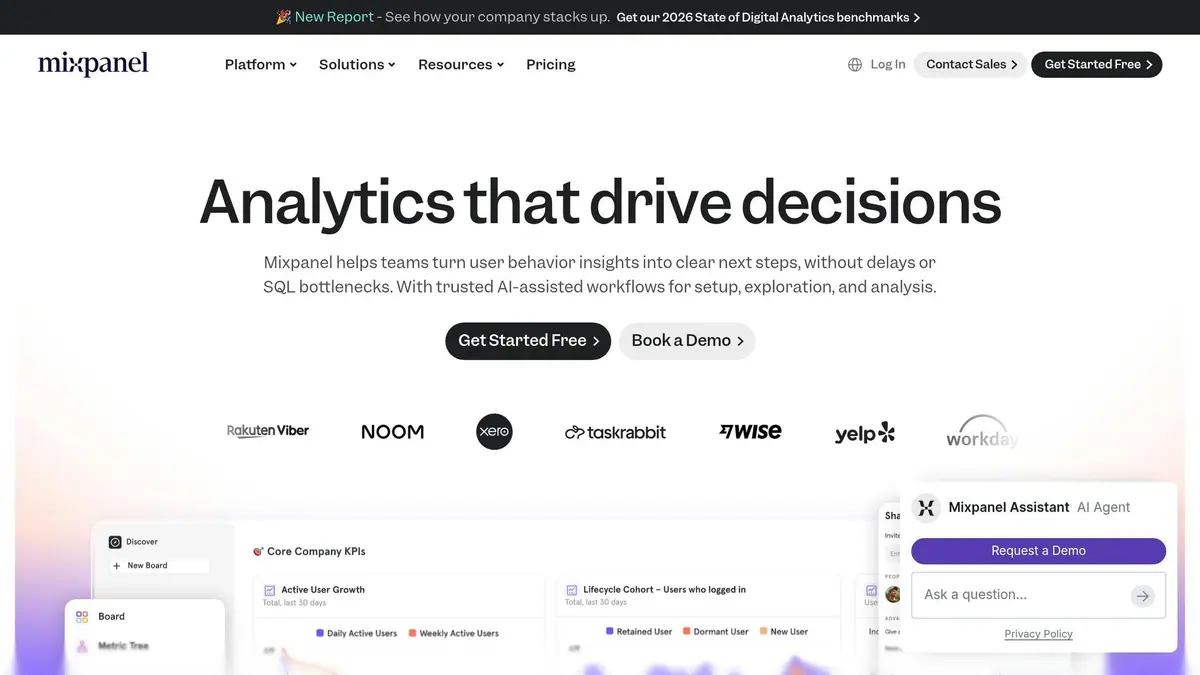
Mixpanel focuses on tracking specific user actions, known as events, rather than just page views. This approach makes it a powerful tool for analyzing how users engage with marketing automation workflows. In its 2026 State of Digital Analytics report, which reviewed over 22 billion user actions across eight industries, Mixpanel showcased its ability to map out full user journeys across devices and sessions.
Integration Capabilities
Mixpanel works seamlessly with platforms like Mailchimp, HubSpot, and FlareLane, enabling real-time automated workflows based on user behavior. For example, if a user abandons their cart or completes a specific action, Mixpanel can instantly sync behavioral data with your CRM to launch targeted retargeting campaigns. Its two-way integration with customer data platforms like Segment ensures marketing and product teams operate from the same data set. The Group Analytics feature is particularly helpful for B2B companies, as it tracks behavior at the organizational level.
To maintain the quality of integrations, it’s important to establish a clear event naming system before syncing with your CRM. Mixpanel's warehouse connectors also allow direct syncing of trusted data from data warehouses, ensuring consistency across your marketing tools. These capabilities position Mixpanel as a key tool for delivering agile, data-informed marketing automation strategies.
Real-Time Analytics
Mixpanel’s real-time analytics allow marketers to make quick adjustments to campaigns. The platform updates data in under a second, offers a 2-second report load time, and boasts 99.99% uptime. This speed enables teams to monitor live user responses and tweak messaging instantly. Additionally, the Spark AI assistant simplifies data analysis by letting users query product data in plain language while automatically generating reports - no SQL skills required.
Drew Ashlock, Senior Product Manager, shared how Mixpanel supports scalability:
"Mixpanel helps us enable our customers for success. What started as a need for simple marketing metrics turned into custom product metrics for more than 100 different stakeholders across the company."
With real-time alerts and AI-powered session replays, Mixpanel quickly identifies key metric changes and friction points in user journeys. The platform also retains an unsampled dataset for at least two years, ensuring long-term data availability.
Scalability
Mixpanel is built to handle billions of events every month while maintaining sub-second query speeds. Enterprise tools like Lexicon help large teams enforce consistent naming conventions, ensuring smooth performance. The platform also prioritizes security with features like SOC 2 Type II, ISO 27001, HIPAA compliance, SSO/SAML, and audit logs to meet enterprise-grade requirements.
Since Mixpanel’s pricing is based on event volume rather than the number of users, it’s wise to regularly review your event taxonomy to remove unnecessary tracking and manage costs efficiently. Tools like Metric Trees allow users to connect detailed event data to broader business KPIs, aligning marketing automation efforts with overall product goals.
Pricing (USD)
Mixpanel’s pricing structure includes the following options:
| Plan | Monthly Cost | Event Limit | Key Features |
|---|---|---|---|
| Free | $0 | 1 million events | Core reports, unlimited data history, 10,000 session replays |
| Growth | $0 base + $0.28 per 1,000 events after 1M | 1 million free events, then usage-based | Unlimited saved reports, 20,000 session replays |
| Enterprise | ~$20,000/year | Custom | Advanced security, dedicated support, unlimited session replays |
The free plan offers an impressive allowance of 1 million monthly events with no data storage limits. However, startups experiencing rapid growth should monitor their event volume closely, as the usage-based pricing model could lead to unexpected expenses. With its precise event tracking and fast insights, Mixpanel strengthens the tools needed for integrated marketing automation workflows.
5. Amplitude
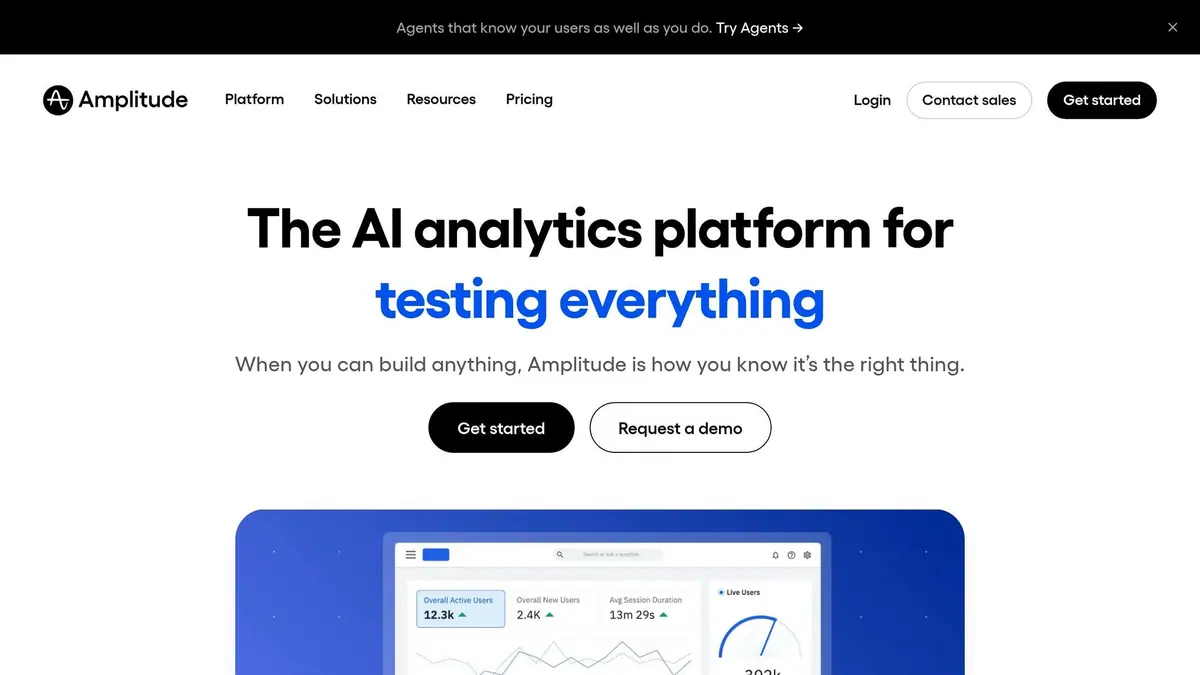
Amplitude is a platform designed to track and analyze user behavior across web and mobile applications, processing over 48 trillion actions annually. Supporting more than 11,000 digital products, it’s trusted by half of the Fortune 100 companies. Unlike traditional analytics tools that focus on metrics like page views, Amplitude zeroes in on specific user actions - such as adding items to a cart or watching a video - helping marketers uncover what drives conversions.
Integration Capabilities
Amplitude offers over 156 pre-built integrations with marketing automation platforms, CDPs, data warehouses, and advertising tools. With its Audience Activation feature, marketers can sync behavioral cohorts directly to platforms like Braze, Marketo, and Facebook without the hassle of manual data exports. For example, you can automatically send cart-abandoners to your email automation system for immediate retargeting.
The platform supports bi-directional data sharing with major CRMs, including HubSpot, Salesforce Marketing Cloud, and Adobe Marketo Engage. Additionally, integrations with data warehouses like Snowflake, BigQuery, and Amazon Redshift allow businesses to combine behavioral data with metrics like financial performance or customer support statistics for a well-rounded view. For custom setups, Amplitude provides Batch API and HTTP API options, enabling data ingestion from server-side code.
Bjorn Seaton, Marketing Analytics Manager at Trendhim, highlighted the platform's impact:
"By using Amplitude, we've validated marketing strategies - unlocking invaluable insights into customer behavior, campaign optimization, and performance measurement."
To get the most out of its integrations, leverage the Audience Activation feature to sync high-value behavioral segments with your lifecycle messaging tools for real-time personalization.
Real-Time Analytics
Amplitude’s event-based architecture, powered by a one-line Browser SDK Autocapture, provides instant insights. This setup means teams can start analyzing user behavior within minutes of implementation. The platform also creates real-time behavioral cohorts - groups of users based on specific actions - that sync directly with marketing tools for precise targeting.
Its Session Replay feature adds a layer of qualitative insight by offering lag-free playback of user interactions on web and mobile. When paired with funnel analysis, this helps pinpoint exactly where and why users drop off. Additionally, AI-powered tools like anomaly detection and churn prediction enable proactive decision-making, allowing marketers to address potential issues before they escalate.
Daniela Medina, Technical Leader for Data & Analytics at Mercado Libre, described the platform’s transformative impact:
"Transitioning from Google Analytics to Amplitude is more than just a swap in tools - it's a paradigm shift in how teams think about and apply analytics to their own work, with a new focus on user behavior."
Start with the single-line autocapture to quickly establish an event taxonomy and begin collecting data before moving on to more detailed customizations.
Scalability
Amplitude is built to handle massive data volumes, currently processing 48 trillion user actions annually. Its scalability makes it suitable for everyone from solo entrepreneurs to Fortune 500 companies, with custom event volume options to support businesses experiencing rapid growth. For B2B companies, Account-Level Tracking aggregates individual user behaviors into organization-wide patterns, offering valuable insights for scaling sales operations.
To maintain data accuracy as usage increases, Amplitude includes governance controls. Its native connectivity with data warehouses like Snowflake, BigQuery, and Redshift ensures product data aligns seamlessly with broader business intelligence efforts. AI-driven features further simplify the extraction of insights from large datasets, saving teams from manual processing.
Companies using Amplitude have reported impressive results, including a 174% year-over-year growth in top-performing products. A Forrester study also found a 217% ROI over three years for businesses leveraging the platform. For more strategies on driving growth, see this lead conversions playbook. While implementation typically takes 4 to 6 weeks for mid-market companies, this process involves careful event taxonomy planning and SDK integration.
With its advanced integrations, real-time analytics, and ability to scale, Amplitude enhances how businesses approach marketing and user behavior analysis.
Pricing (USD)
Amplitude’s pricing is based on Monthly Tracked Users (MTUs) rather than event volume:
| Plan | Monthly Cost | MTU Limit | Key Features |
|---|---|---|---|
| Starter | $0 | 50,000 MTUs | 10 million events, core analytics, basic session replay |
| Plus | From $49/mo (annual) | 300,000 MTUs | Advanced analytics, data warehouse exports, behavioral cohorts |
| Growth | Custom | Custom | Predictive analytics, causal insights, advanced permissions |
| Enterprise | Custom | Custom | SSO, dedicated support, advanced security, full feature suite |
The free Starter plan is ideal for small teams, offering plenty of capacity. The Plus plan, starting at $49 per month, significantly increases MTU limits. For startups with under $10 million in funding and fewer than 20 employees, Amplitude offers a Scholarship program that provides a full year of the Growth plan at no cost.
6. Reform Real-Time Analytics
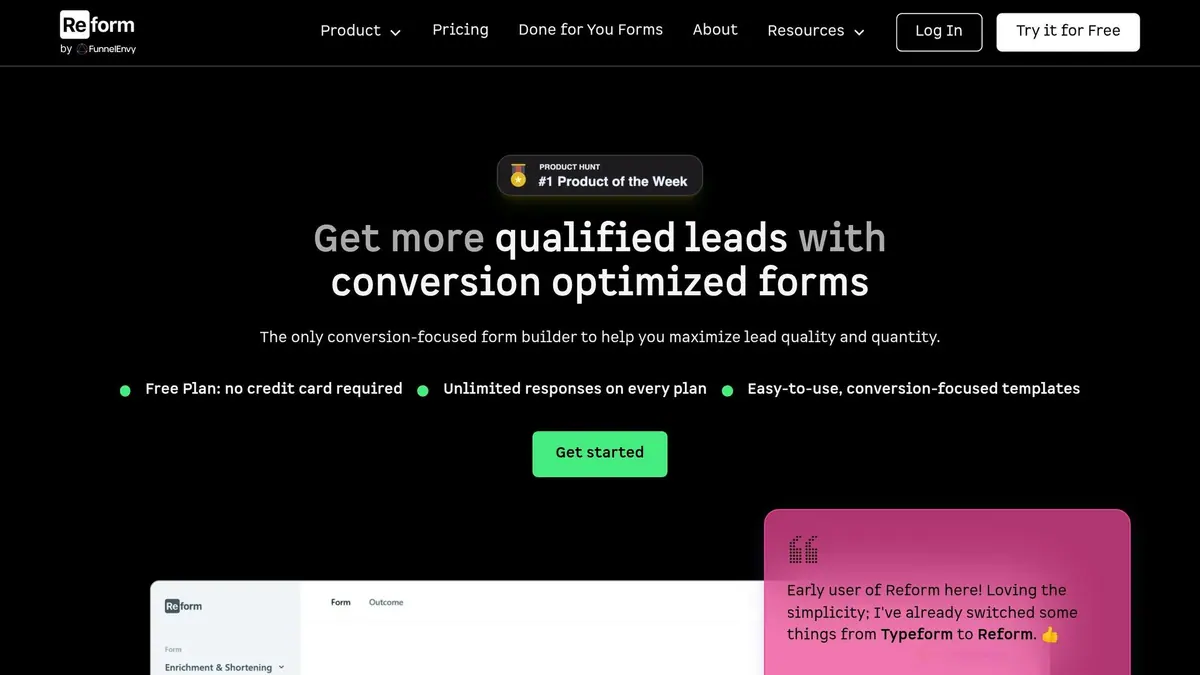
Reform is a no-code form builder designed to simplify data collection while offering real-time analytics, A/B testing, and lead enrichment. Unlike platforms that rely on external tools for tracking performance, Reform incorporates these features directly into the platform, creating a unified system for high-converting lead forms and actionable insights.
Integration Capabilities
Reform seamlessly connects with major CRM platforms like HubSpot, Salesforce, and Close, syncing form responses and updating lead records automatically. It also integrates with tools like Marketo and ConvertKit, making lead nurturing easier. For broader automation, Reform connects to thousands of apps via Zapier or uses Webhooks to trigger actions across your tech stack instantly.
The platform’s real-time lead enrichment enhances contact data as it’s captured, enabling instant lead qualification and segmentation. Additionally, submissions can be routed to tools like Google Sheets or Notion for collaborative tracking.
"Reform is what Typeform should have been: clean, native-feeling forms that are quick and easy to spin up. Reform does the job without a bunch of ceremony." - Derrick Reimer, Founder of SavvyCal
For those looking to maximize CRM integration, the Pro Plan offers advanced features like deeper connectivity with HubSpot and Salesforce, as well as custom CSS and JavaScript options for greater technical control. These integrations ensure marketers can act on insights in real time.
Real-Time Analytics
Reform’s analytics engine provides instant feedback on form performance, enabling ongoing optimization through built-in A/B testing. Real-time email validation ensures accurate data at the point of entry, while advanced spam filters block irrelevant submissions, ensuring only high-quality leads are captured.
The Pro Plan introduces incomplete response tracking, which highlights where users drop off during the form process. This feature pinpoints problematic fields, helping to improve the overall user experience. Multi-step forms create a conversational flow that often leads to higher completion rates compared to single-page designs.
"I've already switched some things from Typeform to Reform. Loving the simplicity." - Justin Jackson, Co-founder of Transistor.fm
Using incomplete response data, teams can refine forms to minimize friction and boost conversion rates.
Scalability
Reform is built to scale effortlessly, whether for small teams or larger enterprises. All paid plans, including the $15/month Basic tier, offer unlimited responses, removing the worry of rising costs as submission volume grows.
The platform’s API-first design supports custom, high-volume workflows, while advanced CSS and JavaScript options ensure brand consistency and enable complex functionality. Robust spam filters and real-time email validation maintain data quality, even at scale.
"Reform is a simple, fast forms solution. A no-brainer to reach for anytime I need to quickly deploy a form without coding." - Brian Casel, Founder of ZipMessage
Pricing (USD)
| Plan | Monthly Cost | Key Features |
|---|---|---|
| Basic | $15 | Unlimited responses, conditional logic, headless forms, basic integrations (Zapier, Google Sheets, Notion, ConvertKit) |
| Pro | $35 | Everything in Basic, plus team access, file uploads, incomplete response tracking, custom CSS/JS, advanced CRM integrations (HubSpot, Close, Salesforce) |
Both plans include unlimited responses, with annual billing options available at $150/year for Basic and $350/year for Pro. The Pro Plan is ideal for teams focused on optimizing conversions and managing high-quality leads, thanks to features like abandoned submission tracking and enhanced integrations.
7. Supermetrics
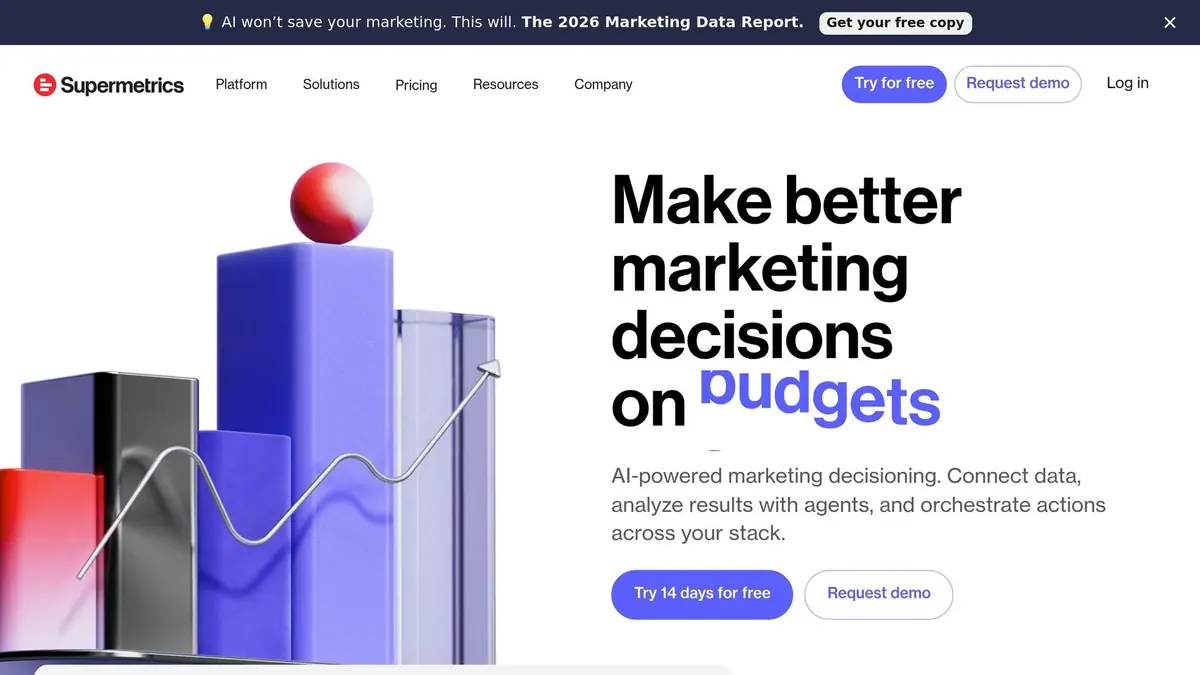
Supermetrics is a secure data pipeline that connects over 150 marketing platforms to various reporting tools. It enables users to transfer data seamlessly from platforms like Google Ads, Meta, Salesforce, HubSpot, and Mailchimp to tools such as spreadsheets, BI platforms, or data warehouses. Impressively, it supports data for more than 15% of global digital marketing spend and serves over 200,000 users in 120 countries.
Integration Capabilities
Supermetrics integrates with tools like Google Sheets, Excel, Looker Studio, Power BI, Tableau, BigQuery, Snowflake, Azure Synapse, Amazon S3, Google Cloud Storage, Databricks, and Microsoft Fabric. Following its acquisition of Relay42 in June 2025, the platform now acts as both a Marketing Intelligence Platform and a Customer Data Platform (CDP). This dual functionality allows for unified customer profiles and real-time campaign optimization.
In February 2026, Supermetrics launched the Supermetrics MCP Server, which delivers live data to AI platforms like ChatGPT, Claude, Gemini, and Copilot. Marketers can now ask natural language questions about metrics like budget pacing or ROI trends without needing to build dashboards manually. The platform also includes a connector builder, offline data import for sources like TV and radio, and a custom API for tailored integrations.
"Supermetrics lets us achieve our data goals without storing sensitive data externally, which was critical for us as a large organization."
- Martina Karakoleva, Campaign Insights Manager, Philips Healthcare
Supermetrics has already demonstrated its impact. For example, in February 2026, the fast-food chain El Jannah achieved a 5% sales increase without raising its marketing budget. By using Supermetrics to integrate data from Google, Facebook, Uber Eats, DoorDash, TV, radio, and POS systems into BigQuery, the company was able to optimize its marketing mix. The agency Seeda, which led the implementation, reported an average 18% performance boost for clients using this unified data approach.
Real-Time Analytics
While Supermetrics primarily processes data in batches, higher-tier plans offer faster updates. The Pro Plan ($399/month) includes hourly refreshes, while the Enterprise tier supports on-demand data pulls. These advanced plans also feature an AI Dashboard Agent, which enables users to query live metrics in natural language and receive automatic performance insights.
The platform prioritizes data security, offering SOC 2 Type II, GDPR, and CCPA compliance. It uses fully encrypted caches and processes data without permanent storage unless users opt into Supermetrics Storage.
Scalability
Supermetrics is designed to grow with its users. It supports a range of needs, from basic reporting in Google Sheets to enterprise-grade analytics in data warehouses like BigQuery or Snowflake. This flexibility allows businesses to scale their data operations without needing to rebuild existing data logic. Agencies can also manage multiple clients efficiently, creating segmented dashboards across accounts without re-engineering pipelines.
"Supermetrics helped us move fast, stay lean, and still build a strong data foundation. That's why it's now part of our long-term data strategy."
- Sophie Buresi, Global Data and CRM Factory Director, ETAM Group
Pricing (USD)
Here's a breakdown of Supermetrics' pricing options:
| Plan | Monthly Cost | Data Sources | Users | Refresh Frequency |
|---|---|---|---|---|
| Starter | $29 | 3 | 1 | Weekly |
| Growth | $159 | 15+ | 2 | Daily |
| Pro | $399 | 15+ | 3 | Hourly |
| Enterprise | Custom | Unlimited | Unlimited | On-demand |
It's important to note that pricing operates on a per-destination model. For instance, if data is needed in both Google Sheets and Looker Studio, separate subscriptions are required. While Supermetrics holds a 4.4/5 rating on G2 from over 798 reviews, users have pointed out that costs can escalate quickly when adding multiple data sources or destinations.
Strengths and Weaknesses
This section breaks down the key benefits and limitations of each tool, making it easier to decide which one fits your needs.
Every analytics tool has its perks and challenges, often influenced by factors like team size, technical know-how, and budget.
Google Analytics 4 (GA4) is a budget-friendly option - offered for free - and can handle millions of users. However, it may face sampling issues with high data volumes and requires advanced skills to navigate effectively.
HubSpot Marketing Hub shines with its robust native integrations and built-in CRM, simplifying data synchronization. That said, costs can escalate quickly as your contact list grows. For instance, managing over 10,000 records can push monthly costs from about $890 to more than $3,000 .
Both Funnel and Supermetrics excel at aggregating cross-channel data from over 500 sources. Funnel processes data in real time for BI tools but lacks sophisticated native attribution capabilities. On the other hand, Supermetrics depends on scheduled updates instead of providing true live streaming.
For teams focused on behavioral analytics, Mixpanel (4.6/5 on G2) and Amplitude (4.5/5 on G2) are standout options. They offer detailed, real-time tracking and cohort analysis that outperforms GA4's event-based system, making them ideal for product-led strategies.
Reform Real-Time Analytics is tailored for form-specific conversion tracking. It delivers instant insights into submission rates, drop-offs, and lead quality without needing external BI tools. This makes it particularly valuable for teams managing high-volume lead generation campaigns where form performance directly impacts revenue.
It's worth noting that some older tools may incur extra costs for analysts and infrastructure. While organizations using marketing analytics effectively are 1.5 times more likely to achieve higher revenue growth, fewer than 30% of marketing leaders report being able to act on their data in real time.
As mentioned earlier, tools with strong native integrations can greatly enhance scalability and automation. Choosing native integrations over third-party solutions like Zapier can help reduce latency and improve data accuracy.
Here's a quick comparison of each tool's strengths, real-time capabilities, scalability, and starting costs:
| Tool | Best For | Real-Time Capability | Scalability | Starting Cost |
|---|---|---|---|---|
| GA4 | Web Traffic | Baseline Event Tracking | High (Sampling Issues) | Free |
| HubSpot | All-in-One Inbound | Full-Funnel Dashboards | High (Expensive) | $20/mo |
| Funnel | Aggregation | Automated ETL | High (500+ Sources) | ~$1/connector |
| Mixpanel | Product Analytics | Live User Behavior | High (Event-Based) | $28/mo |
| Amplitude | Behavioral Insights | Real-Time Cohorts | Enterprise-Grade | Custom |
| Reform | Form Conversion Tracking | Instant Submission Analytics | Medium (Form-Focused) | $15/mo |
| Supermetrics | Reporting Automation | Scheduled Refreshes | High (BI-Focused) | $29/mo |
Conclusion
Choosing the right analytics tool hinges on aligning your technical expertise, budget, and primary goals with the platform's strengths.
If your team prioritizes sales and marketing alignment, HubSpot Marketing Hub offers a unified CRM and marketing dashboard that minimizes data handoff issues. However, be prepared for costs to rise significantly - managing over 10,000 contacts can push monthly fees from $800 to over $3,000.
For teams handling large volumes of data from multiple sources, Funnel stands out with its automated ETL capabilities. Agencies seeking straightforward reporting solutions might find Supermetrics a budget-friendly choice at $29/month. On the other hand, product-led teams looking for advanced cohort analysis will appreciate Mixpanel (4.6/5 on G2) and Amplitude (4.5/5 on G2), both of which outshine GA4's event-based tracking system.
For teams where form performance directly impacts revenue, Reform Real-Time Analytics offers a tailored solution. At $15/month, it provides instant insights into submission rates and drop-offs without requiring external BI tools or data analysts, making it ideal for high-volume lead generation efforts.
Ultimately, the right choice comes down to balancing your budget with your operational needs. It's worth noting that organizations using marketing analytics effectively are 1.5 times more likely to outpace their competitors in revenue growth. As Marc-Antoine Allain, CEO of Eliott, wisely states:
"The tool you choose determines whether your team spends its time building dashboards or making decisions".
Start by evaluating your current capabilities and scale up over time - 50% of businesses tend to over-invest in their initial platform. By selecting a tool that aligns with your specific needs, whether it's CRM integration or real-time analytics, you'll be well-positioned to drive revenue and streamline your marketing efforts.
FAQs
Which tool should I choose for my main goal (traffic, product, CRM, or reporting)?
When choosing the right tool, it all comes down to your specific goals. For traffic optimization, tools like SegmentStream or Cometly help with insights and attribution tracking. If managing customer relationships is your priority, CRM platforms like Salesforce or HubSpot can simplify and organize customer management. Need to make sense of complex data? Reporting tools such as Power BI or Tableau excel at data visualization. Finally, for tasks like lead capture, real-time analytics, or creating smooth workflows, automation tools like Reform are a great fit. Pick the tool that aligns with your focus area.
How can I avoid tracking and attribution mistakes when setting up these tools?
To keep tracking and attribution on point, it's crucial to ensure everything works smoothly across your platforms. Focus on real-time data synchronization and seamless integration to avoid gaps or inconsistencies. Automated triggers and custom dashboards can help you maintain accurate insights while keeping things organized.
Don't forget to periodically review your setup. Double-check that your attribution models are properly configured - this helps reduce errors and ensures you're measuring performance as accurately as possible.
What costs usually increase as my data volume or contact list grows?
As your contact list or data volume expands, costs can climb due to contact overages, tiered pricing tied to the number of contacts, and extra charges for things like setup, training, or integrations. These higher costs often stem from the additional resources and advanced tools required to handle larger lists efficiently.
Related Blog Posts
Get new content delivered straight to your inbox

The Response
Updates on the Reform platform, insights on optimizing conversion rates, and tips to craft forms that convert.




Drive real results with form optimizations
Tested across hundreds of experiments, our strategies deliver a 215% lift in qualified leads for B2B and SaaS companies.
