
.webp)
GDPR and CRM Integration: Setup Guide


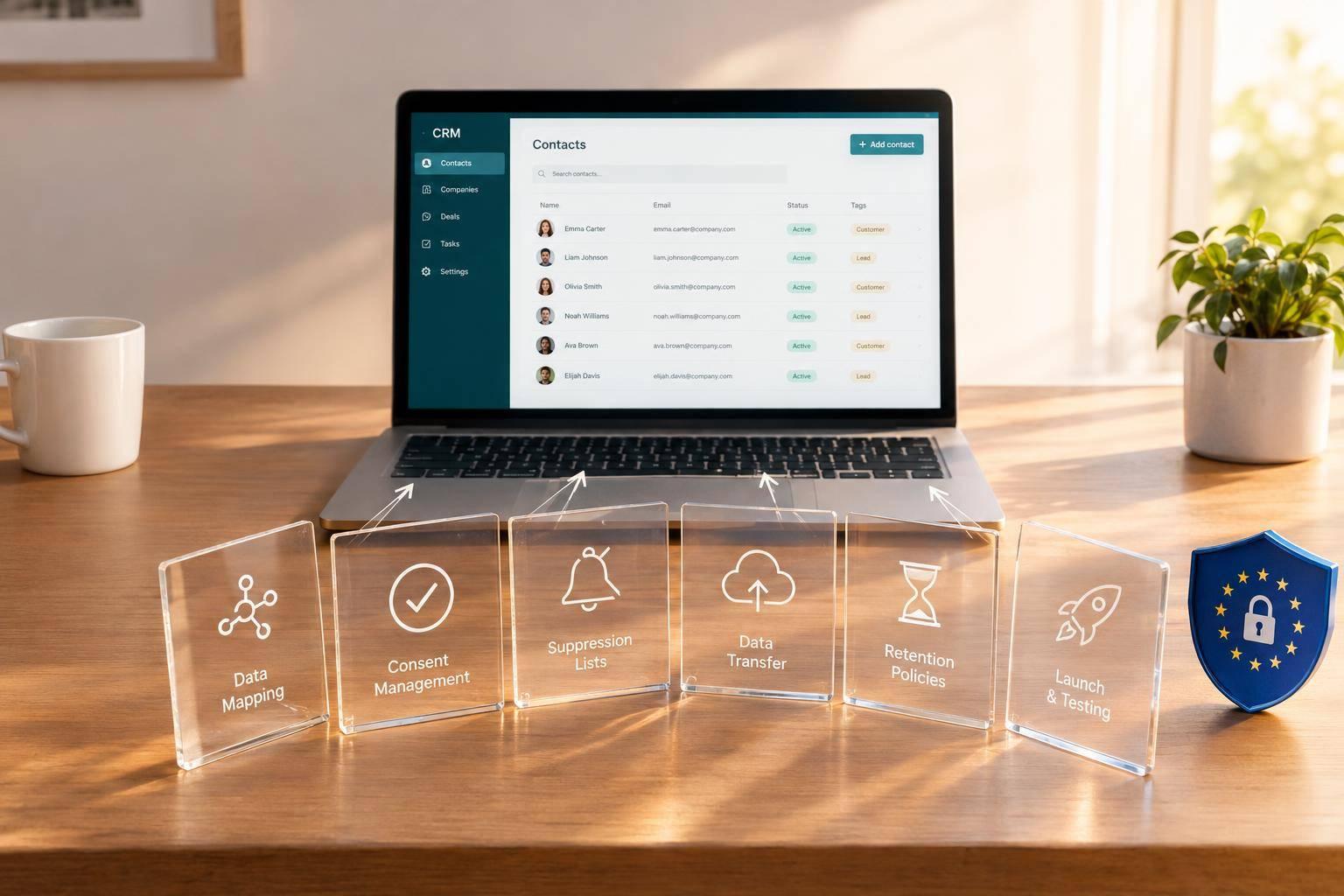
Before I connect a form to a CRM, I map where the data goes, why I need it, and what must stop when someone opts out. A synced contact is not permission to send marketing emails.
My setup checklist covers:
- Scope and data: Confirm GDPR applies, assign owners, choose a lawful basis for each use, and collect only needed fields.
- Consent and automation: Keep consent history, check permissions before sends or exports, and carry withdrawals and marketing objections across connected tools.
- Vendors and transfers: Check vendor roles, agreements, access locations, and cross-border safeguards.
- Retention and rights: Set deletion rules, track rights requests, log activity, and limit access.
- Launch checks: Test the entire data path, get owner approval, and schedule quarterly reviews.
My rule: <u>don’t launch if a failed test could let data stay - or marketing continue - when it should stop.</u>

GDPR CRM Integration: Setup and Launch Workflow
Set Lawful Bases and Map Lead Data
Choose a Lawful Basis for Each Purpose
Assign a lawful basis to each lead-form purpose, not to the contact as a whole. Use Contract only when processing is needed for a specific request. Consent must be freely given, specific, informed, and unambiguous. Legitimate Interest requires a documented Legitimate Interests Assessment (LIA). Use Legal Obligation only when a specific law requires processing, and cite that law or regulation. Check email-marketing rules separately: a GDPR lawful basis alone does not permit promotional email.
Give each purpose an accountable owner. Review its lawful basis regularly, especially when the purpose changes.
Map each purpose to its data fields, owner, and review schedule.
| Processing purpose | Data fields | Lawful basis to document | Responsible system / owner | Review cadence |
|---|---|---|---|---|
| Requested quote | Contract, where needed for requested pre-contract steps | CRM / Sales Operations | Annual | |
| Marketing email | Email, marketing preference | Consent where required; check email-marketing rules separately | Marketing automation / Marketing Operations | Twice a year |
| Lead profiling | Job title, industry | Legitimate Interest, subject to an LIA | CRM / Sales Operations | Annual |
| Third-party sharing | Email, sharing preference | Separate, specific consent where relied upon | Approved destination / Partnership owner | Annual |
| Legal records | Required transaction details | Legal Obligation; cite the specific law or regulation | Recordkeeping system / Finance | As required |
Limit Form Fields and Define Data Mapping
Use multi-step forms and conditional routing to collect only what each submission path needs. Mark a field as required only when the request needs it.
Keep marketing preferences separate from service-request fields. Record the owner of each destination, and add source metadata - such as the form name or URL - to the map so the CRM can trace where each lead came from.
| Form field | CRM field | Purpose | Lawful basis | Destination | Automation use |
|---|---|---|---|---|---|
| Email Address | email |
Service Delivery | Contract | CRM | Send Quote |
| Marketing Opt-in | marketing_consent |
Promotion | Consent | CRM / marketing automation | Add to Newsletter |
| Job Title | title |
Lead Scoring | Legitimate Interest | CRM | Sales Routing |
| Region | country_code |
Compliance Routing | Legal Obligation | CRM | Data Residency Logic |
Record Consent for Each Purpose
Use separate, unchecked controls for each consent-based purpose, with accessible privacy information beside them. Acknowledging a privacy notice is not marketing consent. Refusing optional marketing must not block an unrelated service request.
Record the purpose, timestamp, source, exact wording shown, notice version, and affirmative action. Keep the full consent history in the CRM rather than overwriting earlier events.
Apply these purpose-specific permissions to automation rules.
sbb-itb-5f36581
Getting started with GDPR compliance: Data Protection by Design
Apply Permission Rules to Automation
Use the lawful bases and consent records above to control which automations can run. Turn each consent record into workflow checks: send only approved fields, and block workflows when permission is missing, withdrawn, or mismatched. A submission or sync does not create marketing permission. Include the stored consent event so each destination can enforce the rule.
Set Rules for Campaigns, Profiling, and Enrichment
Define which workflows each stored permission allows. Build a purpose-to-action matrix that requires:
- Valid marketing permission for promotional email.
- A documented purpose and lawful basis for behavioral profiling.
- The relevant advertising or profiling permission for audience syncing.
- Coverage of the purpose, data source, notice, and lawful basis before third-party enrichment can run.
Every automation must check that permission is present and valid for the same purpose. Missing, expired, withdrawn, or unrelated permission must trigger suppression - not just a warning.
Keep message categories, templates, sender identities, and automation triggers separate. Require a message_purpose value for every campaign, and block sends when permissions don't match. A form submitted for sales follow-up must trigger only that follow-up unless separate marketing permission exists. Check applicable ePrivacy or national rules for prior-consent requirements.
Exclude special-category data from marketing scores unless an Article 9 condition and appropriate safeguards apply. If scoring affects access, pricing, eligibility, or similar high-impact decisions, run an Article 22 assessment and provide human review.
Sync Consent Withdrawals and Marketing Objections
Once workflows are live, make suppression the source of truth across every connected system: the form platform and templates, CRM, email service, advertising platforms, enrichment tools, analytics systems, and downstream warehouse. Withdrawals must stop processing for the affected consent-based purpose. Direct-marketing objections must stop marketing and related profiling, regardless of the original lawful basis.
Cancel queued sends and remove audience memberships. Use event IDs, timestamps, and idempotent updates so stale imports, duplicate merges, or retries can't restore permission. Check suppression again before every send or export. Retain only the suppression identifier and the purpose, status, and event details needed to enforce suppression.
Check Processors and International Transfers
After setting up suppression rules, verify every recipient and transfer path for the mapped lead record. Review processor agreements for security, confidentiality, rights-request assistance, breach support, and subprocessor notifications. Identify any recipients acting as separate controllers.
For transfers subject to GDPR transfer rules, verify an adequacy decision or another valid transfer mechanism, along with the required safeguards. If you use the European Commission’s Standard Contractual Clauses, complete the required transfer assessment and supplementary safeguards. Include remote support access and onward transfers in that review. Test regional routing with non-production records, and confirm that destination-specific permissions stay attached.
Set Retention Rules, Audit Logs, and Tests
Once permission rules are live, set retention periods, turn on logging, and define test coverage.
Set Retention Periods and Rights-Request Workflows
Set retention by purpose, not record type. Apply each rule across form storage, queues, the CRM, and connected tools. Use the table below as a starting point, and document why each period is needed before enabling deletion jobs.
| Data category | Business purpose | Lawful basis | Retention trigger | Action | System owner |
|---|---|---|---|---|---|
| Prospects | Direct Marketing | Consent / Legitimate Interest | Consent Expiry / 6 months of inactivity | Deletion & Blocklist | Marketing Admin |
| Customers | Contract Fulfillment | Performance of Contract | Contract Termination + 7 years | Anonymization | Finance/Legal |
| Behavioral Data | Site Optimization | Consent (Cookies) | 12 months from capture | Deletion | Web Analyst |
| Consent Evidence | Compliance Audit | Legal Obligation | Permanent (while data exists) | Archive | DPO / Admin |
| Suppression Records | Prevent Re-marketing | Legal Obligation | Indefinite (Blocklist) | Restricted Storage | CRM Admin |
Handle access, rectification, erasure, restriction, and portability requests through one tracked workflow. Record the 30-day deadline and any lawful extension.
Use customer portals or email templates with merge fields for access and rectification requests. For portability, export a machine-readable CSV and send it through the approved secure channel. For restriction, lock the record to stop further processing. For erasure, move the record to a blocklist. Delete data upon request unless an overriding legal obligation requires retention, such as financial record-keeping or a legal investigation.
Log Data Activity and Limit Access
Log creation, edits, deletions, consent grants and withdrawals, admin access, exports, API calls, and third-party syncs. Each entry should include the actor, timestamp, action, and affected record ID, plus the destination for transfers.
Limit access to sensitive compliance settings and personal data to admin roles. Classify fields as personal or sensitive so export, API, and sync access is blocked by default.
Test the Data Lifecycle Before Launch
Before launch, test the full data lifecycle with synthetic records. Cover submission, consent waiting periods, blocklist behavior after erasure, processing locks for restriction requests, and machine-readable CSV exports. Verify that a non-response sets the lead to “Not Responded” and stops processing.
Keep the integration register up to date with systems, data categories, purposes, legal bases, retention periods, and owners. Complete any required DPIA before high-risk processing begins, and involve the DPO if one has been appointed.
Conclusion: Check Readiness Before Launch
Passing the data lifecycle test is only the first step. Approve launch only when the following are documented: purposes, lawful bases, CRM fields, expertly optimized lead forms, marketing automation, consent evidence, withdrawal handling, transfer safeguards, retention, and audit logs. Store supporting evidence in the approval record - a checkbox isn’t enough.
Do not launch if any critical full-path test fails. That includes missing consent history, failed withdrawals, deletions that don’t propagate, or sends without permission during outages. Require dated sign-off from privacy, security, marketing, sales, and system owners.
After launch, assign an owner to quarterly reviews and an annual assessment to catch drift. Review sooner whenever forms, campaigns, vendors, or legal requirements change. Give every open compliance issue a named owner and a deadline.
FAQs
Does GDPR apply to my US-based business’s CRM?
Yes - if your U.S.-based business targets or monitors people in the European Economic Area (EEA). This includes processing personal data, such as business contact details.
When syncing form data to your CRM, establish a lawful basis, document explicit consent where required, and map how the data moves between systems. Use an appropriate data transfer mechanism, such as the EU-U.S. Data Privacy Framework or Standard Contractual Clauses.
How should I handle CRM contacts with no consent history?
Do not assume consent. You need a recorded notice version, timestamp, and interaction context to verify consent-based marketing compliance. Restrict marketing or outreach until the person provides valid consent through a preference-center update or a new form submission.
Use field-level permissions to block automated changes to consent records. If those records serve no other lawful purpose, consider deleting or anonymizing them under your retention policy.
How long should I keep consent and suppression records?
How long you keep records depends on their purpose and legal requirements. The ICO recommends keeping consent records for as long as you process data based on that consent. In general practice, keep them for at least five years after the last contact.
Keep suppression records only as long as needed to honor the request. Store only the minimum identifier data and status information needed to prevent unwanted marketing.
Related Blog Posts
Get new content delivered straight to your inbox

The Response
Updates on the Reform platform, insights on optimizing conversion rates, and tips to craft forms that convert.



Drive real results with form optimizations
Tested across hundreds of experiments, our strategies deliver a 215% lift in qualified leads for B2B and SaaS companies.
