
.webp)
How Real-Time Analytics Boosts Marketing Automation


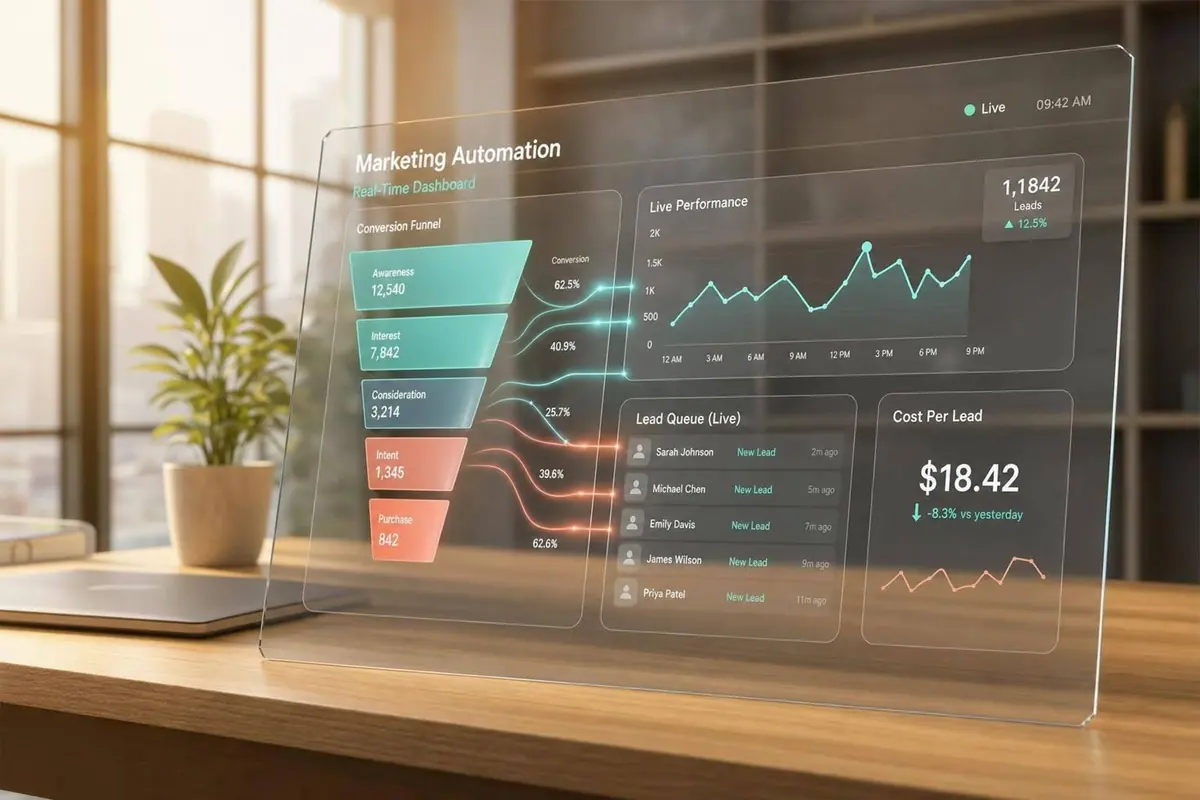
Real-time analytics helps marketing automation work better because it turns live behavior into action right away. In this article, I’d sum it up like this: teams that use live data can improve conversion rates by 20%, grow revenue 5% to 6% faster, cut cost per qualified lead, and respond to form activity while intent is still high.
Here’s the short version:
- I can see campaign problems within minutes, not days later.
- I can trigger emails, lead routing, and sales alerts based on live form and page activity.
- I can recover more high-converting lead forms when follow-up happens fast. One stat stands out: 23% conversion for a recovery email sent within 15 minutes vs. 7% the next morning.
- I can improve lead handling with fast validation, enrichment, and assignment. Teams that respond within 5 minutes are 400% more likely to qualify a lead than teams that wait 10+ minutes.
- I still need clean data, clear trigger rules, and one owner for each alert. Otherwise, “live” reporting turns into noise.
What matters most is simple: speed only helps when it leads to the right next step. This piece shows where live analytics helps most - campaign decisions, form tracking, lead routing, and funnel fixes - and where teams usually get it wrong.
Automating Marketing Reporting with Unified Data | Marketing Analytics Masterclass
sbb-itb-5f36581
What Research Shows About Performance Gains
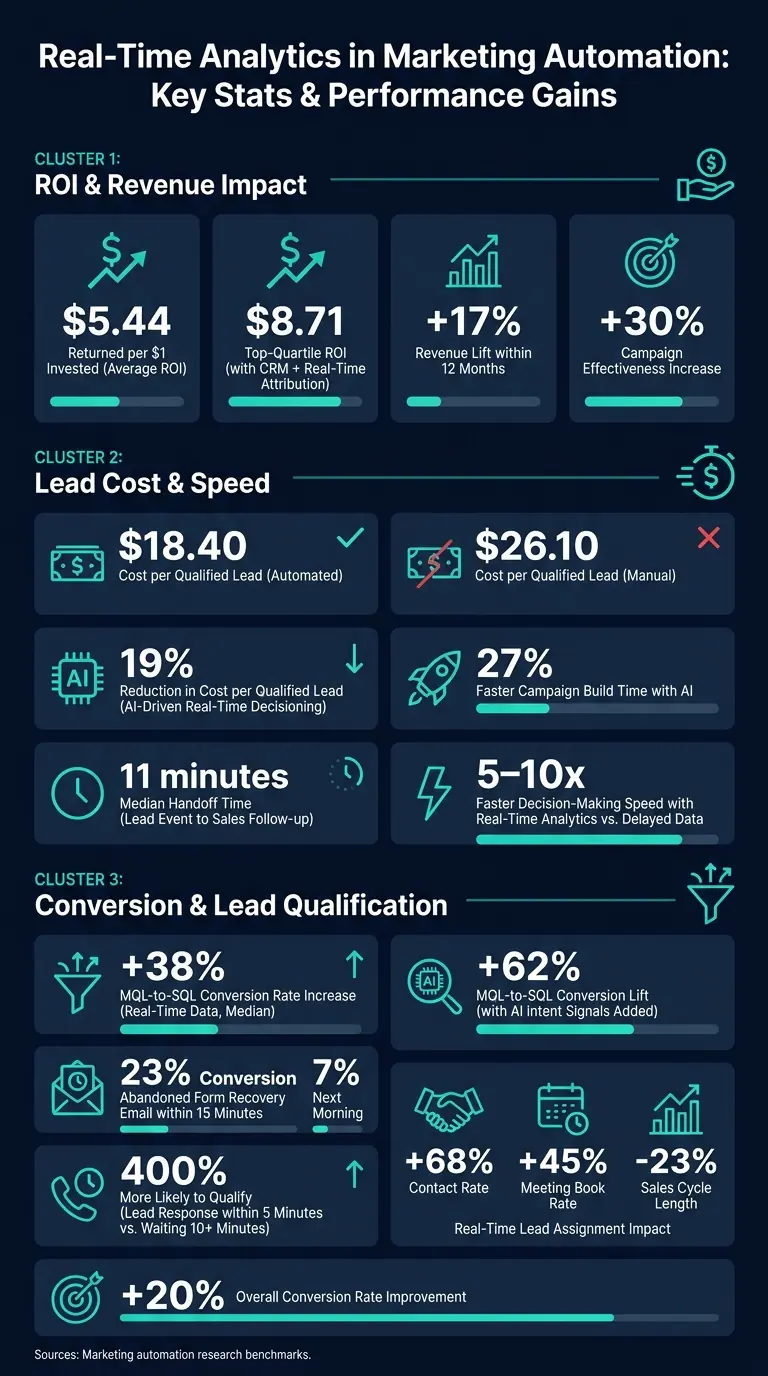
Real-Time Analytics in Marketing Automation: Key Stats & Performance Gains
ROI, Conversion, and Revenue Impact from Faster Analytics
Real-time analytics helps marketing automation move from reporting to action. Instead of waiting for yesterday’s numbers, teams can react while a campaign is still in motion. That speed shows up in the returns.
Marketing automation programs bring in an average of $5.44 for every $1 invested. Top-quartile programs with tight CRM integration and real-time attribution reach $8.71 per $1 spent. That difference comes down to faster action.
Cost per qualified lead drops as well. Automated programs bring the average cost per qualified lead down to $18.40, compared with $26.10 for manual programs. Teams that use AI agents for real-time decisioning also report a 19% reduction in cost per qualified lead and 27% faster campaign build times. Across the board, teams tend to see a 17% revenue lift within 12 months.
In form-driven lead generation, the payoff often shows up in two places: recovering abandoned form starts faster and sorting leads with more accuracy. Those gains are strongest when live signals feed active workflows, not reports that arrive too late to help.
Predictive Models Work Better with Live Data
Historical data tells you what happened. Live behavioral data gives you a shot at acting on what’s happening now.
That matters for prediction. Real-time MQL-to-SQL conversion rates increase by a median of 38%, and adding AI intent signals to behavioral data can push that lift to 62%.
Complex Event Processing (CEP) helps here by spotting behavior sequences - like a visitor hitting a pricing page and then stalling at a form - and triggering an immediate response. Teams using real-time analytics also make decisions 5 to 10 times faster than teams working from delayed data.
That same live signal can flag funnel friction before it turns into a bigger problem.
Journey Analytics Reduces Funnel Drop-Off
In form-based funnels, this means spotting drop-off, routing delays, and broken paths much sooner. Real-time visibility into the customer journey helps teams catch friction fast - things like broken forms or landing-page issues - before they quietly chip away at conversion rates for days. With batch reporting, a technical problem found on Friday may have been live since Monday.
Companies using real-time data see a 30% increase in overall campaign effectiveness. Real-time lead scoring and routing also shrink handoff delays in a big way. Top-performing teams reach a median handoff time of just 11 minutes between a lead event and sales follow-up.
How Real-Time Analytics Changes Daily Automation Work
Live Dashboards and Trigger Rules Improve Campaign Decisions
Live dashboards turn campaign data into same-day action. Without them, a broken campaign can keep chewing through budget for days before anyone steps in. In fast-moving campaigns, that delay hurts. Teams often need to adjust spend, routing, or messaging while buyer intent is still there.
One of the clearest examples is threshold alerts. Teams can set alerts for CPA spikes, early budget burn, or sudden conversion drops, then pause or adjust campaigns before losses pile up. Those alerts don’t just flag a problem - they can feed the next move too, including automatic shifts in budget, targeting, and routing.
Dynamic Automation Improves Timing, Targeting, and Spend
For B2B lead-gen teams, the biggest win isn’t more reporting. It’s faster routing and better same-day budget calls. If a form campaign suddenly takes off or starts to stall, live signals give teams a chance to react while the day is still in play. That might mean moving spend from weak campaigns to stronger ones by late morning, or sending a sales alert the instant a target account returns to a pricing page in the same session.
Key metrics can drive those actions in real time, including:
- ROAS
- CPA
- CPC
- Conversion rate
- Engagement velocity
Teams can use those signals to trigger budget shifts, pauses, or amplification as performance changes. The smart move is to define response rules before launch. When the team already knows when to scale and when to pause, there’s less second-guessing - and less chance that a small issue turns into a much bigger one.
Real-Time Form Analytics and Lead Quality
Real-time optimization starts with the form itself. Small points of friction can quietly drag down lead quality. And because forms sit at the last conversion step in the automation flow, every view, start, and abandoned session is a signal teams can use before a lead slips away.
Tracking Views, Starts, Completions, and Drop-Offs to Improve Forms
Most form issues stay hidden until you look at what happens at the field level. A drop in completion rate tells you something is off. Field-level data shows where the trouble begins.
If people keep abandoning the same field, that's your clue. You may need to shorten the form, change the order of questions, or cut the field that's slowing people down.
That makes live form analytics more than a way to lift conversion rate. It's a direct way to improve lead quality.
Instant Enrichment, Validation, and Routing Improve Lead Handling
After someone submits a form, speed matters. Real-time enrichment and routing can validate a lead and send it to the right rep in less than a minute. Companies that respond to leads within five minutes are 400% more likely to qualify the lead than those that wait 10 minutes or more. Real-time lead assignment can increase contact rates by 68% and meeting book rates by 45%, while shortening sales cycles by 23%. Automated routing based on rep expertise, workload, and territory can make those calls in under a minute. Fast handoff keeps lead intent warm while interest is still high.
Spam prevention adds another layer, along with typing and mouse behavior signals. These checks block spam and junk submissions before they hit a CRM. The payoff is simple: sales teams spend less time cleaning data and more time working leads that are worth the effort.
How Reform Supports This Workflow
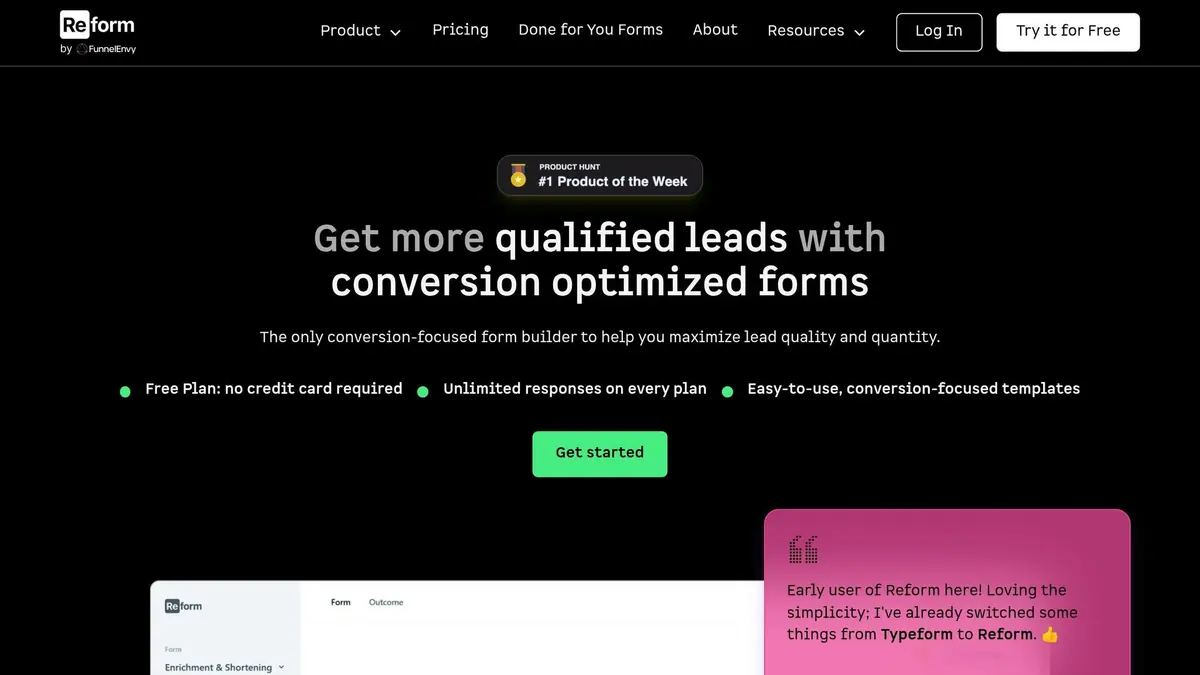
Reform shows how this workflow can work in practice. Its real-time analytics report field-level views, starts, completions, and drop-offs, so teams can spot friction fast. It also includes email validation, spam prevention, lead enrichment, and conditional routing based on respondent answers. Integrations send enriched lead data into CRM and marketing automation tools without a manual handoff. On the Pro plan, incomplete response tracking shows where users leave a form before submitting.
Limits, Best Practices, and Key Takeaways
The upside is clear. But real-time analytics only works when the data is clean, the triggers make sense, and someone owns what happens next.
Common Implementation Problems to Plan For
Real-time analytics can drive strong results, but it also adds system complexity. In most cases, the trouble doesn't come from the plan itself. It comes from the systems and workflows under the hood.
Data latency is one of the most common failure points. Batch updates, slow CRM syncs, manual exports, and delayed event processing can leave a "live" dashboard hours behind. And there’s another problem: browser-based tracking isn’t always reliable. iOS privacy limits and cookie restrictions often lead to incomplete or missing conversion data, which can quietly throw off ad platform algorithms.
Integration gaps can cause just as much damage. If registration flows, payment systems, and CRM tools don’t connect cleanly, the customer journey starts to break apart. When that happens, teams often end up leaning on developer fixes just to keep things moving. Many teams find that optimizing lead generation through expert form strategies can bypass these technical bottlenecks. As automation expands, triggers can clash too. A simple example: a reactivation message goes out to someone who’s already active. Without journey governance, that kind of mix-up becomes much more common.
A red dashboard tells you something is wrong. It does not tell you why. And when teams get hit with too many alerts, they start tuning the dashboard out. That’s why guardrails need to be in place before automation is allowed to act on its own.
Best-Practice Patterns Supported by Research
The strongest teams keep their real-time setup tight. They focus on the small set of events that matter most, and they assign ownership before anything goes live.
That usually means putting real-time triggers on high-value events only, then setting caps, overrides, and confidence thresholds ahead of launch. Otherwise, alerts pile up fast. And an alert with no owner is just noise.
It also helps to look past raw activity counts. Tracking what happened after a real-time alert creates a feedback loop. Over time, that loop helps teams make better calls because they can see which actions led to actual results.
Conclusion: The Main Findings Marketers Should Remember
The research shows that real-time analytics improves speed, decision quality, and marketing efficiency when it’s tied to the right workflows. It helps teams respond to leads faster and make better campaign calls.
Still, the upside depends on clean data, clear ownership, and a grounded view of what live dashboards can and can’t tell you. Teams that add diagnostic layers, set confidence thresholds, and treat automation as a loop - Trigger → Decision → Action → Learning - are the ones that turn real-time data into measurable results.
FAQs
What counts as real-time analytics in marketing automation?
Real-time analytics in marketing automation is the process of collecting, processing, and showing data as events happen, usually within seconds or minutes.
Instead of waiting to review data in batches later, it looks at incoming signals from sources like website activity, CRM activity, and ad clicks while the data is still fresh. That lets teams spot patterns, catch anomalies, and trigger automated campaign changes right away.
Which live signals should I track first?
Start with signals that show immediate friction or strong intent.
- Form engagement: how long people spend on each field and the order they interact with them
- Funnel movement: how fast people move toward conversion and where they drop off
- Core KPIs: spikes in cost per click and sudden drops in conversion rate
These signals help you spot confusion, abandonment, and chances to step in before a lead slips away.
How do I avoid too many alerts?
Use journey governance instead of handling messages one by one. Set clear rules for journey priority, eligibility, and frequency caps across channels so people don't get hit with conflicting or repetitive messages.
Make dashboards role-specific, and set alerts for critical anomalies or patterns instead of every small fluctuation. Piping those alerts into workflow tools helps your team stay focused and act faster.
Related Blog Posts
Get new content delivered straight to your inbox

The Response
Updates on the Reform platform, insights on optimizing conversion rates, and tips to craft forms that convert.




Drive real results with form optimizations
Tested across hundreds of experiments, our strategies deliver a 215% lift in qualified leads for B2B and SaaS companies.
