
.webp)
Constant Contact Forms Going to Spam: Fixes


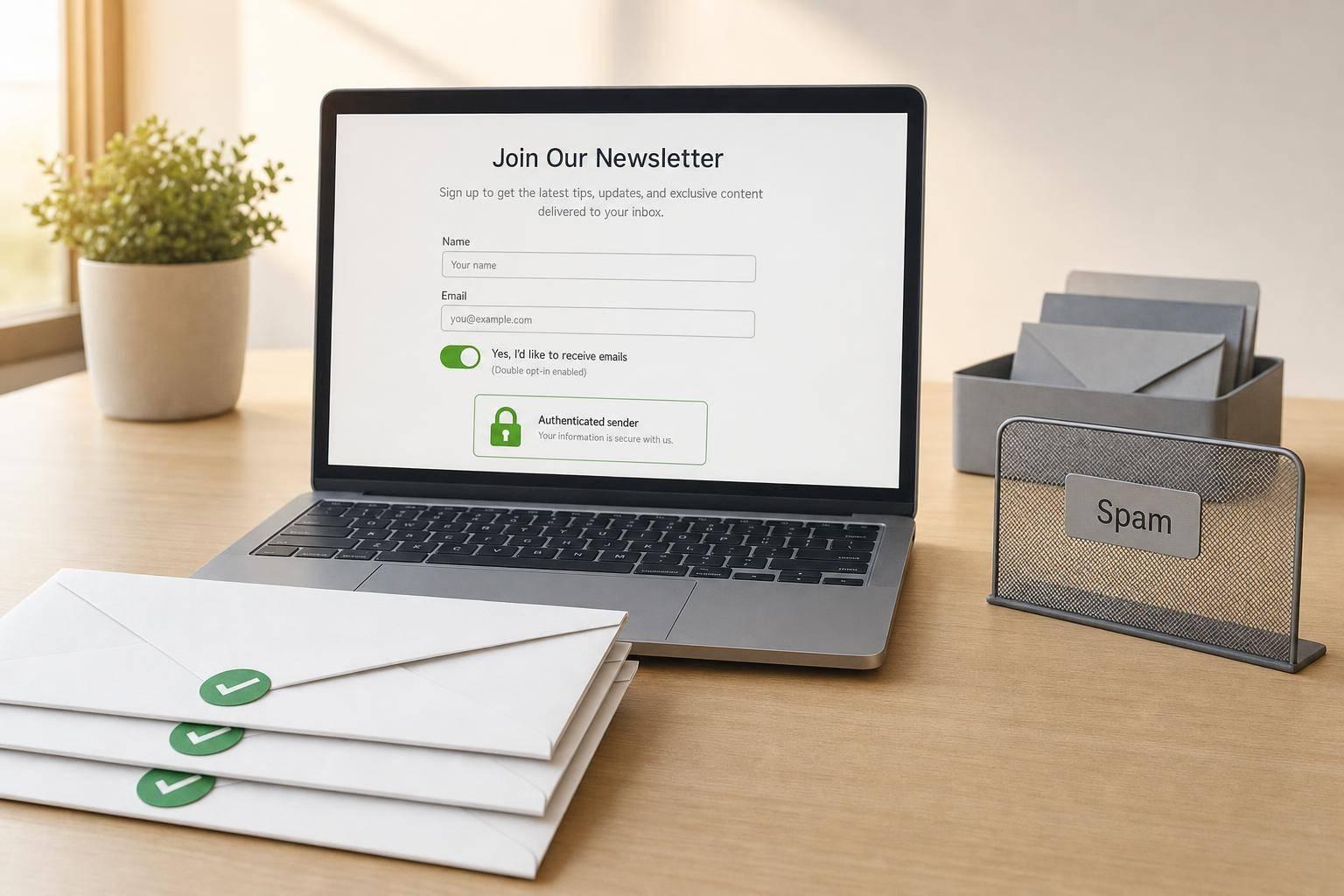
If your Constant Contact form emails go to spam, the cause is usually one of four things: domain setup, weak permission, bad email data, or poor send signals.
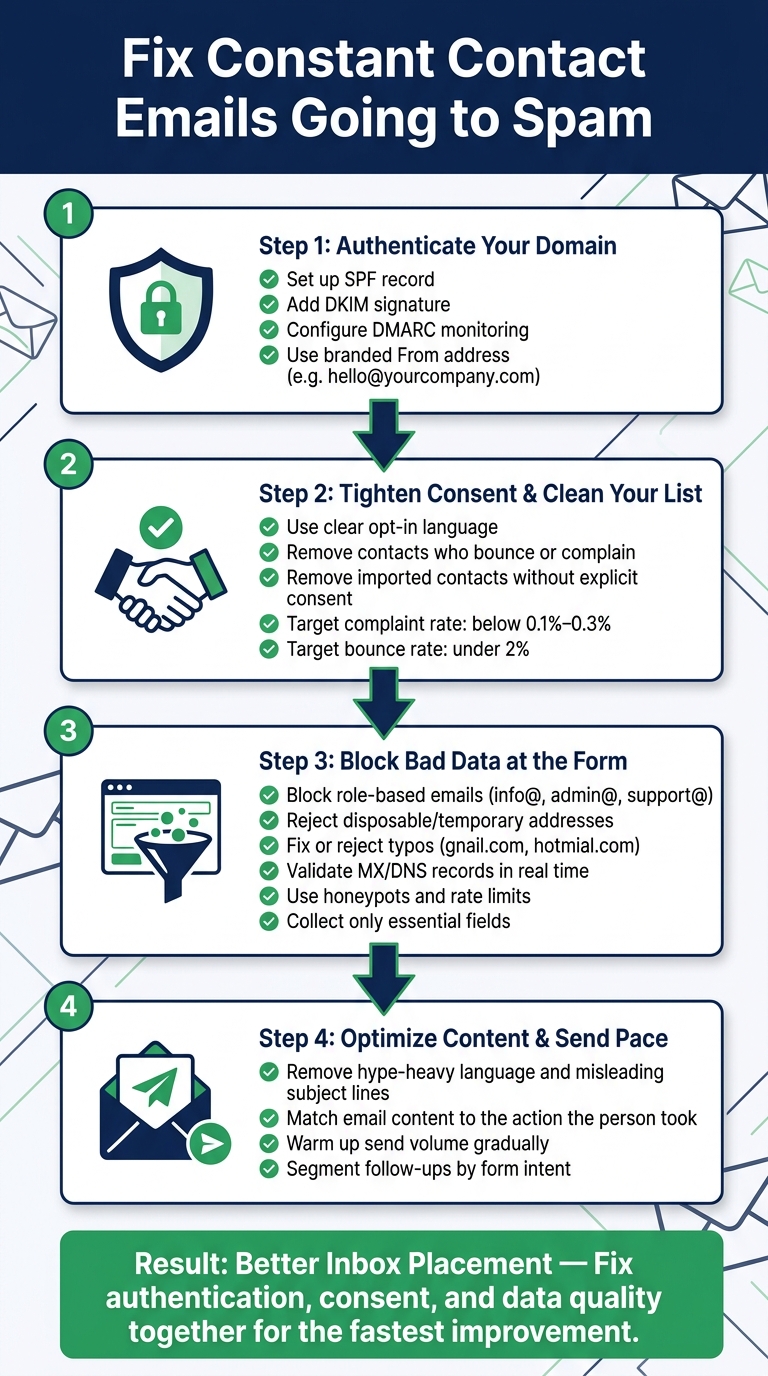
I’d fix them in this order:
- Set up SPF, DKIM, and DMARC
- Use a business-domain From address
- Make opt-in language plain and visible
- Remove contacts who bounce, complain, or never interact
- Block fake, disposable, typo-filled, and role-based emails at the form
- Keep follow-up emails matched to what the person asked for
- Send in smaller batches if volume jumps
A lot of inbox problems are not delivery failures. In many cases, the email is delivered, but filtered into junk. For reference, average email spam complaint rates should stay around 0.1% and often below 0.3%. Bounce rates are often safest under 2%. If those numbers climb, inbox placement tends to drop.
Here’s the simple breakdown:
| Problem | What it usually means | What I’d check first |
|---|---|---|
| Spam folder placement | Mail got delivered but filtered | Domain records, complaints, low opens |
| Hard bounces | Address is invalid | Form validation, typo checks, fake domains |
| Blocked sends | Recipient server refused the mail | Domain alignment, sender reputation, send patterns |
The short version: if you clean up domain records, tighten consent, and stop bad addresses before they enter your list, your Constant Contact form emails have a much better shot at reaching the inbox.
Below, I’ll walk through the fixes in the order I’d do them.
How to Fix Constant Contact Emails Going to Spam (Step-by-Step)
Stop Constant Contact Emails Going to Spam
sbb-itb-5f36581
Fix sender authentication first
If SPF, DKIM, or DMARC are missing or out of sync, Constant Contact emails can land in spam.
Set up SPF and DKIM for your sending domain
SPF is a DNS TXT record that allows Constant Contact to send mail for your domain. DKIM adds a signature that receiving servers use to check that the message wasn’t changed in transit.
Use a branded From address instead of a free mailbox
Use a branded From address like hello@yourcompany.com. Free email addresses can weaken authentication and hurt inbox placement.
Add DMARC monitoring to catch alignment issues
DMARC helps you check whether SPF and DKIM align with the domain in your From address. Watch DMARC reports so you can spot SPF or DKIM alignment failures before deliverability drops.
Once authentication is clean, move to consent and list quality.
Fix consent flow and lower spam complaints
Unclear consent leads to spam complaints, and that chips away at sender reputation. When people mark your email as spam, filters take the hint. Future messages are then more likely to land in junk. So start with consent. Then clear out the contacts most likely to complain.
Use clear opt-in language on every form
Use plain language on every form. Make disclosures easy to see, and use an unchecked opt-in box.
That matters because people should know exactly what they're signing up for. If the form feels vague or sneaky, complaints tend to follow. After that, remove contacts that already show weak permission signals.
Remove risky contacts quickly
Suppress contacts who complain, bounce over and over, or never engage before the next send.
The timing here matters. If someone has already shown they don't want your mail - or can't receive it - sending again just adds risk. Then cut contacts without explicit consent before they reach another send.
Remove contacts without explicit consent
Remove imported contacts that never gave explicit consent, even if they came from a trade show, purchase, or spreadsheet.
A name on a list is not the same as permission. If you didn't get a clear yes, don't keep mailing them. Ask those contacts to opt in again before sending anything else.
Improve form data quality before leads reach Constant Contact
After authentication and consent, the next place to tighten things up is data quality.
Bad form data doesn’t just sit there. It turns into bounces, complaints, and weak engagement inside Constant Contact. The best move is simple: stop bad data at the form before it ever hits your list.
Block invalid, disposable, and role-based email addresses
Role-based addresses like info@, admin@, support@, and sales@ often act like shared inboxes. That can lead to weak engagement or spam complaints. A good rule is to block them outright or send them into a separate review flow.
Disposable addresses are another common problem. They expire fast and often lead to hard bounces.
Then you have typos and fake domains. Those round out the most common bad-data patterns. Here’s how to spot each one, what it can cost you, and what to do next.
| Bad Data Pattern | Detection Method | Deliverability Impact | Remediation Step |
|---|---|---|---|
| Role-based emails (info@, admin@, support@) | Pattern match against common role prefixes | High spam complaints | Block at form or route to a separate segment requiring double opt-in |
| Typos / malformed addresses (gnail.com, hotmial.com) | Real-time syntax check + domain suggestion | Hard bounce risk | Inline correction prompt ("Did you mean gmail.com?"); block if unresolved |
| Fake / non-existent domains | DNS/MX record lookup | Hard bounces, signals poor list hygiene | Reject submission; ask for a valid email |
| Disposable addresses (mailinator-type services) | Blocklist of known disposable domains | Very low engagement, bounce spikes | Reject at form; request a permanent email address |
Use validation and spam prevention in the form itself
Blocking bad patterns works best when the form checks for them in real time.
Add real-time validation, honeypots, and rate limits at submission. That way, fake or risky addresses never make it into Constant Contact in the first place.
Reform includes email validation, spam prevention, conditional routing, and lead enrichment to block risky submissions before they sync.
Keep fields minimal and collect only what you need
Even when the right people reach your form, too many fields can hurt data quality.
Collect only what you need now, then gather the rest later with progressive profiling. And when you need structured inputs, like country or company size, use dropdowns instead of open text fields. It’s a small change, but it keeps your list cleaner and makes segmentation much easier.
Fix email content and sending patterns that trigger spam filters
Once authentication, consent, and list quality are in place, content and sending pace are the last big spam triggers.
Remove content signals that trigger spam filters
Cut hype-heavy or misleading claims, too many exclamation points, and subject lines that don't match the email body. Tie the message to the action the person took, like a download, contact request, or sign-up, so the email feels expected instead of out of the blue.
Warm up send volume and segment form follow-ups
Increase volume gradually and send in smaller batches. Also split form follow-ups by form intent, so each contact gets the message that fits what they asked for.
With message content and send timing under control, the next gains come from steady list hygiene.
Conclusion: The fastest path to better inbox placement
Spam problems with Constant Contact form emails usually don’t come from just one thing. More often, they build up from a few issues at the same time: weak authentication, poor consent, and low-quality list data. When you fix authentication, consent, and form data together, inbox placement tends to improve. That’s why the order of the fixes matters.
Start with domain authentication. Next, tighten your opt-in language so people know they’re signing up and actually expect your emails. After that, look at what gets into your list in the first place. Block disposable addresses, validate emails at the form level, and keep your fields minimal to reduce list contamination.
Once those changes are live, watch the numbers closely. Pay attention to complaint rate, bounce rate, authentication status, and engagement. Those metrics show whether deliverability is moving in the right direction. If they improve, your form is doing its job.
Your form controls list quality. Tighten intake, and deliverability improves.
FAQs
How long does it take spam placement to improve?
Once you find and fix odd activity or spam problems, email deliverability often starts to improve within a few hours.
Reform’s real-time analytics can help you spot red flags fast. From there, you can tighten spam filters or block specific IP addresses to limit damage to your sender reputation.
It also helps to keep watching performance over time. Ongoing monitoring, email validation, and behavior-based spam prevention can protect lead quality and help stop the same problems from coming back.
Should I use double opt-in for form sign-ups?
Yes. Double opt-in helps verify consent, confirm that the email address is valid, cut spam complaints, and improve lead quality.
You may lose some people during the extra step. But the leads that stay are usually more reliable and a better fit for your marketing. It also helps with rules like CAN-SPAM and protects your sender reputation.
What metrics should I watch after making these fixes?
Track both deliverability and lead quality. That means watching form conversion rates, drop-off points, field completion rates, lead quality scores, and invalid email rates. Those numbers help you see if your changes are making the form easier to complete while still stopping spam.
You should also monitor email performance. Pay attention to open rates, click-through rates, and bounce rates, along with negative signals like unsubscribes and spam complaints. On top of that, check sync logs and security dashboards for errors or unusual spikes.
Related Blog Posts
Get new content delivered straight to your inbox

The Response
Updates on the Reform platform, insights on optimizing conversion rates, and tips to craft forms that convert.



Drive real results with form optimizations
Tested across hundreds of experiments, our strategies deliver a 215% lift in qualified leads for B2B and SaaS companies.
