

How Privacy Laws Change Form Lead Collection



I treat every lead form as 3 decisions: what to collect, which uses are allowed, and where the data goes. Start by removing fields you can’t justify, showing a notice before collection begins, and keeping marketing choices separate from the request.
Here’s my checklist:
- Fields: Give each field a purpose and retention period - including enrichment data and unfinished responses.
- Permissions: Separate email, SMS, and partner choices. A demo request is not blanket marketing permission. When designing multi-step forms, ensure each stage respects these boundaries.
- Destinations: Send each system only what it needs, and check vendor contracts and cross-border transfer rules.
- Checks: Test routing, consent records, withdrawals, privacy requests, and deletion before launch and after changes.
<u>The rules depend on your business, location, data, and intended use.</u> Use this guide to plan your review, then have counsel confirm which requirements apply as of November 2, 2026.
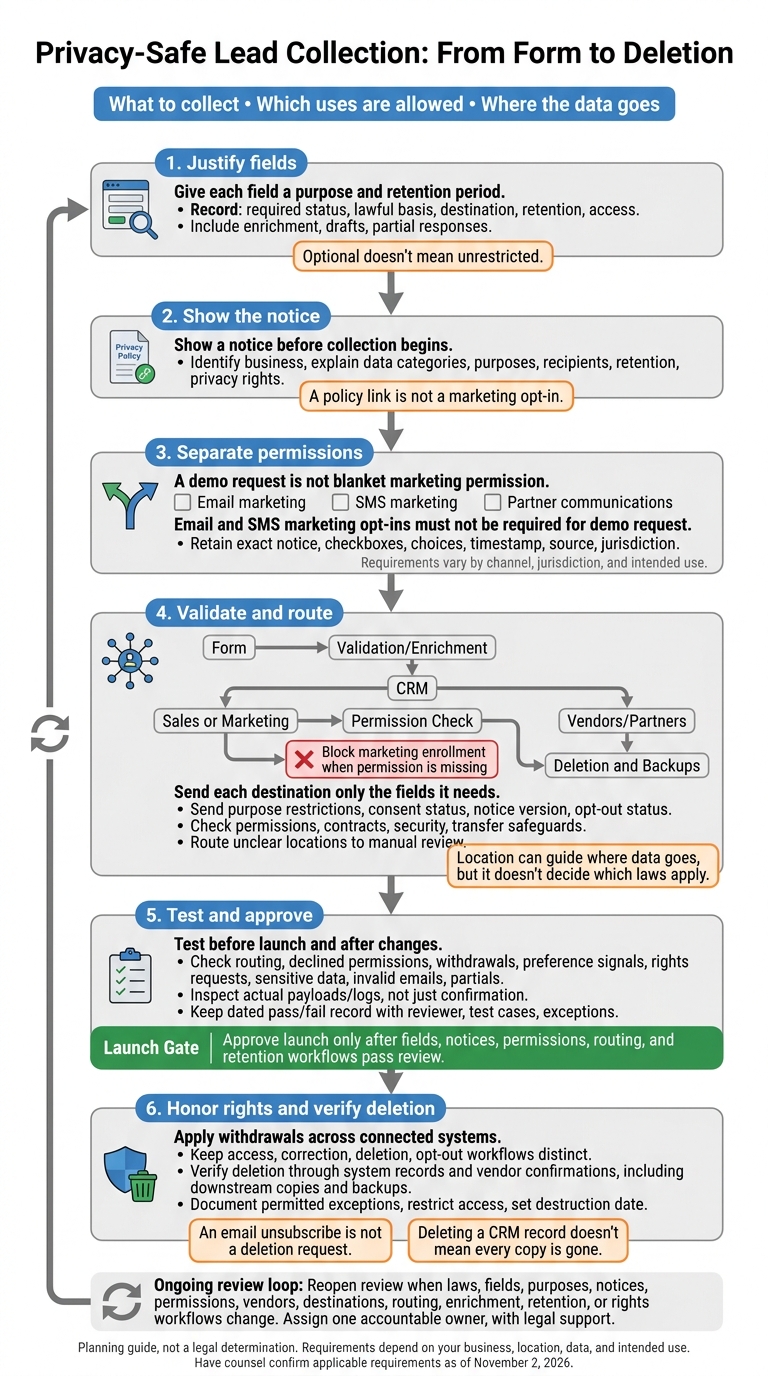
Privacy-Safe Lead Collection: From Form to Deletion
Checklist: 10 Actionable TCPA Compliance Items for Lead Gen Companies
sbb-itb-5f36581
Choose Form Fields and Set Collection Limits
Turn the legal principles from the introduction into a field-by-field build plan. Before launch, list each field’s purpose, whether it’s required, its lawful basis, where the data goes, how long you’ll keep it, and who can access it. Identify a valid GDPR basis for each processing purpose.
Require Only Fields Needed for the Request
Optional doesn’t mean unrestricted. Every field needs a clear purpose. Use this table to decide what your form should ask for.
| Field | Purpose to justify | Main risk | Suggested status |
|---|---|---|---|
| Email address | Deliver requested content or a demo link | Reuse for unrelated marketing | Required |
| Name | Personalizing communication | Collecting a full name when less would work | Optional |
| Company name or size | Lead qualification or routing | Collecting details only because sales prefers them | Optional |
| Phone number | Sales follow-up | Unwanted follow-up | Optional |
| Precise location | Regional routing or compliance | Collecting more precision than needed | Omit/Optional |
| Health details or government ID | Industry-specific requirement | Sensitive-data exposure | Omit unless justified |
Use plain labels and clearly mark optional fields. Limit free-text boxes to one narrow prompt, and add a short warning against sharing sensitive data. Only include sensitive-data fields when you can justify collecting the information and protect it.
Keep Progressive Profiling Within Stated Purposes
Collecting details later may still fit the original purpose. But you need to log which step collected each field and review any changes to data categories, purposes, and recipients before adding questions.
Multi-step forms and conditional routing can help you collect details in stages. They don’t replace a lawful basis or accurate records. If a later use falls outside the original purpose, update your disclosures, test compatibility, and get new permission where needed.
Review Enrichment, Drafts, and Partial Responses
Your data inventory should cover third-party enrichment and partial responses - not just submitted leads. For each, record the source, legal basis, expected use, access, and deletion schedule.
Set clear retention periods, and don’t keep abandoned entries longer than necessary. Before importing attributes, review vendor agreements and enrichment disclosures. Don’t silently expand profiles or add sensitive information just for segmentation.
Next, match each field to the notice and consent choices shown on the form.
Write Clear Notices and Separate Consent Choices
A privacy notice explains how you process data. Consent records a separate choice. A policy link is not a marketing opt-in.
Show Privacy Notices at Collection
Place a short privacy notice beside the form before collection begins, not just in the footer. Identify the business and explain the data categories, purposes, recipients, retention, and privacy rights. Keep marketing choices separate.
Businesses covered by California’s rules must disclose the required categories and purposes, whether data is sold or shared, retention periods or criteria, and links to the privacy policy and opt-out options. Explain sensitive-data uses and get separate consent where required.
Give users a separate choice for each communication channel.
Separate Email, SMS, and Partner Permissions
| Form element | What it means on the form | What to retain |
|---|---|---|
| Service acknowledgment | Confirms only the requested response | Submitted form and notice version |
| Email marketing | U.S. CAN-SPAM generally uses opt-out rather than mandatory prior opt-in; international rules differ | Affirmative choices where consent is used, sender identity, and unsubscribe method |
| SMS marketing | May require stricter consent than email; disclose sender, message type, frequency, rates, and STOP/HELP instructions where applicable | Disclosure and opt-in |
| Partner communications | Identify recipients, purposes, channels, and withdrawal method; don’t bury permission in a policy link or broad checkbox | Recipient scope shown and choice made |
| Sensitive-data processing | Get separate, specific consent where required; state the data and purpose | Separate choice and applicable notice |
Use a separate, unchecked email opt-in. U.S. commercial email still requires accurate sender information, an opt-out method, and prompt honoring of opt-outs.
“Yes, send me product updates, educational resources, and occasional offers from Acme Forms by email. I can unsubscribe at any time.”
Provide a separate, unchecked SMS choice, with wording reviewed for the actual messaging program and jurisdiction. Neither opt-in should be required to submit a demo request using a high-converting lead generation form.
“Yes, Acme Forms may send me recurring marketing text messages about products and events at the mobile number I provide. Consent is not required to request a demo; message frequency varies; message and data rates may apply; I can reply STOP to opt out and HELP for help.”
Keep Consent Records and Honor Privacy Rights
Store the exact notice and checkbox versions users saw, their choices, the timestamp, source page, and jurisdiction - not just a “consent: yes” flag. Apply withdrawals across connected systems.
An email unsubscribe is not a deletion request. Provide separate workflows for access, correction, deletion, sale or sharing opt-outs, sensitive-data limits, and applicable preference signals. Keep only the suppression information needed to prevent renewed marketing, and set a retention period for it.
With permissions separated, route only the data each destination needs.
Route Leads and Audit Data Flows
Check Country and State Rules Before Routing
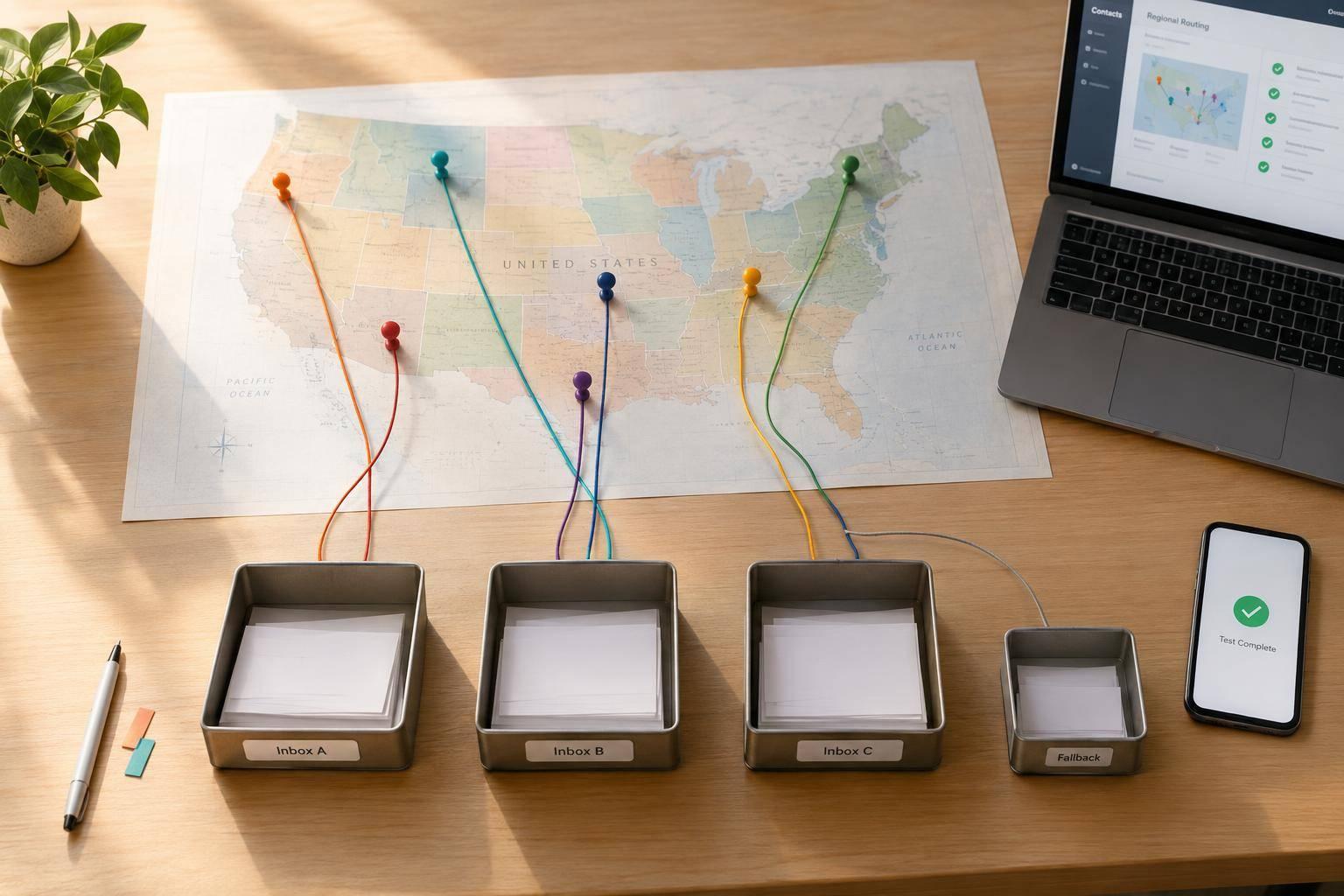
Once consent is separated, check routing. Location can guide where data goes, but it doesn't decide which laws apply. Ask for country and state only when needed, let people correct their selection, and don't rely on IP geolocation alone. Collect precise location only if you need it and have disclosed that collection. Review applicable state, EU, and UK privacy laws, along with email and SMS marketing rules, with counsel. Send submissions with unclear locations to manual review before using them for marketing or sharing them with partners.
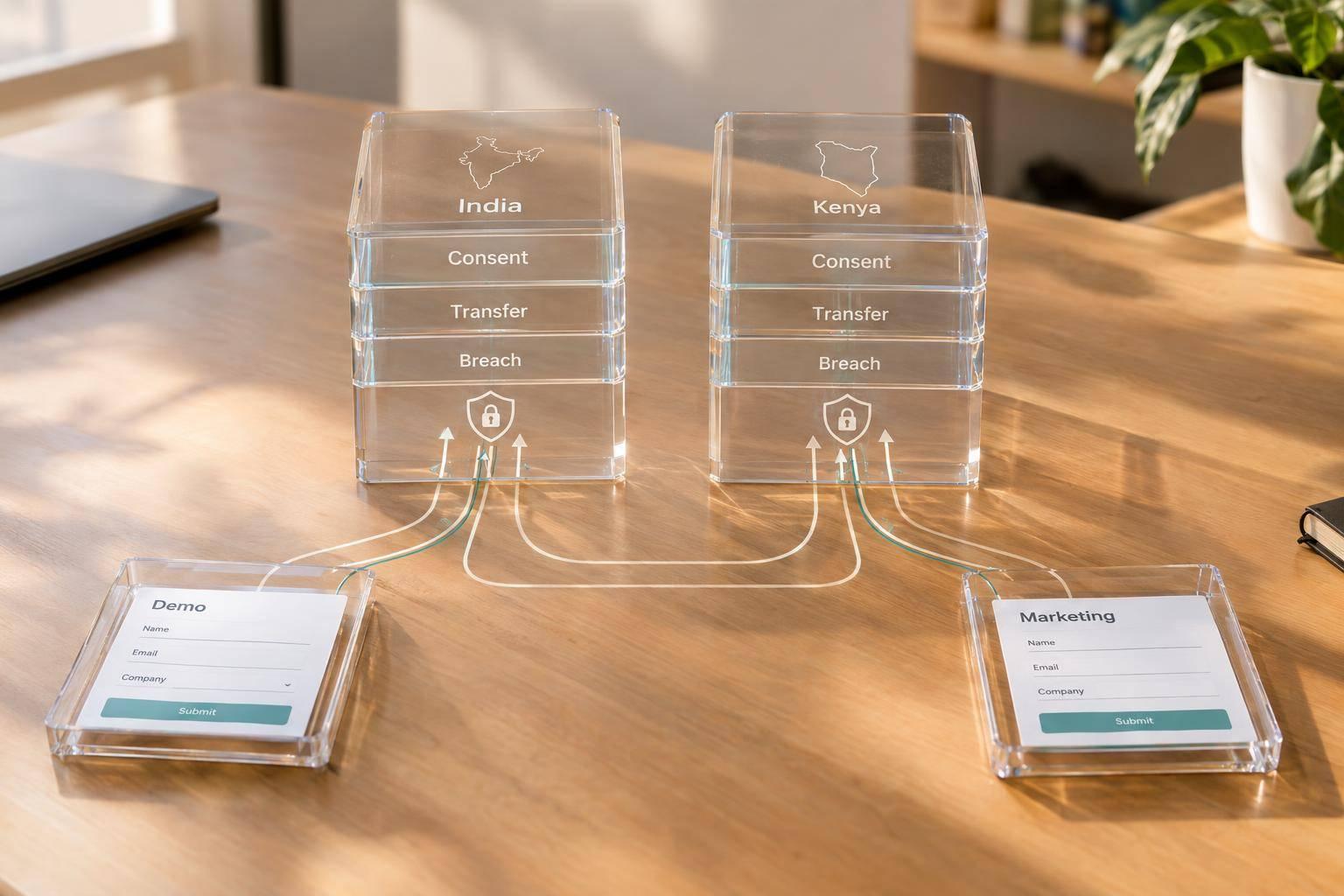
A regional destination doesn't prove data residency or a lawful international transfer. Check vendor storage, remote access, subprocessors, and backups. EEA transfers may require an adequacy decision or safeguards such as Standard Contractual Clauses. UK restricted transfers need an approved mechanism and, where required, a transfer assessment. Log the routing-rule version, inputs, destination, timestamp, and exceptions.
Limit What Each Destination Receives
Once you've checked jurisdiction, limit the data each destination receives. Map the entire path: form → validation/enrichment → CRM → sales or marketing → vendors/partners → deletion and backups.
For each destination, record its purpose, minimum fields, owner, recipient role, location, retention, and deletion method. Send purpose restrictions, consent status, notice version, and opt-out status downstream with the data. Block marketing enrollment when permission is missing. Before sharing, confirm that the recipient has permission to receive the data. Check contracts, security, sensitive-field restrictions, and deletion support, too.
Recipient contracts must limit permitted uses. California law also defines sharing broadly enough to include cross-context behavioral advertising, even without payment.
Test Forms Before Launch and After Changes
Test the full route before launch—a critical step when creating high-converting lead forms - not just the confirmation screen. Use hypothetical submissions to check every country and state branch, corrected or unknown locations, declined permissions, withdrawals, preference signals, duplicates, rights requests, sensitive-field entries, invalid emails, and partial submissions.
Confirm that a demo request reaches sales without enrolling someone in marketing without permission. Inspect actual payloads and logs, including tracking, partial responses, enrichment stores, exports, and backups. Keep the checkpoint matrix below up to date, with evidence, due dates, and approval records before closing issues.
| Checkpoint | Owner | Test frequency | Remediation status |
|---|---|---|---|
| Required fields and sensitive-data restrictions | Product and privacy | Before launch and after field changes | Open / in progress / closed |
| Privacy notice and purpose match | Privacy or legal | Before launch and after notice changes | Open / in progress / closed |
| Checkbox wording, separation, and defaults | Marketing and privacy | Every release | Open / in progress / closed |
| Consent records and withdrawal handling | CRM or marketing operations | Monthly and after workflow changes | Open / in progress / closed |
| Country/state branches and fallback queue | RevOps or engineering | Each release and quarterly | Open / in progress / closed |
| Declined consent and preference signals | Marketing operations | Each release and monthly | Open / in progress / closed |
| Rights requests, correction, and deletion | Privacy operations | Quarterly and after process changes | Open / in progress / closed |
| Vendor access, contracts, and transfer safeguards | Procurement and privacy | Before onboarding and annually | Open / in progress / closed |
| Security, exports, logs, and backups | Security and IT | Quarterly and after incidents | Open / in progress / closed |
| Retention and deletion exceptions | Records management | Quarterly | Open / in progress / closed |
Verify deletion through system records and vendor confirmations. Deleting a CRM record doesn't mean every copy is gone. Separate active copies from copies kept under a permitted retention exception. Document each exception, restrict access, and set a destruction date. Keep routing records that cover purposes, recipients, transfers, retention, and security.
If data reaches the wrong destination, stop the workflow and preserve logs and payloads. Identify the affected records and recipients, restrict access, and notify the privacy and security owners. Assess notification duties, correct or delete copies where appropriate, and add a regression test before restarting.
Conclusion: Check Fields, Permissions, and Destinations
Before launch, run one last check. Approve launch only after fields, notices, permissions, routing, and retention workflows pass review. For each form version, keep a dated pass/fail record that names the reviewer and owner and documents test cases and exceptions.
Assign one accountable owner from privacy ops, compliance, or marketing ops, with legal support.
Treat changes as review triggers. Reopen approval whenever:
- Laws or guidance change, a field or purpose is added, or notice or consent language changes.
- A vendor, destination, or routing rule changes, enrichment is introduced, or retention and rights workflows change.
Make privacy part of routine change management - not just a one-time approval.
FAQs
Can I market to leads collected before my consent rules changed?
You generally don’t need to collect consent again unless your reason for processing the data changes or the lead has been inactive for a long time. Keep prior permissions and opt-outs intact. Never overwrite opt-outs or replace existing records with new form submissions.
If you reconfirm consent, follow your internal data governance rules and the renewal requirements in the applicable jurisdiction. When in doubt, give existing suppression lists priority to honor previous consent withdrawals.
When does progressive profiling require fresh consent?
Progressive profiling requires new consent when you collect new data for a new optional marketing or profiling purpose, or when the jurisdiction or requirements change. Otherwise, you can rely on existing consent.
Leave optional marketing checkboxes unchecked by default. Ask users to actively opt in again only at the step where the additional processing begins. Prechecked boxes, silence, or form submission alone don’t count as consent.
How do I handle leads covered by multiple privacy laws?
Use conditional routing to create paths for each jurisdiction. Start your form with a required country or region field so users can confirm their location alongside any IP-based detection.
Then use their selection to direct them to steps with the right disclosures, consent checkboxes, and eligibility requirements. This shows users the notices and consent standards that apply to their jurisdiction.
Related Blog Posts
Get new content delivered straight to your inbox

The Response
Updates on the Reform platform, insights on optimizing conversion rates, and tips to craft forms that convert.

Drive real results with form optimizations
Tested across hundreds of experiments, our strategies deliver a 215% lift in qualified leads for B2B and SaaS companies.
