
.webp)
Lead Enrichment API to CRM: Blueprint


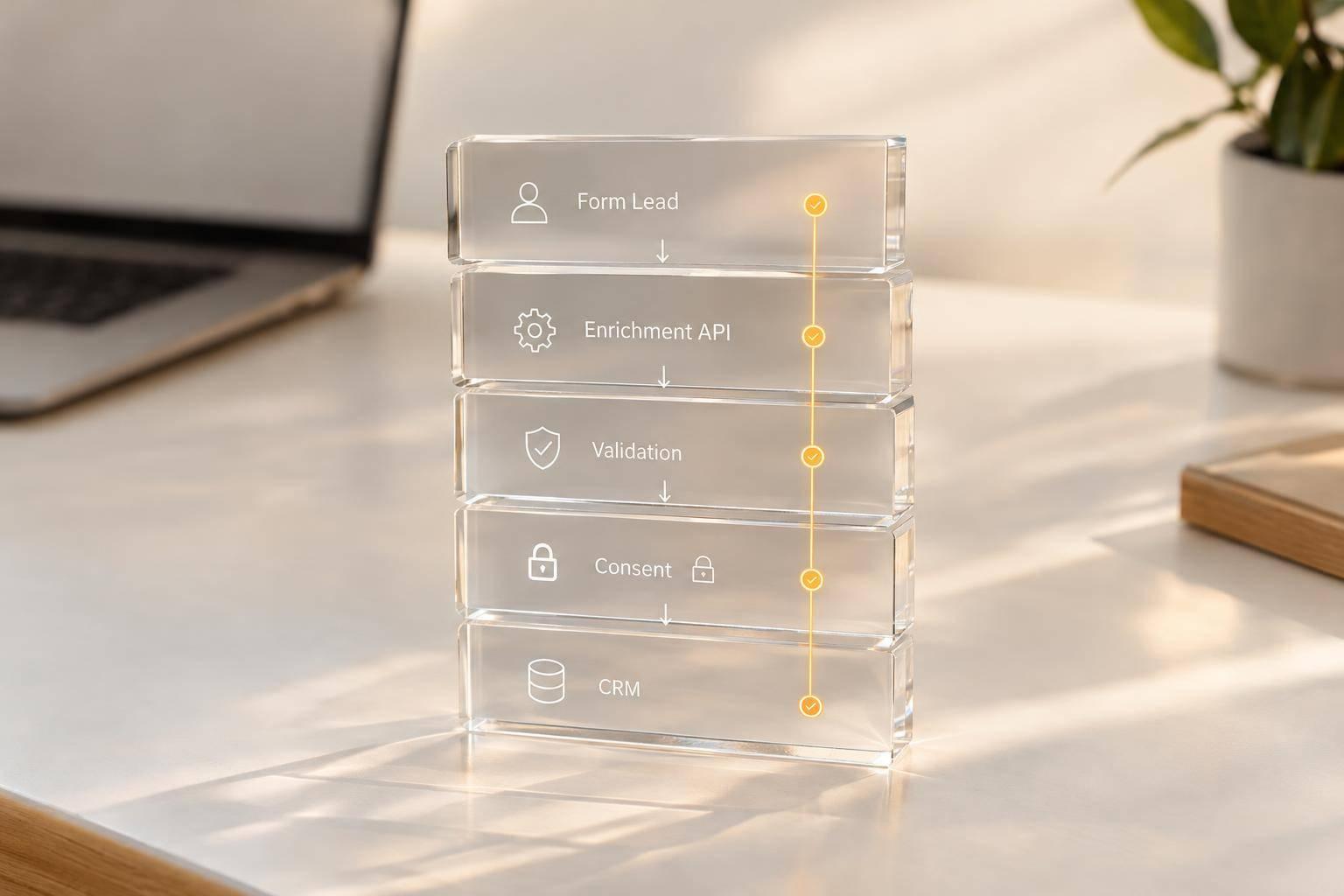
I treat lead enrichment as a way to fill gaps - not replace what a buyer submitted. My rule: save the submission first, preserve consent and attribution, and send only approved field changes to your CRM.
I build the flow around five steps:
- Define the contract: Set required fields, stable IDs, and record-matching rules.
- Validate the submission: Check the webhook signature, field values, duplicates, and permission records.
- Enrich with limits: Request only needed data and use a 15-minute cutoff when delivery can proceed without it.
- Merge by field: Keep original answers, record each change’s source, and block stale updates.
- Sync and recover: Queue CRM writes, reuse retry keys, and check uncertain results before creating another record.
The distinction I keep front and center: accepted is not delivered. Before launch, I test failures, check delivery status, and confirm that an operator can <u>replay unfinished work without creating duplicates</u>.

Lead Enrichment API to CRM: Workflow and Recovery
Define the Form-to-CRM Data Contract
Turn intake rules into a strict data contract before enrichment runs or data reaches the CRM.
Define Required Fields and Payload Structure
Create a versioned internal contract before mapping CRM fields. Keep raw form answers, enrichment results, and CRM fields in separate layers so enrichment and CRM defaults can't overwrite the original answers.
At the top level, include event type, event id, occurred_at in ISO 8601 format, the form ID, and an immutable submission ID. Inside payload, separate form metadata from submission data. Give answers, identity, attribution, consent, and enrichment their own groups. Map Reform answers by immutable BLOCK ID, never by question text or position.
Specify required fields and their validation rules. Keep company-name fields separate from enrichment results. Treat a missing field as absent and null as explicitly empty; neither should clear CRM data. Run enrichment according to dependencies, not JSON field order.
| Form Field | Canonical API Field | Type | Source of Truth | Write Rule | CRM Destination |
|---|---|---|---|---|---|
| Email Address | lead_email |
String (Email) | Form Submission | Create Only | email |
| First Name | lead_first_name |
String | Form Submission | Overwrite | firstname |
| Company Name | company_name_raw |
String | Form Submission | Read Only | company_raw |
| Enriched Revenue | company_revenue_est |
Number | Enrichment API | Overwrite | annualrevenue |
| Consent Status | consent_marketing |
Boolean | Form Submission | Append Only | marketing_opt_in |
| Submission ID | submission_uuid |
UUID | Form Provider | System | external_id |
| UTM Source | attr_utm_source |
String | Attribution Script | System | utm_source |
Set Identity and Duplicate Detection Rules
Verify the webhook's HMAC-SHA256 signature and validate its schema before running enrichment. Use event id to detect duplicate events, submission.id to trace each submission, and a separate idempotency key for delivery retries.
With identity rules in place, keep consent records separate from enrichment data.
Keep Consent Separate From Enrichment
Store consent in an append-only audit trail that records purpose, status, timestamp, source, notice version, and legal basis. Never infer marketing consent from enrichment.
sbb-itb-5f36581
Build the Enrichment and Merge Pipeline
Collect Form Responses With Reform
Use Reform to collect responses, validate emails, block spam, and route accepted submissions into a durable pipeline backed by storage, queues, adapters, and audit logs.
Once the contract is defined, process every submission in the same order: intake, validation, normalization, duplicate detection, identity and consent checks, enrichment, merge, and CRM upsert. Store accepted submissions before making external calls, and track processing status separately.
Normalize values without overwriting the originals. Send ambiguous matches for review. Keep processing rules in the pipeline service, and use adapters to translate provider requests and responses.
Handle Enrichment Results and Failures
After identity and consent checks pass, run enrichment asynchronously. Handle each result according to policy, distinguishing matched, partially_matched, not_found, timed_out, and provider_error.
Merge acceptable attributes, keep partial results, and continue without enrichment when policy allows. Failures must not erase accepted submissions. Keep queued and derived copies until deletion rules apply.
| Stage | Responsible service | Input | Output | Failure behavior | Retry policy |
|---|---|---|---|---|---|
| Intake | Intake gateway | Form response | Durable submission record | Reject invalid requests; preserve accepted submissions | No retry for validation errors |
| Validation | Validation service | Submitted fields | Validated fields | Return field errors or quarantine suspicious requests | Retry only transient downstream failures |
| Normalization | Pipeline service | Validated values | Standardized values and originals | Flag uncertain transformations | Retry only after code correction |
| Duplicate detection | Match service | Normalized identity | Record-match decision | Hold ambiguous matches for review | Retry temporary lookup failures |
| Identity and consent checks | Permission service | Identity and consent records | Processing gate | Gate processing on identity and consent records | Retry temporary outages |
| Enrichment | Adapter and worker | Approved identity fields | Result, confidence, provider metadata | Preserve submission; record failure class | Capped exponential backoff |
| Merge | Merge service | Form, enrichment, CRM state | Field updates and provenance | Reject stale or low-confidence updates; retain conflicts | Refresh CRM state before retrying version conflicts |
| Upsert | CRM adapter | Updates and idempotency key | CRM record ID and sync status | Queue recoverable failures | Retry transient failures only |
Set a bounded provider timeout. Limit transient retries to 1, 5, and 15 minutes, while following rate-limit instructions. Do not automatically retry invalid requests or confirmed not_found results.
When retries run out, move the job to a dead-letter queue and alert an operator. Let usable leads sync in enrichment_pending unless the workflow requires enrichment first.
When enrichment returns, apply field-level authority before writing to the CRM.
Set Field-Level Merge Rules
Assign authority by field, not by last write. For every accepted change, preserve the original value, replacement value, source, confidence, timestamp, and reason. Use versions or source timestamps to reject stale updates. Require a separate authenticated action to clear data.
| Field class | Form action | Enrichment action | CRM action | Consent-system action |
|---|---|---|---|---|
| Name, email, phone | Supply buyer-entered identity | Suggest verified corrections; no silent replacement | Keep verified changes under approved rules | None |
| Company and firmographics | Supply declared values | Fill blanks or update delegated fields | Approve or override account data | None |
| Lifecycle, owner, routing | Supply context only | No authority | Own changes | None |
| Activities and tasks | Supply submission event | Supply evidence only | Own activity creation and workflow state | None |
| Marketing consent and suppression | Capture explicit choices or requests | No authority | Consume authoritative status and enforce it | Own consent and suppression state |
| Attribution | Supply source and campaign values | Append metadata separately | Preserve reporting fields and change history | None |
Set Up CRM Delivery, Timing, and Recovery
Once merge rules are set, send only approved updates to the CRM.
Map CRM Fields and Match Records
Route approved updates through a CRM adapter. Keep provider object names, field IDs, authentication, rate limits, and error handling inside that adapter.
Match records by external ID first. Use normalized email only when your rules allow it. Send ambiguous matches - including shared inboxes - to review. Never merge on name or domain alone.
| Source field | CRM object | Destination field | Transformation | Update rule | Error behavior |
|---|---|---|---|---|---|
email_normalized |
Contact/Lead | Lowercase; trim whitespace | Do not overwrite a verified email. | Reject or route to review if invalid. | |
company_domain |
Account | Website/domain | Normalize protocol, www, and trailing slash. |
Update only with a verified value. | Hold the field and flag the conflict. |
employee_count |
Account | Employee count | Convert to integer; preserve source and timestamp. | Update only if enrichment is newer and trusted. | Skip the field and continue sync. |
consent_marketing |
Contact/Lead | Marketing opt-in | Map to the CRM’s consent value. | Never infer consent from enrichment. | Block marketing activation if absent. |
enrichment_timestamp |
Contact/Lead | Enrichment last updated | Store as UTC timestamp. | Replace only with newer data. | Log invalid timestamp and retain prior value. |
Write the account before attaching the contact relationship. Keep a durable operation record for each write, with a persistent idempotency key and payload hash for every logical operation. Reuse that key on retries when the provider supports it.
If a write’s outcome is uncertain, reconcile by external ID or operation key before creating anything again.
Separate Submission Acceptance From CRM Delivery
Track delivery state separately from intake status. Set a 15-minute enrichment cutoff: sync available data when allowed, mark the record enrichment_late, and apply late results through a separate, version-checked update. Hold delivery when required fields are still missing.
Record the submission ID, CRM IDs, processing state, attempt count, last response code, last provider error, last successful sync time, and enrichment completion time.
| State | Allowed next states | Retry behavior | Operator action |
|---|---|---|---|
| Received | Validating, Rejected | Retry only if intake storage failed. | Confirm durable storage and inspect malformed requests. |
| Validating | Enriching, Rejected | Retry transient validation dependencies. | Correct schema, required fields, or consent defects. |
| Enriching | Ready to sync, Failed, Rejected | Retry provider timeouts and temporary failures. | Review missing, stale, or conflicting enrichment. |
| Ready to sync | Synced, Partially synced, Failed | Queue the CRM operation with capped backoff. | Inspect mapping and provider readiness. |
| Synced | Partially synced, Failed | Replay only unfinished follow-up work. | Monitor for later conflicts or consent changes. |
| Partially synced | Synced, Failed | Retry failed fields or dependent objects only. | Resolve field-level errors or permissions. |
| Rejected | None, or Received after explicit correction | Do not auto-retry unchanged input. | Fix the source data or document the rejection. |
| Failed | Ready to sync, Partially synced, Dead-lettered | Retry according to error class and attempt cap. | Resolve root cause, then replay the unfinished operation. |
Test Recovery and Monitor Sync Health
Let the error class determine whether to retry, repair, or dead-letter a sync. Field validation errors need correction. Permission or scope errors need an administrator. Ambiguous matches need review.
For rate limits, use capped exponential backoff with jitter and honor Retry-After. During outages and timeouts, keep the operation durable and reconcile uncertain writes before retrying.
Store operations that exhaust their retries in durable dead-letter storage. Include the original submission ID, payload version, and recovery history so operators can replay only unfinished work.
Test duplicate submissions, missing or late enrichment, stale updates, concurrent conflicts, consent restrictions, partial writes, and timeouts after successful writes. Replay only unfinished operations, including after manual repair.
Monitor delivery latency at the median, 95th, and 99th percentiles. Also track match, duplicate, and ambiguous-match rates; CRM errors; retries; queue age; partial syncs; and consent completeness.
Run scheduled reconciliation to find accepted submissions without confirmed CRM writes. Store credentials in a secrets manager, restrict access, and redact personal data from logs.
Conclusion: Check the Pipeline Before Launch
Approve launch only after checking the full form-to-CRM path before production. Verify identity, consent evidence, enrichment, and merge authority.
Next, test those rules under failure conditions in staging. Confirm that outages preserve accepted submissions, retries create no duplicates, and stale enrichment cannot overwrite newer values. Record expected and actual outcomes, and assign an owner to every failed check.
Check recovery, too. Require an operator to trace one submission from acceptance to its CRM state without manual database access, then safely replay unfinished work. If any step fails, do not launch.
FAQs
How do I set enrichment confidence thresholds?
Set confidence thresholds in your sync controls before transferring data. These thresholds check enrichment data against source accuracy. Only matches that meet your confidence criteria can update CRM records.
Pair these thresholds with write-back rules and deduplication to help protect existing high-quality data from being overwritten and keep your database clean.
How should I handle consent changes during enrichment?
Treat consent data as sensitive and store it separately from enrichment output. Prevent enrichment workers from changing consent records. If records conflict during a merge, use the most restrictive state: opt-out.
Only authorized form submissions and preference-center updates should change consent status, source, or timestamps. Block all other writes to these fields and log every change to support compliance and keep consent data intact across downstream CRM syncs.
How do I choose a CRM sync cutoff?
Choose your sync method based on speed, data volume, and lead priority. Use real-time webhooks for time-sensitive forms, such as demo requests, that need immediate routing and follow-up. For marketing tasks that need near-real-time updates, poll every 1–5 minutes. Use batch sync for non-urgent updates, large legacy datasets, or historical cleanup.
Test triggers in a sandbox to check that your sync schedule meets your team’s service-level agreements (SLAs) and stays within system capacity.
Related Blog Posts
Get new content delivered straight to your inbox

The Response
Updates on the Reform platform, insights on optimizing conversion rates, and tips to craft forms that convert.




Drive real results with form optimizations
Tested across hundreds of experiments, our strategies deliver a 215% lift in qualified leads for B2B and SaaS companies.
