
.webp)
How Lead Forms Help Prevent Data Breaches


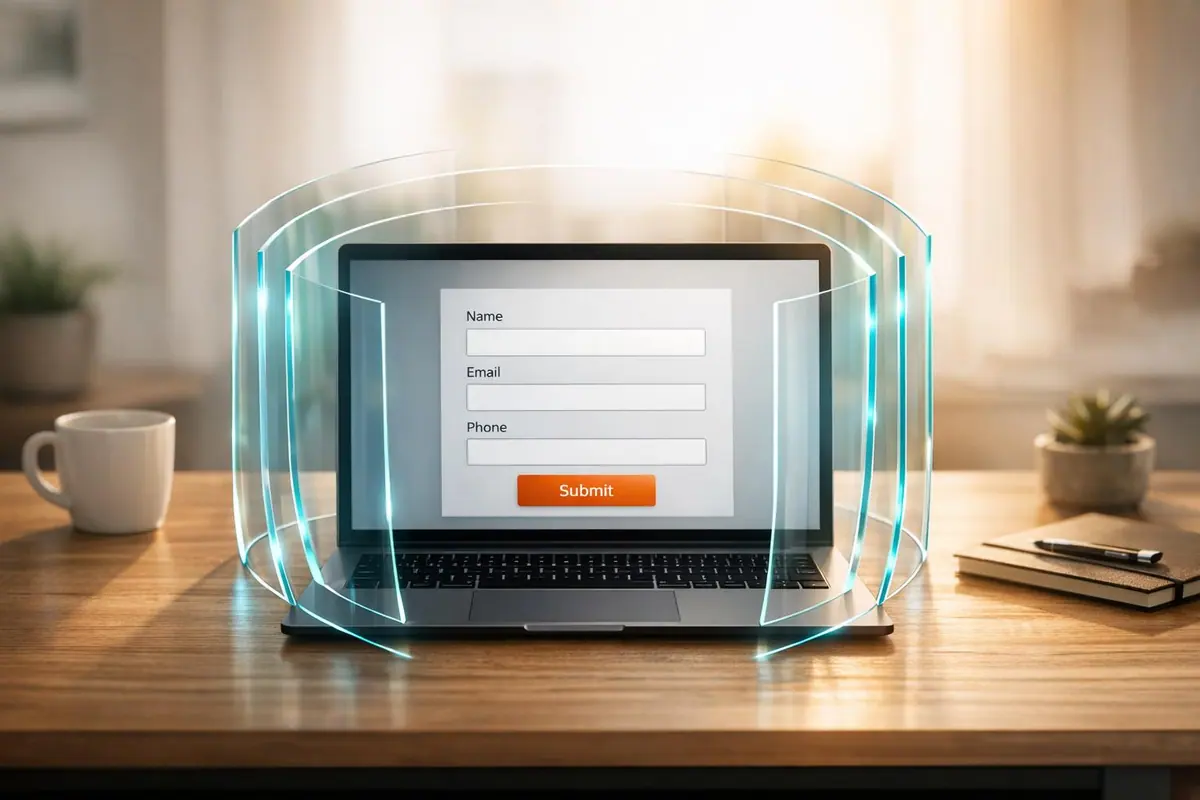
Lead forms are one of the first points where users share sensitive data with your business, but poorly secured forms can expose this information to cyberattacks like SQL injection, cross-site scripting, and bot abuse. These breaches can harm your reputation, waste resources, and even lead to legal penalties under privacy laws like GDPR and CCPA.
To protect your forms and the data they collect, focus on these key measures:
- Input Validation: Prevent harmful code by ensuring only correctly formatted data is accepted.
- Spam Prevention: Use CAPTCHAs, email validation, and OTP verification to block bots and fake submissions.
- Encryption: Secure data during transmission (SSL/TLS) and storage (AES-256 encryption).
- Monitoring: Use real-time tools to detect unusual activity and block threats early.
- Access Control: Implement multi-factor authentication (MFA) and role-based permissions to limit data access.
- Retention Policies: Automatically delete unnecessary data to reduce risks.
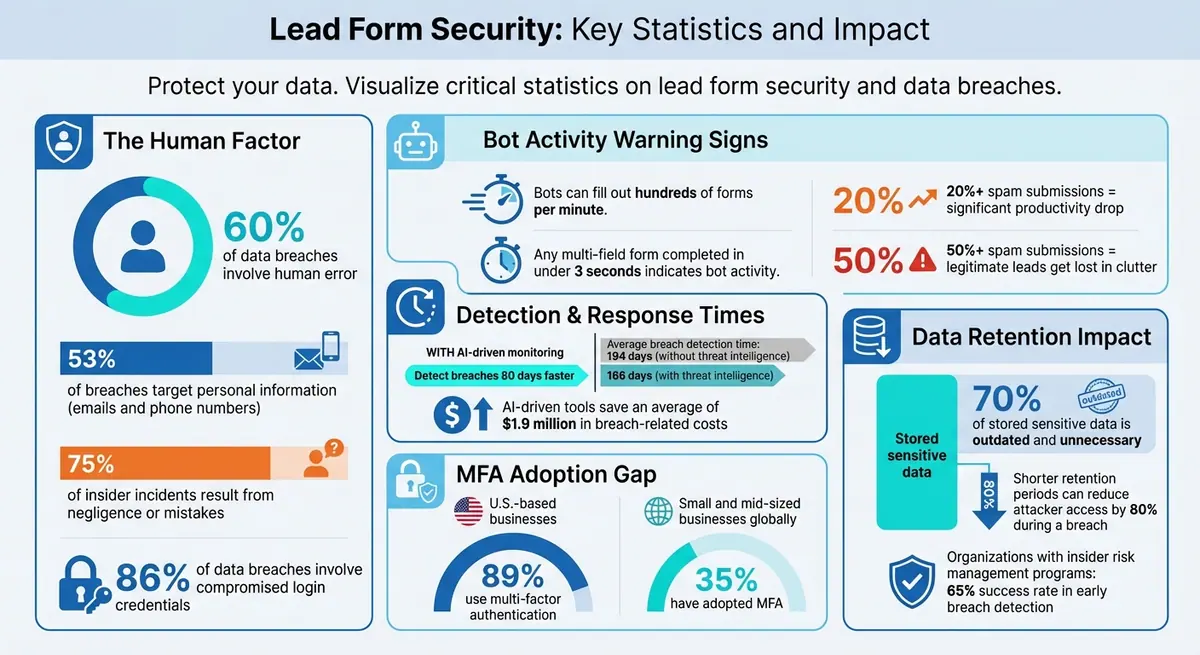
Lead Form Security Statistics and Data Breach Impact
How to Secure Form Submissions: Prevent Spam & Protect Data Integrity
sbb-itb-5f36581
How Lead Forms Can Be Exploited
Lead forms that aren't well-designed can become easy targets for attackers. Many vulnerabilities arise from simple mistakes - like using predictable field names such as "email" or "message" that bots can easily detect and fill out. Other common issues include skipping input validation, which allows any data to be submitted without checking its format, and relying solely on browser-based security without server-side checks. These gaps open the door for attackers to exploit your forms.
Common Security Threats
Two of the most dangerous threats to lead forms are SQL injection and cross-site scripting (XSS). With SQL injection, attackers use form fields to insert harmful code, potentially manipulating your backend database. XSS attacks, on the other hand, plant malicious scripts that can steal user data or compromise their sessions.
Bots also pose a major problem. They can fill out hundreds of forms in just a minute, with any multi-field form completed in under three seconds being a telltale sign of bot activity - something no human could physically achieve. What's even more alarming is that modern bots are equipped with machine learning, enabling them to bypass CAPTCHAs and mimic human-like actions, such as typing and mouse movements.
Attackers often exploit lead forms for data testing by submitting stolen email addresses or phone numbers to see if they're still valid. Additionally, the "message" field becomes a hotspot for spammers, who embed malicious links in the hope that someone from your team clicks on them while processing leads.
Impact of Data Breaches Through Forms
When forms are exploited, the data collected becomes unreliable, skewing your analytics and leading to bad marketing decisions. This not only wastes your sales team's time but also undermines their efficiency. If spam submissions account for more than 20% of your leads, productivity drops significantly. When over 50% of submissions are spam, legitimate opportunities often get lost in the clutter.
The financial consequences can be severe. Fake or disposable email addresses inflate bounce rates, harming your sender reputation and making it harder to reach real leads. For businesses paying for leads through affiliate programs or PPC campaigns, every spam submission translates to wasted money.
These threats highlight the importance of implementing strong security measures to safeguard your lead forms and protect your business from unnecessary risks.
Security Features That Protect Lead Forms
Strong security measures are essential for safeguarding lead forms from attacks. These features work together to stop harmful submissions before they can infiltrate your database.
Input Validation and Data Sanitization
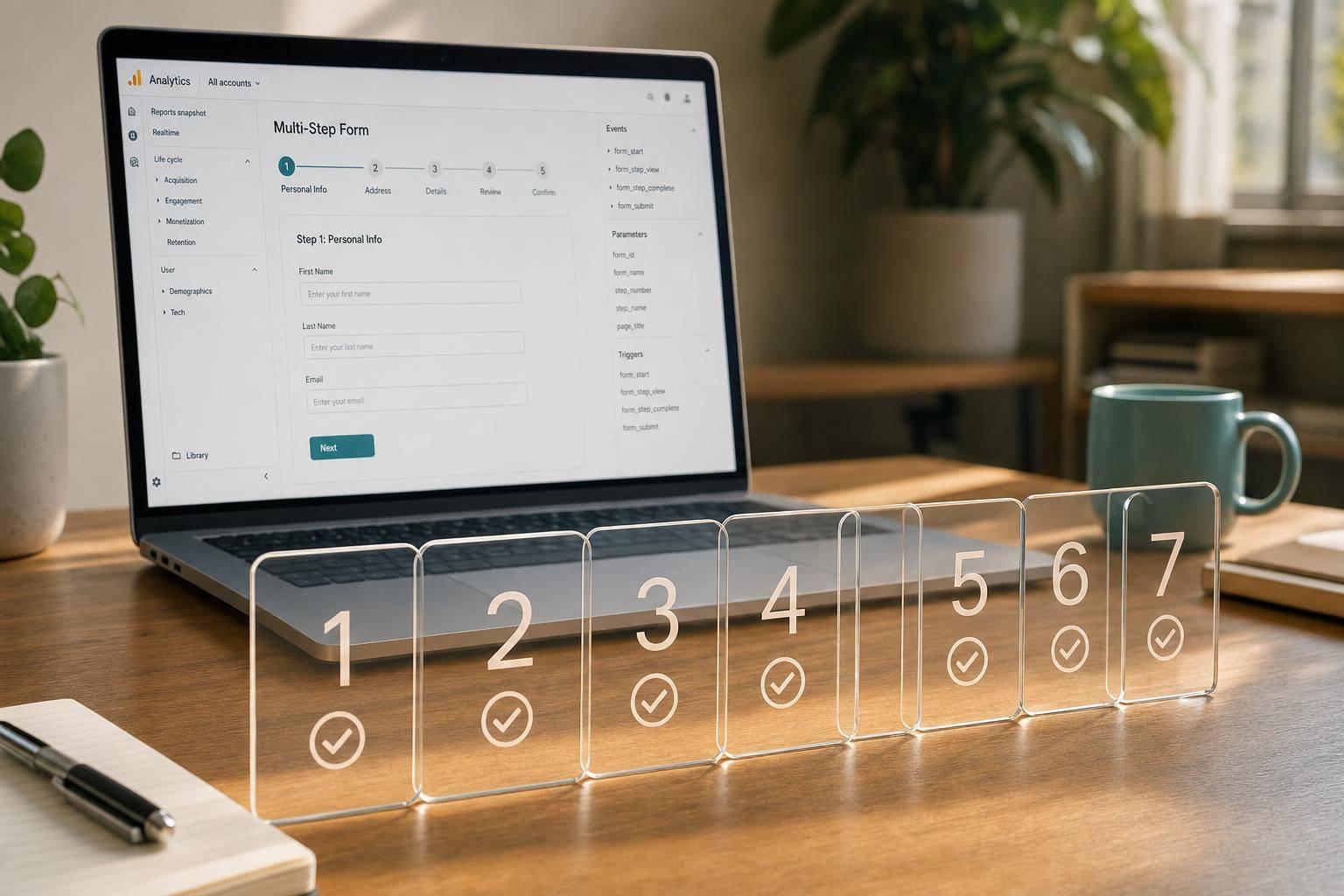
Input validation serves as the first barrier, ensuring forms only accept appropriate data. For example, requiring an "@" symbol in emails or allowing only numbers in phone fields helps prevent attackers from injecting harmful code. Setting character restrictions and length limits further reduces vulnerabilities by blocking unexpected or overly long inputs. Using multi-step forms strengthens this defense by validating data at each stage, catching malicious attempts early rather than at the final submission. Once validated, additional safeguards can stop automated abuse.
Spam Prevention and Email Validation
Blocking bots and spam requires multiple layers of defense. CAPTCHA systems confirm human users, effectively stopping automated scripts from overwhelming your forms. Email validation adds another layer by rejecting disposable domains (like @tempmail.com) and verifying active addresses. One-time password (OTP) verification takes it a step further, requiring users to confirm access to their provided contact details. This extra checkpoint ensures that only legitimate users can proceed, making it harder for cybercriminals to exploit your forms.
Encryption for Data Protection
Encryption works alongside validation and spam controls to secure data during and after submission. SSL/TLS encryption protects data in transit, recognizable by the "https://" in secure URLs. For stored data, AES-256 encryption offers strong protection, making it nearly impossible for attackers to decode the information. Together, these encryption methods create a secure environment for your lead data, from the moment it’s submitted to when it’s stored.
Monitoring and Access Control
Keeping a close eye on lead data and form usage is critical. By combining real-time monitoring with strict access controls, businesses can quickly spot and limit any unauthorized activity. While encryption secures data during transmission and storage, active oversight and tightly managed access provide an added layer of protection.
Real-Time Monitoring and Anomaly Detection
Monitoring tools operate 24/7, tracking form activity and flagging anything unusual that could indicate a potential attack. For instance, sudden traffic spikes from a single IP address or form submissions from unexpected locations might point to bot activity. Irregular geographic data or mismatched zip codes can also signal exploitation attempts.
Using AI-driven monitoring tools, organizations can detect and contain breaches 80 days faster than those without such tools, saving an average of $1.9 million in breach-related costs. These tools can spot repetitive entries or rapid submissions, triggering immediate actions like blocking suspicious IPs or pausing submissions. This proactive approach reduces the time it takes to identify breaches from an average of 194 days to 166 days for organizations utilizing threat intelligence.
Authentication and Role-Based Access Control
Managing who can access and handle submitted lead data is key to preventing unauthorized access. Multi-factor authentication (MFA) is a powerful defense, requiring users to verify their identity through multiple methods, such as a password and a code sent to their phone. This extra layer of security significantly reduces the risk of stolen credentials being used, especially since 86% of data breaches involve compromised login details.
After MFA, role-based access control (RBAC) ensures that users only have permissions tailored to their specific roles. For example, the sales team might be allowed to view leads but not delete records, while administrators have full access. Regularly updating access rights is crucial to minimizing insider threats and containing potential breaches. Despite the effectiveness of MFA, only 35% of small and mid-sized businesses globally have adopted it, compared to 89% of U.S.-based businesses.
Platforms like Reform offer tools like real-time analytics and customizable access controls, enabling businesses to protect their lead data more effectively. When combined with strong form design and encryption, these measures create a robust defense against data breaches.
Protecting Data After Submission
Securing form submissions is just the first step. Equally important is safeguarding the lead data you store after submission. This involves implementing automated retention policies and adhering to compliance frameworks designed to keep data secure.
Data Retention and Deletion Policies
The longer you store data, the higher the risk. Automated retention policies can help by purging lead data after 30–90 days unless there's a valid reason to keep it. This approach significantly reduces the potential attack surface.
In fact, shorter retention periods can cut attackers' access by as much as 80% in the event of a breach. This is especially relevant given that 70% of sensitive data stored by organizations is often outdated and unnecessary. For example, automated CRM systems can delete personally identifiable information (PII) once leads are qualified, contacted, or deemed inactive. These practices align with the principle of data minimization, ensuring you only keep what’s absolutely necessary.
Compliance Frameworks and Audit Logs
Beyond basic security, compliance frameworks provide clear guidelines for managing lead data after submission. Frameworks like GDPR, HIPAA, and PCI DSS aren’t just legal obligations - they’re practical tools for protecting sensitive information.
- GDPR: Requires data to be deleted once it’s no longer needed for its original purpose and mandates maintaining audit logs for accountability.
- HIPAA: Enforces secure storage and access logs for health-related data, along with breach notification protocols.
- PCI DSS: Limits the retention of cardholder data to a maximum of one year and requires comprehensive logging to track access and changes.
Audit logs play a critical role in these frameworks. They record every access event, noting who accessed the data, when, and why. These logs are tamper-proof, making them invaluable for forensic investigations and compliance audits. Organizations with insider risk management programs that include audit logging report a 65% success rate in detecting and preventing breaches early. Considering that 75% of insider incidents result from negligence or mistakes, audit logs provide the accountability needed to address issues before they escalate.
Here’s a quick breakdown of key compliance requirements:
| Compliance Framework | Key Post-Submission Requirements | Retention Guidance |
|---|---|---|
| GDPR | Data minimization, audit logs for accountability | Delete when purpose fulfilled |
| HIPAA | Secure storage, access logs, breach notification | Minimum necessary, auto-delete after use |
| PCI DSS | Audit trails, data destruction | Cardholder data: 3 months for inquiries, 1 year max |
Tools like Reform can support these efforts by offering real-time analytics and customizable controls. These features help businesses track form submissions and manage data responsibly. When paired with strong retention policies and thorough logging practices, they form a solid defense system to protect lead data throughout its lifecycle.
Conclusion
Lead forms are more than just tools for gathering information - they’re critical checkpoints where your business can either safeguard its data or leave it vulnerable. With 60% of data breaches involving human error and 53% targeting personal information like emails and phone numbers, ensuring your forms are secure isn’t optional - it’s essential.
By adopting layered security practices, you create multiple barriers for attackers to overcome. This includes encryption, input validation, real-time monitoring, and retention policies. Each method strengthens a specific area of vulnerability, but together they transform your forms into trust-building tools that can even boost conversion rates.
Platforms like Reform make implementing these defenses straightforward. Reform offers features like email validation, spam prevention, real-time analytics, and role-based access controls. Its hidden fields and data enrichment tools also help secure backend processes while reducing errors, ensuring sensitive information stays protected.
In today’s environment, where data breaches can lead to financial penalties and reputational damage, prioritizing form security is non-negotiable. By demonstrating a commitment to safeguarding user data, businesses don’t just comply with regulations - they also earn trust in a world where trust is harder to come by.
FAQs
What’s the fastest way to harden a lead form against SQL injection and XSS?
To protect a lead form from SQL injection and XSS attacks, focus on server-side input validation and sanitization. Use parameterized queries and prepared statements to stop malicious code from executing. Validate user inputs by allowing only specific, pre-approved values (whitelisting), and sanitize or encode data to block harmful scripts. These steps help safeguard your form and database from being compromised by malicious inputs.
How can I stop bots without hurting conversion rates?
To keep bots at bay without hurting your conversion rates, focus on non-intrusive anti-spam techniques. Options like hidden fields (also known as honeypots), email verification, advanced validation rules, and multi-step forms work effectively without annoying real users.
You can also leverage modern tools like behavioral analysis and real-time detection to spot bots without relying on CAPTCHAs, which can often frustrate genuine visitors. By combining these methods, you can maintain lead quality and security while ensuring a smooth experience for your users.
How long should I keep lead data to reduce breach risk and stay compliant?
To reduce the risk of breaches and stay compliant with regulations, keep lead data only for as long as it's needed for its original purpose. Make it a habit to review stored data regularly and securely delete anything that's no longer necessary. This not only safeguards sensitive information but also aligns with established data protection guidelines.
Related Blog Posts
Get new content delivered straight to your inbox

The Response
Updates on the Reform platform, insights on optimizing conversion rates, and tips to craft forms that convert.



Drive real results with form optimizations
Tested across hundreds of experiments, our strategies deliver a 215% lift in qualified leads for B2B and SaaS companies.
