
.webp)
How Real-Time Notifications Recover Abandoned Forms


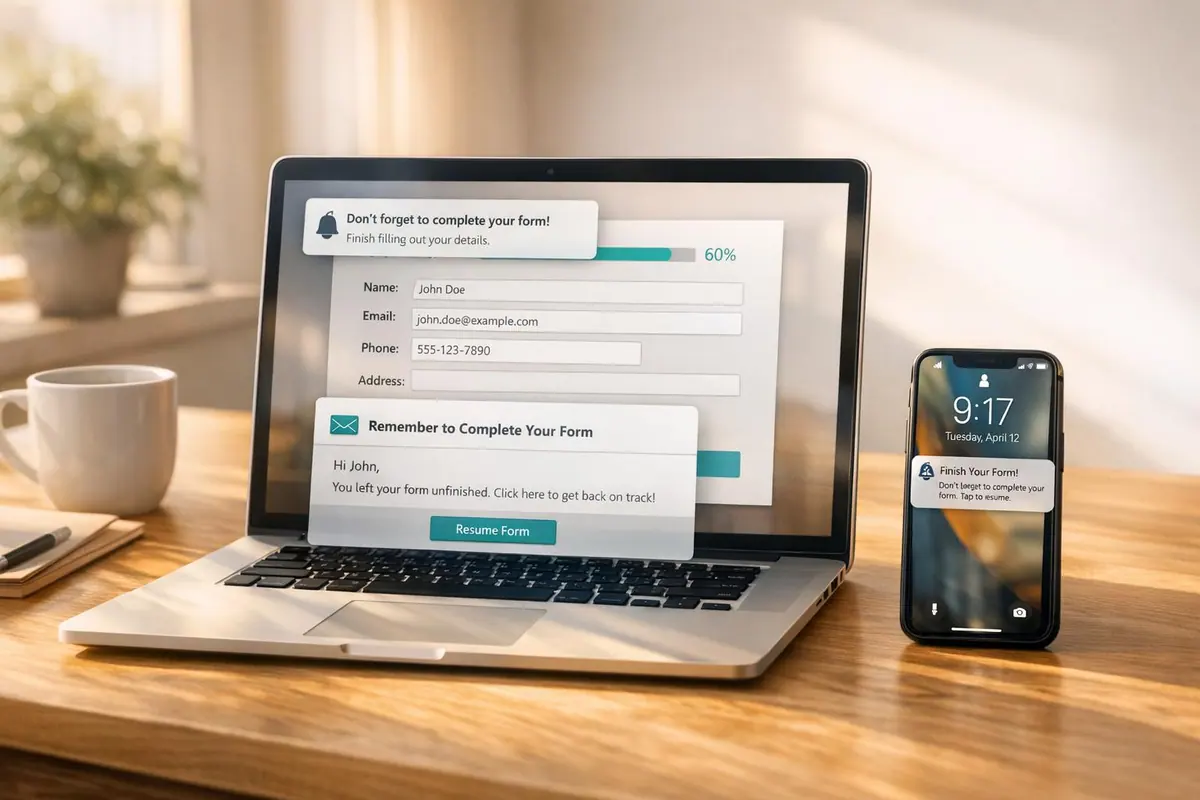
Over 80% of users abandon forms before completing them, leading to lost leads and wasted marketing efforts. Real-time notifications can help you recover these lost opportunities by tracking partial form submissions and enabling instant follow-ups. Businesses using this approach have seen up to a 50% increase in form completions.
Here’s how it works:
- Track Partial Submissions: Save user input (like email or phone) as they type, even if they don’t finish the form.
- Send Instant Alerts: Notify your team immediately when someone exits a form, so you can follow up quickly.
- Automate Follow-Ups: Use tools like HubSpot or Zapier to send personalized recovery messages within minutes.
Timing matters - most recoveries happen when follow-ups are sent within an hour. Personalization also boosts success rates, so tailor messages based on the data collected. By implementing these steps, you can turn abandoned forms into valuable leads and improve your ROI.
How Real-Time Notifications Recover Abandoned Forms
Real-time notifications provide immediate insights into how users interact with your forms. The system begins tracking the moment someone starts filling out a form, capturing their progress in real time. Unlike delayed tracking methods, which can miss high-intent leads, real-time monitoring ensures you can act quickly - while your brand is still fresh in the user’s mind.
Let’s dive into how capturing partial submissions lays the groundwork for effective lead recovery.
Capturing Partial Submissions in Real Time
Reform’s real-time tracking saves user input as it’s entered - whether it’s an email address, phone number, or name. This means every partial interaction is preserved, turning potential drop-offs into actionable leads.
The key is to capture contact information early in the form. For example, if the first field asks for an email address, you’ll have a way to follow up even if the user abandons the rest. With over 80% of users leaving forms unfinished, this early data capture is critical for retaining interested prospects and keeping the conversation going.
Sending Immediate Follow-Up Alerts
Once partial data is captured, real-time notifications can instantly alert your team via email or push notifications. These alerts include key details like email addresses, allowing you to send personalized recovery messages within minutes.
Timing is everything. Following up within one hour of abandonment significantly increases recovery rates because the user’s intent is still strong. A quick follow-up could include a direct link to resume the form or a friendly reminder. To further improve results, sequenced messages sent after 1 hour, 24 hours, and three days can help re-engage leads. With automation handling these tasks, your team can stay connected to potential customers without constant manual effort.
Setting Up Real-Time Notifications in Reform

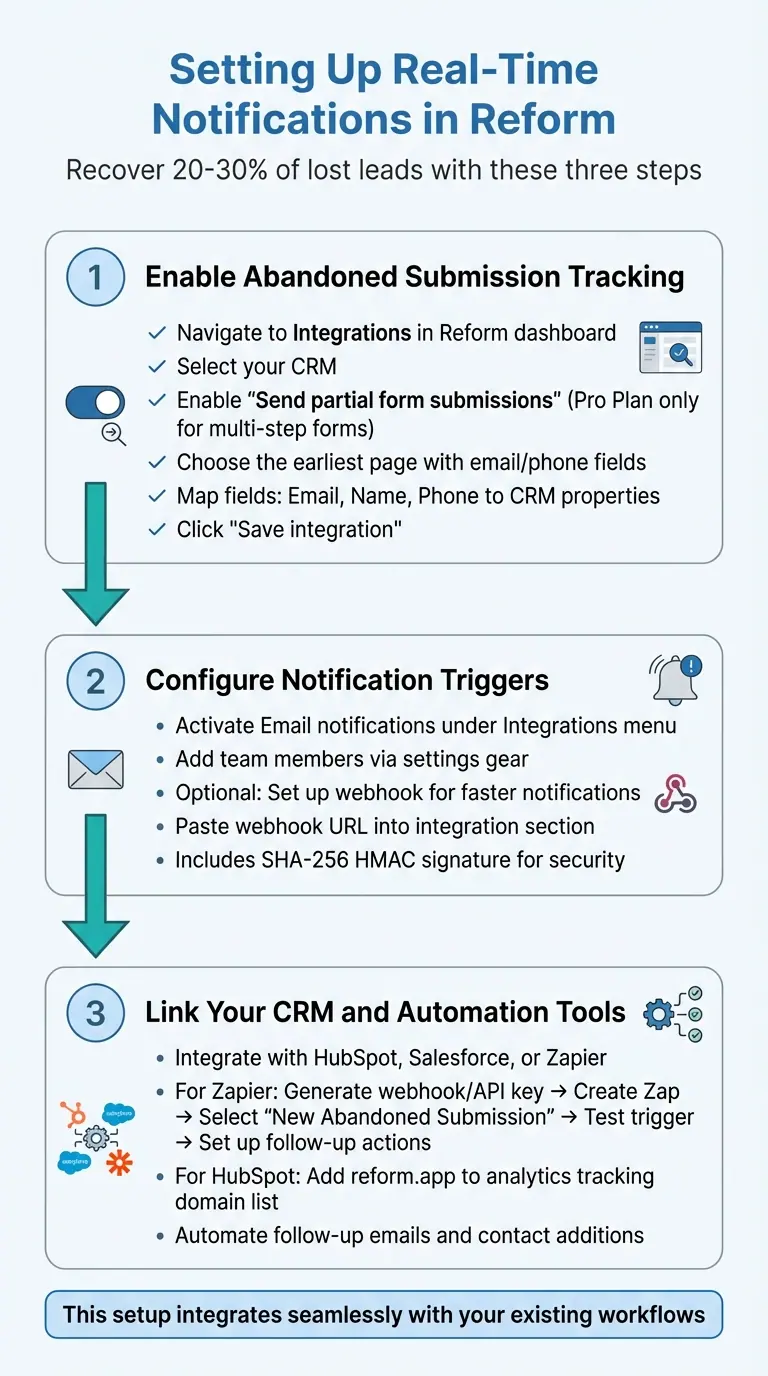
3-Step Process to Set Up Real-Time Form Abandonment Notifications
Reform makes it easy to capture abandoned form data and send out instant recovery alerts. By following three key steps - enabling partial submission tracking, setting up notification triggers, and linking your CRM or automation tools - you can recover 20–30% of lost leads. This setup works smoothly with your existing workflows.
Step 1: Enable Abandoned Submission Tracking
Start by opening the form editor in your Reform dashboard and navigating to Integrations. Select your CRM and locate the Send partial form submissions option. Note: This feature is available only on the Pro Plan for multi-step forms.
Choose the page where you want Reform to begin tracking data. To get the most out of this feature, select the earliest page that requests an email address or phone number. This ensures you can still reach out, even if the form is abandoned early on. Map fields like Email, Name, and Phone to your CRM properties, then click Save integration to turn on tracking.
Step 2: Configure Notification Triggers
Once tracking is enabled, decide how you’d like to receive alerts. Under the Integrations menu, activate Email notifications and use the settings gear to add team members.
For faster, more customized notifications, you can set up a webhook. Simply paste the destination URL into the webhook integration section. When a partial submission occurs, the webhook sends data instantly, allowing you to trigger workflows in external apps. Each webhook transmission includes a secure SHA-256 HMAC signature to confirm the data’s authenticity.
Step 3: Link Your CRM and Automation Tools
Reform integrates effortlessly with tools like HubSpot, Salesforce, and Zapier, so you can automate your follow-up processes. Whether you prefer using Zapier or connecting directly with HubSpot, the steps are straightforward.
For Zapier, go to the Integrations section in your Reform dashboard to generate a webhook or API key. In Zapier, create a new Zap with Reform as the trigger and select "New Abandoned Submission" as the event. Test the trigger with sample data, then set up actions like sending follow-up emails through Gmail or adding contacts to HubSpot.
If you’re connecting directly to HubSpot, don’t forget to add reform.app to your analytics tracking site domain list. This prevents partial submissions from being flagged as bot traffic, ensuring your data remains accurate and actionable.
sbb-itb-5f36581
Best Practices for Improving Recovery Rates
Once your notification system is in place, fine-tuning it can make a big difference in recovering abandoned forms. By focusing on timing, personalization, and continuous improvement, you can significantly increase the chances of bringing leads back.
When and How Often to Send Notifications
Timing is everything when it comes to recovery messages. To catch someone while their interest is still fresh, send your first follow-up within an hour. If they don’t respond, send a second and final message within 24 hours. This second attempt acts as a last reminder before the lead loses interest entirely. Keep in mind, sending more than two notifications can come across as pushy and might harm your brand’s image.
Craft Personalized Messages
One-size-fits-all reminders rarely work. Instead, use the data you’ve already collected to create messages that feel personal and relevant. For example, if someone has entered their name or provided details about their business, include that information in your message. A subject line like, “Hi Sarah, finish setting up your demo in 2 minutes” is far more engaging than a generic “Complete your submission.” The more your message mirrors their specific actions, the better your chances of getting them to return.
Tracking and Improving Notification Performance
Reform’s analytics dashboard is your go-to tool for understanding how your notifications perform. Pay attention to two key metrics: recovery rate (the percentage of abandoned forms completed after a notification) and open rate (how often your messages are opened). If open rates are low, experiment with different subject lines or adjust the timing of your emails. If people open the emails but don’t complete the form, rework your message content or call-to-action. Regularly reviewing these metrics and making adjustments ensures your strategy stays effective.
Conclusion
Real-time notifications have turned form abandonment into an opportunity for generating leads. With more than 80% of users leaving forms unfinished, capturing partial submissions and promptly following up can significantly boost both your conversion rates and ROI.
By collecting incomplete form data, reaching out within an hour, and syncing with your CRM, you can effortlessly turn abandoned forms into qualified leads. Plus, analyzing this data helps pinpoint exactly where users drop off, giving you the chance to fine-tune your forms for better performance.
Reform simplifies this process with no-code tracking for abandoned submissions, customizable notification triggers, and seamless integrations with your marketing and CRM tools. You don’t need technical skills or a lengthy setup to start recovering leads you might otherwise lose.
Speed and personalization make all the difference - use the data you have to re-engage prospects quickly. Start tracking abandoned submissions now and watch your conversions grow.
FAQs
How can real-time notifications help recover abandoned forms?
Real-time notifications are a game-changer when it comes to recovering abandoned forms. They instantly notify your team when someone begins filling out a form but doesn't finish, giving you the chance to act quickly. This immediate follow-up can turn a fleeting interest into a completed submission.
By sending personalized messages or reminders to re-engage users, businesses can minimize lost opportunities and recover leads more effectively. This proactive strategy helps ensure potential leads don’t get overlooked, improving both conversion rates and user interaction.
What are the best practices for sending real-time follow-up notifications?
To make your follow-up notifications work, focus on making them timely, clear, and relevant to the recipient. Timing is key - send these notifications soon after someone abandons a form. This way, your message reaches them while your brand is still fresh in their mind.
Keep your messages short and to the point. Include a direct link back to the form and a quick note on why finishing it matters. Avoid overwhelming users by limiting notifications to two or three per day at most - any more, and you risk annoying them or causing alert fatigue.
Plan your notifications ahead of time and, whenever possible, personalize them. Adding value, like offering help or outlining the next steps, can make a big difference in getting users to re-engage and complete the process.
What’s the best way to personalize messages for recovering abandoned forms?
To make recovery messages resonate with customers, it's important to tap into the power of personalization. Start by incorporating details like the customer’s name, the specific products or services they browsed, or tailored recommendations based on their interests. Adding a timely incentive - like a discount or a free trial - can also be a great nudge to spark re-engagement.
Leveraging real-time data and analytics can take this a step further. By aligning your messages with individual behaviors and preferences, you can deliver communication that feels both timely and relevant. This kind of targeted strategy boosts the likelihood of turning abandoned forms into completed actions.
Related Blog Posts
Get new content delivered straight to your inbox

The Response
Updates on the Reform platform, insights on optimizing conversion rates, and tips to craft forms that convert.



Drive real results with form optimizations
Tested across hundreds of experiments, our strategies deliver a 215% lift in qualified leads for B2B and SaaS companies.
