
.webp)
8 Tools for Visualizing Marketing Automation Analytics



Marketing teams deal with overwhelming amounts of data from platforms like Google Ads, Meta, Salesforce, and HubSpot. Without the right tools, this data becomes fragmented, leading to inefficiencies and delays in decision-making.
This article highlights 8 data visualization tools designed to solve these challenges by consolidating marketing data into actionable insights. These tools help reduce manual effort, improve attribution accuracy, and focus on meaningful metrics like ROI and customer lifetime value. Here's a quick overview:
- Cometly: Real-time tracking and customizable dashboards for cross-platform attribution.
- Whatagraph: AI-powered reporting with seamless integrations for agencies.
- Tableau: Advanced visualizations and deep customization for enterprise teams.
- Google Data Studio (Looker Studio): Free, user-friendly tool for Google ecosystem users.
- Supermetrics: No-code integrations for 150+ marketing platforms.
- Databox: Simplified dashboards with real-time performance tracking.
- Domo: Enterprise-grade platform with built-in ETL and 1,000+ connectors.
- Crazy Egg: Behavioral analytics with heatmaps and session recordings.
Each tool offers unique strengths, whether you're a small business, an agency, or a large enterprise. Below, you’ll find detailed insights into their features, integrations, and pricing to help you choose the right solution for your needs.
11 Best Digital Analytics Tools in 2025 (Ranked by Categores & Use Cases)
sbb-itb-5f36581
1. Cometly
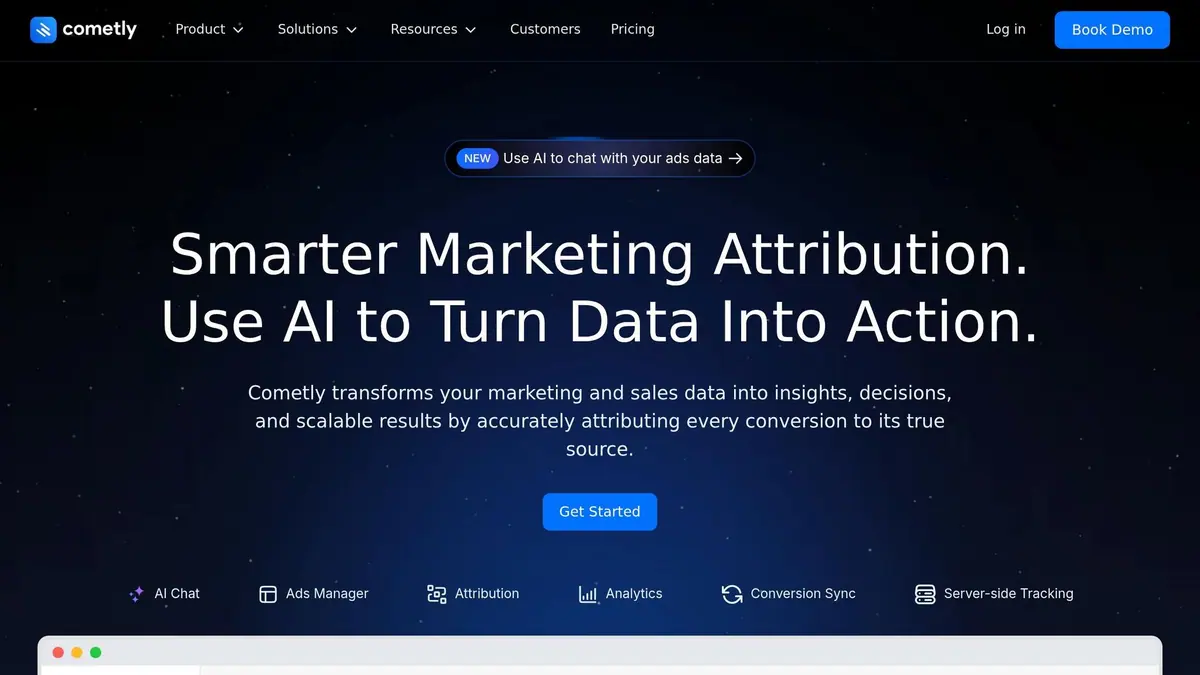
Cometly brings together data from over 100 marketing and sales tools into one streamlined dashboard, saving you from endless platform hopping. By using server-side tracking, it captures conversion data even when browser-based methods are blocked by ad blockers or iOS privacy settings. This ensures your automation strategies are fueled by accurate and complete data, setting the stage for more precise and personalized reporting. This level of precision is essential for any lead generation expert looking to scale their marketing efforts.
Customization and Flexibility
Cometly doesn’t just consolidate data - it lets you shape it to fit your needs. You can create dashboards that are fully customizable and resizable, matching your workflow. The "Group By" feature helps you organize data by campaign, channel, or client and break down results by factors like time, source, or campaign. Plus, with its flexible report builder, you can craft reports that span your entire marketing funnel. You can even switch between different attribution models to better understand how conversions should be credited.
Real-Time Analytics Capabilities
Cometly’s real-time tracking of website activity and high-converting lead forms means you can make instant adjustments to your ad spend and creative strategies. For example, Jonathan Ronzio, Co-founder & CMO at Trainual, shared that his team increased ad spend by 40% after using Cometly’s tracking and attribution features. The platform also includes an AI Chat function, which allows you to ask natural language questions about your ad performance and receive immediate, actionable insights.
Integration with Marketing Automation Tools
Cometly’s "Conversion Sync" feature takes enriched first-party data - like email, phone numbers, and UTM parameters - and sends it to ad platforms using a server-side API. This ensures platforms like Meta and Google receive high-quality data, improving their automation algorithms.
"Cometly gave us something we've never had before: confidence in our data. We used to struggle with attribution across platforms... Now we know exactly what's working and with Cometly AI, we're optimizing in real time." - John Parkes, CMO at ClickFunnels
Reporting and Visualization Features
Cometly provides flexible charts and reporting tools that let you focus on the metrics that matter most to your business. Rather than relying solely on last-click attribution, the platform maps out the entire customer journey - from the first click to the final sale - giving you a complete picture of the conversion process.
"It's perfect for seeing all paid channels in one unified dashboard, making it easy to track and analyze performance across platforms." - Baris Zeren, CEO at Book Your Data
2. Whatagraph

Whatagraph tackles the common issues of delayed and fragmented reporting with real-time data visualization. It integrates seamlessly with over 60 marketing platforms, including HubSpot, Salesforce, ActiveCampaign, Klaviyo, and Mailchimp. With a 99.95% reliability rate and data refreshes every 30 minutes across all pricing plans, it ensures your dashboards are always up-to-date. Unlike tools requiring SQL expertise or lengthy setups, Whatagraph is designed specifically for marketers, not data scientists.
Customization and Flexibility
Whatagraph's drag-and-drop builder allows you to resize widgets, adjust page layouts, and add custom icons to match your brand. The "IQ Theme" feature simplifies branding by detecting and applying your brand’s fonts and colors when you upload a screenshot of your brandbook. For agencies juggling multiple clients, the Master Templates feature makes life easier - edit one report, and updates are instantly applied to all linked versions.
The platform also supports advanced metric creation without requiring coding skills. You can combine data from different sources to calculate metrics like blended ROAS or customer acquisition cost. In January 2026, Maatwerk Online, a digital marketing agency, reported saving 100 hours monthly using these AI-powered features. Co-founder Lars Maat shared, "Whatagraph's AI saves time and energy for our marketing specialists". This customization pairs perfectly with its strong data integrations.
Integration with Marketing Automation Tools
With over 55 native integrations, Whatagraph eliminates the delays and connection issues often seen with third-party connectors. Its Performance Monitoring feature consolidates data from hundreds of sources into unified metrics, helping you identify trends and anomalies in real time. For sources not natively supported, you can connect via API, Google Sheets, or BigQuery.
Peak Seven, a digital marketing agency, saved 63 hours and approximately $9,450 per month by automating their reporting workflows with high converting forms with Whatagraph. Kim Strickland, a Digital Marketing Specialist at the agency, commented:
"Whatagraph took us to the next level with our clients and within our team. With Looker Studio, everything was muddled. But Whatagraph has opened up transparency and communication."
Reporting and Visualization Features
Whatagraph IQ offers performance summaries in 18 languages and supports five different report formats. An AI-powered data chatbot allows you to ask natural language questions about your data and get instant answers. Stakeholders can always access the most recent data through live links, and automated email reports can be scheduled daily, weekly, or monthly.
Danielle Roberts, Director of Implementation & Support at Rentable, used Whatagraph to streamline reporting across over 5,000 data sources, saving an average of 1.5 hours per report. Additionally, Whatagraph’s customer support team is highly responsive, addressing inquiries within 34 seconds to 4 minutes and resolving most issues within 5 to 24 hours.
3. Tableau
Tableau has held its position as a Gartner Magic Quadrant Leader for 11 years, and for good reason. It combines an intuitive drag-and-drop interface with the power to handle complex data analyses, making it a favorite among marketers. Companies using Tableau have reported a 26% reduction in time spent analyzing data and a 33% improvement in decision-making driven by insights. With tools designed for deep customization, Tableau empowers users to tailor analytics to their specific marketing needs.
Customization and Flexibility
One of Tableau's standout features is its Prep Builder tool, which allows users to merge and clean data without writing a single line of code. The platform also enables the creation of interactive dashboards, where you can drill into data, apply filters, and link visualizations. Whether you’re working with histograms, heat maps, Gantt charts, or geospatial insights, Tableau provides the tools to make your data come to life.
Tableau's AI-driven features, like Einstein Copilot and Tableau Pulse, take things a step further. These tools let you use natural language commands to set up dashboard actions, customize formatting, and even receive personalized trend updates via Slack or email. For teams looking to embed analytics into their own applications, Tableau’s Embedding API ensures seamless integration while maintaining your brand’s visual identity.
Integration with Marketing Automation Tools
With nearly 100 built-in connectors, Tableau integrates smoothly with platforms like Google Analytics, Salesforce, and BigQuery. As part of the Salesforce ecosystem, its integration with Salesforce CRM is particularly strong, allowing marketers to visualize customer data without juggling multiple tools. For platforms without native connectors, such as Meta or LinkedIn, Tableau can work alongside ETL tools or data warehouses to centralize your marketing data. This streamlined approach ensures that insights are readily available for faster decision-making.
RBC Wealth Management – U.S. serves as a prime example of Tableau’s impact. Greg Beltzer, Head of Technology, shared how Tableau transformed their processes:
"To prepare for client meetings, advisors had to reference up to 26 different systems. It would take 3–4 hours to prepare for the meeting. Now, all the information advisors need is right there at the click of a button."
Reporting and Visualization Features
Tableau’s visualization library is extensive, offering far more than basic charts. From uncovering trends in customer journeys to analyzing regional performance, the platform provides specialized tools to dig deeper into your data. It supports live data connections for real-time campaign tracking and scheduled extracts for historical analysis. Teams using Tableau have seen a 32% boost in productivity among business users.
The introduction of Agentic Analytics in 2026 marked a shift toward AI-driven features that can translate insights into automated actions within existing workflows. Pricing starts at $15 per user per month for basic functionality, with costs increasing based on the number of users and data sources. For inspiration, check out Tableau Public's "Viz of the Day" to see how others are using the platform creatively.
4. Google Data Studio

Google Data Studio, now known as Looker Studio, is a free tool designed for marketing teams to visualize their automation data. The standard version is completely free for both report creators and viewers, making it an accessible choice for businesses of all sizes. For those needing advanced features like enterprise-level security and team content management, the Pro version is available at $9 per user, per project, per month.
Customization and Flexibility
Looker Studio offers a drag-and-drop editor that's easy to use, with two layout options: a pixel-perfect design for precise control or a responsive snap-to-grid canvas that adjusts to different screen sizes. Users can tweak every detail using custom property panels, while calculated fields allow you to turn raw data into tailored metrics - like calculating average transactions per user. The Explorer tool provides a sandbox environment, letting you experiment with chart settings without impacting live reports. These features work hand-in-hand with its expansive integration options.
Integration with Marketing Automation Tools
Looker Studio connects to over 1,400 data sources, including Google Ads, BigQuery, and Google Analytics. Additionally, it offers more than 1,300 Community Connectors to link with third-party platforms. However, premium connectors for tools like Facebook Ads or Salesforce come with a monthly fee ranging from $50 to $200. The platform also supports data blending, which combines up to five sources into a single chart using join keys, making cross-channel analysis much easier.
Reporting and Visualization Features
With its robust design and extensive data integrations, Looker Studio provides interactive reporting capabilities. Users can easily switch between data sources - like different Google Analytics views - without rebuilding dashboards. The scheduled email delivery feature sends PDF reports automatically on a daily, weekly, or monthly basis, ensuring teams stay informed. Cross-data filtering adds another layer of interactivity, allowing users to click on a specific dimension (e.g., "Organic Traffic") to update all related charts instantly. For advanced users, Looker Studio integrates with BigQuery AI agents, enabling natural language queries for data exploration.
5. Supermetrics
Supermetrics has grown into a comprehensive marketing intelligence platform, trusted by 200,000 companies across 120 countries. It connects to over 170 pre-built data sources - like HubSpot, Salesforce, Google Analytics 4, and Facebook Ads - while boasting an impressive 99.9% data delivery success rate. A standout feature is its native "Supermetrics Dashboards", which eliminate the need for external BI tools.
Real-Time Analytics Capabilities
Supermetrics delivers real-time insights into marketing performance, with data that updates continuously. This live view empowers teams to make quick decisions, cutting manual data exports by 50% and speeding up reporting by a factor of five. Patrick Siki, Digital Media Strategist at Accenture, highlights its impact:
"Every morning, I open the master dashboard that we built with Supermetrics. The main benefit is that it always has fresh and accurate data in a single view."
The platform processes 15% of global online ad spend and has been shown to improve return on ad spend (ROAS) by at least 15%. Its speed and efficiency are further amplified by seamless data integration, making it a powerful tool for marketers.
Integration with Marketing Automation Tools
With its "Activate" feature, Supermetrics can push accurate data straight into engagement platforms, fully automating workflows. It also supports no-code mapping, allowing users to blend data from paid media, organic social, and CRM systems into a single, unified view. Sean Whitmore, Director of Digital at Snapshot Interactive, shares his perspective:
"Data blending is a key feature for us. Being able to blend data across multiple paid channels and getting a unified view of a campaigns is a huge value-add for our clients."
Reporting and Visualization Features
Supermetrics also excels in reporting and visualization. Its Data Explorer tool enables quick, ad-hoc metric checks before integrating them into dashboards. An AI-Powered Dashboard Agent makes creating reports easier by converting natural language queries (like "show me paid social performance by channel") into interactive visuals - no technical expertise required. Additionally, the Insights Agent monitors metrics for anomalies and budget adjustments, while pre-made templates help users get started faster.
The platform ensures data security with SOC 2 Type II, GDPR, and CCPA compliance. It transfers data directly from source to destination using encryption, without storing client data by default.
6. Databox
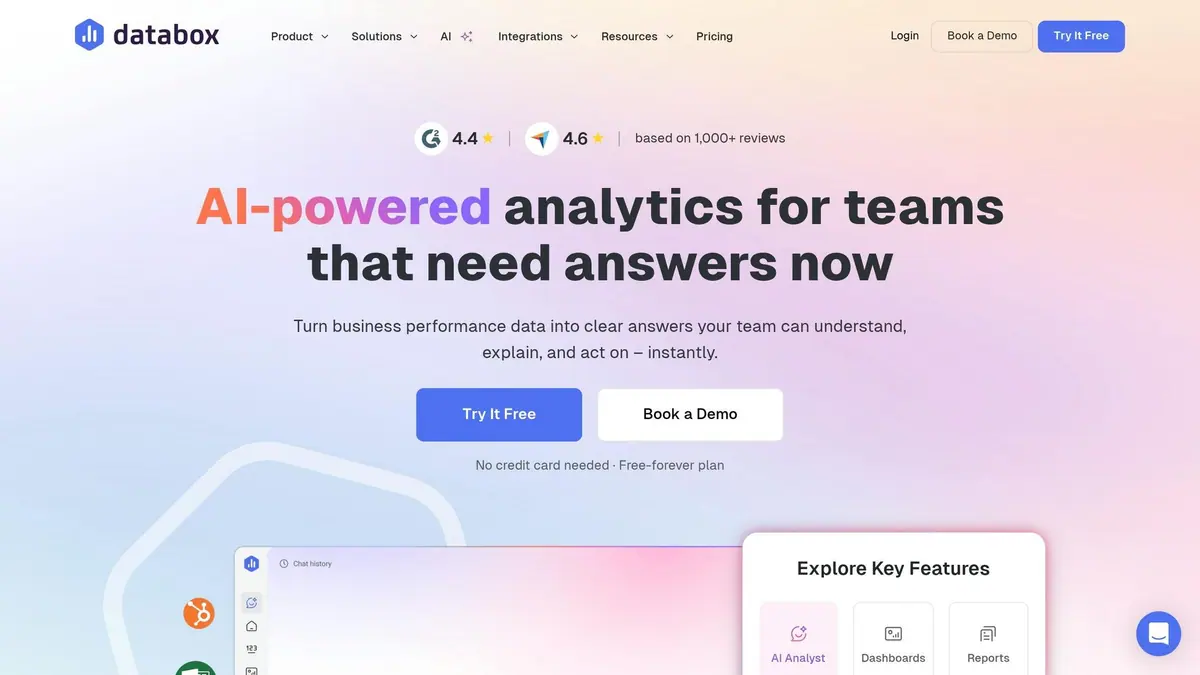
Databox supports over 20,000 businesses by centralizing data from more than 130 native integrations, including popular platforms like HubSpot, Marketo, Salesforce Pardot, ActiveCampaign, and Mailchimp. Like other tools in this space, it simplifies data visualization and reporting, offering actionable insights while cutting down on manual effort. Impressively, the platform boasts 100% connector uptime and 99.98% web-app uptime over 90 days, ensuring dependable access to marketing data. Users report spending 60% less time on report creation and cutting overall reporting costs by 50%.
Customization and Flexibility
Databox’s drag-and-drop Dashboard Designer allows users to create dashboards without needing coding skills. With over 20 chart types - such as line, bar, funnel, heatmap, and gauge visualizations - it’s easy to tailor dashboards to specific needs. The platform’s "Genie" AI analyst takes this customization a step further, enabling users to build entire dashboards using plain language prompts.
Steve James, Partner at Stream Creative, highlights its impact:
"The Dashboard Designer has provided our team and clients the flexibility and efficiency to build custom dashboards whenever necessary. It's amazing how easy it is to pull data and top KPIs from multiple data sources into one screen."
In addition to 300+ pre-built templates, users can define custom metrics like CAC or ROI by combining data from various sources or using SQL queries. For agencies, white-label options allow full branding of dashboards, including logos, color schemes, and personalized login screens. This robust customization pairs seamlessly with Databox’s real-time analytics.
Real-Time Analytics Capabilities
On Premium plans, dashboards refresh automatically every 15 minutes, keeping data up-to-date. Users can set automated alerts through Slack or email to stay informed about spikes or dips in key metrics. Databox also offers mobile apps for iOS, Android, and Apple Watch, making it easy to monitor performance from anywhere.
Integration with Marketing Automation Tools
Databox simplifies marketing workflows with over 90 pre-configured templates for platforms like HubSpot, Klaviyo, and Marketo. Its "Looped Dashboards" feature links multiple reports into a single view, offering a complete picture of cross-channel performance, from initial visitor interaction to final sale , often starting with high-converting lead generation forms.
Paul Schmidt from SmartBug Media shares his experience:
"Databox provides the ability to bring different pieces of marketing technology into a single view and to show a complete picture of how their business is performing."
For platforms lacking native integrations, users can connect data through Zapier, Make, Google Sheets, Excel, or SQL databases. The Calculated Metrics feature further enhances functionality by combining data from different sources to compute complex KPIs - no spreadsheets required.
Reporting and Visualization Features
Databox’s AI-generated summaries go beyond static data, explaining the reasons behind metric changes. Dashboards can be shared in multiple ways, including live links, password-protected URLs, scheduled PDF or JPG snapshots, or even streamed directly to office TV monitors. Additional features include goal tracking with visual progress bars and benchmarking against similar companies.
Recently recognized as a 2024 High Performer on G2 for Marketing Analytics, Databox consistently earns high ratings, with 4.4/5 and 4.6/5 stars across major review platforms based on over 1,000 reviews.
7. Domo
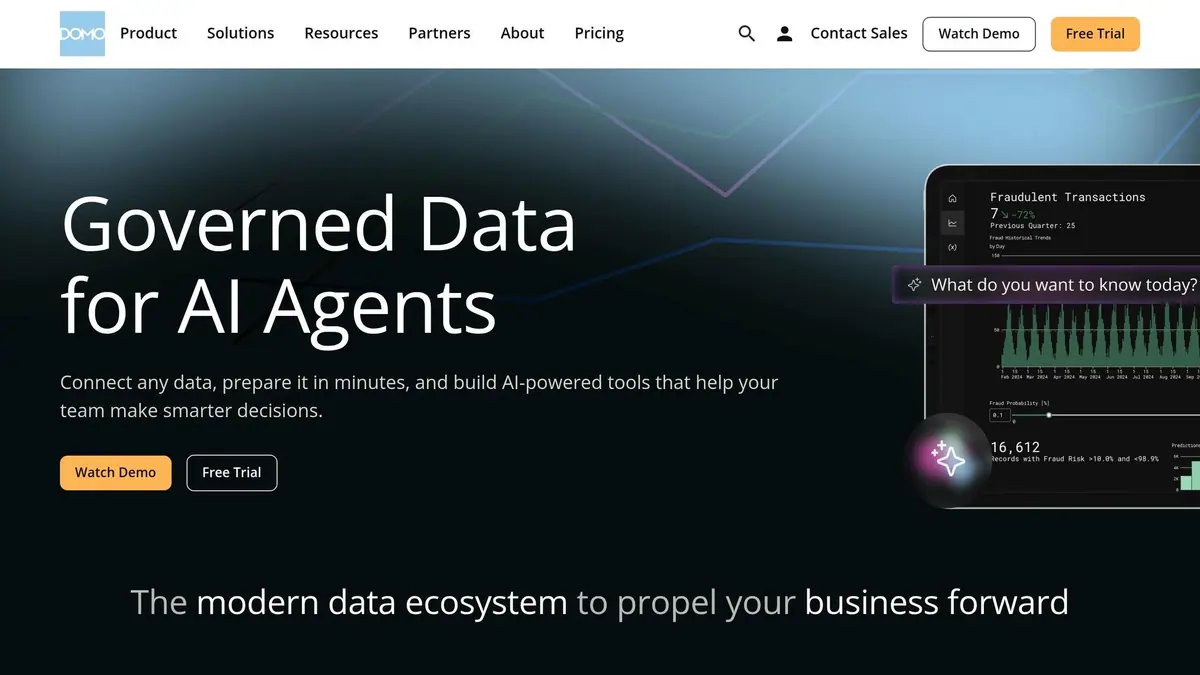
Domo is used by 32% of Fortune 40 companies and offers over 1,000 pre-built cloud connectors to bring together data from platforms like HubSpot, Marketo, CRM systems, and social media channels. Its standout feature? A huge library of visualizations, including more than 150 chart types and 7,000+ custom maps for tracking geographic performance.
Customization and Flexibility
Domo goes beyond basic data integration with tools designed for deep customization. With "Beast Modes", users can create custom metrics using simple formulas applied to live data. "Domo Bricks" and the App Dev Framework make it easy to build custom visualizations quickly, while the "Variables" feature enables interactive what-if analysis.
Brendan Hart, Senior Vice President of Consumer Analytics & Insights, highlights the platform's impact:
"Domo has allowed us to unleash more data transparency across the organization through its ability to visually communicate complex data in easy to understand graphics. We now have the ability to distribute these KPIs across multiple platforms."
Real-Time Analytics Capabilities
Domo also excels in delivering real-time insights. Its "Adrenaline DataFlows" leverage in-memory caching to process instant queries across billions of rows, ensuring fast performance on any device. The platform connects directly to data warehouses like Snowflake, BigQuery, and Redshift, querying live data without duplication. Features like threshold alerts notify users via web, email, or mobile the moment key metrics change, while the Analyzer tool allows for instant filtering across all visualizations.
Integration with Marketing Automation Tools
Katie Russell, Growth Creative Manager, shares how Domo has streamlined her work:
"Domo consolidates campaign performance across Facebook, Pinterest, Instagram, Snapchat, and TikTok into one view, saving significant time."
Domo's semantic layer ensures alignment across teams, with consistent metric definitions for marketing, sales, and finance. Tools like "Magic ETL" and SQL DataFlows let marketers transform and combine data from various systems without needing engineering support. Additionally, the platform's data writeback capabilities allow insights to be pushed directly into business tools to drive actions. This seamless integration ensures your reports are always up-to-date and actionable.
Reporting and Visualization Features
Domo's "Domo Stories" feature lets teams create custom-branded dashboards with personalized colors, logos, and layouts - no IT help required. AI-powered natural language queries allow users to type questions in plain English and receive visual answers instantly. Scheduled reports can be sent automatically via email or Slack, and the native mobile app keeps users connected with dashboards, alerts, and collaboration tools from anywhere. These tools make it easier than ever to turn raw data into visual insights. Plus, Domo offers a 30-day free trial to get started.
8. Crazy Egg
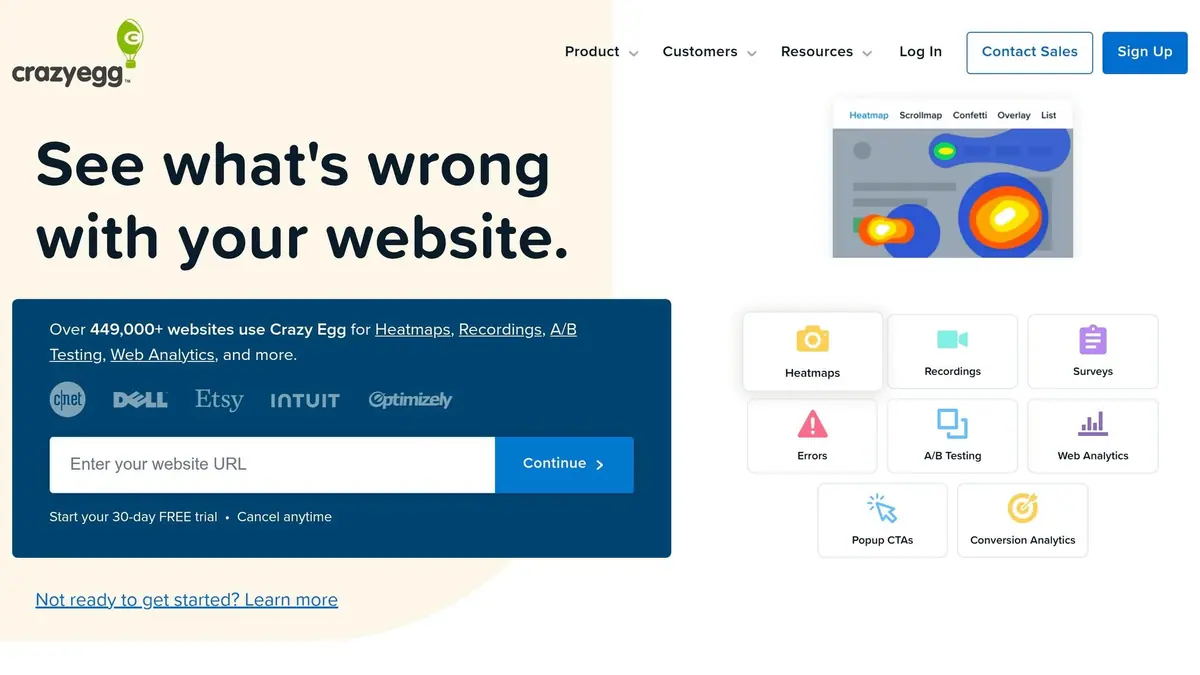
Crazy Egg is a tool that turns raw data into clear, visual insights, helping over 449,000 websites worldwide better understand visitor behavior through visual analytics. While many analytics platforms focus on what happened, Crazy Egg dives into the why - using heatmaps, scrollmaps, and session recordings to uncover where users click, how far they scroll, and where they lose interest.
Customization and Flexibility
Crazy Egg stands out with its "no configuration" setup. Dashboards are ready in about 2 minutes after installation. The platform tracks 8 key metrics in real-time, eliminating the need for manual report creation. With over 15 filters - like device type, location, referral source, and campaign - you can easily segment your data for deeper insights. It also lets you customize call-to-action (CTA) popups, sticky bars, and buttons to test marketing messages. Additionally, its surveys come with 50+ customer feedback survey templates or can be tailored to fit your specific needs.
Real-Time Analytics Capabilities
Once set up, Crazy Egg provides real-time traffic reports through a streamlined, auto-configured dashboard. Its AI-powered "Top Insights" feature highlights patterns, such as sudden drops in mobile traffic or underperforming referral channels, and offers actionable recommendations in plain language. A live activity feed lets you track campaign performance as it happens, and you can set up email or Slack notifications for threshold alerts.
Integration with Marketing Automation Tools
Crazy Egg integrates smoothly with popular marketing tools like Google Analytics, Shopify, Google Tag Manager, and WordPress - all through a single tracking code. It also supports one-click integrations with platforms like HubSpot, allowing you to begin tracking marketing automation traffic immediately without manual tagging. For those who prefer external analysis, all data can be exported in CSV format.
Reporting and Visualization Features
Crazy Egg’s visual tools are designed to help you optimize campaigns quickly. Features like Confetti Maps, Scrollmaps, and Session Recordings offer detailed insights into user behavior. For instance:
- Confetti Maps: Break down clicks by traffic source, showing how visitors from email campaigns behave differently than those from social media.
- Scrollmaps: Highlight where visitors stop scrolling, helping you position CTAs in high-engagement areas.
- Session Recordings: Allow you to watch user sessions, pinpointing friction points in your funnels.
Crazy Egg offers a 30-day free trial, with its Web Analytics available at no cost indefinitely. Premium features start at $29 per month.
Feature Comparison
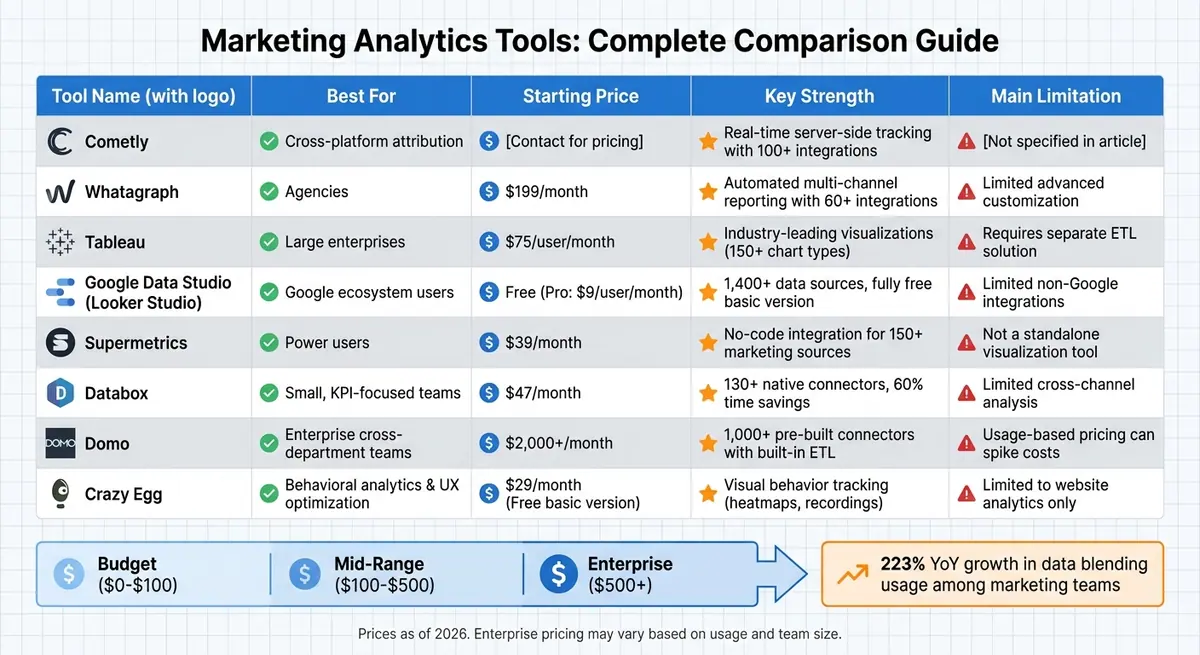
Marketing Analytics Tools Comparison: Features, Pricing, and Best Use Cases
Selecting the right analytics tool depends on factors like your team size, technical know-how, and budget. Marketing analytics platforms generally fall into three categories: end-to-end platforms that handle everything from data extraction to visualization, data connectors that pull raw data into business intelligence (BI) tools, and BI-first tools that focus on visualization but require separate ETL (Extract, Transform, Load) solutions.
For small businesses and startups, spreadsheet connectors like Supermetrics are ideal when working with 1–5 platforms. Agencies often prioritize tools that offer white-label reporting and multi-client management. Larger enterprise teams, however, require solutions with robust cross-departmental data integration and advanced customization options. It’s worth noting that hidden costs can add up quickly. For example, building a DIY stack with Supermetrics, Tableau, and Snowflake can cost around $11,000 annually when you include licensing fees and an estimated 10 hours of monthly maintenance.
| Tool | Best For | Starting Price | Key Strength | Main Limitation |
|---|---|---|---|---|
| Whatagraph | Agencies | $199/mo | Automated multi-channel reporting | Limited advanced customization |
| Tableau | Large enterprises | $75/user/mo | Industry-leading visualizations | Requires separate ETL |
| Google Data Studio | Google ecosystem users | Free | 20–30 major connectors | Limited non-Google integrations |
| Supermetrics | Power users | $39/mo | No-code integration for 150+ marketing sources [66,68] | Not a standalone tool |
| Databox | Small, KPI-focused teams | $47/mo | 70+ native connectors | Limited cross-channel analysis |
| Domo | Enterprise cross-department | $2,000+/mo | Over 1,000 pre-built connectors with built-in ETL [27,68] | Usage-based pricing can spike |
With data blending usage among marketing teams growing by 223% year-over-year, integration capabilities are becoming increasingly important. Domo stands out with over 1,000 pre-built connectors and a built-in ETL engine [27,68]. Meanwhile, Supermetrics provides seamless, no-code integration for more than 150 marketing data sources [66,68]. For teams heavily reliant on Google’s ecosystem - like Google Ads, GA4, and BigQuery - Google Data Studio is a strong choice but may need third-party connectors for non-Google platforms [66,27].
Enterprise-level tools often come with hefty additional costs beyond their monthly fees. For example, implementing Salesforce Marketing Cloud Intelligence (Datorama) can require $50,000 to $100,000 in professional services alone. Usage-based pricing models, such as Domo’s, can also lead to unpredictable costs as data volume increases. Additionally, platforms like Tableau often require extra spending on ETL tools, data storage solutions, and ongoing technical maintenance.
Conclusion
Select a visualization tool that transforms scattered data into clear, actionable insights. Data-driven organizations tend to achieve better customer acquisition and retention rates. Yet, 71% of marketers struggle with targeting effectively due to disconnected buyer signals. The right tool bridges this gap by converting raw automation data into meaningful insights.
When choosing a tool, align it with your operational scale. For teams managing five or fewer platforms, lightweight spreadsheet connectors might do the trick. However, if you’re juggling data from 15 to 50+ sources, you’ll need more robust intelligence platforms equipped with built-in ETL (Extract, Transform, Load) capabilities. Don’t overlook technical expertise - no-code tools like Looker Studio are ideal for teams without SQL knowledge, while platforms like Tableau often require dedicated analysts.
"A tool that's too complex to use won't get used. Pick something your team will open every day." - Danoe Santoso, Nexalab
Also, consider the total cost of ownership. A tool priced at $49/month might seem affordable, but additional expenses - like $75+ per user for BI licenses, $200+ for monthly data storage, and the time spent on maintenance - can quickly add up. Make sure to evaluate these costs before committing. While this investment unifies your data, it also boosts reporting efficiency, which is essential for the tools discussed earlier.
The right visualization tool can save marketing teams 40–50% of the time they previously spent manually piecing together data. With digital channels now making up 61.1% of total marketing budgets, having a tool that connects automation efforts directly to revenue and optimizes budgets in real-time is no longer optional - it’s essential.
FAQs
Which tool is best for my team size and budget?
When choosing the right tool, it all comes down to your team’s size, specific needs, and budget. If you’re part of a larger team with more resources, platforms that offer advanced features and scalability might be the way to go. On the other hand, smaller teams or those working with tighter budgets can benefit from free or low-cost options that still cover the basics, like essential analytics. Look for tools with flexible pricing plans that can adjust to different needs, and focus on the features that best support your goals without stretching your budget.
Do I need ETL or a data warehouse for these dashboards?
When deciding between an ETL process or a data warehouse, it largely comes down to the complexity and volume of your data. Many marketing analytics tools are designed to connect directly to data sources, aggregate information, and deliver insights - no ETL pipeline or data warehouse required.
That said, if you're working with large datasets or dealing with intricate data structures, implementing an ETL pipeline and a data warehouse can make a big difference. These tools help centralize your data, boost performance, and enable more advanced analysis.
How can I improve attribution with server-side tracking?
Server-side tracking enhances attribution by transmitting data straight from your server. This approach sidesteps challenges like ad blockers, cookie limitations, and data loss, ensuring more precise tracking of conversions such as purchases or form submissions across various channels. Additionally, it supports smooth API integrations with platforms like Facebook and Google Ads, delivering reliable data and offering a clearer understanding of customer journeys to fine-tune campaign performance.
Related Blog Posts
Get new content delivered straight to your inbox

The Response
Updates on the Reform platform, insights on optimizing conversion rates, and tips to craft forms that convert.




Drive real results with form optimizations
Tested across hundreds of experiments, our strategies deliver a 215% lift in qualified leads for B2B and SaaS companies.
