
.webp)
Ultimate Guide to TikTok Lead Form Integrations


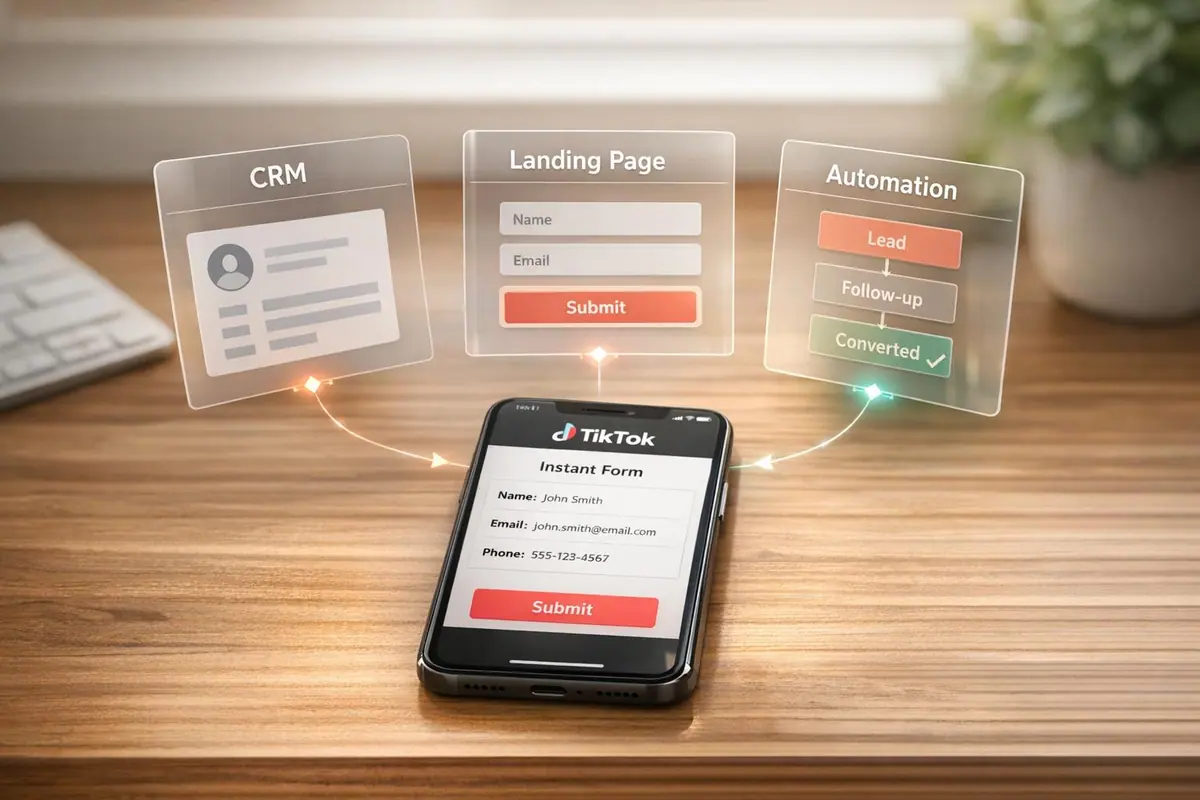
TikTok's Instant Forms simplify lead generation by keeping users within the app while collecting their information. These forms use auto-fill technology for faster submissions and higher accuracy. With TikTok users spending an average of 95 minutes daily on the platform, businesses have a strong opportunity to gather leads efficiently.
Here’s what you’ll learn:
- How to set up TikTok Lead Generation campaigns.
- Tips to improve form completion rates and lead quality.
- Connecting TikTok forms to CRM tools like HubSpot or Salesforce.
- Managing TikTok’s 90-day data retention limit.
- Using tools like Reform for advanced lead qualification.
Key takeaway: TikTok Instant Forms are a fast, user-friendly way to collect leads. Pair them with CRM integrations and quick follow-ups to maximize conversions. Let’s dive into the details.
How to Start Generating Leads on TikTok
sbb-itb-5f36581
How to Set Up TikTok Lead Generation Campaigns
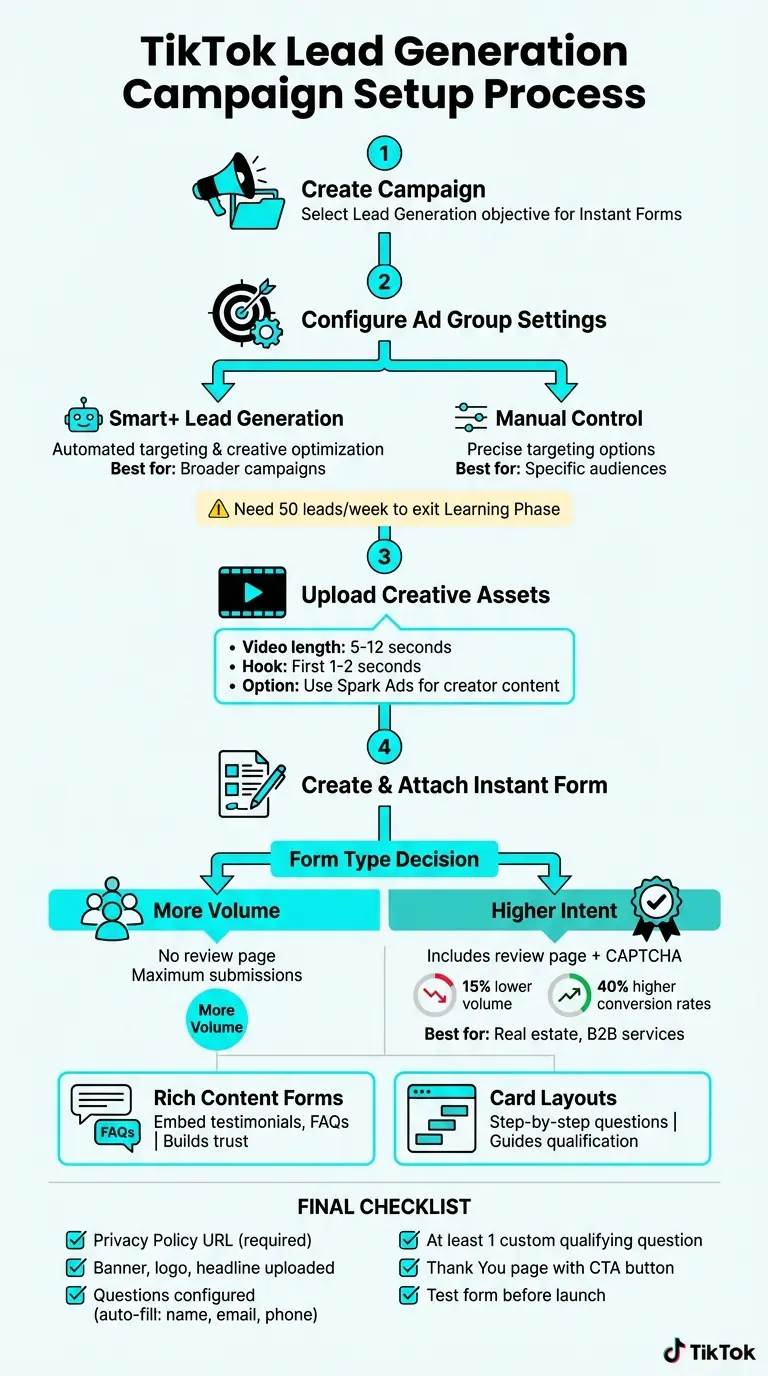
TikTok Lead Generation Campaign Setup: Complete Step-by-Step Process
To launch a TikTok Lead Generation campaign, start by logging into TikTok Ads Manager. Go to the Campaigns tab, click Create, and select Lead Generation for Instant Forms.
Setting Up the Ad Group
At the Ad Group level, you'll configure your optimization settings. Choose Instant Form as the Optimization Location, which ensures users stay within the TikTok app while submitting their details. You’ll also decide between Smart+ Lead Generation or Manual Control.
- Smart+ Lead Generation uses automated targeting and creative optimization, ideal for broader campaigns.
- Manual Control gives you more precise targeting options.
Keep in mind, TikTok's algorithm needs about 50 leads per ad group each week to move beyond the Learning Phase.
Creating Your Ad
Once your Ad Group is ready, move on to the Ad level to upload your creative assets. TikTok recommends keeping videos between 5–12 seconds with a compelling hook in the first 1–2 seconds to grab attention. You can also use Spark Ads, which promote existing creator content. These ads tend to build more trust with audiences compared to standard brand graphics.
Campaign Creation Steps
At the Ad level, head to the Destination section to create or attach an Instant Form. Click + Create to start building high-converting lead forms. You’ll need to select a form type:
- More Volume: Skips the review page, maximizing submissions.
- Higher Intent: Includes a review page and CAPTCHA, which can reduce lead volume by 15% but improve conversion rates by 40%. This option is particularly effective for high-value offers like real estate or B2B services.
TikTok provides several form templates to suit different goals. For example:
- Rich Content Forms: Embed storytelling elements like testimonials or FAQs directly in the form, helping users feel more informed without leaving TikTok.
- Card Layouts: Break the process into steps, guiding users through qualification questions.
If your audience needs extra context before submitting their information, Rich Content Forms are a great choice to build trust while keeping users engaged.
Before publishing your campaign, ensure you have a valid Privacy Policy URL. TikTok requires this for all forms, and your campaign won’t go live without it. To improve lead quality, consider including at least one custom qualifying question, such as “When are you planning to buy?” This can signal intent to TikTok’s algorithm and help filter out less relevant leads.
How to Create and Attach Instant Forms
Building your Instant Form is simple. Start by uploading a banner, logo, and headline that match your ad’s creative style.
Next, add your Questions. TikTok automatically fills in fields like name, email, and phone number using data from the user’s account. This speeds up the submission process and ensures accurate information. You can also include custom questions. For example, Conditional Answer questions in Card Layout forms allow you to tailor follow-ups based on a user’s initial responses.
In the Privacy section, enter your company name and Privacy Policy link. Then, design your Thank You Page, which appears after a user submits the form. Add a CTA button here to direct users to your website or prompt them to download your app. Once everything is set, click Complete to attach the form and launch your campaign.
How to Optimize TikTok Lead Forms for More Conversions
Once your campaign is set up, the next step is making sure your lead form is designed to encourage users to complete it. The way you structure your form - everything from the fields you include to its overall length - can reduce the perceived effort and make a big difference in both the number of leads you collect and their quality.
Selecting the Right Form Fields
Stick to the basics when choosing your fields: name, email, and phone number. TikTok simplifies this process by auto-filling these fields, which speeds up submissions and contributes to TikTok Instant Forms achieving completion rates of 15–25%, compared to just 5–12% for external landing pages.
If you want to go beyond basic details, include one custom qualifying question to gauge intent. For instance, asking something like "When are you planning to buy?" can help the system identify more serious leads instead of accidental clicks.
For B2B campaigns, adding fields like "Company Name" and "Job Title" can help your sales team prioritize follow-ups. However, keep in mind that these additional fields can reduce completion rates by about 10%. If you're working with high-ticket items, such as real estate or coaching services, multiple-choice questions are a better choice than open-ended ones. They provide structured data for lead scoring while requiring less effort from users.
Once you’ve decided on the fields, the next step is to think about the form's length and how it affects completion rates.
Form Length and Its Impact on Completion Rates
The number of fields in your form has a direct impact on how many people will complete it. Adding more fields beyond basic contact details can lower completion rates by 10–15% for each additional field. For simpler campaigns like newsletter sign-ups or low-cost offers, stick to 2–3 fields. If you're looking for more qualified leads - such as in B2B campaigns or high-value purchases - using 4–6 fields is a good balance. A "Card Layout" format, where users see one question per page, can help keep their attention by utilizing multi-step forms.
Shorter forms are great for generating a higher volume of leads at a lower cost. However, longer forms with qualifying questions tend to produce fewer leads but with 20–30% higher sales qualification rates. For example, MG Motor ran a campaign in February 2026 that achieved a 2.4% conversion rate by carefully balancing form length with the need for quality leads. If lead quality is your top priority, enabling TikTok's "Higher Intent" option can help. This feature adds a review screen, acting as a natural filter, and often results in leads with much stronger backend conversion rates.
Connecting TikTok Lead Forms to CRM and Marketing Tools
Once you craft killer lead forms optimized for conversions, the next step is ensuring those leads are seamlessly transferred for immediate follow-up. TikTok stores lead data for only 90 days, so relying on manual CSV downloads can lead to inefficiencies and potential data loss. Instead, you can connect your lead forms to your CRM or marketing tools using three main methods: native integrations, third-party platforms like Zapier or LeadsBridge, or API integrations through webhooks. These options ensure your leads flow directly into your CRM, allowing you to act quickly.
Native Integrations with CRM Platforms
If your CRM is supported, TikTok’s native integrations are the easiest way to sync leads. Platforms like HubSpot, Salesforce Sales Cloud (Enterprise or Unlimited Edition), Salesforce Marketing Cloud, Google Sheets, Klaviyo, and ActiveCampaign can connect directly with TikTok, enabling real-time lead syncing.
Here’s how to set up a native integration:
- Log in to TikTok Ads Manager and go to the Tools section.
- Select Leads Center and click on Connect CRM.
- Search for your CRM (e.g., HubSpot or Salesforce) and log in to authorize TikTok to manage your lead data.
- Choose the Instant Form you want to sync and map its fields (e.g., Name, Email, Phone Number) to the corresponding fields in your CRM.
- Submit your setup and use the Send test data option to confirm everything is working.
This process ensures you can follow up with leads immediately without manual intervention. Mastering these workflows is a key step to become a lead generation expert.
Setting Up Webhooks for Custom Integrations
If your CRM isn’t supported by native integrations, webhooks are a great alternative for real-time syncing. Webhooks send a POST or GET request to a specified URL whenever a new lead is generated, allowing for instant data transfer. To make this work, you’ll need a middleware tool like Zapier or LeadsBridge or a custom endpoint to handle the data.
Here’s a quick guide to setting up webhooks:
- Go to Leads Center in TikTok Ads Manager and click Connect CRM.
- Search for "Webhooks" or your middleware provider and enter the endpoint URL provided by your tool.
- Authorize TikTok to access your Ad Account/Page and select the Instant Form to sync.
- Map TikTok form fields to your CRM fields and test the connection to verify the data is formatted correctly.
- Once verified, click Finish Setup to enable real-time syncing.
"TikTok Lead Generation integration allows you to seamlessly sync leads from TikTok Lead Generation into your CRM... you bypass the process of manually transferring the lead data, maintaining CSVs, and following through with repetitive workflows." – LeadsBridge
For third-party platforms, tools like Zapier are especially helpful. Zapier supports over 8,000 apps and 450 AI tools, making it a powerful option for automation. Setting up workflows takes, on average, less than six minutes, and it’s widely trusted - 87% of Forbes Cloud 100 companies used Zapier in 2023, with 93% of customers reporting increased efficiency. Both Zapier and LeadsBridge offer free plans, so you can test the integration before deciding on a paid version.
Using Reform to Improve TikTok Lead Form Performance
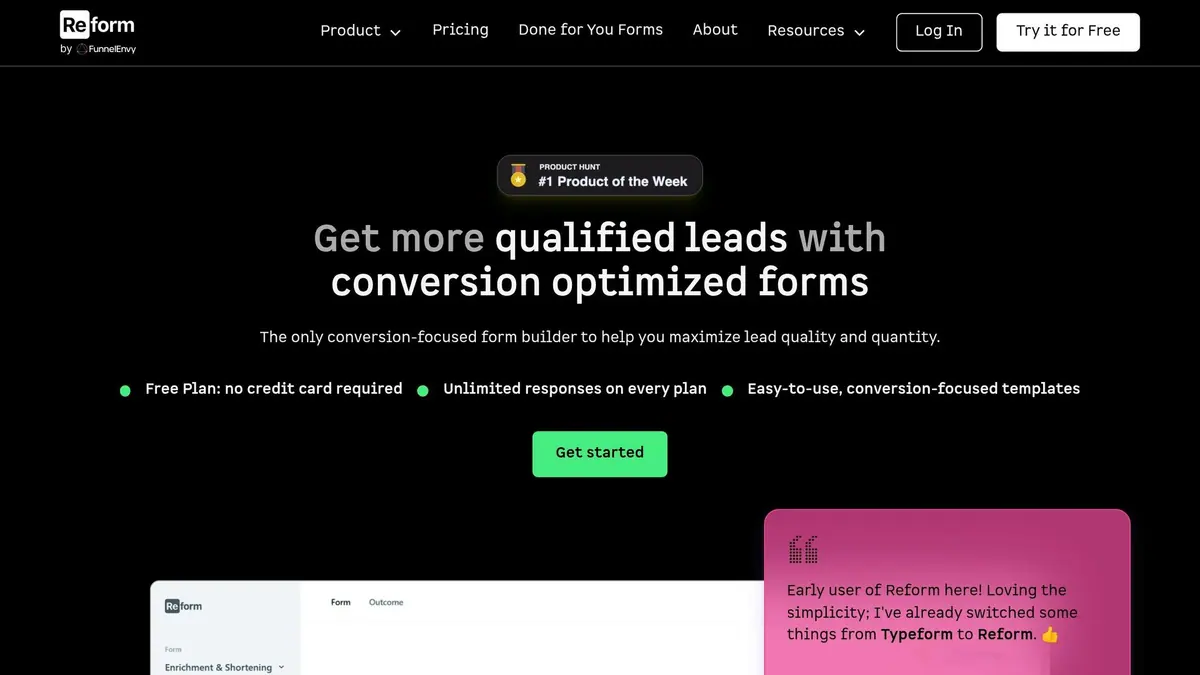
TikTok's Instant Forms are great for quickly capturing leads, but they fall short when it comes to advanced lead qualification and personalization. That’s where Reform steps in. By directing TikTok traffic to dedicated landing page forms, Reform enhances your campaigns with features like multi-step layouts, conditional routing, and data enrichment - all designed to improve lead quality and boost conversions. Here's a breakdown of what makes Reform such a useful tool for TikTok lead generation.
Reform Features for TikTok Lead Generation
Reform's multi-step forms simplify lengthy questionnaires by breaking them into smaller, manageable sections. Instead of overwhelming users with all the questions at once, the form takes them step-by-step - starting with something simple like "Contact Info" and moving to "Company Details." A progress bar shows users how far along they are, which can significantly reduce drop-offs and improve completion rates.
Another standout feature is conditional routing, which tailors the user experience based on their responses. For example, if a lead indicates their company’s revenue exceeds $10 million, they can be automatically directed to schedule a demo via a calendar link. This kind of personalization not only improves the user experience but also helps you prioritize high-value leads.
For those using Reform's Pro Plan, data enrichment powered by ExactBuyer is a game-changer. It can automatically fill in details like company size, industry, and occupation just from the user's email address. This makes the form feel shorter and less tedious while still capturing valuable information. And for extra efficiency, Reform hides unnecessary fields when possible but keeps manual entry options available. Hidden fields are another handy tool - they let you collect backend data like lead scores or CRM tags without cluttering the form. Setting this up is straightforward: just use the "Add Mapping" button in the enrichment settings to link specific data fields to form blocks, then test everything before going live.
Connecting Reform with TikTok and CRM Systems
Reform's ability to integrate with platforms like HubSpot, Zapier, and Google Sheets makes managing leads seamless. A common workflow involves sending TikTok ad traffic to a Reform-hosted landing page, then syncing the captured leads to your CRM in real time using Zapier or built-in integrations. This ensures your leads are organized and ready for follow-up without any manual effort.
When it comes to pricing, Reform keeps things simple. The Basic Plan, which includes essential integrations, starts at $15/month or $150/year. For more advanced features like data enrichment, team access, and file uploads, the Pro Plan is available for $35/month or $350/year. Choose the Basic Plan if you need straightforward integrations, or go with the Pro Plan for more advanced tools and team collaboration options.
Best Practices for Managing TikTok Leads
Real-Time Sync and Follow-Up Methods
Once your forms are integrated with your CRM, the next step is to prioritize quick lead engagement. Timing is everything here. Relying on manual CSV downloads can slow down follow-ups and risk losing a lead's interest. The better approach? Use real-time synchronization through CRM integrations. This ensures leads are automatically added to your sales pipeline within seconds of submitting a form.
Take it a step further by automating follow-ups through channels like WhatsApp, SMS, or email. Real-time follow-ups have proven to be highly effective, with some campaigns seeing conversion rates jump from 2.4% to as high as 47%.
But don't stop at the first interaction. Use a "Thank You" page to set expectations, letting users know when they’ll hear from you or offering a link to schedule a demo. For campaigns with a high lead volume, deploying AI agents can be a game-changer. These agents can greet users instantly, handle basic questions, and even score leads based on their level of interest.
With TikTok's short data retention period, these real-time strategies are even more critical.
Working with TikTok's 90-Day Data Retention Limit
Managing leads quickly isn’t just about boosting conversions - it’s also about ensuring you don’t lose valuable data. TikTok only keeps lead data for 90 days, after which it’s permanently deleted unless exported or synced. This makes integrating a CRM a must. Platforms like HubSpot, Salesforce, or Google Sheets can automatically transfer data from TikTok into a secure, permanent database.
If you don’t have a CRM integration, you’ll need to set up a manual export routine. Make it a habit to download leads from the Leads Center at least once a month. TikTok allows you to export data in XLSX or CSV formats, but keep in mind this feature is only accessible via desktop browsers and requires Admin-level permissions.
For a more advanced solution, use TikTok’s Custom API and webhooks to push leads directly into your custom database. This bypasses the 90-day retention limit entirely, ensuring your data is safe and accessible.
Wrapping It Up
TikTok lead forms make it easy to capture prospects without needing app redirects. Combine that with CRM integrations, and you’ve got a winning formula for real-time follow-ups. Why does this matter? Because a lead contacted within 5 minutes is 9 times more likely to convert. This kind of immediate engagement reshapes how businesses approach TikTok campaigns, ensuring leads flow straight into your sales funnel .
While setting up these integrations isn’t overly complicated, getting the field mapping right is crucial to ensure your data lands in the right place . Before you go live, always test the integration to avoid any hiccups .
One thing to keep in mind: TikTok only retains lead data for 90 days. Without CRM integration, those valuable leads could disappear. Whether you’re working with direct integrations like HubSpot or Salesforce, using tools like Zapier, or even building custom webhooks, the goal stays the same - secure your data and act on it quickly. Robust integrations ensure you don’t lose potential customers and can engage them while they’re still interested.
For even better lead qualification, tools like Reform can make a difference. Features like multi-step forms, conditional routing, lead enrichment, and seamless CRM integrations help smooth out the process and improve lead quality. In TikTok’s fast-moving environment, reducing friction is key to staying ahead. Following a proven lead conversions playbook can help you maximize these results.
The takeaway? Set up your integrations properly and respond to leads quickly. It’s the best way to turn those TikTok campaigns into real conversions.
FAQs
How do I choose between 'More Volume' and 'Higher Intent' forms?
When deciding between the two, consider your campaign goals. 'More Volume' streamlines the form, making it easier and faster for users to submit their information. This approach works well if your priority is generating a large number of leads quickly.
On the other hand, 'Higher Intent' introduces steps like a review screen or CAPTCHA to ensure leads are more qualified. This option targets users who are more likely to convert, focusing on quality over quantity.
Choose 'More Volume' for maximizing lead submissions efficiently or 'Higher Intent' if your focus is on obtaining higher-quality leads.
What’s the best way to avoid losing leads after TikTok’s 90-day limit?
To avoid losing leads due to TikTok's 90-day limit, it's crucial to establish automated processes for exporting and integrating lead data quickly. Using tools like lead management platforms or automation services can help sync leads directly to your CRM or marketing software in real time. Alternatively, you can manually export leads on a regular basis or set up automated exports to ensure you keep access to important contact details even after the 90-day period expires.
When should I send TikTok traffic to a Reform form instead of an Instant Form?
When you're aiming for advanced customization, automation, or seamless integrations to boost lead quality and conversion rates, consider directing your TikTok traffic to a Reform form. Reform offers powerful features like multi-step forms, conditional routing, and CRM integrations - perfect for creating personalized user experiences and nurturing leads more effectively.
On the other hand, TikTok's Instant Forms work well for quick, high-volume lead collection with minimal effort. But if your campaign requires a more sophisticated approach, Reform is the better choice.
Related Blog Posts
Get new content delivered straight to your inbox

The Response
Updates on the Reform platform, insights on optimizing conversion rates, and tips to craft forms that convert.



Drive real results with form optimizations
Tested across hundreds of experiments, our strategies deliver a 215% lift in qualified leads for B2B and SaaS companies.
