
.webp)
Behavioral Triggers for Lead Nurturing Emails


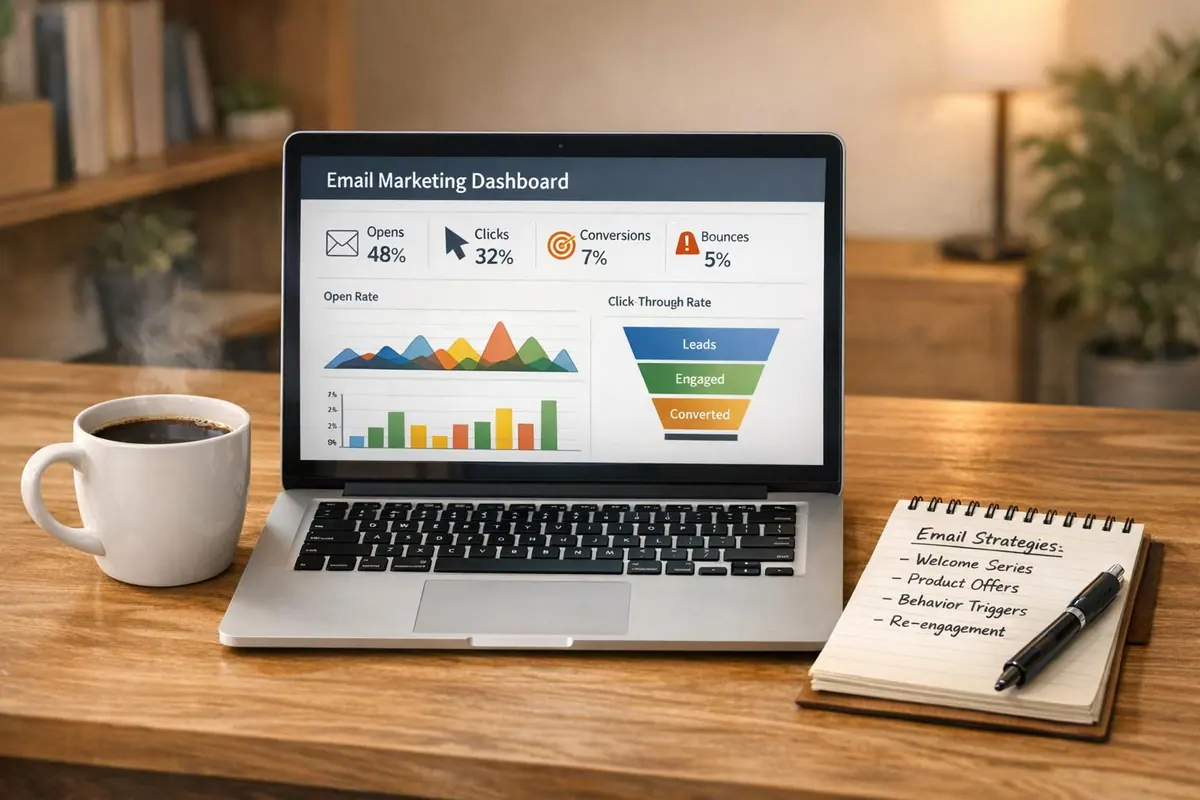
Behavioral triggers are automated emails sent based on specific user actions - like opening an email, clicking a link, or visiting a pricing page. These emails are more effective than traditional campaigns because they reach prospects at the right moment with tailored content. For example:
- Triggered emails have a 38% open rate and a 6.8% click-through rate, outperforming standard emails.
- They account for over 75% of email revenue but are used by only 20% of marketers.
- Businesses using lead nurturing generate 50% more sales-ready leads while reducing costs by 30%.
Common triggers include email opens, link clicks, content downloads, frequent website visits, and abandoned carts or forms. Setting up these triggers with tools like Reform and integrating them with platforms like HubSpot or Zapier can help automate personalized email sequences. These sequences guide leads through the buying journey, from awareness to purchase, improving engagement and conversions.
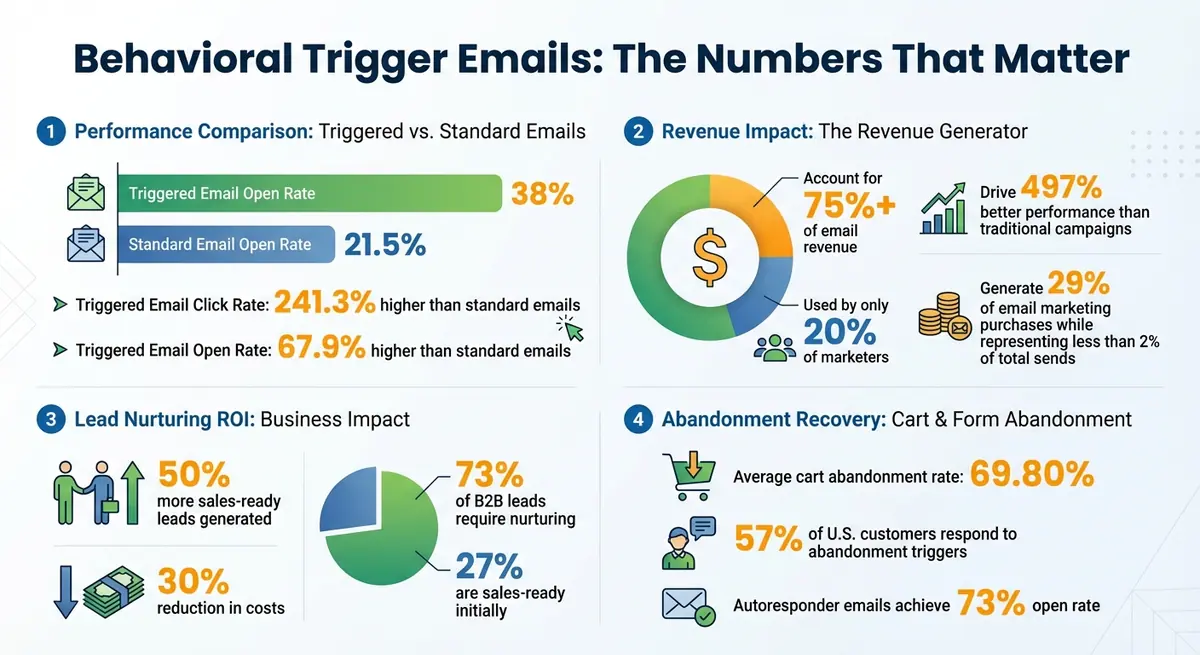
Behavioral Trigger Email Performance Statistics and ROI
The Secret to 10X Conversions? Behavioral Triggers in Action! 🚀
Types of Behavioral Triggers for Lead Nurturing
The right behavioral trigger reaches a lead at the perfect moment - when their interest is at its peak. These five triggers work together to create a well-rounded lead nurturing strategy that keeps prospects moving through your funnel.
Email Open Triggers
When a lead repeatedly opens your emails, it's a clear sign they're engaged. By tracking their click behavior, you can follow up with more relevant, advanced content. Instead of treating emails as isolated messages, this approach turns them into conversation starters.
The stats speak volumes: triggered email campaigns boast a 70.5% higher open rate than regular newsletters. Isaac Moche from HubSpot sums it up perfectly:
It is the actions of your site visitors that dictate what emails they receive, not a decision made by a marketer.
Taking it a step further, tracking interactions with specific links allows you to fine-tune personalization even more.
Link Click Triggers
Every link a lead clicks tells a story. For instance, if someone clicks on content about "Facebook Ads", it's the perfect opportunity to send them advanced resources on paid social strategies. These targeted emails, triggered by link clicks, are highly effective - they drive transaction rates six times higher than standard emails.
Content Download Triggers
When a lead downloads gated content like an ebook or whitepaper, it's one of the strongest buying signals you can get. Filling out a form to access valuable material shows they're actively researching. Follow up promptly with a confirmation email, and then offer middle-funnel resources like free trials or demos to keep the momentum going.
Website Visit Frequency Triggers
Pay close attention to repeated visits to high-intent pages, such as pricing or product details. These visits often indicate a lead is nearing a decision. Use this behavior as a trigger to send personalized emails with specific offers or extend a direct invitation to connect with your sales team. For example, if someone views your pricing page multiple times in a short span, they're likely evaluating whether to buy.
Abandoned Form and Cart Triggers
Cart abandonment is a common hurdle, with an average rate of 69.80%. Abandoned form and cart triggers can help recover lost sales by sending timely reminders while your brand is still fresh in the prospect's mind. For example, Alex Mill sends personalized emails featuring the abandoned product image and a discount code to encourage purchase completion.
A good strategy includes sending two reminders: one addressing common concerns like shipping costs or technical issues and another offering an incentive, such as a discount. Data shows that 57% of U.S. customers respond to these types of triggers. Including visuals of the abandoned items, customer reviews, and solutions to objections - like "Buy Now, Pay Later" options - can make a big difference.
| Trigger Type | User Action | Recommended Email Content |
|---|---|---|
| Awareness | Newsletter signup / Content download | Welcome message, educational resources, brand intro |
| Consideration | Multiple blog visits / Webinar attendance | Case studies, product comparisons, "how-to" guides |
| Decision | Pricing page visit / Abandoned cart | Demo invitation, discount codes, testimonials, free trial |
| Post-Purchase | Completed purchase | Order confirmation, usage instructions, upsell recommendations |
Setting Up Behavioral Triggers with Reform

Reform works seamlessly with email platforms to automate lead nurturing based on user behaviors. It integrates effortlessly with tools like Zapier, HubSpot, and ConvertKit, turning form interactions into customized email sequences designed to engage your audience.
Connecting Forms to Email Platforms
Start by heading to your integrations dashboard. If you're using Zapier, authenticate your account and set up a "New Form Submission" trigger. This allows Reform to send lead data - like name, email, and custom form fields - straight to your email platform. For HubSpot users, Reform offers a native integration using an API key, enabling direct syncing of submissions and automatic tagging of leads for targeted email sequences. ConvertKit, on the other hand, connects via webhooks, ensuring that leads flow directly into your campaigns the moment they submit a form.
Before going live, test a sample submission to confirm everything works smoothly, including lead enrichment and spam prevention. Once connected, you can define specific user behaviors that will trigger your email campaigns.
Defining Trigger Behaviors
Reform’s automation tools let you pinpoint user actions that should activate email sequences. For example, you can configure Zapier to track email opens - multiple opens might signal high interest, triggering follow-up content. If a user starts filling out a form but doesn’t finish, webhooks can fire off recovery emails automatically. These abandonment emails tend to perform exceptionally well, with research showing a 67.9% higher open rate and a 241.3% higher click rate compared to standard emails.
For multi-step forms, you can set up targeted reminders. If a user abandons the process midway or selects an option like “interested in pricing,” you can send them a reminder or direct them to a demo request form through HubSpot. Conditional routing is another powerful feature, allowing you to tailor the user’s journey based on their responses.
Mapping Triggers to Email Campaigns
Once you’ve defined your triggers, map them to specific email workflows. For instance, link form abandonment to a re-engagement campaign in HubSpot that highlights social proof or offers incentives. If a lead opens emails and clicks embedded links, move them into consideration-stage sequences in ConvertKit, featuring case studies or detailed product information.
To make these campaigns even more effective, use lead scoring. Assign points for actions like downloading content or viewing your pricing page - data that Reform’s analytics can track. When a lead reaches a certain score, automatically move them into decision-stage campaigns that include demos or free trials. Be sure to set clear entry and exit rules, such as pausing nurture sequences once a lead transitions into a sales opportunity. Start simple with a three-email series for cold leads, and as you gather insights from Reform’s real-time analytics, expand and refine your campaigns for better results.
sbb-itb-5f36581
Creating Personalized Email Sequences
Once you've mapped out your triggers, the next step is crafting email sequences tailored to each lead's position in the buying journey. Behavioral data is your guide here, helping you identify where each lead stands. Interestingly, only 27% of B2B leads are ready to buy when they're first generated, leaving a hefty 73% that require nurturing before they convert. The secret? Delivering the right message at the right time based on their behavior. These customized email sequences naturally extend your trigger strategy, keeping your audience engaged over time.
Awareness-Stage Emails
At the awareness stage, leads are just stepping into your funnel. Maybe they signed up for your newsletter, downloaded a guide, or registered for a webinar. They’re starting to recognize a problem but aren’t quite ready to consider your product. This is your chance to build trust by offering helpful, actionable content that delivers immediate value.
For example, you could send practical guides or tips. A tool like Reform can track when someone downloads an eBook and then follow up with an email highlighting actionable insights - like how multi-step forms can boost completion rates - without pushing a sales pitch. The focus here is education, not selling.
"A great lead nurturing program isn't just about sending the right message at the right time - it's about sending the right message, at the right time, to the right person, with the right next step baked in."
– Jeanne Jennings, Email Marketing Consultant
Autoresponder emails tend to perform exceptionally well, achieving a 73% open rate - much higher than generic emails. Keep these initial emails simple, centered around one key idea. Include a micro-CTA (like a link to a related blog post) alongside a conversion CTA (such as scheduling a demo), allowing leads to engage at their own pace.
As engagement grows, your content should gradually shift from general education to more solution-specific insights.
Consideration-Stage Emails
When leads start showing stronger interest - visiting product pages multiple times, clicking on case studies, or consistently interacting with your emails - they’ve entered the consideration stage. Now is the time to pivot from broad educational content to more targeted, solution-focused messaging.
For instance, let’s say Reform’s analytics show that a lead has visited your pricing page twice and clicked on a link about lead enrichment. You could follow up with a case study illustrating how another company improved lead quality using those features.
Triggered email campaigns shine here, boasting a click-through rate that's 152% higher than standard emails. To capitalize on this interest, send invites to webinars, product demos, or detailed feature overviews shortly after a triggering action.
When leads demonstrate readiness with decisive actions, it’s time to fine-tune your messaging for the final push toward conversion.
Decision-Stage Emails
At the decision stage, leads are on the verge of purchasing - they just need a little extra motivation. Triggers at this point might include visiting your pricing page, clicking a "request demo" button, abandoning a form midway, or hitting a specific lead score. Companies that excel at nurturing leads see 50% more sales-ready leads at 30% lower costs.
This is where you use tools like testimonials, limited-time offers, free trial reminders, or consultation invites to address any lingering doubts. For example, if someone abandons a pricing form, you could follow up with a concise email addressing common concerns.
Each decision-stage email should focus on a single call to action - like scheduling a demo. Personalized content at this stage can drive transaction rates that are six times higher. If a lead has shown interest in spam prevention, mention that feature directly in your demo invitation.
Take advantage of if/then logic in your email platform. For example, if a prospect visits the pricing page, notify your sales team and send a testimonial email within the hour. Decision-stage email sequences should be short and to the point - typically three to five emails spread over one to two weeks. To create a sense of urgency, include reminders about trial expirations or limited-time pricing offers.
Measuring and Improving Trigger Performance
Behavioral triggers thrive on precise tracking to boost conversions. The key metric to watch? Conversion rate. As Jeanne Jennings, an Email Marketing Consultant, explains:
Conversion rate tells you whether the email is doing its job; conversion doesn't have to mean 'sale.' A conversion might be a page view, a download, or any action that moves the prospect further down the funnel.
Rather than fixating on click-through rates alone, focus on conversions for a clearer picture of your campaign's effectiveness. This approach helps fine-tune both the triggers and the email content, ensuring continuous improvement.
Monitoring Performance Metrics
Keep an eye on open rates, click-through rates, and - most importantly - conversion rates. Triggered emails often outperform standard marketing emails, boasting an average open rate of 38% and a click-through rate of 6.8%, compared to the 21.5% open rate of regular emails. Tools like Reform’s real-time analytics and CRM integrations simplify this process, allowing you to track key actions like form submissions, link clicks, and conversions without switching platforms.
Also, pay attention to the time it takes for a prospect to convert after receiving a triggered email. Identify points where engagement drops off to fine-tune your email sequence. Faster lead conversion is a crucial indicator of success, and these insights can directly improve lead nurturing while streamlining your customer journey.
Testing Triggers and Sequences
Once you've established baseline metrics, testing becomes essential for optimization. Regular testing ensures your trigger campaigns stay results-focused and effective.
A/B testing is particularly valuable for refining triggered emails. Test one variable at a time - such as the subject line, the timing of the email, or the call-to-action (CTA). For instance, Emerson tested two subject lines for a free trial email and found that referencing a white paper led to a 23% higher open rate compared to the control. Similarly, Indeed boosted email signups by 12% simply by changing their CTA from "subscribe" to "activate".
Timing experiments can also yield insights. For example, when dealing with abandoned form triggers, you might compare sending the first reminder within one hour versus waiting 24 hours to see which approach recovers more leads. To ensure reliable results, aim for a sample size of at least 10,000 people and allow 48 to 72 hours before declaring a winner. Document your hypotheses, results, and lessons learned to create a playbook for ongoing refinement.
Conclusion
Behavioral triggers take lead nurturing to the next level by turning it into a dynamic, prospect-focused conversation. They activate at just the right moment - like after a visit to your pricing page, a content download, or an abandoned cart or form. And the impact? Trigger-based emails outperform traditional campaigns by an impressive 497%, driving 29% of email marketing purchases while making up less than 2% of total sends.
The most effective triggers are tied to high-intent actions such as abandoned carts, form submissions, visits to pricing pages, content downloads, and free trial signups. These actions reveal a lead's position in their buying journey, giving you the opportunity to send tailored email sequences that address their specific needs. Neil Patel, Co-Founder of NP Digital, sums it up perfectly:
Trigger-based campaigns offer the appropriate material and messaging to the subscriber at the right time, matching where they are in the funnel.
To make the process even easier, Reform simplifies everything with seamless CRM integrations and real-time analytics. By defining straightforward "if-then" logic - like "if a prospect downloads an ebook, then send a related case study" - you can set up automated follow-ups that nurture leads around the clock.
FAQs
What behavioral triggers work best for lead nurturing emails?
Behavioral triggers are a powerful way to ensure your emails land in your audience's inbox at just the right moment, boosting the effectiveness of your lead nurturing strategy. Here are some key triggers to watch for:
- Content downloads: When someone grabs an ebook, guide, or report, it’s a clear sign they’re interested in learning more.
- Website activity: Actions like visiting specific product pages or clicking important links can signal interest in what you offer.
- Cart or form abandonment: If a lead starts but doesn’t finish an action, like filling out a form or leaving items in their cart, it’s a prime opportunity to follow up.
- Event sign-ups: Registering for a webinar or subscribing to a newsletter shows engagement and interest in your brand.
- Periods of inactivity: A well-timed re-engagement email can help bring back leads who’ve gone quiet.
Using these triggers allows you to build email sequences that feel tailored and relevant, helping to guide your audience toward taking the next step.
How can I set up behavioral triggers for my email campaigns?
To weave behavioral triggers into your email campaigns, start by pinpointing the key actions your users take. These might include visiting a specific page, filling out a form, or leaving items in their cart without completing a purchase. Once identified, set these actions up as triggers in your email platform. You can define conditions like timing rules - for instance, scheduling an email to go out 30 minutes after a user becomes inactive - and apply filters to fine-tune your targeting.
Next, tie these triggers to personalized email templates. Use dynamic fields to make your emails feel tailored, such as inserting the recipient's name or referencing the product they were browsing. If your email platform doesn’t automatically track these behaviors, you can rely on APIs or webhooks to send event data - like contact information and user actions - directly to your email system. After setting everything up, thoroughly test the process from start to finish to ensure smooth trigger activation and email delivery. Keep an eye on performance metrics, such as open rates and click-through rates, to fine-tune your approach over time.
By blending clear behavioral cues, tailored content, and ongoing testing, you can build an automated email system that keeps your leads engaged and moves them closer to conversion.
What are the key metrics to track the performance of triggered email campaigns?
To gauge the effectiveness of your triggered email campaigns, keep an eye on key metrics like open rates, click-through rates, and conversion rates. These numbers reveal how well your emails are capturing attention, encouraging interaction, and driving the actions you want from your audience.
You should also track the revenue generated and ROI from these campaigns. These figures give you a clear picture of the campaign's overall contribution to your business goals. By analyzing these data points, you can uncover opportunities to fine-tune your email strategy and enhance your lead nurturing efforts.
Related Blog Posts
Get new content delivered straight to your inbox

The Response
Updates on the Reform platform, insights on optimizing conversion rates, and tips to craft forms that convert.


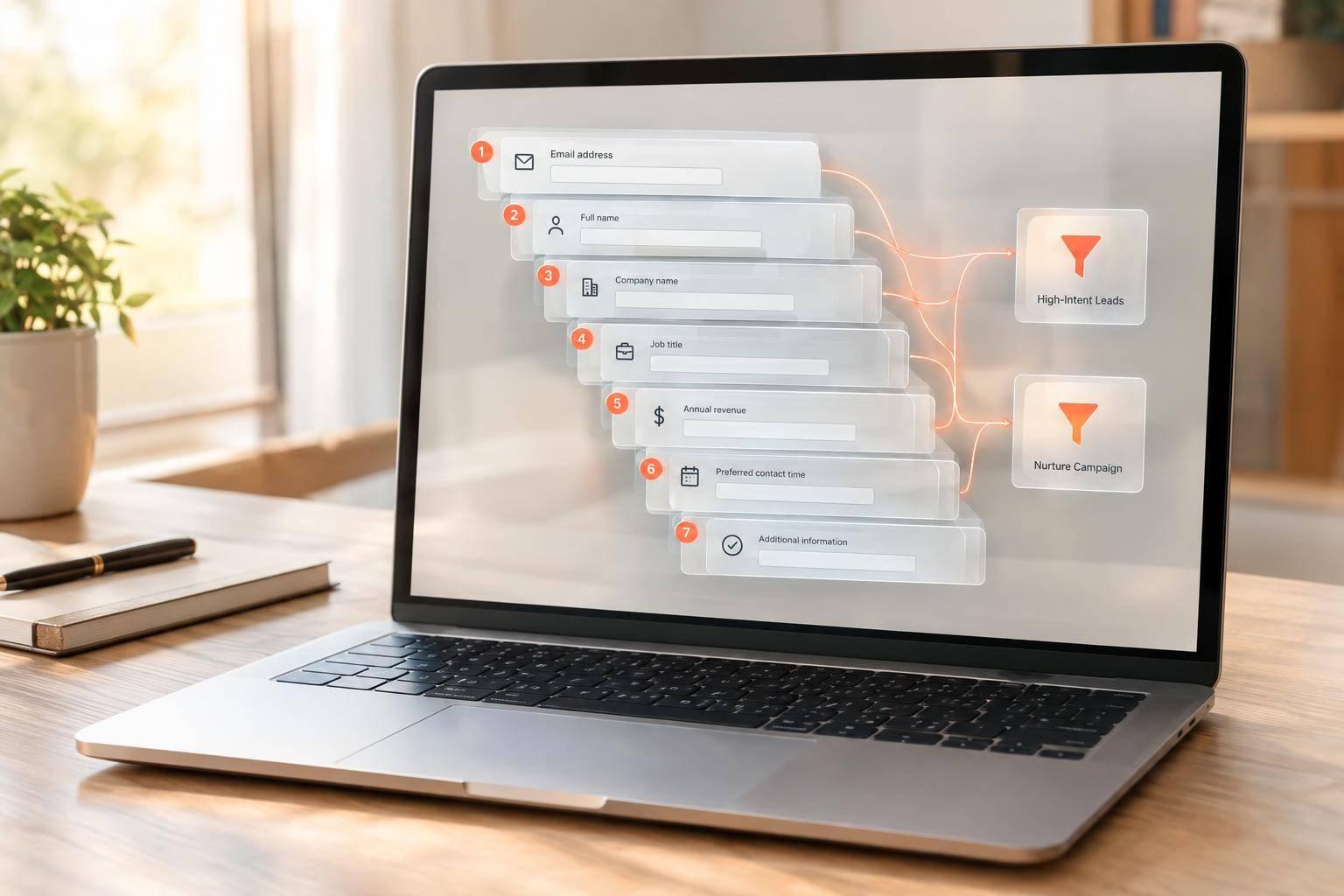

Drive real results with form optimizations
Tested across hundreds of experiments, our strategies deliver a 215% lift in qualified leads for B2B and SaaS companies.
