
.webp)
BigCommerce Form Integration: Ultimate Guide



Integrating forms into your BigCommerce store can simplify data collection, streamline processes, and enhance customer interactions. Whether you're looking to gather leads, process orders, or collect feedback, embedding forms allows you to automate tasks like syncing data with your CRM or email marketing tools. Here's what you need to know:
- Why Use Forms: Forms improve customer engagement, boost conversions, and automate backend workflows. Features like conditional logic and multi-step forms make the user experience smoother.
- Reform for BigCommerce: Reform is a no-code form builder tailored for e-commerce. It offers tools like abandoned submission tracking, lead enrichment, and CRM integrations to save time and increase conversions.
- Setup: Adding forms is easy - embed them using HTML or BigCommerce's Page Builder. Advanced options include syncing with platforms like HubSpot or Salesforce.
- Best Practices: Optimize for mobile, ensure accessibility, and prioritize security with features like CAPTCHA and compliance with privacy laws.
Forms aren't just tools - they're a way to automate operations and connect with customers more effectively. Reform, starting at $15/month, offers features to help you create high-performing forms without coding. Ready to make forms work for your business? Keep reading for step-by-step instructions.
Contact Forms in BigCommerce
sbb-itb-5f36581
Why Use Forms on Your BigCommerce Store
Forms are a powerful way to connect with customers and make your business run more smoothly. They provide a direct channel for shoppers to share feedback, ask questions, and communicate preferences, helping you build stronger relationships beyond just making sales. Instead of guessing what your customers need, forms let you gather real data to serve them better.
Better Customer Engagement
Forms create a two-way conversation with your customers. For example, when someone submits a product inquiry or fills out a custom form with their preferences, you gain insights to personalize their experience. Features like conditional logic ensure customers only see relevant fields, keeping the interaction simple and focused. Plus, automated thank-you messages - like offering a discount right after a form submission - can turn casual inquiries into actual purchases. This kind of tailored interaction not only keeps customers engaged but also lays the groundwork for better lead conversion.
Higher Lead Conversion Rates
Improved engagement leads to better conversion rates, especially when forms are optimized. For instance, product-specific fields let customers pick items and see calculated totals directly within the form, making the buying process seamless. Trust is also a key factor - features like CAPTCHA and compliance with data privacy regulations ensure customers feel secure, encouraging them to complete forms without hesitation.
Automated Business Processes
Forms also take the hassle out of manual tasks by syncing data directly to your CRM, email marketing tools, or other platforms. This automation eliminates the need for tedious data entry.
"Automated data collection saves you and your sales people the time of manual lead management, allowing you to focus on conversions."
– John Shieldsmith, Writer, BigCommerce
The time savings add up quickly. In fact, automating e-commerce processes can free up over 10 hours per week. Forms can also trigger workflows like notifying your sales team about new leads, sending branded receipts, or kicking off follow-up email sequences - all without requiring manual effort. This means you can spend less time on admin work and more time growing your business.
Reform for BigCommerce: Overview
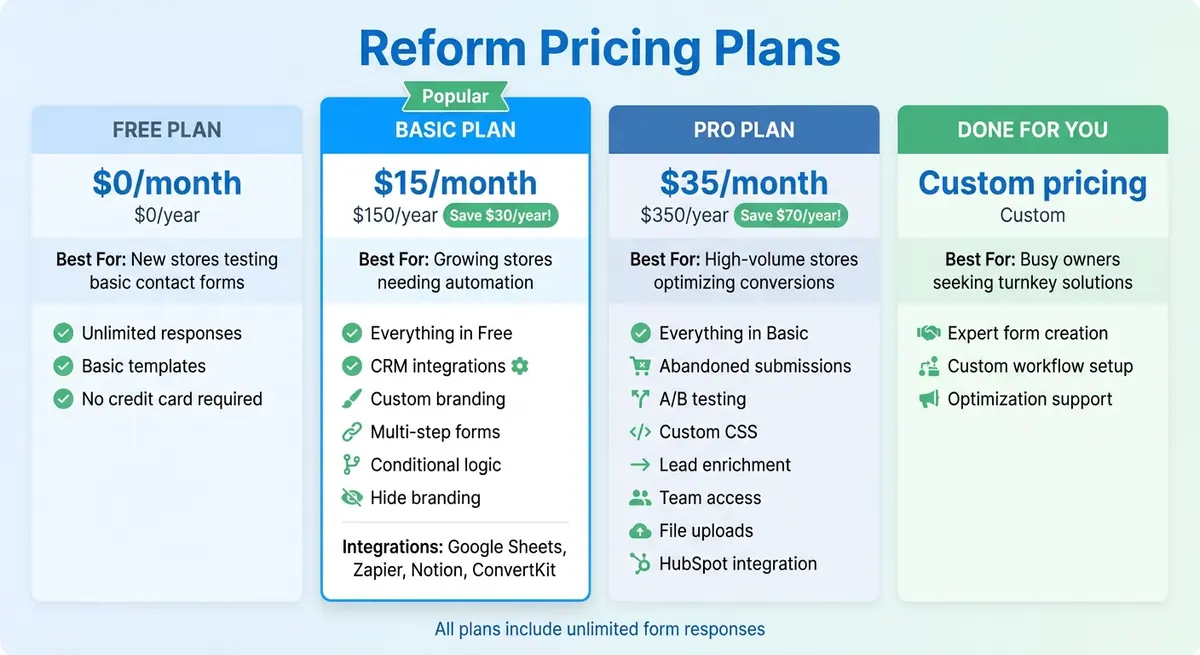
Reform Pricing Plans Comparison for BigCommerce Stores
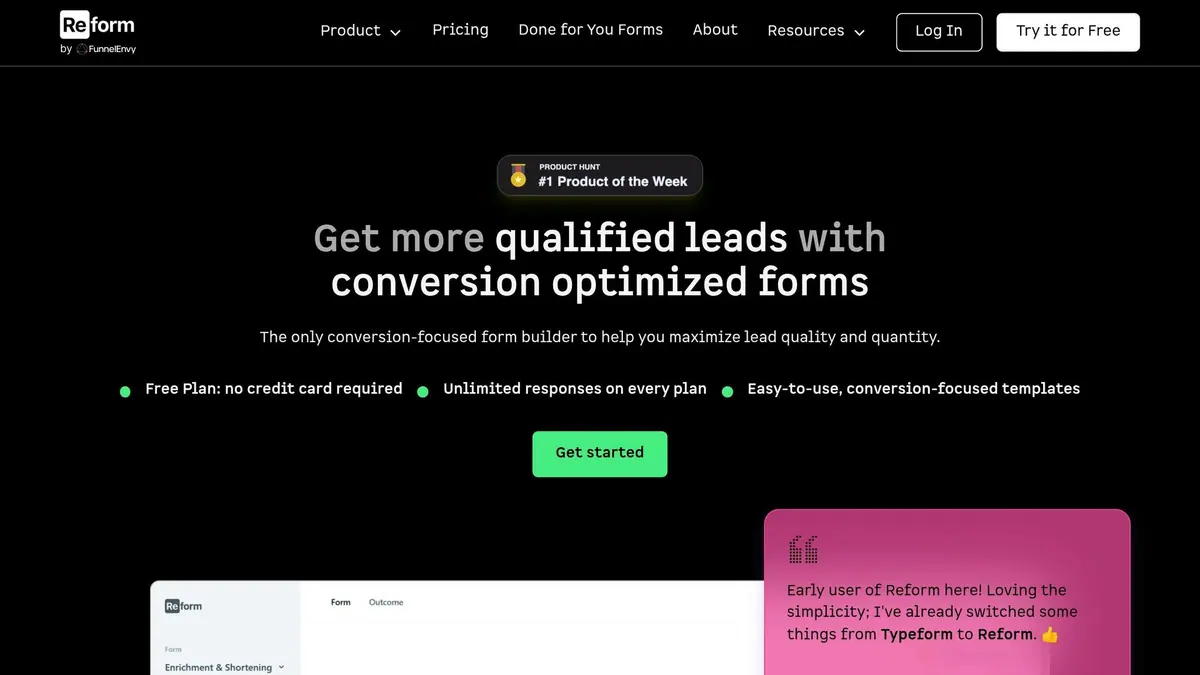
Reform is a no-code form builder designed specifically for creating branded, high-converting e-commerce forms on BigCommerce. It enables you to design forms that align with your brand and collect crucial customer data - all without writing a single line of code.
Reform connects your BigCommerce storefront with back-end tools like CRMs and marketing platforms. This integration ensures customer inquiries, whether product-related questions or custom orders, are automatically synced to your systems - eliminating the need for manual data entry. As Brian Casel, Founder of ZipMessage, explains:
"Reform is a simple, fast forms solution. A no-brainer to reach for anytime I need to (quickly!) throw up a form without hacking around with code."
What makes Reform especially appealing for BigCommerce merchants is its emphasis on boosting conversions rather than just gathering data. For example, features like abandoned submission tracking allow you to capture partial customer information even if a form isn't fully completed. This means fewer missed opportunities and more potential leads for your store.
Key Features for E-commerce Stores
Reform offers a range of tools tailored to meet the needs of e-commerce businesses:
- Conditional Logic: Adjusts form fields dynamically based on customer responses.
- Multi-step Forms: Breaks down complex forms into smaller, easier-to-complete sections - perfect for detailed custom orders or quote requests.
- Lead Enrichment: Automatically pulls additional customer data, saving time on manual entry.
Reform also includes features like spam prevention, email validation, and accessibility improvements to ensure a secure and user-friendly experience. Its integrations with popular CRM and marketing tools further streamline workflows, such as creating customer records automatically. These capabilities are paired with a pricing structure that adapts to your business as it grows.
Reform Pricing Plans
Reform offers flexible pricing that scales with your business. All plans include unlimited form responses, so you don’t have to worry about extra charges as your traffic increases. Plus, the free plan allows you to test the platform without needing a credit card, making it easy to try before committing.
| Plan | Monthly Price | Annual Price | Best For | Key Features |
|---|---|---|---|---|
| Free | $0 | $0 | New stores testing basic contact forms | Unlimited responses, basic templates, no credit card required |
| Basic | $15 | $150/year | Growing stores needing automation | CRM integrations, custom branding, multi-step forms, conditional logic, hide branding |
| Pro | $35 | $350/year | High-volume stores optimizing conversions | Abandoned submissions, A/B testing, custom CSS, lead enrichment, team access, file uploads |
| Done for You | Custom | Custom | Busy owners seeking turnkey solutions | Expert form creation, custom workflow setup, optimization |
The Basic plan includes integrations with tools like Google Sheets, Zapier, Notion, and ConvertKit. For those looking for advanced features, the Pro plan adds capabilities such as abandoned submission tracking and lead enrichment, as well as integrations with platforms like HubSpot (with Salesforce integration on the horizon). These tools are particularly useful for merchants focused on maximizing conversions by recapturing leads from incomplete forms.
Ed Freyfogle, Co-founder of OpenCage, highlights the platform's value:
"Reform was a super clean, easy to use solution at a very reasonable price. Happy to recommend it."
How to Add Reform Forms to BigCommerce
Adding a Reform form to your BigCommerce store is simple. Just follow these steps: generate your embed code, place it on your store pages, and adjust its placement as needed.
Getting Your Embed Code from Reform
To start, you’ll need to publish your form in the Reform dashboard. In the form builder, locate the status button in the bottom-right corner and switch it from "Draft" to "Published". Once published, a sharing options overlay will appear. Alternatively, you can access these options later under the "Share" tab.
Click on "Embed" to get the iFrame code. You can tweak settings like enabling a transparent background to ensure the form fits seamlessly into your store’s design. Keep in mind that embedding forms is available only with Reform’s Basic or Pro plans.
Adding Forms to Your Store Pages
BigCommerce provides multiple ways to embed your Reform form. For standard pages, such as a contact page, navigate to Storefront > Web Pages, select the page you want to edit, switch to HTML mode by clicking the "HTML" or "<>" icon, and paste your embed code.
For a more visual method, use the BigCommerce Page Builder. Go to Storefront > Themes and click Customize. From the sidebar, drag an HTML widget to the desired location, paste the embed code into the widget’s settings, and save your changes.
If you want to add forms to a product page, open the product in the BigCommerce manager. In the Description section, click the Insert/Edit Media icon, go to the Embed tab, paste your code, and save.
Customizing Form Placement in Your Theme
To add a form sitewide or in specific areas of your theme, you’ll need to edit the theme files. Head to Storefront > Themes, select Advanced > Edit Theme Files, and find the template file where you want the form (e.g., templates/components/common/footer.html). Always make a copy of your theme before making changes, and test those changes on the copy before applying them to your live store.
Reform’s embed script takes care of technical details like resizing the form to avoid scrollbars and ensuring smooth scrolling for multi-page forms - especially important for mobile users. Regardless of where your form is embedded, all responses will appear in the "Responses" tab of your Reform dashboard.
Advanced Integration Options with Reform
Once your forms are live, you can seamlessly integrate them with your existing tools to streamline lead management and track performance. These advanced integration options help you get the most out of your BigCommerce setup by boosting efficiency.
Connecting to CRM and Marketing Tools
Reform's Pro Plan includes a built-in HubSpot integration, which automatically creates or updates contacts, companies, and deals whenever someone submits a form. You can map form fields - like Email, Name, or Phone - directly to HubSpot properties.
For multi-step forms, Reform even tracks partial submissions. This means data is sent to HubSpot, even if a visitor abandons the form before completing it. Hidden fields can also be used to capture UTM parameters, and authorizing the reform.app domain in HubSpot helps you avoid spam issues.
Beyond HubSpot, Reform integrates with other platforms like Salesforce, Klaviyo, and Mailchimp through third-party tools like Tray.ai. The Pro Plan also includes data enrichment powered by ExactBuyer, which can fill in details like company names, job titles, and geographic data. This feature allows you to use the "Shorten Forms" toggle to hide fields that can be auto-filled, making forms quicker for users to complete.
These CRM connections not only streamline lead management but also provide deeper insights into your performance data.
Tracking Form Performance with Analytics
Reform offers real-time analytics that refresh in under 60 seconds. These analytics help you monitor submission counts, conversion rates, and user behavior across your BigCommerce store. By syncing form data with your CRM, you can enrich customer profiles with details like purchase history, order value, and product preferences.
You can also tap into BigCommerce's built-in tools, such as the Purchase Funnel and Abandoned Carts reports, to identify where users drop off. Testing different form placements or designs can help you recover lost conversions. Additionally, using monitoring tools to assess page load times - and deferring non-essential JavaScript - ensures that your forms don’t slow down your site.
Reform’s analytics and tracking tools provide actionable insights to fine-tune your forms and improve performance.
Automating Workflows with Reform Features
Reform’s advanced features make automating workflows easy, ensuring leads are routed efficiently and follow-ups happen without delay. Built-in lead enrichment and spam prevention features ensure only high-quality leads make it into your sales funnel. Reform also uses AI-based location profiling to turn location data into actionable intent signals.
With tools like Zapier, you can build workflows that include triggers, field mapping, and conditional paths. For example, you could set up automated emails to recover abandoned carts or route high-value leads based on enrichment data. Conditional logic within Zapier or Reform’s native integrations allows you to deduplicate leads and customize routing based on form responses.
These advanced capabilities, available exclusively on the Pro Plan ($35/month or $350/year), also include team access, HubSpot syncing, data enrichment, and support for custom CSS/JavaScript.
Best Practices for BigCommerce Forms
Designing Forms That Convert
Did you know the average checkout abandonment rate hovers around 70%? That means the way you design your forms can make or break your conversion rates. The key is to keep things simple - ask only for the information you absolutely need. Every additional field increases the chance that a customer might leave before completing their purchase.
One-page checkouts are a proven winner over multi-step forms. Why? They reduce the chances of technical hiccups between pages. Here's a great example: In 2026, UK retailer White Stuff switched from a three-page to a one-page checkout on BigCommerce. The results? A 100% boost in mobile speed, a 37% jump in conversion rates, and a 26% higher average order value. Similarly, Wreaths Across America streamlined their checkout process and saw revenue climb by 63% and total orders by 28%.
Guest checkout is another must-have. Forcing account creation is a dealbreaker for 63% of online shoppers. Make guest checkout the default option, then offer account creation after the purchase. Storing payment details for returning customers can also be a game-changer - just ask Carewell, who saw a 200% increase in conversions after implementing this feature.
"It's not the number of steps a user takes to cross the finish line... it's what the retailer asks them to do that gives them pause."
- Nicolette V. Beard, Content Writer, BigCommerce
Other ways to streamline the process? Use autocomplete to cut typing time by up to 50%. Include visual cues like progress indicators and inline validation to guide users, and build trust with security badges and consistent branding. Trust is crucial - 25% of users abandon checkout because they don’t feel confident sharing their credit card details.
These strategies lay the foundation for mobile-friendly and accessible forms.
Mobile and Accessibility Considerations
Optimized forms are only the beginning - ensuring they work seamlessly on mobile and are accessible to all users is just as important. With nearly two-thirds of ecommerce purchases happening on mobile, your forms need to be touch-friendly. Use large, easy-to-tap buttons and make sure input fields trigger the correct mobile keypad (e.g., type="tel" for phone numbers). And don’t forget mobile wallets - 40% of shoppers abandon their carts if options like Apple Pay or PayPal aren’t available.
Accessibility is equally critical. Around 1 in 4 adults in the U.S. has some form of disability, so designing with accessibility in mind widens your audience. Use <label> elements for every form input to help screen readers identify field purposes. Avoid relying solely on placeholder text - it disappears once users start typing, which can be confusing.
"Accessible form design makes forms better for everyone. Clear labels help sighted users too. Logical tab order speeds up power users who prefer keyboards."
- Bohdan Khodakivskyi, Founder of Fomr
Ensure logical keyboard navigation for all elements and avoid removing focus outlines (outline: none) without providing a visible alternative. For error handling, use aria-describedby to link error messages to specific fields and aria-invalid="true" to flag issues for screen readers. Also, maintain a contrast ratio of at least 4.5:1 for text against its background to meet WCAG 2.1 standards.
Security and Data Protection
Beyond design and usability, robust security measures are essential for building trust and driving sales. BigCommerce, for example, is certified as a PCI DSS Level 1 Service Provider, the highest standard in payment security. They also offer free SSL certificates for custom domains and support for TLS v1.2 and v1.3. Despite this, 92.4% of ecommerce sites have been found to have security vulnerabilities.
"A secure ecommerce site isn't a nice to have; it's a must-have. Online stores handle large amounts of sensitive data - from payment processing to personal information - and are, unfortunately, an appealing target for hackers."
- Annie Laukaitis, Content Marketing Writer, BigCommerce
To protect your site, add reCAPTCHA to forms like contact pages, account signups, and checkouts to block bots and spam. For email notifications triggered by forms, use DKIM (DomainKeys Identified Mail) and SPF (Sender Policy Framework) to ensure authenticity and prevent phishing.
Compliance with privacy laws like GDPR, CCPA, and the Australian Privacy Act is non-negotiable. Include a clear privacy policy near your form submission button explaining how customer data is handled. On the backend, use Role-Based Access Control (RBAC) to limit who can view or manage sensitive data. Strengthen security further by enabling multi-factor authentication (MFA) for admin accounts to prevent unauthorized access.
Conclusion
Integrating forms with your BigCommerce store isn’t just about gathering data - it’s a way to automate processes, improve customer interactions, and set the stage for growth. By automating tasks like creating customer records and syncing with your CRM, the right form tools eliminate tedious manual work, allowing you to focus on expanding your business.
BigCommerce provides a strong foundation for this. With over 137,000 online stores powered globally - 62% of which are based in the United States - it caters to businesses of all sizes. Whether you’re among the 63% of merchants generating under $10 million in revenue or scaling toward enterprise-level operations, forms play a critical role. They help capture leads, manage custom requests, and engage customers outside of the typical checkout process. These numbers highlight just how crucial efficient form solutions are for meeting diverse business goals.
Reform makes this process straightforward with its user-friendly, no-code platform. It enables you to create and embed high-performing forms directly into your BigCommerce pages using tools like the Page Builder widget or custom HTML. This ensures your forms align perfectly with your brand’s look and feel. Starting at $15/month (or $150/year for the Basic Plan), Reform offers unlimited responses and integrations with platforms like Google Sheets and Zapier, making it both accessible and versatile.
The tips shared in this guide - like optimizing for mobile users, streamlining checkouts, and prioritizing security - are proven to boost conversions. By implementing these form integration strategies, you can enhance customer engagement, improve security, and make your operations more efficient.
Check out Reform’s features and pricing at https://reform.app to start creating forms that deliver meaningful results for your BigCommerce store.
FAQs
Where should I place forms in my BigCommerce store for the best conversions?
The most effective spots for placing forms in your BigCommerce store are high-visibility pages where customer interaction is most likely. Think of areas like the contact page, key product pages, or any page dedicated to customer communication. Adding forms near product details or inquiry sections can boost engagement and make it easier for visitors to take action. When forms are easy to find and well-placed, they naturally encourage interaction and can help improve conversion rates.
How can I capture leads if visitors abandon a form before submitting?
When someone abandons a form on your site, it doesn’t have to mean a lost opportunity. With the right strategies, you can re-engage those visitors and turn them into leads.
One effective approach is using automated email campaigns. For instance, tools like BigCommerce’s Abandoned Cart Saver can send follow-up emails to remind users about their incomplete forms. These emails can include incentives like discounts or helpful information to nudge them back.
Another option is integrating forms with tools like Reform. This allows you to create targeted campaigns, such as personalized offers or tailored email sequences, aimed at recovering those potential leads.
By leveraging these methods, you can keep the conversation going and improve your chances of converting visitors, even if they initially leave your forms unfinished.
What do I need to do to keep embedded forms secure and privacy-compliant?
To ensure embedded forms in BigCommerce remain secure and meet privacy standards, it's essential to take a few key steps:
- Use secure channels for data transmission: Always rely on protocols like TLS to protect data as it's transferred.
- Safeguard access tokens: Keep tokens confidential and follow OAuth best practices to prevent unauthorized access.
- Implement secure embed codes: Ensure the embed codes you use are designed with security in mind.
- Stay privacy-compliant: Clearly inform users about how their data will be used, and always obtain their consent in line with privacy regulations.
- Regularly update and monitor forms: Keep your forms up to date and actively check for spam or malicious activity to maintain both security and compliance.
By taking these precautions, you can protect user data while staying aligned with privacy standards.
Related Blog Posts
Get new content delivered straight to your inbox

The Response
Updates on the Reform platform, insights on optimizing conversion rates, and tips to craft forms that convert.



Drive real results with form optimizations
Tested across hundreds of experiments, our strategies deliver a 215% lift in qualified leads for B2B and SaaS companies.
