
.webp)
How to Ensure HIPAA Compliance in Lead Forms



When collecting leads for healthcare, HIPAA compliance is non-negotiable. If your forms gather Protected Health Information (PHI) - like names tied to health conditions or treatments - you must follow strict rules to protect patient data. Failure to comply can lead to fines up to $2.1 million annually for willful neglect. Here's what you need to know:
- Only collect necessary data: Stick to basics like name, email, phone number, and ZIP code. Avoid asking for medical diagnoses or insurance details unless absolutely required.
- Get clear consent: Include privacy notices and ensure users actively agree to terms. Log consent details for audits.
- Secure data: Use encryption (TLS 1.2+ for data in transit, AES-256 for storage), role-based access controls, and multi-factor authentication.
- Sign a Business Associate Agreement (BAA): Required for any third-party tools handling PHI.
HIPAA compliance is ongoing, requiring regular audits and updates to align with changing regulations. Start by minimizing data collection, securing your systems, and ensuring proper agreements are in place.
Creating a HIPAA Compliant Web Form
sbb-itb-5f36581
Requirements for HIPAA-Compliant Lead Forms
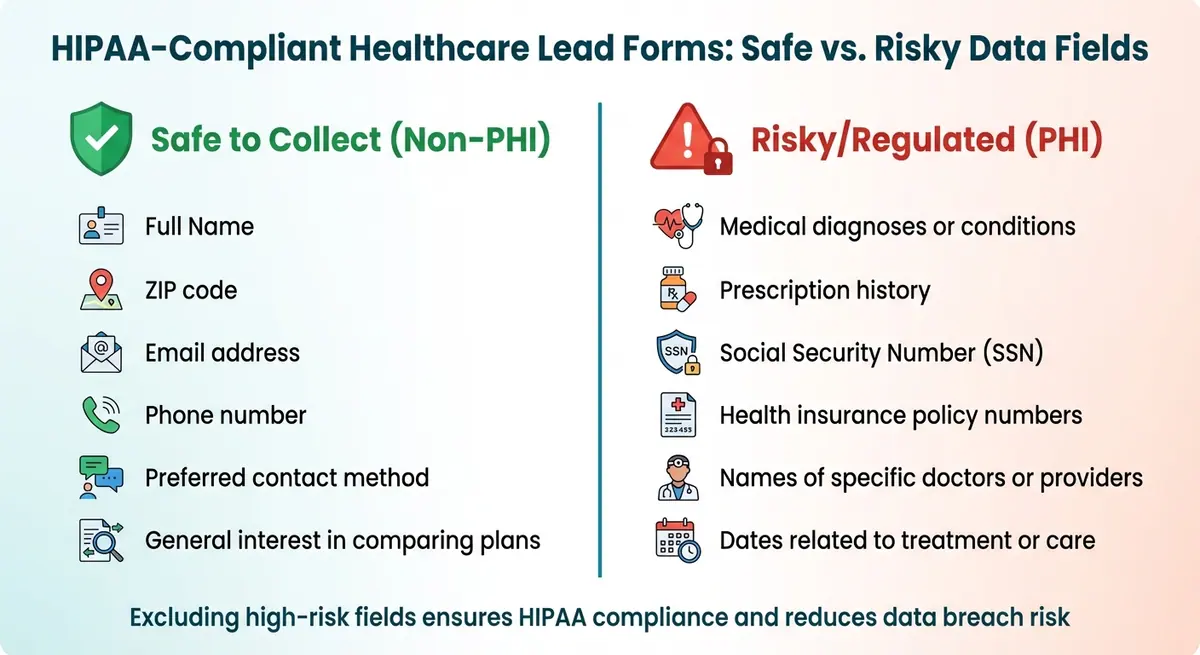
Safe vs Risky Data Fields for HIPAA-Compliant Lead Forms
Creating HIPAA-compliant lead forms means focusing on collecting only essential information. Compliance revolves around three key principles: data minimization, clear consent, and avoiding high-risk fields. Together, these practices protect patient privacy while boosting the quality of your leads.
Collect Only Necessary Data
HIPAA's "Minimum Necessary" Standard emphasizes gathering only the bare minimum information needed for your purpose. For lead generation, this typically includes basic contact details like name, email, phone number, and ZIP code. Each field in your form should align with HIPAA's Treatment, Payment, or Healthcare Operations (TPO) framework.
If a field doesn’t have a clear purpose, remove it. To further limit data collection, use conditional logic to display sensitive fields only when absolutely necessary. For example, instead of asking users to "Enter your medical history", use questions that hint at intent without requesting detailed health information.
Add Consent and Privacy Notices
Transparency is critical. Your lead form should clearly explain what data is being collected, how it will be used, and the measures taken to protect it. Include a privacy notice near the submission area, stating that no protected health information (PHI) is being collected. Add a link to your full privacy policy for further details.
For example, a statement like this can set the right expectations:
"This site collects only basic contact information to help you compare insurance options. We do not store or request any personal medical data." – ClickPoint Software.
Avoid pre-checked consent boxes - users must actively agree to your terms. Additionally, log the timestamp, source, and version of the consent text at the time of submission. This creates a reliable audit trail for compliance reviews. If you plan to use lead data for marketing beyond standard healthcare operations, you’ll need a HIPAA-compliant authorization that includes an expiration date and allows patients to revoke their consent.
Exclude High-Risk Fields
Some data fields come with stricter HIPAA requirements and should be avoided in lead forms. Here's a breakdown of what’s safe to collect versus what’s considered high-risk:
| Safe to Collect (Non-PHI) | Risky/Regulated (PHI) |
|---|---|
| Full Name | Medical diagnoses or conditions |
| ZIP code | Prescription history |
| Email address | Social Security Number (SSN) |
| Phone number | Health insurance policy numbers |
| Preferred contact method | Names of specific doctors or providers |
| General interest in comparing plans | Dates related to treatment or care |
Excluding high-risk fields not only ensures compliance but also reduces the chances of data breaches. Regularly review your forms to confirm that no health-specific questions have been added unintentionally. Additionally, disable tracking pixels that could collect sensitive health data. These steps lay the groundwork for the technical safeguards discussed in the next phase.
Technical Security Measures for HIPAA Compliance
Once you've minimized data collection and obtained clear consent, the next step is to protect any remaining Protected Health Information (PHI) with robust technical safeguards. These measures ensure that even if data is intercepted by unauthorized parties, it remains unreadable and unusable.
Encrypt Data in Transit and at Rest
Encryption is one of the most effective ways to protect sensitive data. By converting information into a format that can only be read with proper decryption keys, encryption significantly reduces the risk of unauthorized access. Under the HIPAA Security Rule (45 CFR 164.312), encryption is considered an "addressable" requirement. This means you must implement it if it’s reasonable and appropriate or document why you’ve chosen an alternative approach.
For data in transit, use TLS 1.2 or higher on all web pages and APIs. Enable HSTS to enforce HTTPS connections, and disable outdated protocols. Make sure to use ciphers that support perfect forward secrecy for added security.
For data at rest, apply AES-256 encryption across databases, file storage, and backups. High-risk fields, such as Social Security numbers, should also have field-level encryption. Encryption keys should be stored securely using a hardware security module (HSM) or a managed key service - never embed them in configuration files.
"Encryption renders PHI unreadable without the proper keys, reducing exposure from network interception, lost devices, misdirected emails, and improper access." – AccountableHQ
Additionally, configure systems to avoid logging PHI in application or server logs, as this can inadvertently expose sensitive information. While encryption is critical, it’s just one piece of the puzzle - limiting access to data is equally important.
Set Up Role-Based Access Control
After securing data with encryption, the next step is to implement strict access controls. Role-based access control (RBAC) ensures that employees can only access the information necessary for their specific job responsibilities.
Start by defining clear roles, such as front desk staff, nurses, providers, and billing personnel. Assign permissions based on these roles, restricting access to only the data they need. For example, sensitive fields can be masked for roles that don’t require full visibility. Use unique user IDs combined with multi-factor authentication (MFA) for all staff accessing PHI. Enforce session timeouts (about 1 hour) with automatic logoffs to prevent unauthorized access. Maintain detailed audit logs to track who accessed or modified data and conduct regular access reviews, especially when employees change roles or leave the organization.
The importance of access controls cannot be overstated - healthcare employees are responsible for 39% of all medical data breaches. Limiting access based on roles is a critical step in safeguarding patient privacy.
Sign a Business Associate Agreement (BAA)
Even with encryption and access controls in place, using third-party tools to handle PHI requires an additional layer of protection: a Business Associate Agreement (BAA). Required under 45 CFR §§ 164.502(e) and 164.504(e), a BAA is a legally binding contract that ensures your vendor handles PHI securely and in compliance with HIPAA rules.
"The HIPAA Rules generally require that covered entities and business associates enter into contracts with their business associates to ensure that the business associates will appropriately safeguard protected health information." – Office for Civil Rights (OCR)
Without a signed BAA, even the most secure third-party tools cannot be used to process PHI without violating HIPAA regulations. The agreement holds the vendor accountable, making them liable for any breaches. It outlines how PHI can be used, sets breach reporting timelines (typically within 10 days), and requires secure data destruction once the contract ends.
Before processing any PHI, ensure the BAA is signed by someone with the authority to bind your organization. Verify that the agreement includes clauses requiring subcontractors to comply with the same standards. Keep a signed PDF copy for audits, as failure to execute a BAA can result in hefty fines. The Department of Health and Human Services (HHS) has issued penalties ranging from $31,000 to over $1.5 million for organizations that neglected this requirement.
Incorporating these measures - encryption, access controls, and BAAs - lays a strong foundation for HIPAA compliance while protecting your patients' sensitive information.
Building HIPAA-Compliant Forms with Reform

To securely handle sensitive health information, it's essential to use a form builder specifically designed for HIPAA compliance. Reform offers a platform that incorporates key HIPAA security measures, working alongside technical safeguards to ensure data is collected and managed securely while staying within regulatory requirements.
HIPAA Compliance Features in Reform
Reform employs encryption to protect data both during transmission and when stored, ensuring information remains secure at all times. Its multi-step forms simplify lengthy intake processes by breaking them into smaller sections, helping to reduce abandonment without compromising security. Additionally, the platform's conditional logic automatically displays or hides fields based on prior answers, minimizing data collection to only what's necessary.
Other protective features include email validation and spam prevention tools, which help filter out fake submissions and maintain data accuracy. Real-time analytics allow you to track form performance without exposing protected health information (PHI). Role-based access controls further enhance security by limiting data visibility to authorized personnel only.
Secure Integrations and Data Protection
Reform integrates with CRMs and marketing tools while adhering to HIPAA standards. However, before using any integration that involves PHI, you must have a signed Business Associate Agreement (BAA) with both Reform and the third-party service. Supported tools include platforms like HubSpot and Salesforce, but each integration requires its own BAA to remain compliant.
When configuring integrations, it’s wise to limit data sharing to non-PHI fields whenever possible. For example, you could transfer contact details and appointment preferences to your CRM while keeping sensitive information, like medical history or insurance details, in a more secure system. This approach reduces the number of systems managing PHI, making compliance easier to maintain.
How to Create a HIPAA-Compliant Form in Reform
With Reform’s technical safeguards and secure integrations, creating a HIPAA-compliant form is a straightforward process. Begin by ensuring your Reform plan supports HIPAA compliance and signing a BAA before collecting any PHI. Next, use Reform’s no-code builder to design your form, including only the fields necessary for your purpose. Add required consent checkboxes and links to your privacy policy, and use conditional logic to reveal additional fields only when needed.
To further secure your form, enable strong authentication for accessing submitted data and set up role-based permissions so team members only see the information they need. Activate session timeouts and automatic logoffs to prevent unauthorized access if a device is left unattended. Finally, thoroughly test your form to confirm that consent mechanisms work as intended and that data is being securely transmitted.
Maintaining Compliance Through Audits and Updates
HIPAA compliance isn’t something you can set and forget - it’s an ongoing process that requires constant vigilance. Regular audits and updates are essential to ensure your lead forms stay aligned with current regulations while safeguarding sensitive patient information.
Perform Regular Risk Assessments
The HIPAA Security Rule mandates regular assessments, with the industry standard being an annual Security Risk Analysis. These assessments should cover key areas: identifying where Protected Health Information (PHI) is collected, confirming that Business Associate Agreements (BAAs) are in place for all third-party vendors, and verifying encryption standards (TLS 1.2+ for data in transit and AES-256 for data at rest).
"The smart answer to 'how often' is: at least annually enterprise-wide, plus event-driven reviews and continuous monitoring." – Kevin Henry, Accountable
In addition to annual assessments, it’s crucial to reassess whenever significant changes occur - like integrating new forms, switching CRM platforms, or dealing with a security breach. Check audit logs, enforce the Principle of Least Privilege, and regularly test your Incident Response Plan. These proactive steps help ensure your processes remain compliant as HIPAA requirements evolve.
Stay Current with HIPAA Regulations
Staying informed about regulatory updates is just as critical as performing risk assessments. HIPAA regulations are constantly changing, with key updates expected through 2026. For example, the Privacy Rule may soon reduce the timeframe for responding to patient PHI access requests from 30 days to 15 days. Proposed changes to the Security Rule could also make multi-factor authentication (MFA) and encryption mandatory rather than optional. Additionally, new rules for handling Substance Use Disorder records under 42 CFR Part 2 will take effect on February 16, 2026, aligning more closely with HIPAA standards.
To stay compliant, keep an eye on OCR announcements and act quickly to update your lead forms when changes are announced. The OCR has resumed proactive compliance audits, starting with 50 covered entities and business associates in March 2025. Prepare for these stricter requirements by conducting vulnerability scans every six months and penetration tests at least once a year. Maintain an up-to-date technology asset inventory to track how PHI flows through your systems and integrations.
Conclusion
Creating HIPAA-compliant lead forms requires a careful mix of technical safeguards, administrative protocols, and constant attention to detail. Start by determining whether your form collects Protected Health Information (PHI), sign a Business Associate Agreement (BAA) with your form builder, and ensure end-to-end encryption is in place. Apply role-based access controls and stick to the "minimum necessary" rule to limit data exposure. These steps, outlined earlier, form the backbone of a solid compliance strategy.
"A Business Associate Agreement (BAA) is non-negotiable for any HIPAA online form builder. Make sure it's signed before collecting real patient data." – HIPAAtizer
The risks are serious - penalties for HIPAA violations range from $137 to $68,928 per infraction, with annual fines reaching up to $1.5 million. With mobile usage on the rise, extra care is essential to safeguard sensitive data.
While tools like Reform offer the technical infrastructure you need, compliance ultimately hinges on how you configure and manage your forms. Take these additional steps to strengthen your approach: test forms in their live environment to identify any styling or functionality issues, keep marketing tools (like Google Analytics) separate from PHI, enable multi-factor authentication for administrative access, and maintain tamper-evident audit logs. Regular risk assessments are also key to identifying and addressing vulnerabilities before they become problems.
HIPAA compliance isn’t a one-time task - it’s a continuous process that protects both your patients and your organization from potential breaches and costly penalties.
FAQs
When does a lead form count as collecting PHI?
A lead form is deemed to collect protected health information (PHI) if it includes details such as patient identification, medical history, insurance information, health-related data, or consent documentation. These forms must adhere to HIPAA regulations to safeguard this sensitive information and ensure it is handled securely.
What should I do if someone types medical details into an open text field?
When users input medical information into an open text field, treat it as protected health information (PHI). To safeguard this data, ensure it's encrypted and access is limited to authorized personnel only. Additionally, it’s worth evaluating the form design to reduce the risk of unprotected free-text entries. Collect medical details only if the field is secured and meets HIPAA compliance standards.
Do I need a BAA for every integration connected to my form?
Yes, you need a Business Associate Agreement (BAA) for every integration linked to your form that handles Protected Health Information (PHI). This applies to services like electronic health record (EHR) systems, cloud storage solutions, or any third-party tools that access PHI. A BAA is crucial for meeting HIPAA requirements and protecting sensitive data.
Related Blog Posts
Get new content delivered straight to your inbox

The Response
Updates on the Reform platform, insights on optimizing conversion rates, and tips to craft forms that convert.




Drive real results with form optimizations
Tested across hundreds of experiments, our strategies deliver a 215% lift in qualified leads for B2B and SaaS companies.
