
.webp)
Ultimate Guide to Klaviyo Form A/B Testing


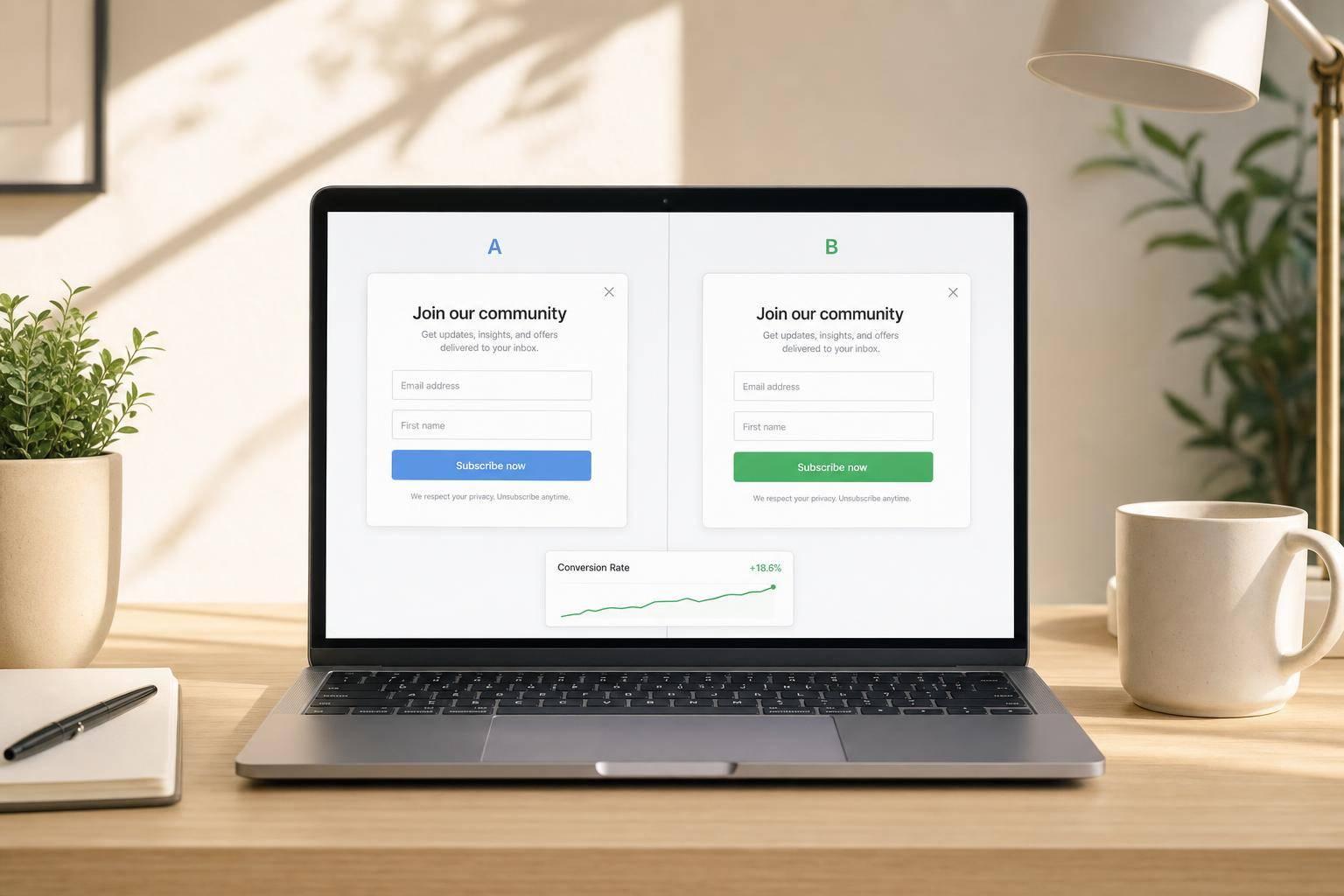
Most Klaviyo form tests fail for one simple reason: teams pick winners too early or judge them by submit rate alone.
If I want a form test to mean anything, I need to do four things: pick one goal, change one variable, keep targeting the same, and wait for enough data before I decide. In this guide, the full process comes down to setting a baseline, writing a clear hypothesis, checking setup before launch, reading results in the right order, and then pushing the winning form live.
Here’s the article in plain English:
- I should choose one main KPI before the test starts, like submit rate, subscriber quality, or revenue
- I need baseline data from the last 14 to 30 days
- I should test one form element at a time
- A 50/50 traffic split is the default choice
- I shouldn’t call a winner before each version has at least 1,000 views and about 90%+ win probability
- I need to look past submissions and check things like offer use, welcome-flow engagement, orders, and revenue
- If results are unclear, I should keep the test running or keep the lower-risk version live
- After the test, I should log the result and use the winner as the next control
A good Klaviyo form test is not about guessing which popup looks better. It’s about applying multi-step form design principles to reduce friction. It’s about learning whether one small change moves the business metric I care about.
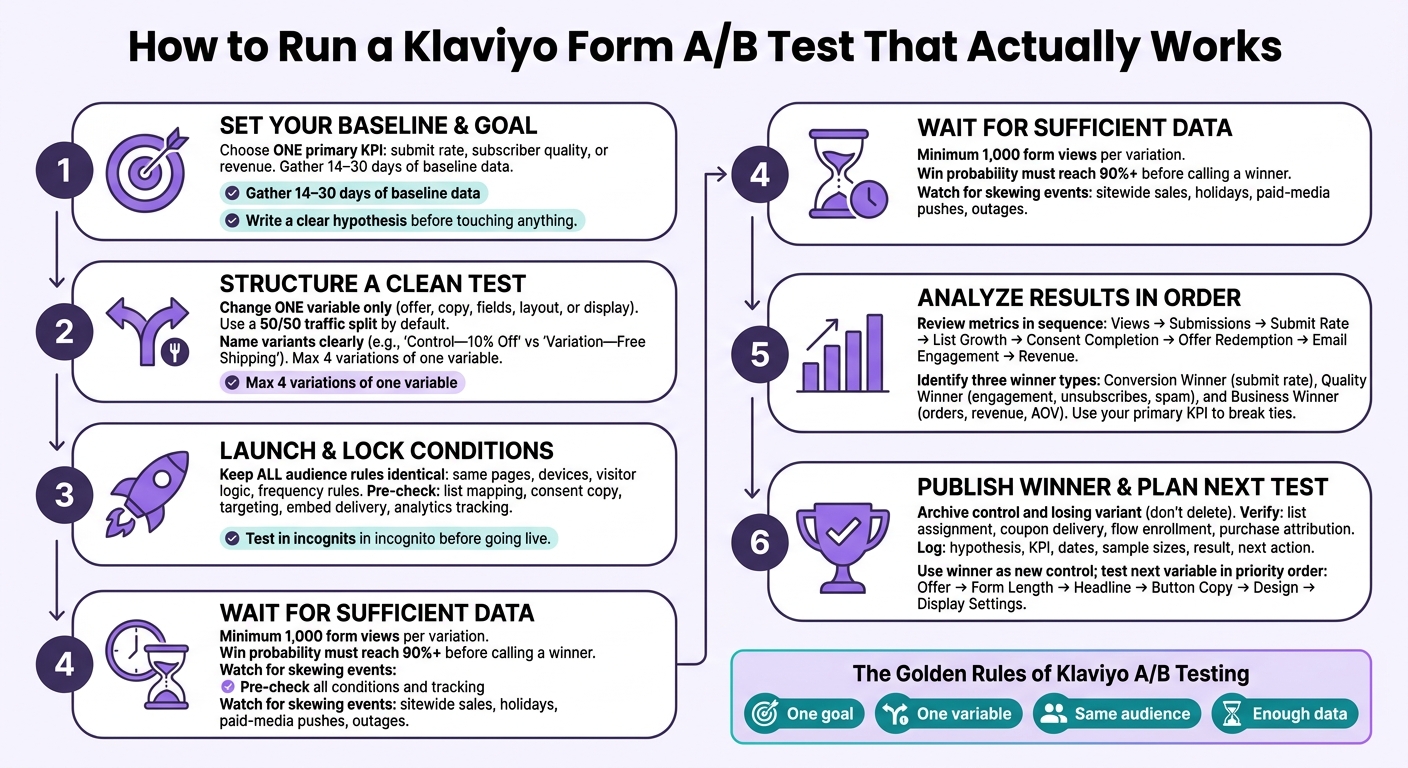
Klaviyo Form A/B Testing Process: From Setup to Winner
Pick the Right Variable and Structure a Clean Test
Test One Variable at a Time
A Klaviyo A/B test has two versions: a control and a variation. The control is the live form. The variation changes one thing only. That one rule matters because it gives you a result you can actually use.
When you test a single variable, you can tie the outcome to one clear cause. Klaviyo recommends using no more than four variations of one variable so you don’t spread traffic too thin. Once that rule is in place, pick the variable category that fits the issue you’re trying to fix.
Match the variable to the problem:
- Offer for motivation
- Copy for clarity
- Fields for friction
- Layout for usability
Each version should connect straight back to the hypothesis you wrote earlier.
| Variable Category | Elements to Test |
|---|---|
| Offer | 10% off vs. $10 off, discount vs. free shipping, incentive vs. no incentive |
| Copy | Headline, supporting text, button/CTA text |
| Fields | Email only vs. email + SMS, fewer fields vs. additional qualification fields |
| Layout & Design | Single-step vs. multi-step, modal vs. side panel, imagery, typography, visual hierarchy |
| Display | Timing, exit intent, page-specific targeting, frequency limits, UTM targeting |
Start with Offer, Copy, and Form-Length Tests
For most e-commerce forms, these tests tend to give you the most useful signal first.
"Save 10% on your first order" vs. "Get $10 off your first order" - a percentage discount can feel stronger on higher-priced orders; a fixed dollar amount may work better on lower AOVs.
"Get 10% off" vs. "Enjoy free shipping on your first order" - free shipping can win when shipping costs are a major barrier.
Email only vs. email + SMS consent - adding SMS may increase subscriber value but often lowers total completion rate.
Single-step form vs. two-step form - using multi-step forms can improve starts, while final completion may vary.
For offer tests, change only the incentive.
Name Variants Clearly and Split Traffic Evenly
Once the variation is set, name it so you can scan results fast. Use labels like "Control - 10% Off" and "Variation - Free Shipping," not "Form 2." If your program has more moving parts, include the placement and date too, like "PDP Exit Intent - Control - 10% Off - Sep 2026."
Use a 50/50 traffic split by default. Only weight variants when there’s legal, brand, or workflow risk. And once the test is live, don’t change the split in the middle.
If you’re testing traffic-source-specific questions, use separate, non-overlapping UTM-targeted forms. That keeps each source clean and avoids muddy results.
With the test structure locked in, the next move is to launch it inside Klaviyo without changing audience conditions.
sbb-itb-5f36581
Launch the Test in Klaviyo and Keep Audience Conditions Consistent
Create and Review the Test Inside Klaviyo
Once you’ve set the variable and traffic split, launch the test in Klaviyo and leave the audience rules alone.
Klaviyo gives you two ways to start a sign-up form A/B test. Open Sign-up forms, click the three-dot menu next to your current form, and choose Create A/B test. Or open the form editor and select Create A/B test there.
Name the variants clearly, then change only the test variable in Variation B. After that, review the traffic split, double-check the settings, and start the test. Once it’s live, don’t change the allocation, design, multi-step structure, targeting, or offer unless you plan to stop the test and start over.
Before launch, check list mapping, consent copy, targeting rules, embed delivery, and analytics tracking. Then test both variants in a fresh incognito session. Make sure profile creation, consent capture, list assignment, and flow delivery all work as expected.
Segment Results Without Changing Who Qualifies for the Test
The most common mistake after launch is changing the audience rules. When targeting changes, you’re no longer testing one form against another. You’re testing two different audiences.
Every eligibility rule needs to stay the same: the same pages, the same devices, the same new-versus-returning visitor logic, the same display delay, the same frequency rules, and the same included and excluded lists or segments. The only difference between the two versions should be the variable you picked before launch.
After visitors have been assigned, you can segment results by device, source, or landing page. That part comes later. Use those cuts only after the test is already running.
Add a Segmentation Table Before Analyzing Smaller Groups
Before you dig into a segment, make sure it has enough traffic to tell you anything useful. A result based on a small number of impressions is directional at best. Pick the two or three cuts that matter most to your business question before launch, and treat everything else as exploratory.
| Segmentation Dimension | Practical Business Use | Main Interpretation Risk |
|---|---|---|
| Mobile vs. desktop | Spot layout, tap-target, or keyboard friction by device | An uneven device mix can make one variant seem better than it is |
| New vs. returning visitors | Check whether the offer lands differently with first-time vs. familiar visitors | Returning visitors may have seen the form before or already given consent |
| Paid vs. organic traffic | Tie form performance to acquisition source and campaign intent | Ad targeting and ad quality may differ a lot |
| Landing page | See whether product, collection, or campaign pages need different treatment | Page intent and traffic volume are often uneven |
| Traffic campaign or UTM | Link form results to a specific campaign or creative | Promo overlap or messy UTM tagging can skew the read |
Stick to preplanned segments. If you look at an unplanned slice, treat it as directional.
Next, compare the metrics that show whether the variant actually won.
Read the Results and Decide What Actually Won
Review Core Metrics in the Right Order
Once the test is live and stable, move from setup into analysis. Go to Sign-up forms > Analytics > A/B test results. Before you look at the numbers, check the reporting period, audience, and device mix. A traffic spike or a setup problem can throw off the result fast.
Review the metrics in this order: views → submissions → submit rate → list growth → consent completion → offer redemption → email engagement → downstream revenue. That sequence helps you separate reach from conversion, subscriber growth, subscriber quality, and business impact. Klaviyo defines submit rate as submits divided by views. Use your own past performance as the benchmark. For revenue, orders, and AOV, use form analytics.
After that, check whether the sample is strong enough to trust.
Set Evidence Thresholds Before Calling a Winner
Early numbers can fool you. Don't name a winner until each variation has at least 1,000 form views and a win probability of 90% or higher. If one of those marks hasn't been hit, let the test keep running.
Even if both marks are met, pause and look for anything that may have skewed the sample. That could be a sitewide sale, a holiday, a paid-media push, an inventory problem, a site outage, or a tracking gap that hit only one variant. Before you decide, record the end date, views, submissions, submit rate, win probability, audience conditions, and any anomalies.
Compare the Conversion Winner, Quality Winner, and Business Winner
A "winner" isn't always one thing. One variant might win on submit rate but lose on revenue. So break the call into three parts:
| Winner Type | What It Measures | Decision Question |
|---|---|---|
| Conversion winner | Submit rate, submissions, and sometimes list-growth volume | Which variation persuades the highest share of viewers to submit? |
| Quality winner | Consent completion, valid profiles, welcome-flow clicks, engaged-subscriber rate, unsubscribe rate, spam complaints | Which variation brings in healthier subscribers who are more likely to stay marketable and engaged? |
| Business winner | Attributed orders, revenue, average order value, margin where available, and offer cost | Which variation drives the strongest net revenue after discounts and acquisition costs? |
When the metrics don't line up, use the main goal to settle it. If the goal is list growth, lean on submit rate. If the goal is engagement, lean on subscriber quality. If the goal is revenue, lean on net commercial value.
How to create an A/B test for forms in Klaviyo
Apply the Result and Plan the Next Test
Once the analysis is done, turn that result into a live change and line up the next test.
Publish the Winner and Verify the Live Experience
After you name a winner, make sure it matches your decision rule. Then document the test before you publish anything. Keep the control and losing variant in your archive instead of deleting them. That gives you a clear record in case you need to look back later.
Next, do a quick production check before you treat the change as done. Submit a test email address and confirm that the profile lands in the correct Klaviyo list or segment, the incentive is sent the right way, and the welcome flow starts as expected.
Then check the tracking. Make sure these pieces are working:
- List assignment
- Coupon delivery
- Flow enrollment
- Downstream purchase attribution
Handle Inconclusive or Segmented Results Carefully
If the result isn't decisive, stick with the same evidence rule instead of forcing a winner. Keep testing until the evidence threshold is met, as long as traffic is still coming in and the setup stays stable. If the lift is too small to matter, leave the simpler or lower-risk version live, note the uncertainty, and move on to a stronger hypothesis.
If the control wins, keep the original form live. Treat that outcome as useful evidence about the specific hypothesis you tested. Then review secondary signals like incentive delivery, unsubscribe rate, downstream revenue, and lead quality before planning the next test.
Segment-level wins need extra care. Act on a segment-specific result only if the segment was planned in advance, large enough to trust, and important to the business. Just as important, the next step should match the original success metric, not a last-minute change in how the result is read. If those conditions are in place, build a segment-specific form or run a follow-up test. If not, keep one broadly effective experience live and save the insight as a future hypothesis.
Build a Repeatable Testing Roadmap
After the winner goes live, log the result so the next hypothesis starts from the last one, not from scratch. Your record should include the hypothesis, primary KPI, secondary quality metrics, audience, dates, traffic split, sample sizes, result, and next action.
From there, use the previous winner as the new control and test in this order:
- Offer
- Form length and fields
- Headline and value proposition
- Button copy
- Design and imagery
- Display settings
Each test should build on the one before it. If you changed multiple elements at the same time, treat the result as directional. Then run a cleaner follow-up test with one variable at a time.
FAQs
How long should I run a Klaviyo form A/B test?
Run your A/B test for at least 1 to 2 weeks. That gives you a full business cycle and helps smooth out random swings in the data.
If your account has at least 400,000 profiles, Klaviyo’s AI-driven optimization can run for up to 90 days. Either way, don’t make changes too early. Wait until you reach statistical significance or collect several hundred submissions.
What should I do if submit rate goes up but revenue goes down?
You may be pulling in low-intent leads or giving people the wrong idea before they submit. When that happens, lead quality matters more than raw form fills. Tighten your qualification questions and cut any fields that don't help move someone toward conversion.
It also helps to break results out by traffic source and device. Then look past the form submit itself and track downstream metrics like average order value and revenue per user. That’s how you tell whether the form is bringing in actual business value, not just more names in the database.
When is it worth creating segment-specific form tests?
Create segment-specific form tests when overall results may hide important differences. If you think a form variant may perform differently for different groups, break the test out by device type, traffic source, or user behavior.
For example, a design might do well on desktop but lead to more drop-off on mobile. Or a message might click with email subscribers but fall flat with social media visitors. Looking at segments like this helps you shape forms for each group instead of leaning on a one-size-fits-all setup.
Related Blog Posts
Get new content delivered straight to your inbox

The Response
Updates on the Reform platform, insights on optimizing conversion rates, and tips to craft forms that convert.



Drive real results with form optimizations
Tested across hundreds of experiments, our strategies deliver a 215% lift in qualified leads for B2B and SaaS companies.
