
.webp)
Native CRM Integrations in Marketo



Marketo's native CRM integrations make it easier for marketing and sales teams to work together by syncing data in real time. These integrations support Salesforce, Microsoft Dynamics 365, and Veeva CRM, enabling two-way data sharing without custom APIs or middleware. Here's what you need to know:
- Real-Time Syncing: Updates in Marketo or your CRM (like lead scores or opportunity stages) appear instantly in the other system.
- Supported CRMs: Salesforce, Microsoft Dynamics 365, and Veeva CRM are fully integrated, handling both standard and custom objects.
- Efficiency: Syncs up to 200,000 records per hour, reducing lead response times and improving collaboration.
- Key Features: Lead scoring, automated routing, and shared insights (e.g., web activity, email engagement) directly in CRM records.
- Custom Options: While native setups are quick and low-maintenance, custom API solutions offer flexibility for advanced workflows.
Marketo's integrations simplify lead management, improve data accuracy, and align marketing with sales for better results. Whether you rely on standard setups or custom solutions, these tools help streamline your CRM processes.
Marketo and Dynamics 365 integration. How to do this smoothly? (1st part)
CRM Platforms Supported by Marketo
Marketo integrates seamlessly with three major CRM platforms - Salesforce, Microsoft Dynamics 365, and Veeva CRM - to create a unified source of truth for your data. These integrations are natively built, meaning they don’t rely on third-party middleware. They enable real-time, two-way synchronization for core objects like leads, contacts, accounts, opportunities, and campaigns.
Each CRM integration has a unique technical setup. For example, Salesforce uses a managed package to add custom fields and objects directly into your CRM. Microsoft Dynamics employs a managed solution (delivered as a ZIP file) that works with Dynamics 2016 and Dynamics 365, whether hosted online or on-premise. Meanwhile, Veeva CRM follows a similar structure to Salesforce but is tailored for the life sciences industry. All three platforms support real-time updates, ensuring changes in one system are instantly reflected in the other. Below, we’ll dive into the specifics of each integration.
Salesforce Integration: Setup and Features
The Marketo-Salesforce integration relies on a native managed package that embeds custom fields and objects into Salesforce. During setup, Marketo adds three key fields - Lead Score, Acquisition Date, and Acquisition Program - to track marketing interactions. This allows sales teams to view valuable marketing insights directly within Salesforce, eliminating the need to toggle between systems.
To ensure smooth data flow, field mapping is critical. When a lead converts to a contact in Salesforce, custom fields must be mapped to preserve marketing data. Marketo also includes a "View and Edit Converted Leads" permission, enabling the platform to continue updating records post-conversion while retaining the full engagement history. Batch processing is optimized for performance, ensuring data syncs efficiently even for large volumes.
Microsoft Dynamics Integration: Flexibility and Control
Marketo’s integration with Microsoft Dynamics supports both Dynamics 2016 and Dynamics 365 (Online and On-Premise). It uses OAuth for secure authentication and supports Active Directory Federated Services (ADFS) versions 4.0 and 5.0. The setup involves installing a managed solution and creating a dedicated "Application User" to handle data syncs, avoiding conflicts with regular user accounts.
One standout feature is the sync filter, which gives administrators precise control over which records sync to Marketo. By using a custom boolean field (new_synctomkto), admins can specify whether a record should sync. When this field is set to "Yes", the record syncs immediately; setting it to "No" prevents syncing, saving API credits and reducing database clutter.
Additionally, the integration enhances Dynamics with Touchpoint Subgrids, which display marketing engagement data - like email opens and form submissions - on standard entity pages for accounts, contacts, leads, and opportunities. For revenue tracking, the connector syncs with the "Actual Revenue" and "Actual Close Date" fields, though custom workflows may be needed if your organization uses different fields.
Veeva CRM Integration: Tailored for Life Sciences
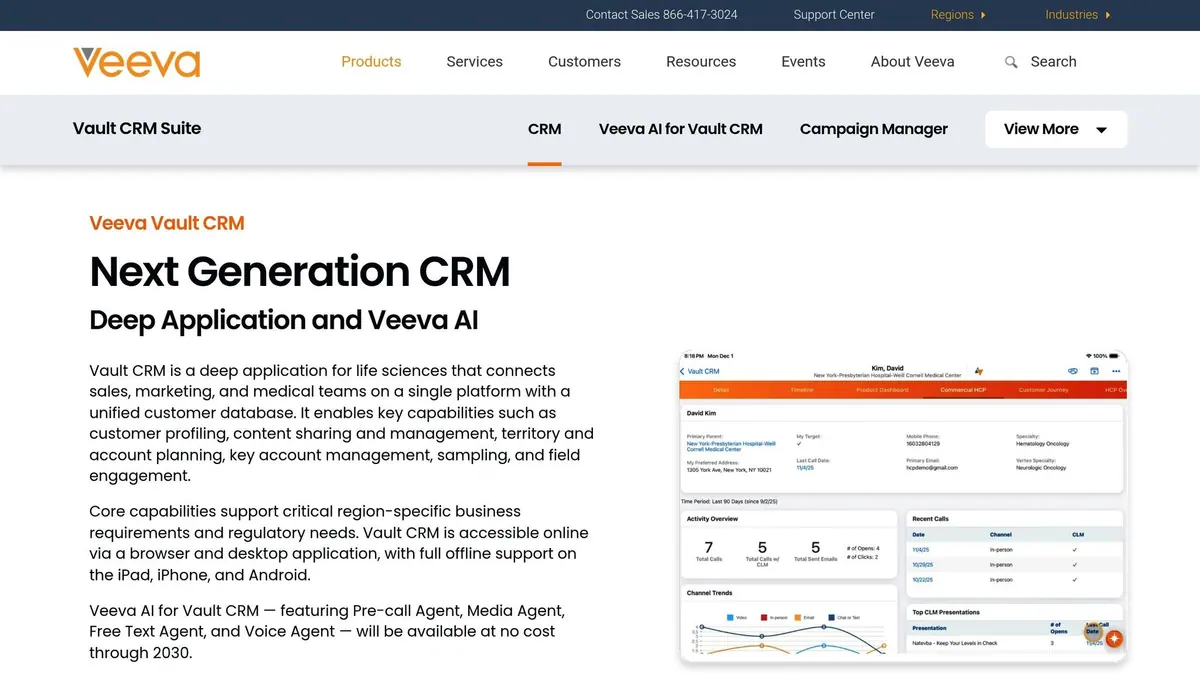
Built on the Salesforce platform, Veeva CRM uses the same integration architecture as Salesforce but is specifically designed for the life sciences sector. This makes it an ideal choice for pharmaceutical, biotech, and medical device companies that operate under strict regulatory guidelines.
The integration ensures compliance by enabling secure, audit-ready data sharing. It’s built to support the complex sales cycles typical in healthcare, where multiple stakeholders and extended timelines are common. Marketing teams can track engagement across these intricate buying processes while maintaining the necessary data governance.
Setup involves installing the managed package, defining custom fields for lead scoring and acquisition tracking, and mapping fields between leads and contacts. Veeva’s data model also includes specialized objects like "Medical Events", "Speaker Programs", and "Sample Requests", which Marketo can sync to enhance segmentation and campaign targeting.
These integrations make it easier to align marketing and sales efforts, providing teams with the tools they need to work more effectively and deliver better results.
Core Features of Marketo's CRM Integrations
Marketo's CRM integrations are designed to streamline collaboration between marketing and sales teams. By automating workflows, enabling real-time data sharing, and managing leads efficiently, both teams can operate from a unified system, reducing manual tasks and errors.
Real-Time Data Synchronization
Marketo offers bi-directional synchronization, ensuring updates made in either Marketo or the connected CRM - like Salesforce or Microsoft Dynamics - are instantly reflected in the other system. This real-time data flow allows sales teams to access critical insights like web activity, email engagement, lead scores, and interaction history directly within their CRM. At the same time, marketing teams benefit from timely updates on lead status and disposition. This synchronized system supports automated processes such as lead scoring and accurate routing, keeping both teams aligned.
Lead Scoring and Routing
Marketo's CRM integrations simplify the lead lifecycle by automating key processes. Leads move seamlessly through stages like Marketing Qualified Lead (MQL) and Sales Qualified Lead (SQL) based on predefined scoring rules and behavioral triggers. Once a lead reaches the specified threshold, Marketo takes over by assigning an owner, creating tasks in the CRM, and notifying the appropriate sales rep. For leads that don’t meet criteria, the system employs automated recycle logic, sending them back to marketing for further nurturing. The integration also supports SLA-based routing, ensuring no lead is overlooked or mishandled.
Common Challenges and Best Practices
While Marketo’s integrations are powerful, managing them effectively requires attention to detail. Duplicate records are a frequent issue, particularly when leads come from multiple sources. Marketo mitigates this by using email addresses and CRM GUIDs as unique identifiers and merging duplicate records automatically, consolidating activity logs and memberships.
Another challenge is API limits, which can affect performance. To address this, applying sync filters - like a "marketable = true" filter - ensures only relevant records are transferred, reducing unnecessary data flow. Clearly documenting field ownership is also crucial; defining which system controls specific fields prevents data overwrites and inconsistencies. Lastly, syncing only essential custom objects - those critical for scoring, segmentation, or personalization - helps keep data streamlined and system performance optimized.
sbb-itb-5f36581
Native Integrations vs. Custom Solutions
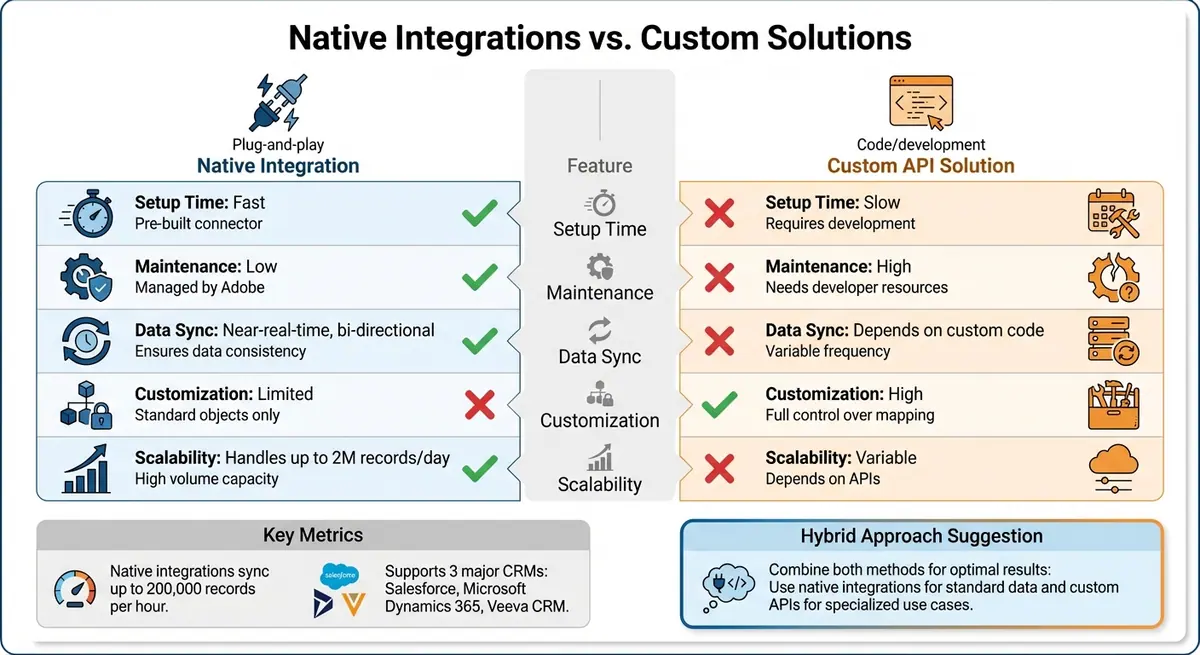
Native vs Custom CRM Integration Comparison for Marketo
When deciding between Marketo's native CRM integrations and custom-built solutions, the choice often boils down to speed, maintenance, and flexibility. Native connectors for platforms like Salesforce, Microsoft Dynamics, and Veeva are ready to use with minimal setup. In contrast, custom solutions require significant development time and ongoing resources but provide greater control over integration. Here's a breakdown of the advantages and limitations of each option.
Pros and Cons of Native Integrations
Native integrations are known for their quick deployment and minimal maintenance. Since Adobe manages the underlying code, updates in one system automatically sync with the other - no manual work required. These integrations support bi-directional synchronization and can handle large-scale data flows, managing up to 200,000 records per hour or 2 million per day. However, they come with limitations, such as being restricted to standard objects like accounts, leads, contacts, and opportunities, and offering limited customization options.
Custom API-based solutions provide unmatched flexibility. You can map any field, sync custom objects, and design unique workflows. But this level of control comes with trade-offs: longer setup times, higher maintenance demands, and scalability that depends on your API infrastructure and developer expertise.
| Feature | Native Integration | Custom API Solution |
|---|---|---|
| Setup Time | Fast | Slow; requires development |
| Maintenance | Low; managed by Adobe | High; needs developer resources |
| Data Sync | Near-real-time, bi-directional | Depends on custom code |
| Customization | Limited to standard objects | High; full control over mapping |
| Scalability | Handles up to 2M records/day | Variable; depends on APIs |
Scalability Considerations
Scalability is a key factor when deciding between native and custom integrations. Native integrations are designed to grow with your business. They efficiently manage high data volumes, include deduplication features, and follow governed schemas. For businesses using Salesforce or Microsoft Dynamics, native connectors can typically handle growth without requiring additional infrastructure investment.
Custom solutions, on the other hand, are essential when your CRM lacks native support or when you need advanced workflows beyond standard object mapping. In such cases, using an iPaaS platform can be a smart intermediary step before committing to a fully custom build.
A hybrid approach often strikes the right balance for many businesses. You can use native integrations for core lead and contact data, while leveraging the REST API for specific tasks like program executions or bulk imports that require more precision. Whichever route you take, it's crucial to perform monthly audits of sync health, field consistency, and backlogs to ensure data quality as your database scales.
Conclusion
Marketo's native CRM integrations bring marketing and sales teams together by enabling a two-way flow of data, automating lead management, and providing real-time insights into customer behavior. These tools eliminate the need for manual processes, making the revenue funnel more efficient. For instance, one B2B tech company improved their lead response times and conversion rates significantly by standardizing their field mapping and syncing programs with campaigns.
These operational improvements highlight the broader value of native CRM connections.
"Unified CRM systems bridge digital engagement and revenue generation. It's how modern businesses unlock full-funnel attribution - attributing ROI to every touchpoint from the first ad click to the closed deal." - Sagar Rabadia, Co-Founder, SR Analytics
Whether your organization uses Salesforce, Microsoft Dynamics, or Veeva, native integrations offer quick setup, minimal upkeep, and scalability. For businesses with specialized workflows or unsupported CRMs, custom API solutions or hybrid models can provide the flexibility to address unique challenges.
To ensure a smooth integration, review your data model, establish clear field ownership, and apply sync filters. Regular monthly governance reviews will help maintain data accuracy and reliable insights as your database grows. These practices reinforce Marketo's ability to simplify and optimize lead management.
FAQs
How do Marketo's native CRM integrations enhance lead management?
Marketo's native CRM integrations make managing leads easier by syncing data smoothly between platforms. This keeps lead and contact details consistent, current, and readily available across systems.
Features like unified profiles, automated lifecycle updates, and program mapping enhance lead qualification and nurturing processes. Plus, tools such as sales insights and revenue attribution deliver actionable data, helping businesses refine their conversion strategies and get more out of their marketing efforts.
What are the advantages of using Marketo’s native CRM integrations instead of custom API solutions?
Marketo’s native CRM integrations bring some clear advantages compared to custom API solutions. These integrations are purpose-built to work smoothly with platforms like Salesforce and Microsoft Dynamics, enabling real-time, two-way data synchronization for leads, contacts, and campaign data. This not only simplifies the process but also eliminates the hassle of creating and maintaining custom API connections, saving valuable time while minimizing the chances of errors.
Beyond that, native integrations come packed with ready-to-use features like lead lifecycle management, sales insights, and program mapping. These tools make collaboration between marketing and sales teams much easier. Plus, they’re designed with data security, consistency, and compliance in mind, adhering to best practices for each platform.
In short, native integrations offer a dependable and efficient way to connect Marketo with CRM systems, helping you streamline workflows and ensure your data stays accurate.
How does Marketo sync data with CRMs like Salesforce in real time?
Marketo connects with CRMs like Salesforce through automatic and frequent updates, keeping your data current. By default, these syncs occur roughly every 5 minutes, ensuring both systems stay aligned. The updates work both ways for leads and contacts, with Marketo generally overriding in cases of data conflicts. However, only the fields accessible to the assigned Salesforce sync user are included in the process.
If needed, you can also initiate manual syncs in real time using specific flow actions. During the sync, Salesforce validation rules are followed, and any failed updates are recorded in the Activity Log for easy troubleshooting. This integration helps maintain consistency and reliability across your CRM and marketing platforms.
Related Blog Posts
Get new content delivered straight to your inbox

The Response
Updates on the Reform platform, insights on optimizing conversion rates, and tips to craft forms that convert.




Drive real results with form optimizations
Tested across hundreds of experiments, our strategies deliver a 215% lift in qualified leads for B2B and SaaS companies.
