
.webp)
Public Sector Privacy Notice Checklist


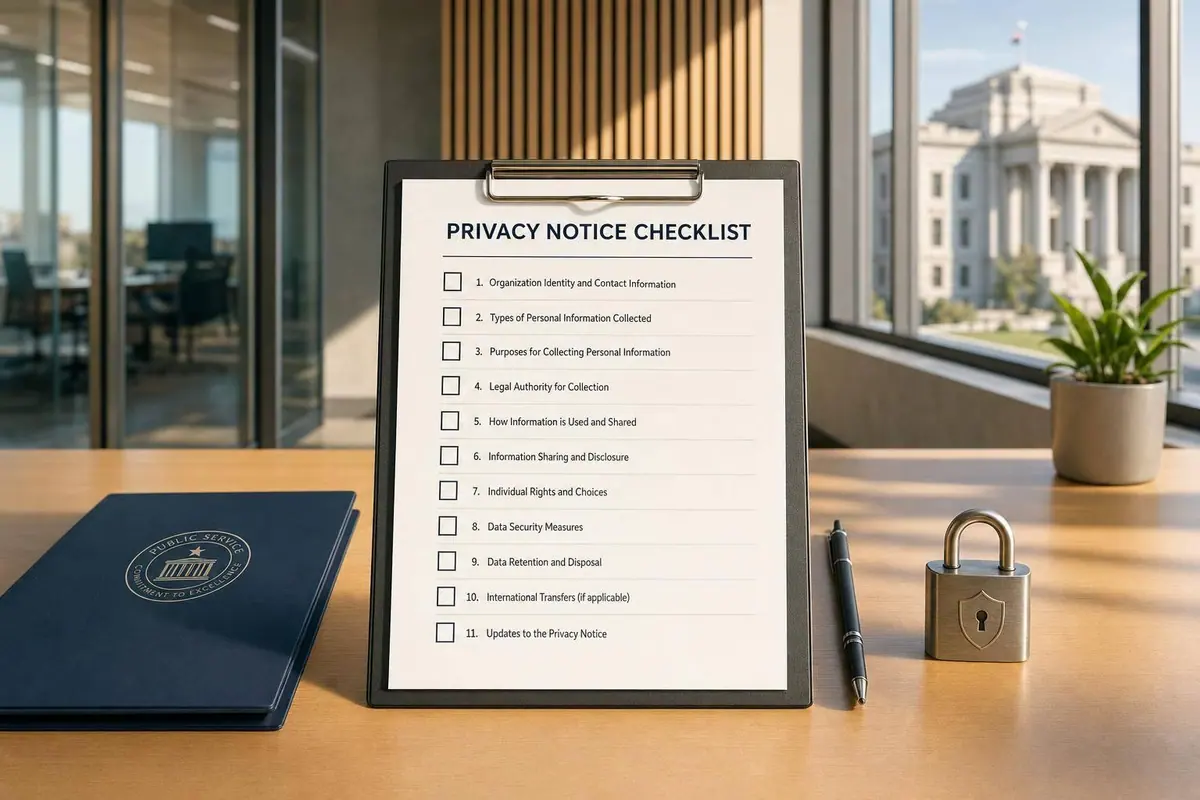
If a public sector form collects personal data, the privacy notice must appear at or before the moment of collection. A site-wide privacy policy by itself does not cover service request, intake, or contact forms.
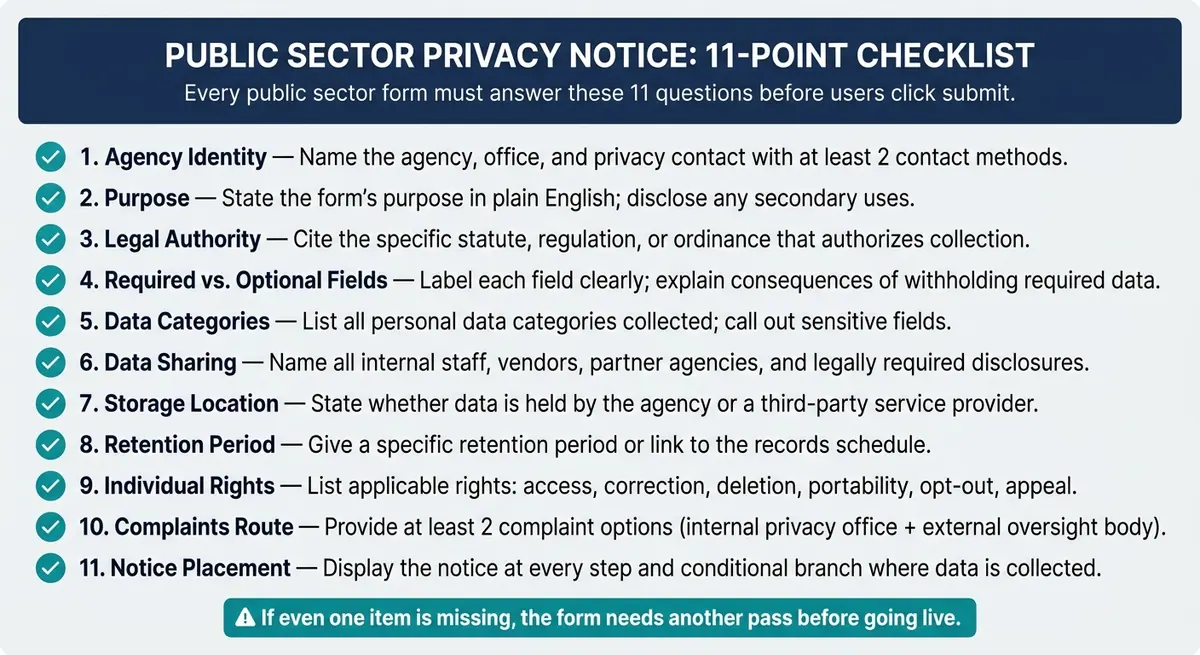
Here’s the short version of what I’d check before any form goes live:
- Who is collecting the data: name the agency, office, and privacy contact
- Why the data is collected: state the form’s purpose in plain English
- What law allows it: cite the statute, rule, or local code
- Which fields are required: mark required vs. optional fields and explain what happens if required data is missing
- What data the form asks for: list categories and call out sensitive fields
- Who gets the data: include staff, vendors, partner agencies, and legally required disclosures
- Where the data is stored: say whether it stays with the agency or a service provider
- How long it is kept: give a retention period or link to the records schedule
- What rights people have: access, correction, deletion, appeal, or other rights that apply
- How to complain: give internal and external complaint paths, with at least two contact options
- Where the notice appears: show it on every step and branch where data is entered
I’d also make sure the notice is easy to scan on mobile and that sensitive or optional fields have a short just-in-time note next to them. That matters because many public forms now use multi-step flows, and the notice can’t sit only on page one if data is collected later in the process.
A simple way to think about it: the notice should answer 11 basic questions before someone clicks submit. If even one is missing, the form needs another pass.
Public Sector Privacy Notice: 11-Point Checklist for Forms
What is a Privacy Notice? What does GDPR require you to include in Privacy Notice??
Checklist: Agency identity, purpose, and legal authority
Start by confirming who is collecting the data, why they’re collecting it, and what legal authority allows them to do so.
Name the agency, office, and privacy contact
Identify the agency, the office or program responsible for the form, and a privacy contact. Give at least two ways for people to get in touch, such as:
- Phone
- Online form
- Mailing address
Review those contact details on a regular basis, and update them any time the form changes.
State the purpose of the form in plain language
The notice should explain the main reason the agency is collecting the information in clear, plain language. If the data will be used for anything else, say that too.
Avoid vague wording like "to improve our services" on its own. People should be able to tell what will happen with their information without having to sort through legal jargon.
Cite legal authority and explain required fields
Cite the statute, regulation, or ordinance that authorizes the collection. Clearly label which fields are required and which are voluntary, and explain what happens if someone does not provide required information.
| Element | What to verify |
|---|---|
| Agency identity | Agency name, plus the specific office or program |
| Privacy contact | At least two contact methods, such as email, phone, online form, or mailing address |
| Purpose | Primary use stated plainly; any secondary uses disclosed |
| Legal authority | Specific statute, regulation, or ordinance cited |
| Required vs. voluntary | Fields labeled clearly; consequence of not providing required information explained |
Next, review what the form collects, who receives it, where it is stored, and how long it is kept.
Checklist: Data collected, sharing, storage, and retention
Review what the notice says about what the form collects, who gets it, where it’s stored, and how long it stays on file.
List data categories and sensitive fields
Name each personal-data category the form collects. If the form asks for sensitive data, call that out plainly and explain why it’s needed. Stick to what the form actually asks for. Don’t add categories that aren’t there.
Describe internal and external sharing
The notice should clearly say who gets the submitted data: internal staff, contractors, partner agencies, and any parties that may receive it through court orders or other legal process. It should also name disclosures required by public records laws or other legal process, and confirm there is clear legal authority for each disclosure that matches the original reason the data was collected.
| Data Category | Typical Internal Recipients | Typical External Recipients / Disclosures |
|---|---|---|
| Contact Details (Name, Address) | Program administrators, IT support staff | Service providers, contractors, partner agencies, public records requests (unless exempt) |
| Identifiers (SSN, Driver's License) | Eligibility caseworkers, audit teams | Federal agencies if legally required, law enforcement via court order, tax authorities |
| Health / Benefit Info | Case workers, healthcare coordinators | Partner agencies for service coordination, court orders |
| Financial Information | Finance and billing departments | State auditors, financial institutions, legal process for debt recovery |
After you confirm who gets the data, check where it’s stored and how long it remains on file.
Explain storage location, security, and retention period
Describe, in plain English, whether the data sits in agency-run systems or with a contractor or service provider. Then spell out the main safeguards in simple terms. For example, say who can access the data, whether access is limited by job role, and how the system protects stored records. State the retention period for each data category, or link to the records schedule that controls it. Avoid vague language on retention.
sbb-itb-5f36581
Checklist: Rights, complaints, and notice placement
After collection, make sure people know what they can ask for, how to file a complaint, and where they’ll see the notice.
Explain access, correction, and other applicable rights
List only the rights that apply to the program and jurisdiction. Keep it tied to the form itself.
That can include rights such as:
- Access
- Correction
- Deletion
- Portability
- Opt-out
- Appeal
- Any other right or limit that applies
Be plain about limits and exceptions too. If the program can’t work without certain data, say so directly. For example, explain that opting out may affect eligibility or service delivery.
If the form collects sensitive personal information, explain any limits on how that information may be used or shared.
Provide a clear internal and external complaints route
Once you’ve listed the rights, show people where to go if something goes wrong.
Give them at least two ways to raise a concern, such as a dedicated email address, a toll-free phone number, or an online form. At least one complaint option should not require account creation.
Also name:
- The internal privacy office
- The external oversight body for this program
State the complaint path and include any response deadline required by the law or policy that applies.
Place the notice at the point of collection
After rights and complaint routes are set, place the notice where users will see it before they submit data. This part matters. A notice works only if people can read it before personal data is collected.
For sensitive or optional fields, add a short just-in-time explanation right next to the field. Keep it brief, easy to scan, and mobile-friendly. A short summary with a link to the full notice usually works best.
Conclusion: A practical review process for form teams
Use the table below as your last pre-launch check for every public sector form notice. The goal is simple: make review part of the workflow so nothing gets skipped before a form goes live or gets updated.
Key points to verify before publishing or updating a form
| Element | What to verify |
|---|---|
| Agency identity | Correct agency name, office or program name, and a current privacy contact (email, phone, or mailing address) |
| Purpose | Plain-language statement specific to this form, free of legal jargon |
| Legal authority | Accurate, current citation tied to the form's function; required vs. optional fields clearly labeled |
| Data sharing | All internal and external recipients disclosed, including contractors and partner agencies |
| Storage & retention | Storage location, basic security practices, and retention period aligned with the records schedule |
| Rights | Clear explanation of how users can access, correct, or raise concerns about data use, with contact channels |
| Complaints route | Both internal and external complaint options described with practical instructions |
| Notice placement | Visible at the point of collection across all steps and conditional paths in the form flow |
Multi-step and conditional forms need the same notice on every branch where data is collected. That means the notice should appear at each data-collection step, not only on the landing page. Reform can show a reusable privacy notice block at those steps.
It also helps to assign one privacy lead, require sign-off before publication, and review notices once a year and after any policy, vendor, or retention change.
FAQs
Do all public-sector forms need a privacy notice?
Yes. Public-sector entities must tell people what personal information they’re collecting and how it will be used before, or at the time of, collection.
That kind of transparency matters for a few plain reasons. It helps people understand why their information is being collected and how it will be processed. It also supports lawful collection and helps public-sector bodies meet privacy and accountability duties.
What counts as a point-of-collection notice?
A point-of-collection notice tells people what personal information you collect and why you collect it. You need to show it before or at the time of collection.
For intake or service request forms, place the notice where people can easily see it before they submit any information. Keep it clear, easy to find, and written in plain language.
Who should approve a form’s privacy notice?
The sources do not name a specific person or department that must approve a form’s privacy notice.
In practice, organizations should have their legal or compliance teams review it. That review should confirm that the notice matches how the company actually handles data and that it meets transparency requirements.
It also helps to keep clear records of approvals and version history. If questions come up later, those records can help show compliance.
Related Blog Posts
Get new content delivered straight to your inbox

The Response
Updates on the Reform platform, insights on optimizing conversion rates, and tips to craft forms that convert.



Drive real results with form optimizations
Tested across hundreds of experiments, our strategies deliver a 215% lift in qualified leads for B2B and SaaS companies.
