
.webp)
Safeguards Rule Requirements for Lead Forms


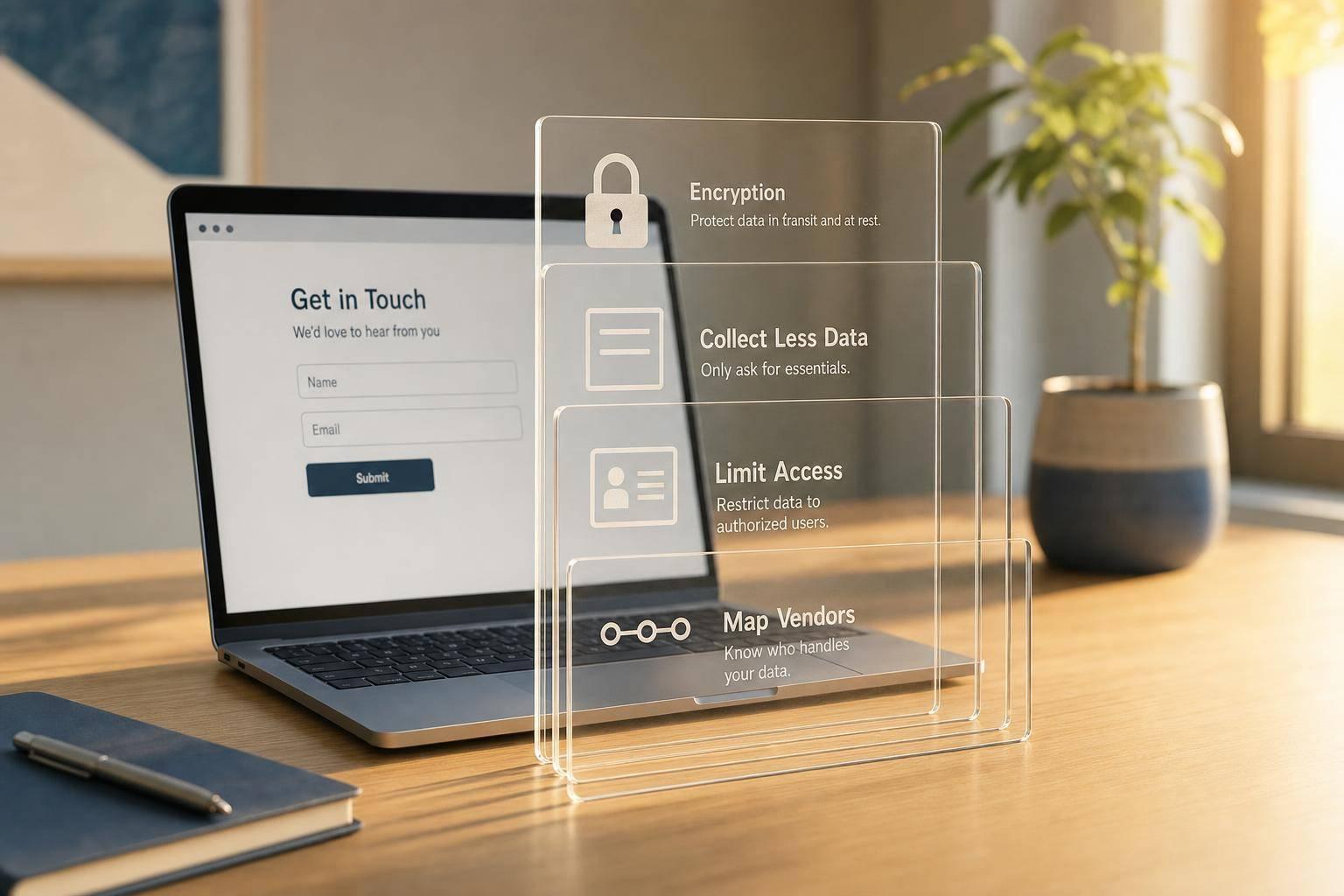
A lead form can trigger GLBA Safeguards Rule duties the moment it collects financial data. If I ask for a loan amount, credit tier, or other consumer details, I may pull my form, CRM, vendors, backups, and access controls into scope.
Here’s the short version:
- I should collect less data at the lead stage to prioritize quality
- I should keep SSNs, bank numbers, and login details out of marketing forms
- I should separate lead qualification from the formal application flow using multi-step form design
- I should encrypt submissions and storage
- I should limit access with MFA and logging
- I should track every system, sync, vendor, and backup that receives the data
- I should delete customer information within 2 years of last use unless law or business rules require more time
- I should be ready to report a security event to the FTC within 30 days if unencrypted customer data for 500+ consumers is acquired without permission
- Non-compliance can cost up to $11,000 per day, per occurrence
The big idea is simple: a lead form is not just a form. It is the start of a data flow. If I collect more than I need, send it to too many tools, or keep it too long, the risk grows fast.
So before launch, I’d check the fields, the routing, the storage, the access list, the vendors, and the deletion path - not just the form design.
GLBA Compliance FAQs: Requirements, Safeguards Rule, Audits, and Risk Assessments
sbb-itb-5f36581
Limit data collection to what the lead process actually needs
Data minimization is the fastest way to cut Safeguards Rule exposure. A lead form should qualify interest, not collect underwriting data. Keep application questions inside a secure, purpose-built workflow.
Review every field by purpose, necessity, sensitivity, destination, access, retention, and deletion
Before you launch any lead form that touches financial data, review every field and document the reason it exists. For each one, answer a few plain questions: Why do we need this? Who can see it? Where does it go? When do we delete it?
Each extra field increases what your CRM, automation tools, and storage systems need to protect. If you can't defend a field based on those questions, it doesn't belong on the form. Move it to a later step or remove it.
A field-by-field review log also gives teams a clear record they can use later when they audit, update, or explain why each data point is being collected.
Keep highly sensitive financial data out of general lead forms
Lead forms should qualify prospects. Applications should collect sensitive financial data. That means no Social Security numbers, full bank account numbers, or login credentials in a lead form. That kind of information belongs in a formal application portal with the right controls, not in a marketing workflow that may sync into a shared CRM.
A simple fix is to use ranges instead of exact figures. Dropdowns for financing ranges, company size, or estimated budgets can qualify a lead without pulling in more specific data. The same idea works for income and credit tier. NPI can include information a consumer provides to get a financial product or service.
Use ranges and stage-based prompts to keep the first form light. Here's a simple split between stages:
| Data Category | Lead Form Stage | Application/Onboarding Stage |
|---|---|---|
| Identity | Name, email, phone number | SSN, driver's license, passport |
| Financials | Estimated budget, income range | Bank statements, full account numbers |
| Qualification | Loan amount range, property value tier | Credit report, debt-to-income ratio |
| Security | Basic consent checkboxes | MFA setup, authentication credentials |
Use form design to collect less data upfront
Once you've picked the right fields, the next step is form design. The goal is simple: collect only what the first step needs.
Multi-step forms with conditional routing help by showing only the fields that match a person's earlier answers. So instead of dumping every question into one long form, you ask for the next piece of information only when it makes sense. That keeps the data footprint smaller by design. Using a multi-step lead gen template ensures you only ask for what is necessary at each stage.
Reform supports multi-step forms and conditional routing, which can help limit upfront data collection. But the tool doesn't create compliance on its own. Teams still need documented rules for fields, routing, retention, and deletion.
Secure submission, storage, and retention across the full data lifecycle
After you limit what the form collects, the next job is protecting lead data from the moment someone hits submit until the data is deleted. That includes the form tool, every place the data goes, how it’s stored, and how it’s removed.
Protect data in transit and at rest
Encrypt lead form submissions in transit and at rest. Use HTTPS on the form, and encrypt stored records and backups. If encryption isn’t feasible, a Qualified Individual must document compensating controls.
It also helps to check the less obvious places where data can leak. Audit webhook payloads, email alerts, and error logs for exposed sensitive values.
Control where submissions go after the form is sent
Where the submission ends up matters just as much as the form itself. Every destination adds another place you need to account for. If a CRM or database stores both regulated customer information and general leads, the entire system falls under the Safeguards Rule.
That’s why your inventory can’t stop at the form platform. Add every downstream system, integration, and backup to the inventory, retention, and deletion plan.
Set retention and secure disposal rules
Retention rules need to cover every copy, not just the main form record. Lead forms often create duplicates across CRM systems, automation tools, inboxes, and backups. If one copy sticks around after the rest are gone, you still have a problem.
Customer information must be securely deleted within two years of its last use, unless there is a legitimate business or legal reason to keep it longer.
Deleting a form or CRM record doesn’t remove synced copies or backups. Document separate deletion workflows and backup-expiration workflows.
Secure deletion means the data can’t be reconstructed, using cryptographic erasure or another secure method.
Access controls, vendor oversight, and incident response
After retention rules, the next set of controls covers access, vendors, and incident response. Once collection and storage are under control, the next step is simple: tighten who can get in, check who touches the data, and know what happens if something breaks.
Apply least-privilege permissions and multifactor authentication
Keep access to lead data limited to people with a legitimate business need across every system that stores it. That means applying least-privilege access everywhere, not just in your CRM.
MFA is mandatory for any person who accesses customer information. It must use two of these three factors: knowledge, possession, or inherence. Put plainly, a password alone isn't enough.
The Safeguards Rule also requires logging authorized user activity and monitoring systems for unauthorized access. In practice, that means you should be able to see who accessed what, when they did it, and whether anything looks off. Access rights also need regular review, and permissions should be removed as soon as someone changes roles or leaves the team.
Review form, CRM, and integration vendors under contract
Every vendor that receives lead data becomes part of your compliance picture. A form tool with the right features, CRM, call tracking platform, or integration partner can all create risk if their controls are weak.
Vet each vendor, require safeguards in the contract, and review them again on a regular basis. Even a vendor you trust can have a bad day. That's why it helps to treat vendor risk like a shared problem, not someone else's problem.
Prepare for escalation and FTC notification events
If a vendor or internal user triggers an incident, escalation needs to happen right away. Staff should be trained to flag possible incidents fast so the security owner can respond immediately.
If unauthorized acquisition of unencrypted customer information affects 500 or more consumers, the event must be reported to the FTC as soon as possible and within 30 days of discovery. And "discovery" starts the moment any employee, officer, or agent learns about the event. That clock starts earlier than many teams expect.
If a report is needed, include:
- The institution name
- The types of information involved
- The date range
- The number of consumers affected
- The event description
- Law enforcement status
The penalty for non-compliance can be steep: fines of up to $11,000 per day for each rule breach occurrence.
Implementation checklist for SaaS teams
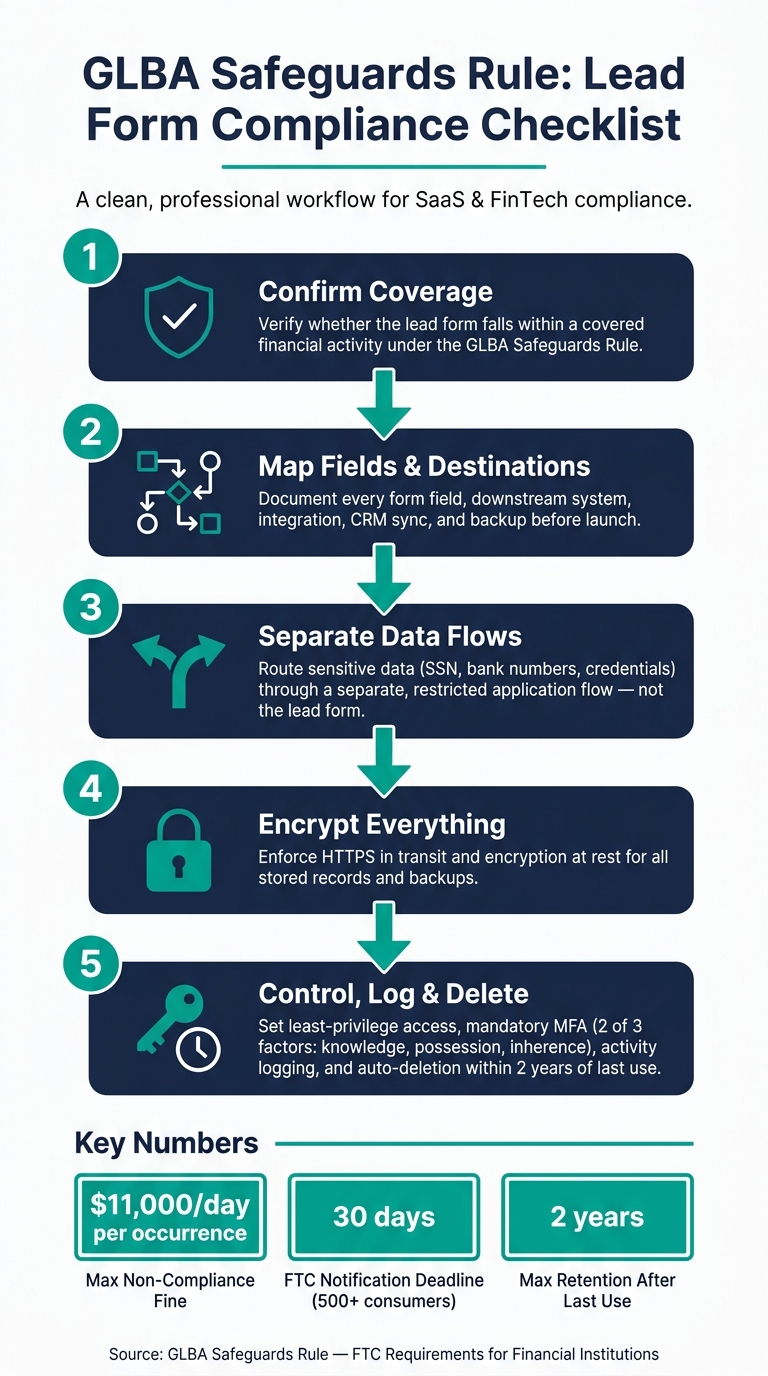
GLBA Safeguards Rule Compliance Workflow for Lead Forms
A step-by-step workflow from form design to ongoing review
Use this checklist to turn the controls above into a launch process.
-
Confirm coverage
Check whether the lead form falls within a covered financial activity. -
Map every field and destination
Document every field, destination, and integration before launch. -
Separate qualification from sensitive collection
Send sensitive data through a separate, restricted flow. -
Configure encrypted submission and storage
Encrypt submission and storage paths in transit and at rest. -
Apply access controls, logging, and retention rules
Set role-based access, MFA, logging, periodic access reviews, deletion within two years of last use, and scheduled testing.
Responsibility matrix for key Safeguards Rule controls
Assign each control before the form goes live.
| Control Area | Responsible Team | Required Control | Verification Evidence |
|---|---|---|---|
| Data Minimization | Marketing / Product | Field audit; remove non-essential NPI | Updated form schema; field audit log |
| Encryption | Engineering / Security | In-transit and at-rest encryption | TLS certificates; database encryption settings |
| Access Control | IT / Security | Least-privilege access; MFA | Access logs; MFA configuration report |
| Vendor Oversight | Legal / Procurement | Vendor contract review | Signed addendums; SOC 2 reports |
| Retention | Operations / Legal | Auto-deletion within two years of last use | Data retention policy; deletion logs |
| Incident Response | Security / Legal | Written IR plan; FTC notification process | IR plan document; tabletop exercise logs |
| Testing | Security | Annual pen test; 6-month vulnerability scans | Penetration test reports; vulnerability scan results |
Conclusion: Collect less, route data deliberately, and review often
Treat Safeguards Rule compliance as a review cycle, not a one-time setup.
That means collecting only the data the lead workflow actually needs, encrypting it at every stage, limiting who can view it, checking vendors and integrations, logging activity, and having a clear plan for incidents. Build that habit early, and lead forms, destinations, and integrations become part of a regular check instead of a last-minute rush.
FAQs
When does a lead form fall under the Safeguards Rule?
A lead form falls under the Safeguards Rule when a financial institution uses it to collect customer information.
That means the rule applies when the form gathers nonpublic personal information about a customer, not just a general sales lead.
Here’s the key point: if one system stores both customer information and general leads, the whole system must be protected.
What data should stay off a lead form?
To comply with the FTC Safeguards Rule, collect only the nonpublic personal information (NPI) you need for a clear business purpose.
That means leaving out sensitive data that isn’t needed for the transaction. This includes extra identifiers and proprietary trade secrets.
It also means avoiding competitively sensitive details, like internal costs, sales statistics, and manufacturing processes.
If you use Reform, check your hidden fields and notifications. You want to make sure sensitive data isn’t exposed or shared with unauthorized third parties or the wrong internal channels.
How do I map where lead data goes?
Document every system, platform, and tool that receives, processes, stores, or transmits lead data. That includes form builders, CRMs, webhooks, email sequencers, backup systems, error logs, and Slack.
Then submit test leads and inspect the browser network panel for any third-party calls you didn’t expect. Follow each field from start to finish, especially when the form uses conditional routing, multi-step logic, or hidden fields. Keep your list of systems current, and update who has access as people, roles, or vendors change.
Related Blog Posts
Get new content delivered straight to your inbox

The Response
Updates on the Reform platform, insights on optimizing conversion rates, and tips to craft forms that convert.



Drive real results with form optimizations
Tested across hundreds of experiments, our strategies deliver a 215% lift in qualified leads for B2B and SaaS companies.
