
.webp)
2026 Integration Platforms: Cost Comparison


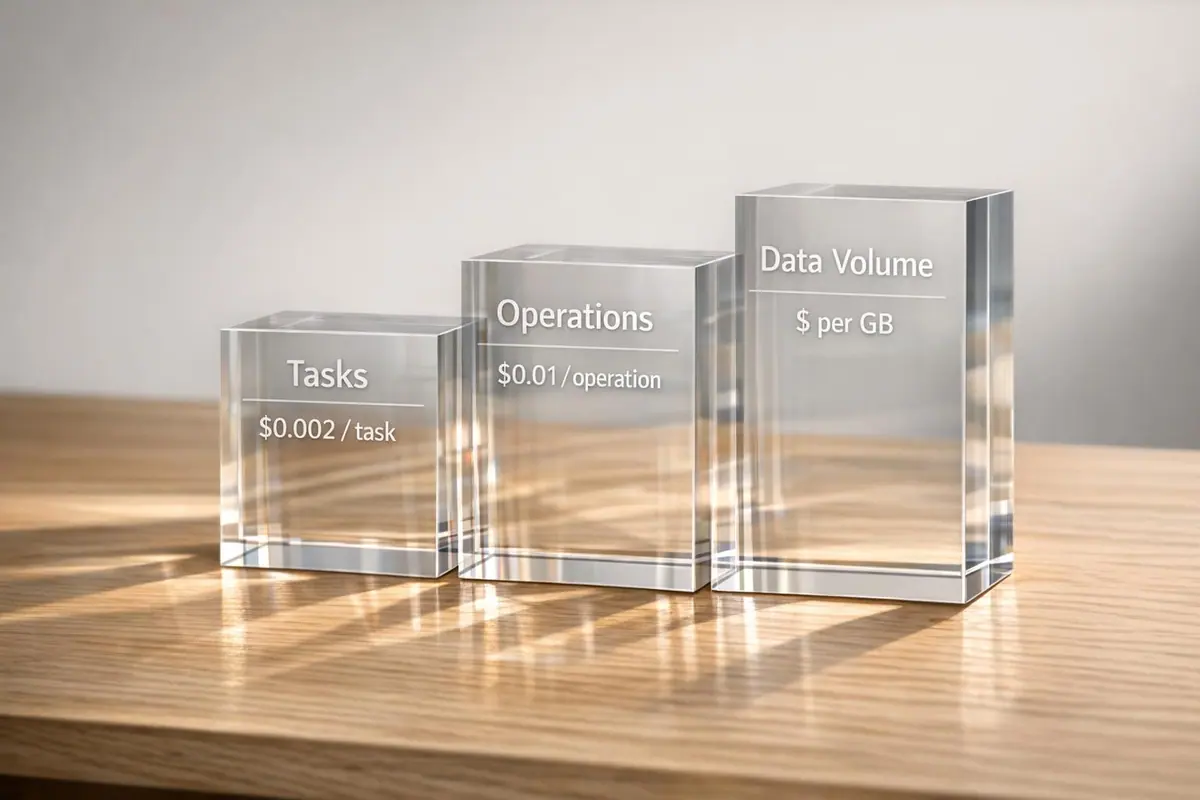
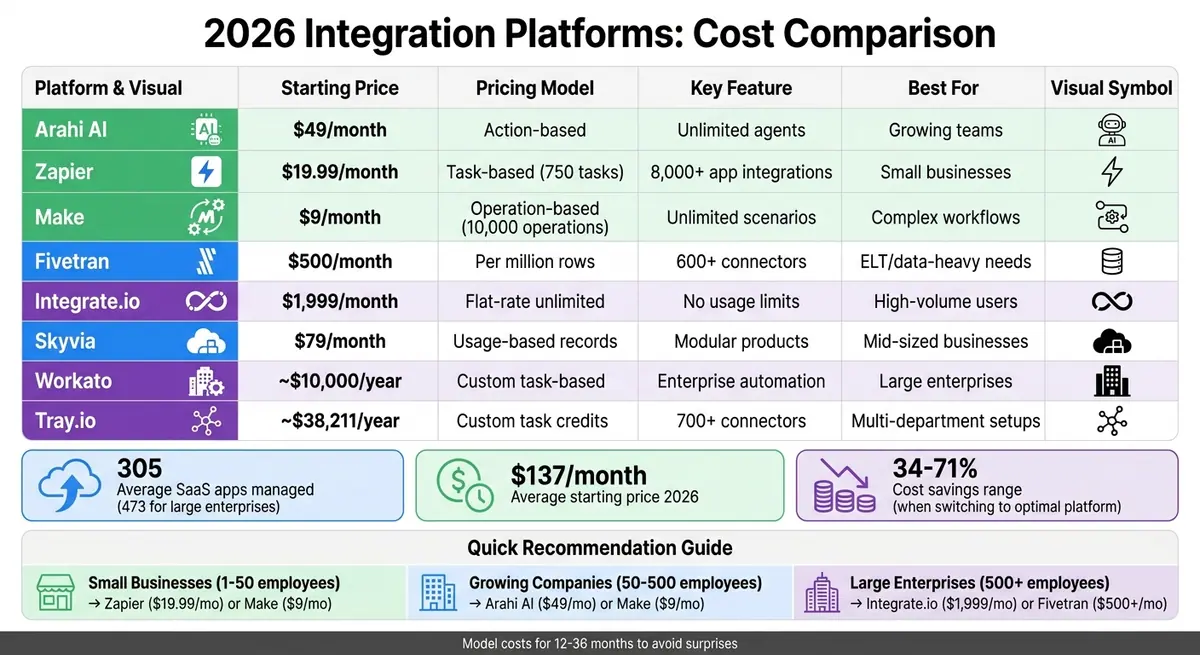
Choosing the right integration platform in 2026 can significantly impact your budget and efficiency. Businesses manage an average of 305 SaaS apps, with larger enterprises handling 473 apps, making seamless integration essential. Costs vary widely across platforms, with pricing models based on tasks, operations, or data volume. Here's a quick breakdown:
- Arahi AI: Starts at $49/month with action-based pricing and unlimited agents. Scales predictably for growing teams.
- Zapier: From $19.99/month for 750 tasks. Costs rise sharply with task volume.
- Make: Starts at $9/month for 10,000 operations. Affordable for complex workflows.
- Fivetran: Data-volume-based pricing starting at $500/month per million rows. Ideal for ELT needs.
- Integrate.io: Flat fee of $1,999/month for unlimited data pipelines. Best for high-volume users.
- Skyvia: Usage-based plans starting at $79/month, with overage fees for high record volumes.
- Workato: Custom pricing starting around $10,000/year, with task-based scaling.
- Tray.io: Custom pricing with starter plans around $38,211/year. Costs depend on task usage.
Key Takeaways:
- Small businesses: Zapier or Make offers low-cost entry points.
- Growing companies: Arahi AI and Make balance affordability and scalability.
- Large enterprises: Integrate.io's flat-rate model avoids unpredictable costs, while Fivetran suits data-heavy needs.
Quick Tip: Model costs for 12–36 months to avoid surprises as your needs grow.
2026 Integration Platform Pricing Comparison: 8 Leading Solutions
1. Arahi AI
Pricing Model
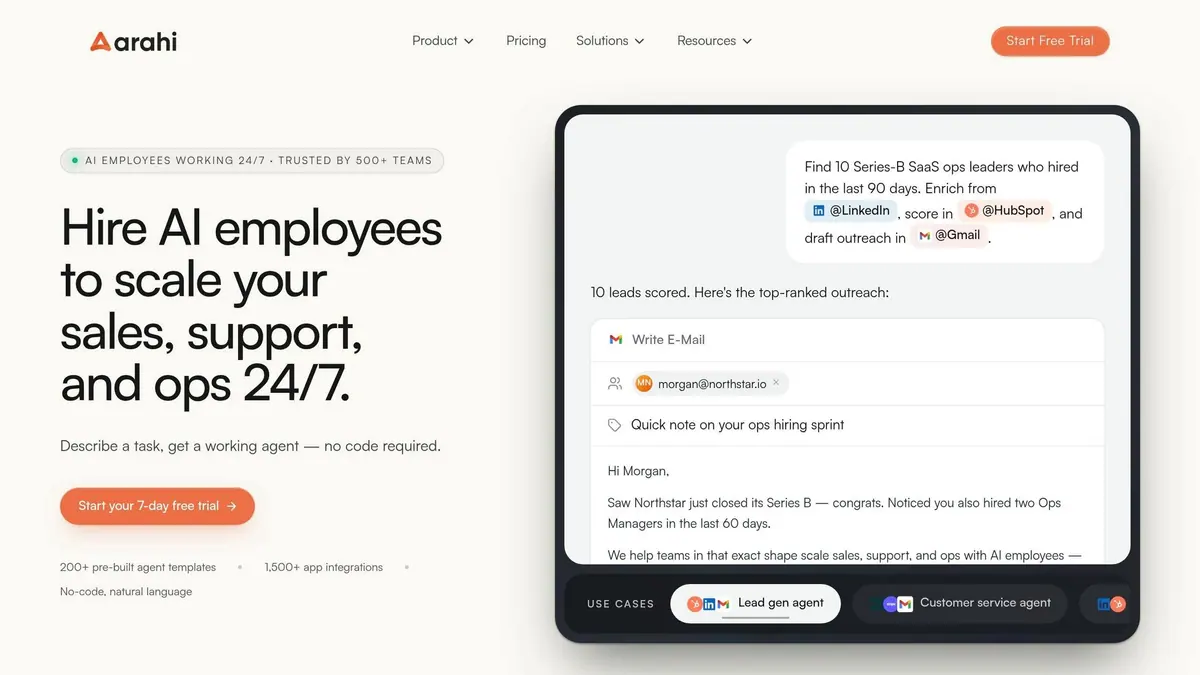
Arahi AI uses an agent-first, action-based billing model, charging per individual AI action. In addition, it offers prepaid Vendor Credits for third-party AI model access - like GPT-4o, Claude, and Gemini - at exact API costs, without any markup. Every plan includes unlimited agents, allowing you to deploy as many AI teammates as needed without increasing your base subscription fee.
This setup ensures predictable expenses, avoiding the fluctuating costs often associated with traditional per-task pricing. Arahi AI supports over 1,500 native integrations and is built to handle autonomous workflows, enabling AI agents to reason and act independently.
Starter Cost
The Starter Plan costs $49 per month, or around $41 per month with annual billing (a savings of roughly 16%). It includes 1,000 actions per month, 5,000 credits, and supports 2 users, making it ideal for solo entrepreneurs and small teams.
Chris Bray, Founder of BigMediaAI, shared how Arahi AI saved him 4 hours of daily manual lead sorting. His Arahi agent now qualifies leads, updates the CRM, and routes prospects automatically - tripling the number of qualified leads per week.
Mid-Volume Cost
The Growth Plan is priced at $149 per month (or $124 per month when billed annually). It offers 2,500 actions per month, 16,000 credits, and supports up to 10 users. This plan also includes premium app access (e.g., Salesforce, HubSpot) and priority support, catering to growing businesses.
Ranjeet Singh, Customer Success Lead at Bidanno, implemented an Arahi AI agent to manage tier-1 support queries. His team saw response times drop by 60%, going from hours to just seconds.
Enterprise Cost
For larger organizations with more than 50 users, Arahi AI provides custom Enterprise pricing. This includes volume-based actions and credits, dedicated support, and tailored solutions. By April 2026, Arahi AI had automated over 1 million tasks for more than 500 teams, earning an average user rating of 4.9 out of 5.
Scalability
Arahi AI's managed cloud infrastructure ensures seamless scaling as automation needs grow - no additional DevOps resources required. The Pro Plan, priced at $349 per month (or $291 per month annually), includes 6,000 actions per month, 32,000 credits, and supports up to 50 users. It also features multi-workspace capabilities, making it a great option for larger teams transitioning to enterprise-level operations. Companies leveraging Arahi AI's workflows report that response times are, on average, 37% faster.
Next, we’ll dive into Zapier’s pricing structure for a side-by-side comparison.
sbb-itb-5f36581
Zapier vs Make: key differences and pricing explained (+ test automations)
2. Zapier
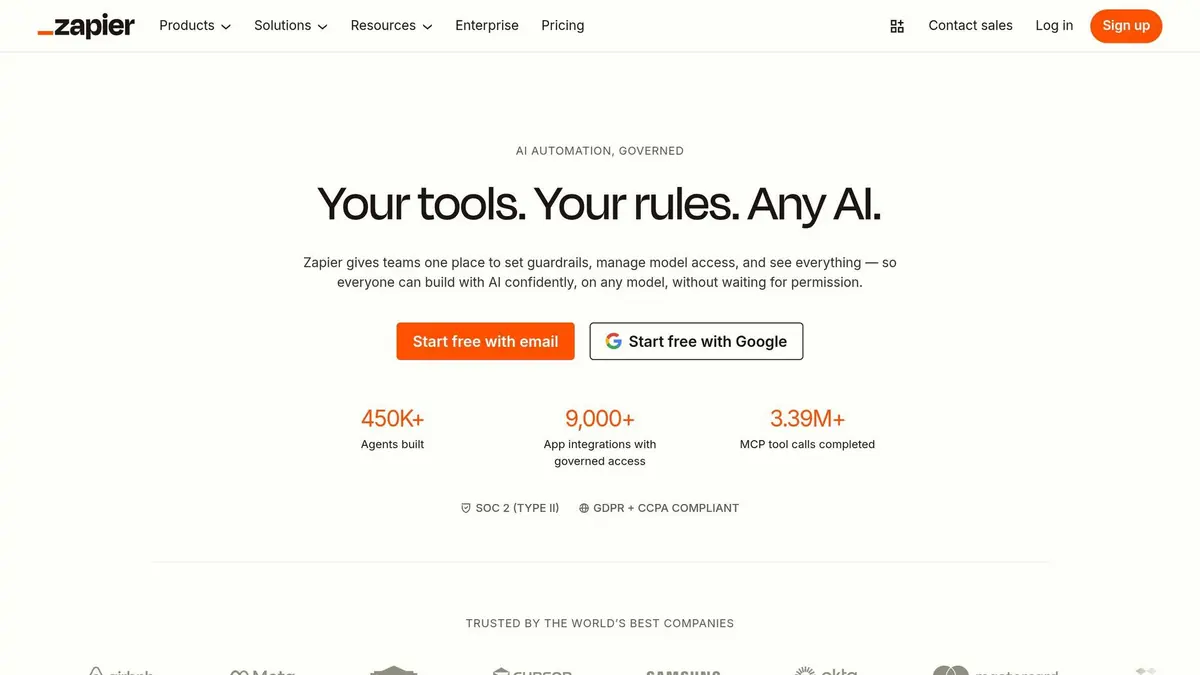
Zapier takes a task-focused approach to pricing, making it stand out with its flexible structure tailored to varying workflow needs.
Pricing Model
Zapier's pricing is based on tasks - each successful workflow action counts as one task. However, certain elements like Triggers, Filters, Formatters, and Paths are excluded from this count, allowing users to design complex workflows without worrying about extra charges.
In 2026, Zapier introduced a unified subscription model, bundling Zaps, Tables (for data storage), Forms, and its AI-driven action layer, Zapier MCP, into all plans. With support for over 8,000 app integrations, the platform also includes an AI-powered "Copilot" to assist users in building and troubleshooting workflows.
Starter Cost
Zapier's Professional Plan starts at $19.99 per month (billed annually) or $29.99 per month (billed monthly). It includes 750 tasks per month and features such as multi-step Zaps, premium integrations like Salesforce and HubSpot, webhooks, and AI tools.
In 2025, Premiere Property Group used Zapier Forms and Tables to automate onboarding and marketing automation workflows for over 1,300 agents, saving $115,000 annually.
Mid-Volume Cost
The Team Plan, designed for growing teams, costs $69.00 per month with annual billing or $103.50 per month with monthly billing. It offers 2,000+ tasks per month, supports up to 25 users, and includes features like shared Zaps and folders, SAML SSO, and Premier Support.
In 2025, Remote's IT team used Zapier's AI features to automate help desk workflows, saving over 600 hours monthly and avoiding $500,000 in additional staffing costs.
Enterprise Cost
For large-scale needs, Zapier's Enterprise Plan offers custom pricing, starting around $799 per month and scaling up to $5,999 per month. This tier supports up to 2 million tasks monthly, provides unlimited user access, advanced admin controls, annual task limits, and dedicated technical account management.
In 2025, Vendasta used Zapier to integrate Apollo and ChatGPT, automating lead enrichment and CRM updates. This saved the sales team 20 hours daily and recovered $1 million in lost revenue.
Scalability
Zapier's task-based model adapts to growth. If you exceed your task limit, additional tasks are charged at 1.25× the base rate to ensure workflows continue uninterrupted. Enterprise users benefit from annual task budgeting, which allows for better planning during peak usage periods.
"The task model that makes Zapier accessible at small scale is the same thing that makes it expensive at large scale."
– Patrick Gibbs, AI Automation Expert, Epiphany Dynamics
To manage costs effectively, consider placing Filter steps early in your workflows to minimize unnecessary actions. Keep in mind that a multi-step Zap with one trigger and three actions uses three tasks per execution, so monitoring task usage is key.
3. Make
Make operates on a credit-based system, charging one credit for every operation - this includes triggers, filters, routers, and actions. Unlike Zapier, which focuses on tasks, Make counts each step in a workflow. For instance, a five-step process will consume five credits each time it runs. On the plus side, Make allows unlimited active workflows, or "scenarios", across all its paid plans, giving users the freedom to create as many automations as they need.
Pricing Model
Make offers five pricing tiers: Free (for testing), Core (for individuals), Pro (for higher demands), Teams (for collaborative work), and Enterprise (for large-scale needs). With over 3,000 standard app integrations and 350+ AI-specific connections available in all plans, Make provides flexibility for various use cases. Paid plans also allow unused credits to roll over for one month, which is particularly helpful for businesses with fluctuating workloads. This structure makes Make an appealing choice for companies looking to manage costs while scaling operations.
"Make Core at $9/month gives you 10,000 operations plus full multi-step scenarios... roughly 4-5x cheaper than Zapier at any serious volume."
– Arthur Jacquemin, Founder & Lead Analyst, CompareTiers
Here’s a closer look at the pricing tiers and what they offer:
Starter Cost
The Core Plan begins at $9.00 per month (billed annually) or $10.59 per month (billed monthly). It includes 10,000 operations per month, unlimited active scenarios, one-minute execution intervals, and access to the Make API. This starting price is 52% below the category average of $21.00 per month for AI automation tools. However, the Free tier, with its 1,000-credit limit, is quickly exhausted - an email-checking scenario running every five minutes (288 checks daily) would use up all credits in just three days.
Mid-Volume Cost
For users needing more, the Pro Plan is priced at $16.00 per month with annual billing or $18.82 per month billed monthly. It offers the same 10,000 operations but adds features like priority execution, custom variables, and full-text log search. The Teams Plan, designed for group use, costs $29.00 per month annually or $34.12 monthly. It includes team roles, shared templates, and high-priority support. If additional credits are needed, you can purchase 10,000-credit bundles for about $9.00 each.
Enterprise Cost
For businesses with large-scale needs, Make’s Enterprise tier provides custom pricing. This plan includes tailored credit allocations, 24/7 priority support, SSO (SAML), audit logs, and overage protection. The median annual contract for Enterprise users is around $500.00, but costs can rise significantly depending on usage. For example, a marketing team running 450,000 operations monthly would pay roughly $405.00 per month with Make - far less than the $999.00 per month they'd spend with Zapier.
Scalability
Make supports scaling from 10,000 operations to over 8 million per month, thanks to add-on credit packs. However, the credit-based system requires careful planning. Using webhooks instead of polling can help conserve credits, as every module execution - whether successful or not - consumes a credit. Testing and failed attempts also use credits, so it’s wise to budget an additional 5–15% for operational overhead.
"Make's pricing model may discourage complex workflows, since you'd probably choose to poll the API every hour to save credits."
– Nicole Replogle, Staff Writer, Zapier
4. Fivetran
Fivetran takes a distinctive approach to pricing by focusing on data volume rather than tasks or operations. This model is well-suited for businesses that rely on syncing large amounts of data efficiently.
Instead of charging per workflow or step, Fivetran uses a Monthly Active Rows (MAR) system. This means you’re billed based on the number of unique primary keys synced from your sources to destinations each month. A row is only counted once per month, even if it’s updated multiple times. However, starting January 1, 2026, inserts, updates, and deletions all contribute to your MAR total. Each connection syncing between 1 and 1 million MAR comes with a $5.00 minimum monthly charge.
Pricing Model
Fivetran offers four pricing tiers: Free, Standard, Enterprise, and Business Critical. Each connection follows a declining cost curve. This setup works well for businesses with a few high-volume data sources. However, it can become costly for companies using multiple low-volume connectors. A 2025 billing update removed account-level discounts, leading to price increases of 40–70% for some multi-connector setups. Additionally, data transformations are billed separately under the Monthly Model Runs (MMR) system, with the first 5,000 successful runs included for free each month.
"Fivetran's MAR metric can be hard to predict."
– Integrate.io
Starter Cost
The Free plan includes 500,000 MAR for connections, 3,500 MAR for activations, and 5,000 transformation runs per month - all at no cost. While this is ideal for testing or very light use, most production teams outgrow it quickly. The Standard plan, aimed at cross-departmental analytics, starts at $500.00 per million MAR and requires an annual commitment ranging from $20,000.00 to $50,000.00. This tier includes features like 15-minute sync intervals, SSH tunnels, and access to over 600 pre-built connectors.
Mid-Volume Cost
For mid-sized businesses syncing 5–12 connections with 250,000 MAR each, monthly costs typically range from $4,000.00 to $8,000.00. Companies requiring faster syncs or enterprise database connectors like Oracle or SAP will need to upgrade to the Enterprise tier. This tier costs between $800.00 and $1,200.00 per million MAR and requires an annual commitment of $75,000.00 to $150,000.00. It also adds features such as 1-minute sync intervals, 24/7 priority support, and advanced governance controls. For transformations exceeding 5,000 runs, additional costs apply based on volume.
Enterprise Cost
Large organizations with 40+ connections and significant data volumes often spend $10,000.00 to $50,000.00 or more per month. The median annual contract is approximately $45,203.00, though some contracts exceed $250,000.00 depending on the scale. For industries with strict compliance requirements, the Business Critical tier provides PCI DSS Level 1 compliance, customer-managed encryption keys, and private networking. This tier starts at over $200,000.00 annually. To stabilize budgets and manage consumption spikes, many enterprise customers negotiate fixed-price ELAs.
Scalability
Fivetran’s infrastructure is designed to handle scaling needs, from 500,000 MAR on the Free plan to tens of millions of rows monthly. Unit costs decrease as individual connections grow. However, the cost structure can make adding numerous moderate-volume sources pricier than consolidating into fewer high-volume ones. Activating "History Mode", which tracks every change to a row, can significantly increase MAR counts since each update is treated as a new active row. Discounts for annual contracts start at 5% and can exceed 22% for larger commitments, with a minimum spend of $12,000.00. Companies processing 10 million rows per month can expect annual costs between $48,000.00 and $72,000.00.
Next, we’ll look at how Integrate.io’s pricing compares to Fivetran’s data-volume-based approach.
5. Integrate.io
Integrate.io offers a standout pricing model with its fixed-fee, unlimited usage structure, removing the unpredictability often associated with billing models based on data volume or task count. Instead of charging per row or task, Integrate.io provides a flat monthly rate, making it easier for businesses to plan their budgets regardless of the complexity or scale of their data pipelines.
Pricing Model
The Core plan is straightforward: $1,999 per month for unlimited data volumes, pipelines, and connectors. This pricing includes a 60-second pipeline frequency for Change Data Capture (CDC) - a feature that competitors often reserve for their enterprise-level plans. Additionally, robust security features like HIPAA compliance and SOC 2 certification are standard across all tiers.
"Our Unlimited plan is designed to handle high-volume, high-frequency workloads. No row limits, no pipeline caps, no surprise charges."
– Integrate.io
Starter Cost
Whether you're a startup processing 1 million rows or a mid-sized business handling larger loads, the flat rate remains $1,999 per month. The Core plan also includes a 30-day white-glove onboarding experience led by a dedicated Solutions Engineer. To help businesses get started, Integrate.io offers a 14-day free trial and pilot program, giving users the chance to test the platform risk-free.
Mid-Volume Cost
For companies scaling their operations, Integrate.io's flat-rate model prevents costs from spiraling as usage increases. For example, Fresno Pacific University switched from a legacy ETL provider to Integrate.io in May 2023 and cut costs by nearly 50% without sacrificing performance, according to Jeff Jones, their Director of IT. Businesses processing 25 million rows each month typically pay $23,988 annually with Integrate.io, compared to $90,000–$150,000 on consumption-based platforms - a savings of 73–84%.
Enterprise Cost
The Core plan covers the needs of 90% of customers, including those with demanding, high-volume workloads. For the remaining 10% handling massive data volumes, Integrate.io offers custom enterprise pricing. This tier includes advanced features like GPU support for AI/ML workloads, enhanced identity controls, and tailored support. Additionally, Integrate.io provides a contract buyout program for businesses transitioning from other platforms.
Scalability
The more data you process, the more cost-effective Integrate.io becomes. For instance, a company processing 50 million rows monthly can save between 87% and 92% compared to consumption-based pricing models. Integrate.io's pass-through architecture, which avoids storing customer data, also simplifies compliance with standards like SOC 2, GDPR, and HIPAA. On average, customers report savings of 34% to 71% after switching to Integrate.io.
To further enhance its value, the platform includes a free Data Observability tier with three permanent alerts to monitor data quality issues such as null values or row count discrepancies. This fixed pricing structure not only simplifies financial planning but also highlights the broader benefits and potential trade-offs of different platforms.
6. Skyvia
Skyvia takes a modular approach to pricing, allowing users to purchase its six product modules - Data Integration, Automation, Backup, Query, Connect, and Looker Studio Connector - individually, rather than bundling them together.
Pricing Model
Skyvia's pricing is based on usage, with volume-based tiers determined by factors like processed records, storage, or task counts. For example, the Data Integration module adjusts features and sync frequency depending on the plan while offering a monthly record allowance. Customers opting for annual billing receive a 20% discount on all paid tiers. The platform processes about 10 billion records monthly and manages 20 TB of backed-up data for over 2,000 customers across 120 countries. It boasts a 96% user satisfaction score and ranks #16 in the Data Integration Tools category. This usage-based model differs from the flat-rate pricing common with other platforms, making it worth examining in detail.
Starter Cost
Skyvia's Basic plan is priced at $79 per month (with annual billing) and includes configurable record volumes and daily sync frequency. This rate is far more accessible than Integrate.io's $1,999 monthly flat fee, making Skyvia an appealing option for small businesses that qualify leads effectively to manage costs. A Free tier is also available, offering 10,000 records per month and daily scheduling. For those on paid plans, optional overage records are charged between $0.02 and $0.06 per 1,000 records, but users can manage the "Paid Records" toggle in their account settings to avoid unexpected costs. Importantly, Skyvia only bills for successfully processed records (created, updated, or deleted), excluding failed or canceled attempts.
Mid-Volume Cost
The Standard plan costs $159 per month (billed annually) and increases sync frequency to hourly while expanding the number of scheduled integrations from 5 to 50. The Professional plan, priced at $399 per month, offers minute-by-minute sync and unlimited scheduling.
"Skyvia's entry-level pricing looks attractive on paper, but the real cost depends on your data volumes, sync frequency needs, and growth trajectory."
– Donal Tobin, Integrate.io
Enterprise Cost
For large-scale operations, Skyvia provides an Enterprise tier with custom pricing tailored to organizations processing over 30 billion records monthly. While mid-volume plans handle up to 200 million records, the Enterprise plan includes advanced features like custom security and compliance options (e.g., HIPAA) and enhanced performance. Hosted on Microsoft Azure, Skyvia meets standards such as SOC 2, GDPR, and HIPAA.
Scalability
Skyvia's pricing grows alongside data volumes, which can be both a benefit and a challenge. Many organizations see annual record volume increases of 20% to 40%, potentially leading to higher costs over time. For instance, at 100 million records, overage fees alone can reach approximately $2,000 per month, which could diminish the platform's initial affordability.
"The volume-based overage model is the biggest concern... at 100 million records, overage alone hits $2,000/month, and the 'affordable' pricing advantage over enterprise platforms evaporates."
– Donal Tobin, Integrate.io
Skyvia offers a maximum polling interval of one minute but lacks real-time Change Data Capture (CDC) capabilities, a feature some competitors reserve for their enterprise tiers. Despite this, users often commend its "exceptional ease of use" and "responsive customer support", which has earned a 4.8/5 rating on Capterra. However, common complaints include "vague error messages" and the risk of "unpredictable cost spikes" as data volumes grow. This modular pricing structure offers both flexibility and potential challenges when compared to other platforms.
7. Workato
Workato follows a custom, sales-led pricing approach, meaning there’s no publicly available price list or free tier. Pricing is tailored to your organization’s specific automation needs, scale, and required features. Let’s break down what you can expect from Workato’s pricing structure.
Pricing Model
Workato’s pricing includes two key components: a Platform Edition Fee (Standard, Business, Enterprise, or Workato One) and a Usage Fee based on consumption. Usage is measured in "tasks" or "Business actions", which are defined as successful actions completed within a workflow. The platform only charges for successful tasks, unlike some competitors that bill based on data volume or records processed.
Starter Cost
For smaller teams (50 to 200 employees), the Standard edition provides an entry point into Workato’s pricing model. Annual costs for this tier typically fall between $10,000 and $25,000. However, implementation can add a one-time fee ranging from $10,000 to $50,000 for professional services. If your organization uses premium connectors for platforms like SAP or Oracle, be sure to confirm whether these incur additional charges.
Mid-Volume Cost
For mid-sized companies (500 to 2,000 employees), the Business edition usually costs between $50,000 and $130,000 annually. Negotiation plays a big role here - market data shows discounts of 35% to 67% for multi-year contracts or high-volume commitments. This flexibility can significantly reduce the overall cost.
Enterprise Cost
Larger organizations with 2,000 or more employees typically pay between $120,000 and $300,000+ annually for the Enterprise edition. Workato One, which caters to more extensive deployments, ranges from $50,000 to over $300,000, depending on the scope. For instance, a global manufacturer reported a 68% reduction in three-year total cost of ownership after switching from MuleSoft to Workato, cutting costs from $3.1 million to $1.0 million. Workato also delivers a verified 283% ROI over three years, with payback achieved in under six months.
Additional costs to consider include:
- Professional services: $150 to $250 per hour
- Premium 24/7 support: $10,000 to $70,000 annually
- Certification exams: $300 each
Scalability
For organizations with high automation needs, Workato offers "High-Volume Recipe" (HVR) tiers. These tiers are activated when annual tasks exceed 4 million and are divided as follows:
- Tier 1: 4 to 15 million tasks per year
- Tier 2: 15 to 30 million tasks per year
- Tier 3: 30 million+ tasks per year
Unlike platforms that automatically apply overage charges, Workato requires you to negotiate with a Customer Success Manager when task limits are reached. Failure to address this upfront could result in service degradation. On the bright side, Workato boasts much faster implementation timelines - 2 to 8 weeks, compared to the 10 to 20 weeks typical of competitors.
"We have over 300 automations running between 105,000 to 120,000 jobs a month...we save about 6,500 human hours a month. That is efficiency for you." – Stanley Toh, Head of Enterprise Services & Experience
8. Tray.io
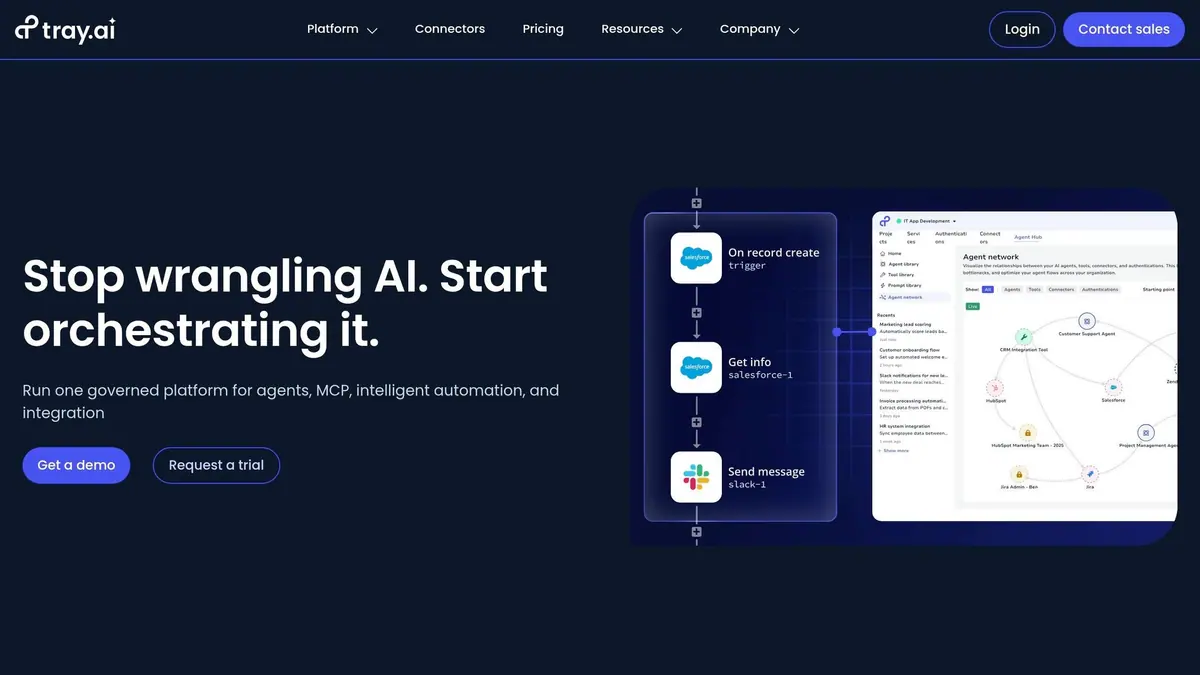
Tray.ai (formerly Tray.io) stands out with its sales-led pricing model, offering a flexible approach to meet diverse needs. Pricing details aren’t publicly available; instead, costs are determined by a base subscription fee, usage-based metrics (measured in "tasks"), and optional add-ons like AI features and enhanced security. To get a personalized quote, you'll need to contact their sales team.
Pricing Model
Tray.ai offers three main tiers: Pro, Team, and Enterprise. Usage is tracked in "tasks", where each workflow step counts as one task, regardless of the number of API calls. If you exceed your task allocation, the system continues running and bills you at an on-demand rate in the next quarterly cycle. Optional features, such as the Merlin Agent Builder for AI and advanced security measures like HIPAA compliance and SSO, are available as add-ons. Intelligent Document Processing is priced per page across all plans.
Starter Cost
The Pro plan includes 3 workspaces, 7-day log retention, and 250,000 starter task credits. Median annual costs hover around $38,211, with a range between $19,275 and $96,300. Buyers can often negotiate savings of about 26%.
Mid-Volume Cost
Designed for departmental use, the Team plan offers 20 workspaces, 30-day log retention, and 500,000 starter task credits. This tier also provides access to all add-ons, allowing for expanded features as integration needs evolve.
"In moving to Tray's new usage model we were able to waive overages by increasing our annual commitment".
Annual price increases average 7%, though multi-year contracts can help lock in better rates. This tier sets the stage for more extensive solutions in the Enterprise plan.
Enterprise Cost
The Enterprise plan caters to multi-department setups and partner ecosystems. It includes unlimited workspaces, 180-day log retention, and 750,000 starter task credits. Unlike lower tiers, this plan bundles features like SSO and HIPAA compliance as standard. Minimum contracts for critical integrations often exceed $100,000 annually. For organizations handling large data volumes, switching from a usage-based model to a fixed-fee structure has led to savings of 34% to 71%. However, some companies reported moving to alternative platforms at less than 25% of Tray.ai’s cost.
Scalability
Tray.ai supports over 700 connectors and can handle complex workflows. However, costs can rise based on workflow complexity, sync frequency (real-time vs. batch), and overall data volume. Regular audits of workflows and favoring incremental syncs can help reduce task usage. During renewal talks, some companies have negotiated discounts of up to 50% by highlighting under-utilized tasks.
Advantages and Drawbacks
When comparing pricing structures across platforms, it's clear that each model comes with its own set of trade-offs. Per-connection models offer predictable costs early on but can act as a "success tax" as your business scales. On the other hand, usage-based platforms often start with a lower entry cost but can quickly become unpredictable if there are spikes in pagination or webhook usage. Meanwhile, flat-rate tiers may seem expensive upfront but provide consistent budgeting, which can be a lifesaver for businesses experiencing rapid growth. These differences highlight the need to carefully weigh cost-effectiveness before making a decision.
Beyond the obvious pricing models, hidden costs can significantly impact the total cost of ownership. For example, platforms like Arahi AI and Zapier charge extra for premium connectors, which can add anywhere from $10 to $50 per user each month. Similarly, charges for development and staging environments can range between $500 and $2,000 per month. Add to that the fact that data engineering and cleaning during initial implementation can consume 20–40% of your total project budget, and the financial picture becomes even more complex.
To avoid surprises, it's helpful to model costs under three scenarios: your current state, a 12-month projection, and a 36-month projection. For a more accurate long-term estimate, multiply your average connections per customer by the projected 24-month customer count. This approach can help identify potential cost traps early on. It’s also wise to check whether the connectors you need are classified as "standard" or "premium", as premium connectors can triple the per-user cost.
Finally, the cost of in-house integrations often makes managed platforms more appealing. With the average company managing around 305 SaaS applications - rising to 473 for large enterprises - choosing a platform-based approach often becomes the most practical financial choice. By weighing these advantages and drawbacks, businesses can identify the solution that aligns best with their current needs and long-term growth plans.
Conclusion
Choosing the right integration platform hinges on factors like company size, technical expertise, and growth plans. For small businesses handling fewer than 750 tasks per month, Zapier stands out with its intuitive interface and wide range of app integrations. However, if scaling is on the horizon, Make's Core plan at $9/month offers 10,000 operations, multi-step workflows, and advanced tools like routers and error handlers - making it a cost-effective alternative.
"Make Core at $9/month gives you 10,000 operations plus full multi-step scenarios, routers, and error handlers - roughly 4-5x cheaper than Zapier at any serious volume"
– Arthur Jacquemin, Founder & Lead Analyst, CompareTiers
For mid-sized companies, pricing dynamics shift significantly. Usage-based models often deliver better savings compared to per-task pricing. Tools like Fivetran, with its consumption-based pricing starting at $1/month, are particularly valuable for data-heavy ELT integrations.
"The cheapest platform at 50 users may be the most expensive at 500"
– Team Kissflow
Large enterprises with complex integration needs should focus on total cost of ownership rather than upfront pricing. For instance, Integrate.io offers a fixed-fee model at $1,999/month for unlimited data volumes, which can be more economical for high-volume operations compared to usage-based platforms. Additionally, self-hosted options like n8n - which only incur VPS hosting fees (around $5–$20/month) - can further cut costs for enterprises seeking more control over their systems.
While the average starting price for integration platforms in 2026 is expected to hover around $137/month, costs vary widely depending on the use case. To make the best choice, businesses should model their expenses not just for the present but also for 12-month and 36-month scenarios. This approach ensures the selected platform aligns with both immediate needs and long-term financial goals.
FAQs
How do I estimate integration costs for the next 12–36 months?
To get a handle on integration costs for the next 12–36 months, start by examining your platform’s pricing structure. Is it based on usage, the number of users, or connections? Once you know this, project your future usage by factoring in expected growth. Think about things like more users, increased API calls, the need for premium features, or higher support expenses. Keep an eye on actual usage regularly so you can tweak your budget as needed and steer clear of surprise costs, especially since expenses tend to rise alongside usage.
What’s the difference between tasks, operations, actions, and rows?
When working with integration platforms, you'll often encounter terms like tasks, actions, operations, and rows. Here's a quick breakdown of what they mean:
- Tasks and actions: These are the individual steps in an automation process. For example, sending an email, updating a record, or creating a new entry in a database would all count as tasks or actions.
- Operations: Similar to tasks or actions, operations refer to the steps carried out in platforms like Make.com. They represent the specific actions taken to complete an automation workflow.
- Rows: These are individual pieces of data, such as entries in a table or dataset, that are processed during tasks, actions, or operations.
Each of these terms represents a key component of how integration platforms handle and process data to automate workflows effectively.
What hidden fees should I watch for in integration platform pricing?
Be cautious of hidden fees that might catch you off guard. These can include extra charges for advanced features, optional add-ons like AI tools or specialized interfaces, overage fees for exceeding usage limits, or even costs for premium support or additional connectors. Some vendors might bury these details within unclear pricing tiers or only disclose them when you reach out directly for more information. Always dig deeper to fully understand what you're signing up for.
Related Blog Posts
Get new content delivered straight to your inbox

The Response
Updates on the Reform platform, insights on optimizing conversion rates, and tips to craft forms that convert.



Drive real results with form optimizations
Tested across hundreds of experiments, our strategies deliver a 215% lift in qualified leads for B2B and SaaS companies.
