
.webp)
10 Best Tools for Consent Record Keeping 2026



If you can’t show who agreed, what they agreed to, and when they changed it, your consent setup is weak. With GDPR fines above €5.88 billion, CIPA exposure up to $5,000 per interaction, and more U.S. state rules in force on January 1, 2026, I’d pick a tool based on one thing first: proof.
Here’s the short version:
- I’d use Reform for simple multi-step form consent
- I’d look at Usercentrics, Osano, or Enzuzo for website consent logs and script blocking
- I’d choose OneTrust, TrustArc, Didomi, DataGrail, Clarip, or BigID for deeper record history, sync, and audit work
- I’d check for these record fields first:
- Timestamp
- Consent status
- Purpose
- Source
- User or pseudonymous ID
- Notice version
- Withdrawal history
- I’d also check whether the tool connects with:
- Salesforce
- HubSpot
- Google Tag Manager
- Google Consent Mode v2
- Snowflake or BigQuery
This list compares 10 tools by record depth, audit history, integrations, and price in U.S. dollars.
Simplify Cookie Consent and Privacy Compliance with BigID
sbb-itb-5f36581
Quick Comparison
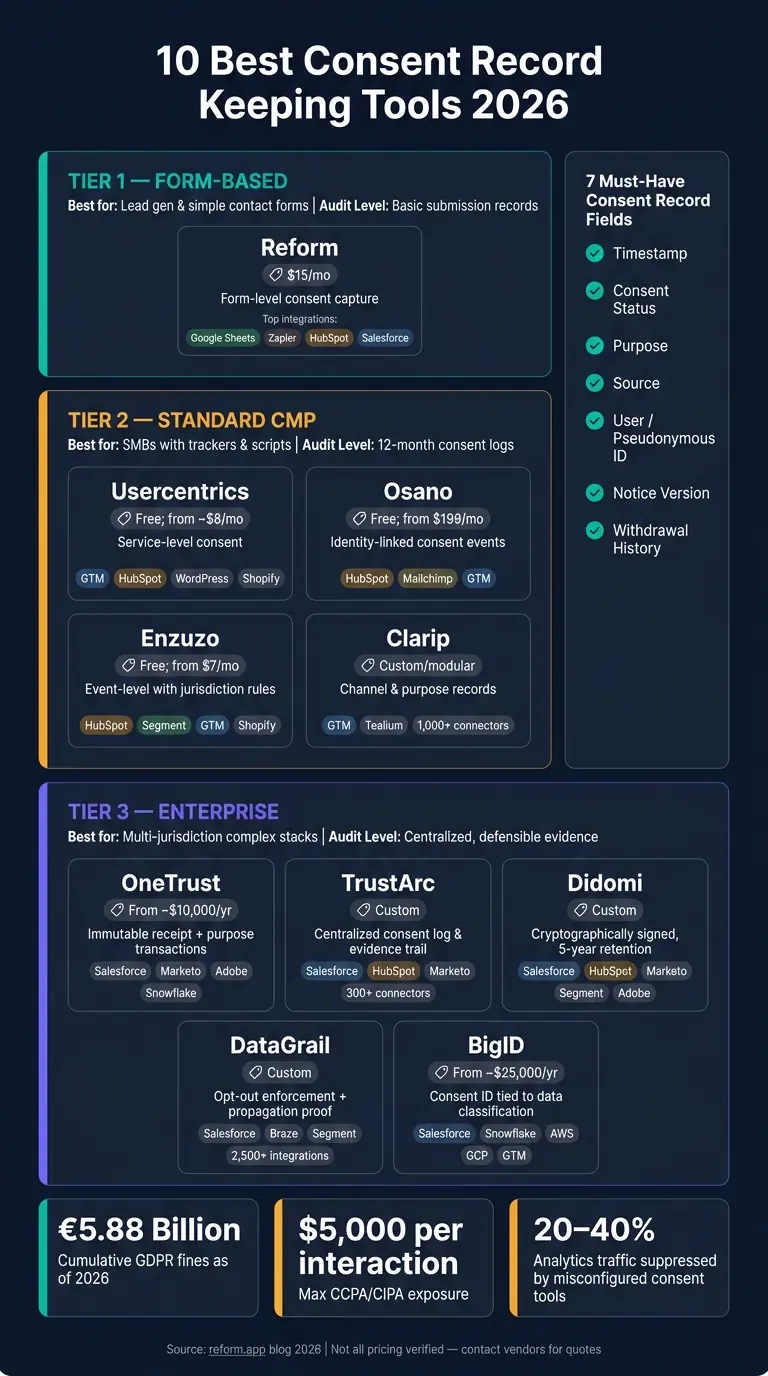
10 Best Consent Record Keeping Tools 2026: Features & Pricing Compared
| Tool | Best fit | Record focus | Starting price |
|---|---|---|---|
| Reform | Small teams, lead forms | Form submission consent | $15/month |
| OneTrust | Mid-size to large teams | Receipt and purpose history | Custom, from about $10,000/year |
| TrustArc | Mid-market and enterprise | Central consent logs | Custom |
| Usercentrics | SMBs, CMS-heavy sites | Service-level consent | Free; paid from about $8/month |
| Osano | Identity-based search | User-linked consent events | Free; paid from $199/month |
| Clarip | Multi-channel consent | Channel and purpose records | Custom |
| Didomi | Proof-heavy audit needs | Purpose, vendor, legal basis | Custom |
| Enzuzo | Smaller teams | Event-level logs | Free; paid from $7/month |
| DataGrail | Enforcement tracking | Opt-out delivery logs | Custom |
| BigID | Large enterprise data stacks | Consent tied to data governance | Custom, from about $25,000/year |
If I were choosing fast, I’d match the tool to the job: forms, cookie/script consent, or enterprise sync and audit records. That’s the line that matters most in this comparison.
What to Look for in a Consent Record Keeping Tool
Not every consent tool gives you records you can actually use in an audit. Some just collect a yes or no and stop there. That’s fine for basic capture, but it falls short when someone asks you to prove what happened, when it happened, and what the user agreed to.
Start with the audit trail. This is the first thing worth checking. A solid record should show the notice version the user saw, the lawful basis, the jurisdiction, and a full change log from the first consent event through withdrawal. Just as important, those records need to be structured and searchable so your team can pull them up fast during audit review.
Purpose-level tracking matters more than it seems at first. Consent shouldn’t sit in your system as one blanket flag. It needs to be stored by purpose, such as analytics, marketing, and preferences. That way, each choice stands on its own. It also helps when preferences need to stay in sync across channels and systems. But that sync only means anything if the logs are enforced across the rest of your stack.
Integration depth is what turns a consent record into something usable. If the tool doesn’t connect to the systems where data is collected and used, you’re left with a paper trail and not much else. For U.S. teams, common integrations include Salesforce and HubSpot, Google Analytics 4 with Consent Mode v2, Google Tag Manager for script blocking, and data warehouses like Snowflake or BigQuery. There’s a practical reason this matters: misconfigured consent tools can suppress 20% to 40% of analytics traffic, so tag blocking and Consent Mode setup matter just as much as storage. Once enforcement is working, the next thing to review is how records are retained and pushed across systems.
Retention and propagation are the last checks. Look for tools that keep consent logs for at least 12 to 36 months to cover audit and Data Subject Access Request (DSAR) windows. And don’t settle for one-way updates. Use bidirectional sync so revocations flow back to every connected system in real time.
1. Reform
Reform handles consent through forms, using multi-step flows and conditional routing so the consent text appears right at submission. That matters when you need consent tied to the original entry for later review.
After that, the next piece is storage. Reform connects with Google Sheets and Zapier on the Basic plan. Pro adds HubSpot and Salesforce, which makes it easier to send submission data into tools your team already uses.
The Basic plan costs $15/month or $150/year. It includes unlimited responses and basic integrations. The Pro plan costs $35/month or $350/year and adds team access plus pro integrations, including HubSpot.
The lower-priced plan makes sense for teams that just need straightforward consent capture and export.
Best for small to mid-sized teams that need simple, form-based consent capture and submission tracking.
2. OneTrust
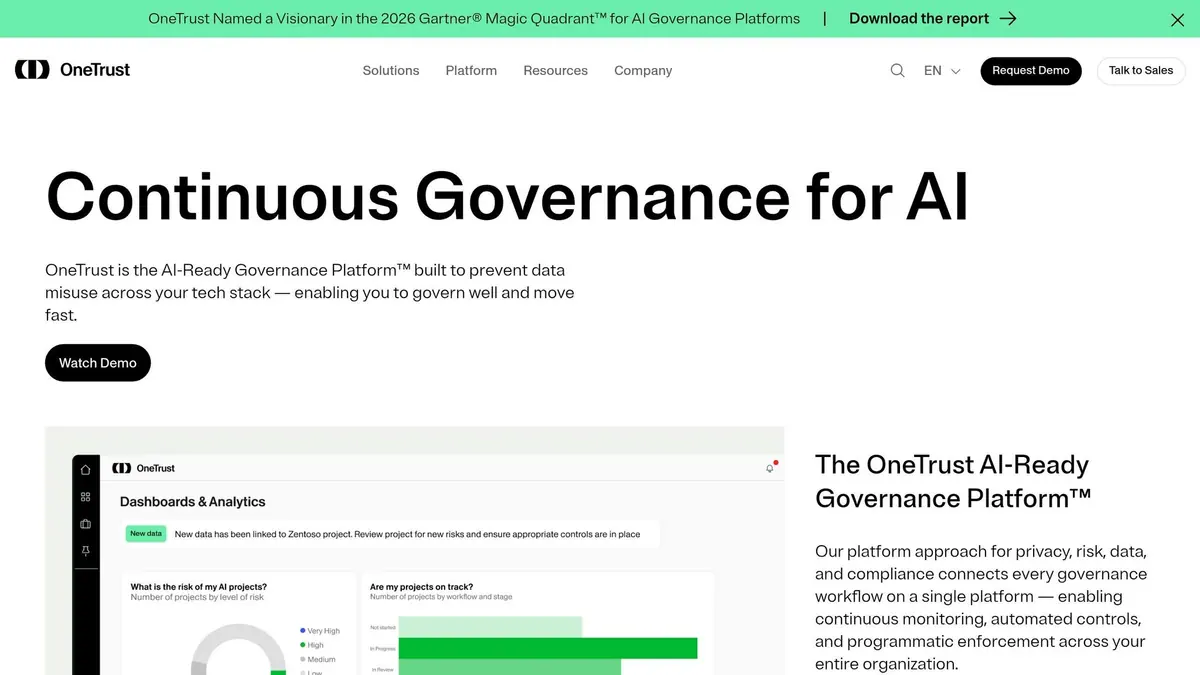
OneTrust is built for teams that need a defensible audit trail. It goes deep on receipt-level logging, which is where the platform starts to stand out.
Each consent interaction creates an immutable Receipt, which serves as the system’s record of that event. That Receipt is then split into purpose-level Transactions, giving teams a searchable audit trail. In practice, that means you can trace what happened, when it happened, and what the user saw at the time.
The platform logs:
- the privacy notice version shown at consent
- the user’s country and state
- the interaction type
- the full change history through withdrawal
If an admin withdraws consent for a user, OneTrust also records who did it and any notes tied to that action.
On the integration side, OneTrust connects with Salesforce, Marketo, Adobe, and Snowflake, so you can sync consent and preference data across your marketing and data stack. That helps keep records lined up across privacy, marketing, and data systems. You can implement it through a JavaScript SDK or REST API.
Pricing is custom. Annual contracts start at $10,000, and first-year implementation can add another $10,000 to $50,000.
Best for mid- to large organizations with complex compliance needs.
3. TrustArc
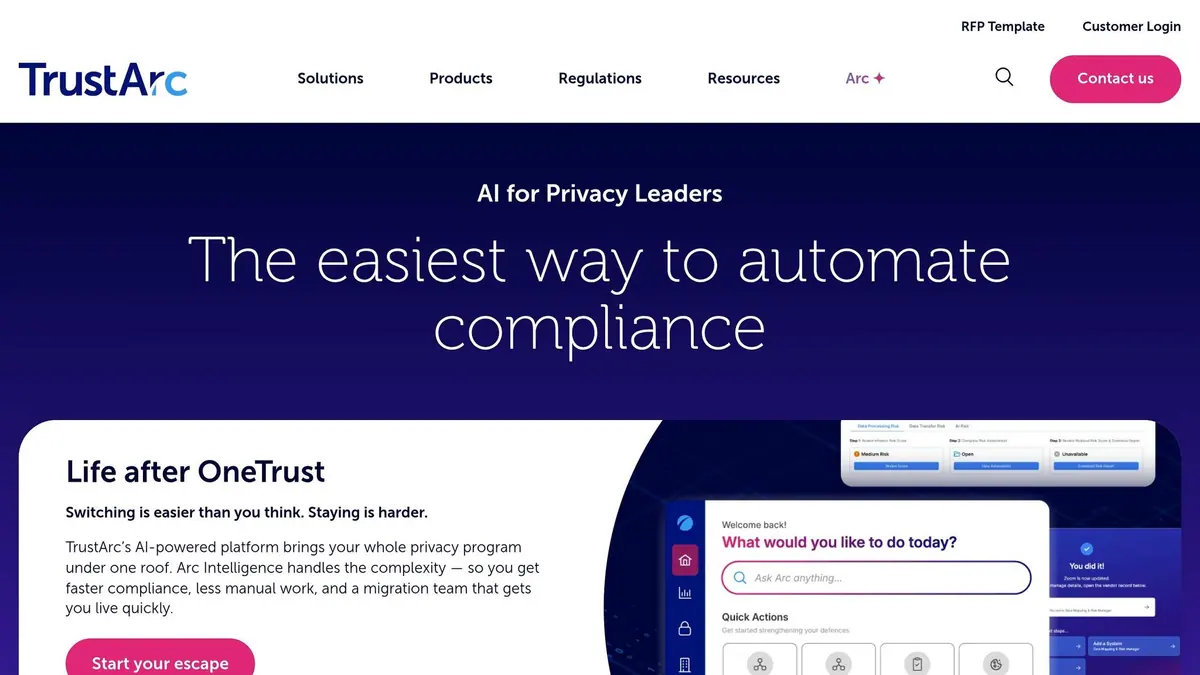
For teams that need one place to manage consent logs and keep many systems in sync, TrustArc does that job well. It stores consent decisions, updates, and withdrawals in a single audit-ready record trail.
Each record includes opt-in or opt-out status, exact timestamps, the policy or notice version shown at the time of collection, plus banner views, clicks, and actions. Admins and users can also see full consent history, which helps when handling regulatory inquiries and data subject requests. From there, those records can sync to the systems where consent needs to be enforced.
TrustArc connects with Salesforce, HubSpot, Marketo, Adobe Experience Platform, Microsoft Dynamics 365, and more through 300+ no-code connectors. Consent signals sync in real time through Rapid API, and TrustArc is a Google-certified CMP Partner that supports Google Consent Mode V2.
Pricing is custom. Essentials covers cookie consent and basic compliance, while Enterprise adds DSAR automation and advanced analytics.
Best for mid-market and enterprise teams that need centralized records and broad integrations.
4. Usercentrics
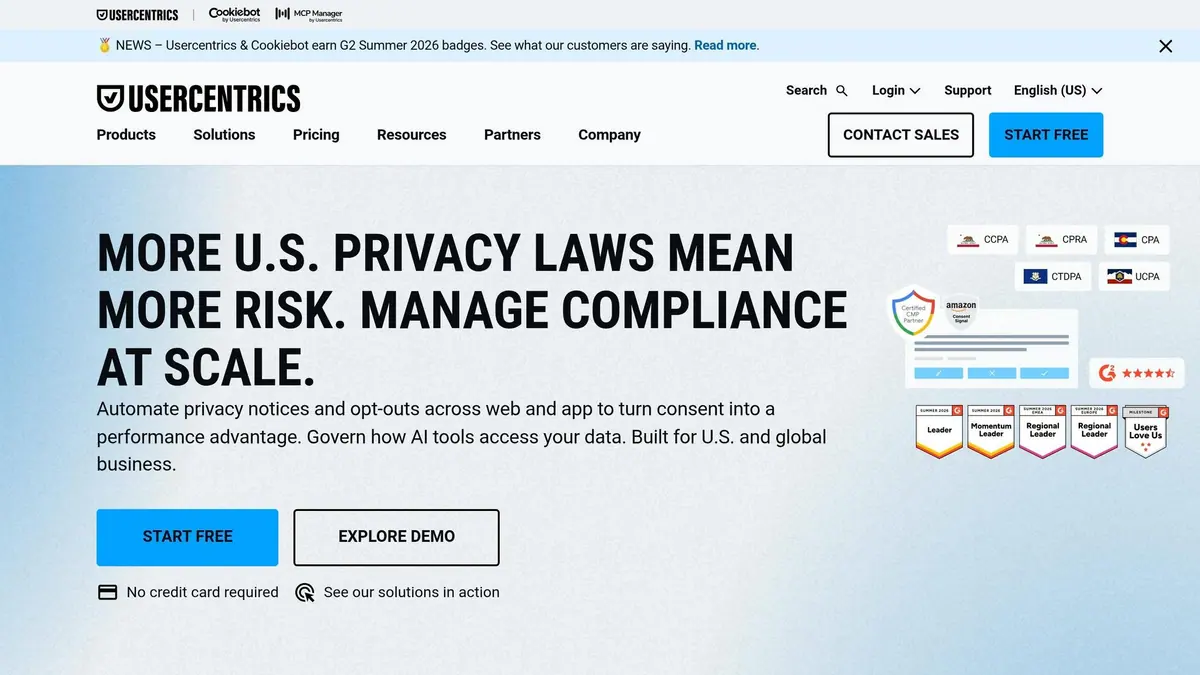
Usercentrics is a strong fit for teams that need consent records tied to individual services, not just broad categories. It stores consent by service, which means each record is linked to a specific tool. That makes a big difference when you're handling audit requests or DSARs and need a clear paper trail.
Each consent record includes the Controller ID, timestamp, CMP configuration version, consent action, and the full consent string. In plain terms, you can see who consented, when they did it, what version of the setup was live at the time, and what choice was made.
On the recordkeeping side, consent history is kept for 12 months on all plans, and you can export it as CSV. Business and Corporate plans also include a Data Export API, which helps if your compliance process runs through other systems.
Usercentrics also plugs into tools many teams already use, including Google Tag Manager, Google Consent Mode v2, HubSpot, and major CMS platforms like WordPress, Shopify, and Wix.
Pricing is session-based, with sessions counted in 30-minute windows. It starts at $0 for 1 domain and up to 1,000 monthly sessions. Paid plans start at about $8/month, and Corporate pricing is custom.
Best for businesses that need service-level consent tracking plus CRM and marketing integrations across multiple domains.
5. Osano
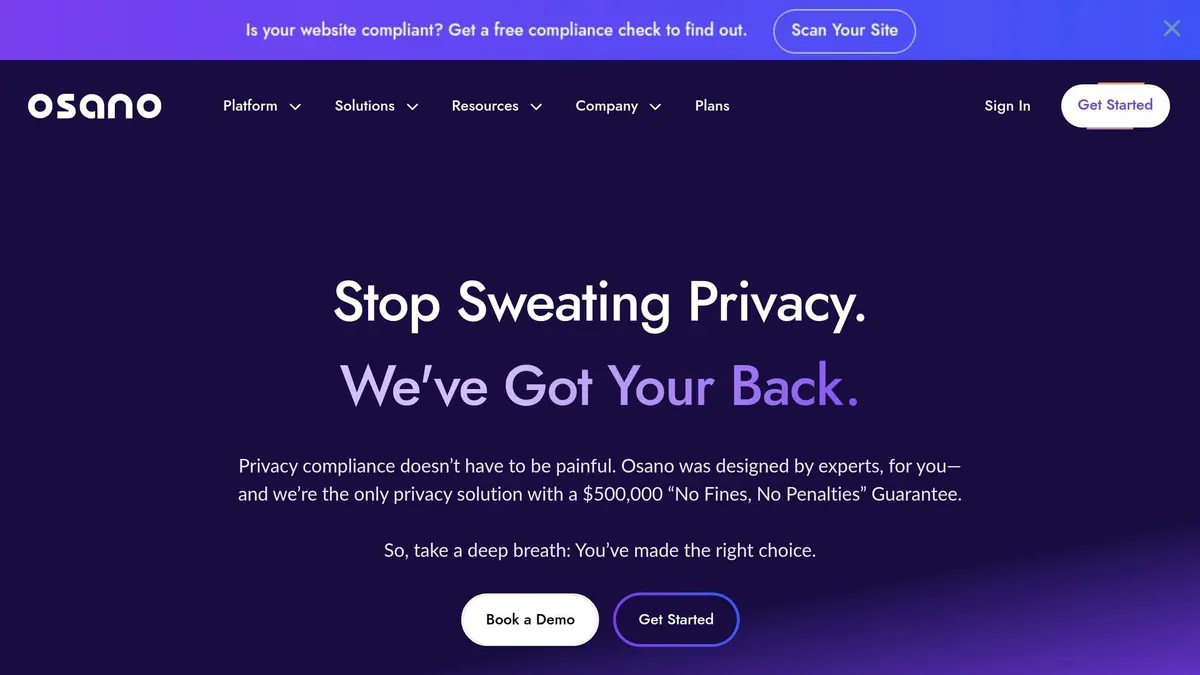
Osano is a good fit for teams that need consent records tied to actual people, not just broad groups. It stores consent events as immutable, hashed records that remain even if a cookie gets deleted. Each event includes a timestamp, the banner version shown, the user’s device, and category-level choices like analytics, personalization, and advertising toggles. That gives teams a much clearer paper trail when an audit or DSAR shows up.
Admins can search records by email, phone number, or Unified Consent ID, then pull up a full timeline of activity. Osano also includes Audit-Ready Consent Logs and Audit Defense for regulatory reviews. If you need to connect a record to a verified user, it can verify identity by email or SMS too.
It also plugs into the rest of your setup without much friction. Osano has native connections for HubSpot, Mailchimp, SendGrid, and Google Tag Manager, and it supports Google Consent Mode v2. Consent states sync every five minutes across downstream systems. For teams with custom flows, Osano also offers a RESTful Core API and webhooks.
Pricing starts at $0/month for 1 domain and up to 5,000 monthly visitors, but that free plan does not include consent storage or script blocking. Paid plans start at $199/month for 3 domains and 30,000 monthly visitors, with consent storage and legal templates included. Growth and Enterprise plans scale from there.
Best for: organizations that need searchable, identity-linked consent records.
6. Clarip
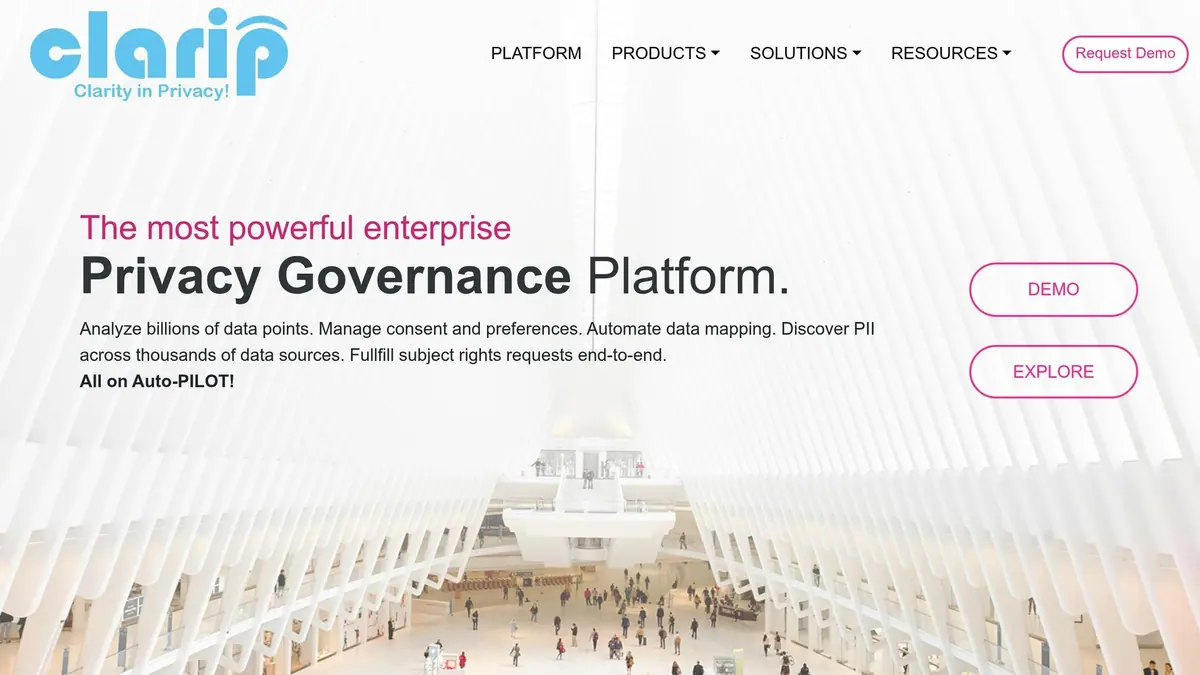
Clarip tracks consent across email, SMS, social, phone, IoT, and location data. It also manages hundreds of preferences by channel, device, or purpose across web, mobile, and social. That makes it a strong fit when consent has to be provable across many touchpoints.
Each record logs the timestamp, IP address, action, and the exact page or screen where it happened. It also includes policy versioning tied to the disclosure the user saw. That level of detail matters when a single user's consent needs to be traced across both web and offline channels.
Clarip doesn't stop at recordkeeping. It also puts a lot of weight on enforcement across connected systems. The platform offers 1,000+ pre-built connectors and supports RESTful and SOAP APIs, plus webhooks. Teams can sync consent in real time, through nightly batches, or on custom schedules. It also connects natively with Google Tag Manager and Tealium for banner deployment at scale across thousands of domains.
For GDPR and CCPA work, Clarip can automate "Do Not Sell" requests and opt-out propagation, then sync those consent records across downstream systems. In plain English: if someone changes a preference in one place, that update can move across the rest of your stack without a lot of manual cleanup.
Pricing uses a modular setup, so teams pay for the parts they need, such as the Cookie Consent Manager or the full Preference Management Platform. Clarip doesn't list public tiered pricing, but it positions the platform as a way to cut manual compliance work and custom development. It also exports records to Excel and supports screenshot evidence for regulatory reviews.
Best for: compliance teams managing consent across many channels and regions that need a highly configurable, API-first platform.
7. Didomi
Didomi stands out when audit teams need proof of what a user actually saw and selected, not just a saved consent flag.
For each user action, it logs a unique event ID, timestamp, source domain or app ID, SDK version, country, browser and device details, bot flag, TCF version, and consent string. It also records consent status at the purpose, vendor, and legal-basis level.
That matters in practice. If legal or audit teams need to look back at a specific event, they’re not stuck with a vague “user consented” record. They can trace the exact action with the data tied to it.
Didomi’s Versions & Proofs module keeps the exact notice setup shown when the user acted, including the UI text, vendor list, and purposes. Legal teams can search these proofs by User ID or Organization User ID, then export them in CSV or JSON format. Consent records are kept for 5 years and become available within 24 hours.
For tamper evidence, Didomi offers a Signature feature that adds a cryptographic seal to the consent string. This helps show that the record wasn’t changed after the fact.
On the integration side, Didomi connects with:
- Salesforce Marketing Cloud
- HubSpot
- Marketo
- Segment
- Adobe Experience Platform
- Google Tag Manager
Teams can sync consent in real time through webhooks, pull it on demand with the Consents API, or use daily batch exports to S3 or Google Cloud Storage.
Pricing is custom only, so every plan requires contacting sales. The Consents API and Signature feature are paid add-ons.
Best for: teams that need tamper-evident consent records and strong CRM integrations.
8. Enzuzo
Enzuzo is a lighter-weight choice for teams that want audit-ready consent logs without the hassle of enterprise-level setup. It records consent at the event level, including the visitor’s IP address, the exact timestamp, the consent result, and the jurisdiction rules active at that moment. That means you get exportable, tamper-evident records built for proof of consent during audits and legal review.
It also blocks non-essential scripts until valid consent is on file, so the enforcement and the record stay tied together instead of living in separate systems.
On the integration side, Enzuzo works with HubSpot, Segment, Google Tag Manager, Shopify, Webflow, and WordPress. It also supports Google Consent Mode v2. For teams that want proof of consent and a setup that doesn’t turn into a long project, that mix makes sense.
Pricing is simple:
- Free plan: 1 domain and 5,000 monthly visitors
- Paid plans: start at $7/month billed yearly
- Pro plan: $59/month billed yearly, with 10 domains, 30,000 monthly visitors, and unlimited DSARs
Best for: small to mid-sized teams that need defensible consent logs, direct integrations, and clear pricing.
9. DataGrail
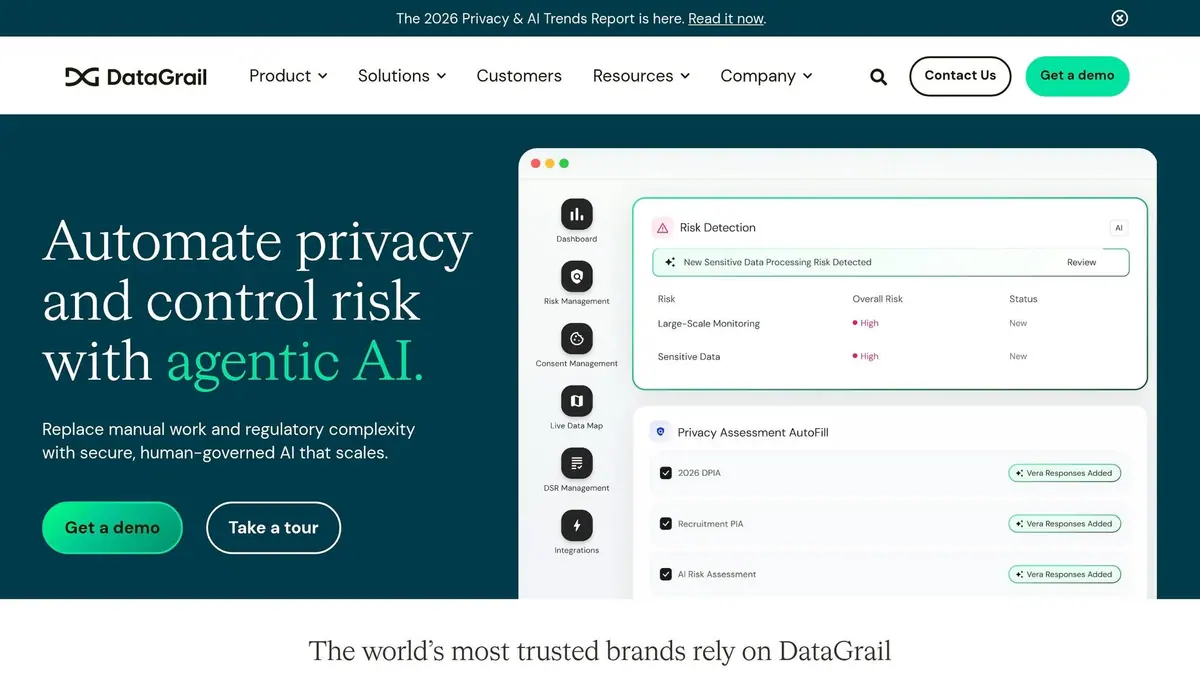
DataGrail is built for teams that need audit-ready consent and opt-out records. It stores timestamped consent and opt-out records, then shows when those opt-outs were sent to connected systems like Salesforce, Braze, or Segment.
That matters because a consent record alone doesn't prove the request was carried out. And that gap is bigger than many teams expect. DataGrail's research found that 69% of organizations still fire tracking cookies after an opt-out. To help fix that, DataGrail syncs consent signals in real time across more than 2,500 integrations, including Marketo, HubSpot, Shopify, and Google Tag Manager.
Its audit trail covers a lot of the details privacy teams care about, including:
- Smart Verification for identity checks
- Browser-level signals like Global Privacy Control (GPC) and Do Not Track (DNT)
- Preference controls by channel, device, and purpose
Teams can pull full audit logs for internal reviews or regulatory inquiries. So if legal or privacy teams need proof of consent and proof that the opt-out was enforced, the platform is set up for both.
Pricing isn't public, so you'll need to book a demo or consultation to get a quote. DataGrail also supports multi-brand management and single-tenant architecture.
Best for: enterprise teams that need proof of enforcement, not just proof of capture.
10. BigID
BigID blends consent record keeping with data discovery and classification. It fits large companies that want consent logs connected to broader governance work, not sitting off to the side. In plain English, consent traceability becomes part of the same workflow used to track and manage data across the business.
Its audit trail records a Consent ID, consent model type, status, granular cookie and tracker categories, GPC signal status, and user location. Teams can filter logs by domain or environment, open individual consent profiles, and export date-range histories for legal or regulatory review.
BigID also supports identity-aware mapping. That means it can connect consent records to personal data flows across structured and unstructured sources, so each data action can be tied back to a legal basis. It can also flag personal data used in AI model training when valid consent is missing. That matters because a consent log on its own is one thing; a consent log tied to the systems where data is processed is far more useful.
It connects with Salesforce, SAP, Oracle, Microsoft 365, Google Tag Manager, Adobe Launch, Tealium, AWS, GCP, Azure, Snowflake, and Databricks.
Pricing sits at the enterprise end of the market. Base pricing starts at about $25,000 per year, and many contracts fall between $75,000 and $300,000 per year.
Best for: large enterprises that need consent record keeping as part of a broader data governance and classification program.
Feature, Pricing, and Integration Comparison
The table below cuts through the noise and focuses on what tends to matter day to day: how consent is recorded, what proof you keep, where it works, what it costs, and what it connects to.
| Tool | Record Level | Audit Trail | Channels Covered | Pricing | Key Integrations |
|---|---|---|---|---|---|
| Reform | Form-level consent capture | - | Web forms, embedded forms, headless forms | Basic: $15/mo or $150/yr; Pro: $35/mo or $350/yr | Google Sheets, Zapier, HubSpot, Salesforce |
| OneTrust | Purpose-level transactions | Immutable audit trail | Web, mobile, CTV | Custom (from ~$10,000/yr) | Salesforce, Marketo, Adobe, Snowflake |
| TrustArc | Opt-in/opt-out per notice version | Centralized consent log and evidence trail | Web, mobile | Custom | Salesforce, HubSpot, Marketo, Adobe |
| Usercentrics | Service-level consent | 12-month consent history, CSV export | Web, CMS platforms | Free tier; paid from ~$8/mo | Google Tag Manager, HubSpot, WordPress, Shopify |
| Osano | Identity-linked consent events | Cookie and script monitoring | Web | Free tier; paid from $199/mo | HubSpot, Mailchimp, Google Tag Manager |
| Clarip | Channel- and purpose-level consent | Timestamped records with policy versioning | Web, mobile, SMS, IoT | Modular, custom pricing | Google Tag Manager, Tealium, 1,000+ connectors |
| Didomi | Purpose-, vendor-, and legal-basis-level | Cryptographically signed, 5-year retention | Web, mobile, app | Custom | Salesforce, HubSpot, Marketo, Segment, Adobe |
| Enzuzo | Event-level consent with jurisdiction rules | Real-time consent analytics and audit dashboard | Web, CMS platforms | Free tier; paid from $7/mo | HubSpot, Segment, Google Tag Manager, Shopify |
| DataGrail | Opt-out enforcement with propagation proof | Timestamped opt-out delivery logs | Web, mobile | Custom | Salesforce, Braze, Segment, HubSpot, 2,500+ |
| BigID | Consent ID tied to data classification | Filterable logs with identity-aware mapping | Enterprise data systems | Custom (from ~$25,000/yr) | Salesforce, Snowflake, AWS, GCP, Google Tag Manager |
Blank = not verified.
Some tools stay close to the form itself, while others track consent at the purpose, vendor, or legal-basis level. That gap matters. A small team running a few web forms may be fine with simpler form-based capture. A larger company with mobile apps, data warehouses, and many downstream systems usually needs deeper records and tighter proof.
Pricing also splits these tools into very different camps. Reform, Usercentrics, and Enzuzo start at low monthly price points, while platforms like OneTrust and BigID sit much higher and are often sold through custom plans. Put simply: $7 to $35 per month is a very different buy than $10,000 to $25,000 per year.
Integrations tell a similar story. If your stack lives in HubSpot, Salesforce, Google Tag Manager, Shopify, or Segment, this chart helps you spot the easier fit fast. And if your setup is more sprawling, options like Clarip with 1,000+ connectors or DataGrail with 2,500+ can save a lot of manual work later.
Next, match those differences to your team size and compliance requirements.
Which Tool Type Fits Your Needs?
Pick the lightest tool that still gives you an audit-ready record and applies that choice across your stack. After that, the decision comes down to what you need most: simple consent capture, automatic script blocking, or deeper enforcement across downstream systems.
If you run a B2B website with a handful of lead forms, a form-based tool like Reform is a solid place to start, especially if you use multi-step form design to improve completion rates. It records explicit consent right when someone submits a form, connects with your CRM, and keeps the setup straightforward. At $15–$35/month, it works well for teams that want clean form-level records without bringing in a dedicated privacy engineer.
If your site loads analytics, ad, or chat scripts, you’ll want a CMP that can block scripts and supports Consent Mode v2. That way, your records stay tied to each script that was blocked or allowed. That detail matters when you need to show what happened, not just say you had a banner in place.
For large teams working across many jurisdictions, enterprise platforms make more sense. These tools push defensible logs downstream to CRMs, data warehouses, and pipelines. In that case, the goal isn’t only capture. It’s centralized enforcement across a more complex data setup.
Here’s the quick map:
| Tool Type | Best For | Audit Level |
|---|---|---|
| Form-Based | Lead gen, simple contact forms | Basic submission records |
| Standard CMP | SMBs with trackers and scripts | 12-month consent logs |
| Enterprise Platform | Multi-jurisdiction, complex data stacks | Centralized, defensible evidence |
One quick gut check: open DevTools and reject all cookies. If third-party requests still fire, your current setup isn’t blocking tracking the way it should. That test can show, fast, whether you need a small fix or a deeper upgrade.
Conclusion
After looking at features, pricing, and integrations, the choice comes down to one thing: how much proof your team needs to keep and enforce. The right consent record keeping tool depends on your consent flow, your audit load, and how complex your stack is.
If consent data doesn't sync with analytics, CRM, and data systems, it turns into a passive record instead of something you can act on. And that gap can get expensive fast. Cumulative GDPR enforcement fines have reached €5.88 billion as of 2026. At a bare minimum, the tool needs to do three jobs well: keep versioned policy records, send reliable downstream sync, and store centralized logs.
Those three pieces matter because they let you prove what a user agreed to, stop data flow after someone withdraws consent, and handle audits or DSARs without digging through disconnected systems.
The three tool tiers in this article line up with those needs:
- Basic form capture for simple lead flows
- Standard CMPs for teams running trackers and scripts
- Enterprise platforms for multi-jurisdiction stacks that need centralized evidence and bidirectional sync
Choose proof over preference. The best tool is the one that records consent, enforces withdrawals, and holds up in an audit review.
FAQs
How long should consent records be kept?
Consent records should be kept based on your internal retention policy and the settings in your management platform.
There’s no single time limit that applies to everyone.
What matters is this: your organization needs a clear archival process so those records remain available for audits and compliance checks. They also need to be stored in a way that’s legally enforceable and can show proof of consent.
That proof should include the exact version of the consent interface the user agreed to. In plain terms, if someone asks, “What did the user actually see and accept?”, you should be able to show it.
What makes a consent log audit-ready?
A consent log is audit-ready when it goes beyond a basic database entry. It needs a versioned, server-side record that can show compliance clearly.
That record should include the user identifier, the exact timestamp, the banner text version, the active vendor list version, the user’s choice, and any withdrawal events. Auditors also want proof that consent signals were sent downstream, so tracking was either allowed or blocked based on that choice.
Browser-based cookies on their own aren’t enough.
Do I need a CMP or just form consent?
Use a CMP when you need full regulatory compliance. It can automate cookie discovery, apply consent rules across your systems, and keep audit-ready records for each user.
A simple form can record a user’s choice. But that usually isn’t enough. In many cases, it can’t block tracking scripts before they fire or send consent preferences to downstream vendors.
For GDPR or CCPA, a CMP is the standard way to manage the full consent lifecycle.
Related Blog Posts
Get new content delivered straight to your inbox

The Response
Updates on the Reform platform, insights on optimizing conversion rates, and tips to craft forms that convert.



Drive real results with form optimizations
Tested across hundreds of experiments, our strategies deliver a 215% lift in qualified leads for B2B and SaaS companies.
