
.webp)
How Branding Impacts Form Conversions


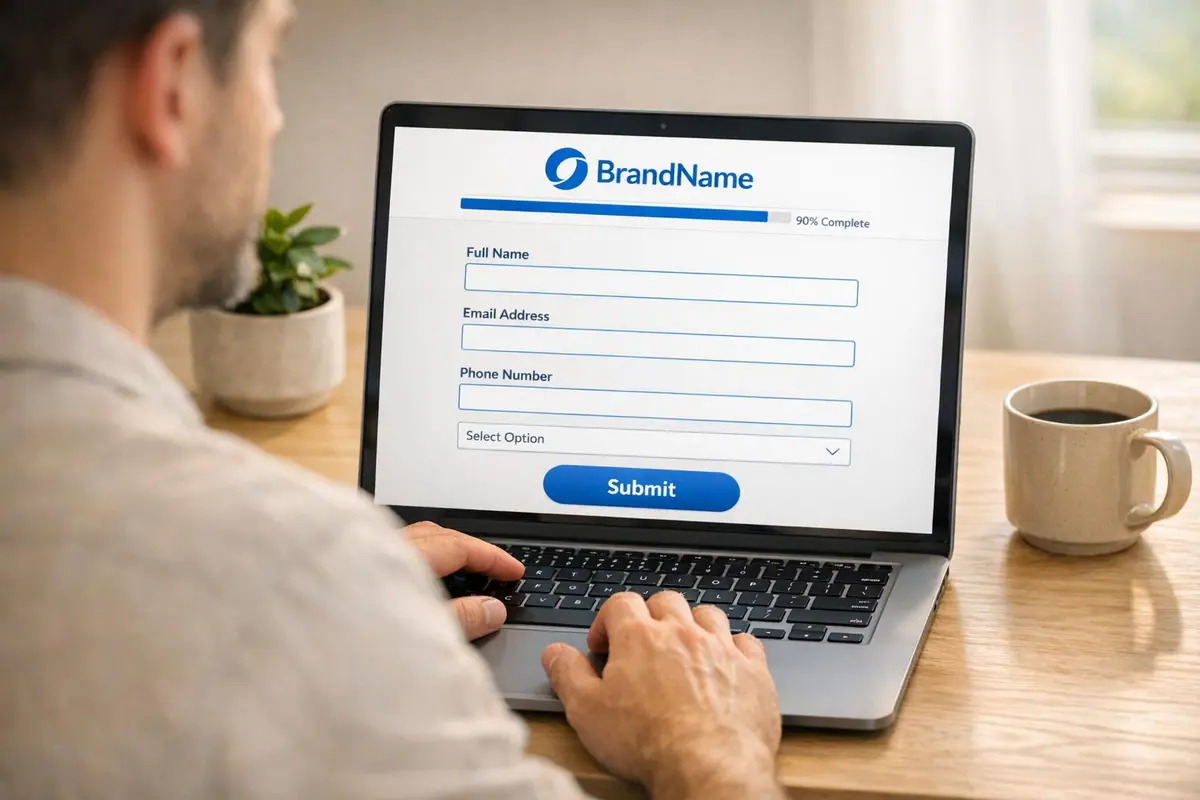
When users interact with your forms, they instantly decide whether your brand feels trustworthy. Consistent branding - logos, colors, fonts - plays a huge role in building that trust. Here’s why it matters:
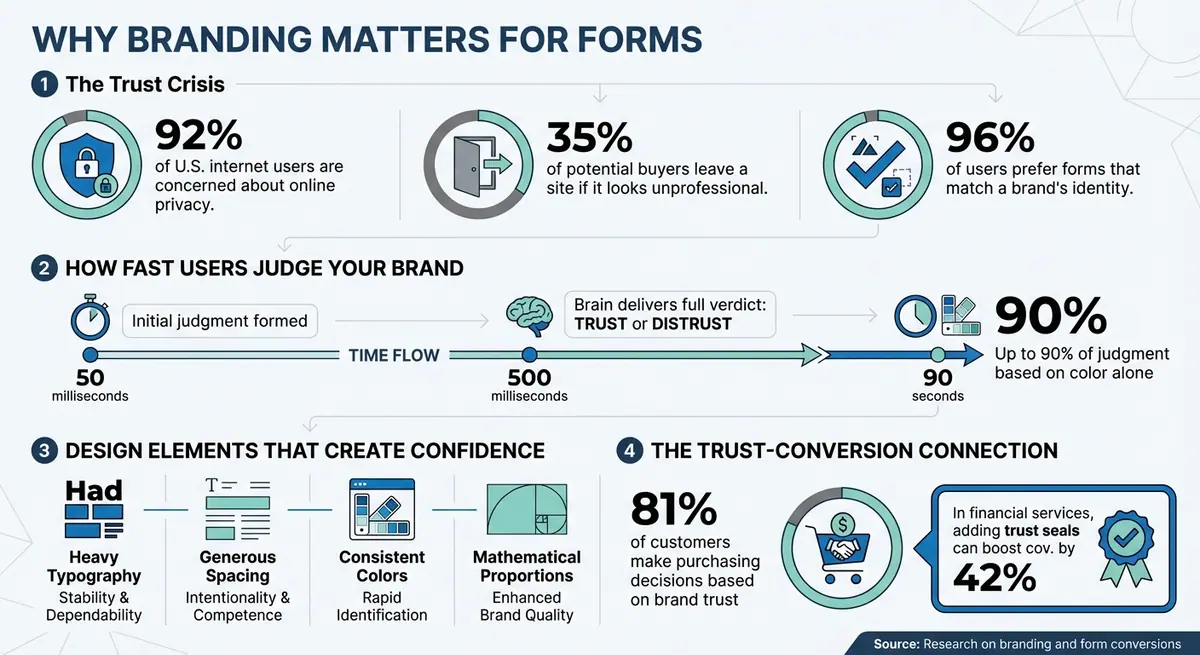
- 92% of U.S. internet users are concerned about online privacy. A poorly branded form can feel untrustworthy or even like a phishing attempt.
- 35% of potential buyers leave a site if it looks unprofessional. This includes forms that don’t align with your brand.
- 96% of users prefer forms that match a brand’s identity. Consistency reduces hesitation and increases completion rates.
Branding isn’t just about looks - it’s about how people perceive your professionalism. Familiar visuals create ease and trust, while mismatched elements can trigger doubt. Research shows that users form judgments about your brand in milliseconds, and branded forms help ensure those judgments are positive.
To improve conversions:
- Use consistent logos, colors, and fonts.
- Remove third-party branding from forms.
- Ensure mobile responsiveness and clear progress indicators.
- Analyze drop-off points and consider why multi-step forms beat static ones to refine form design.
A professional, branded form reassures users and encourages them to complete the process, which boosts your data collection and builds confidence in your brand.
How Branding Impacts Form Conversion Rates and User Trust
How Branding Affects User Trust
Understanding how branding influences user trust goes beyond just aesthetics - it's about how our brains process information. Research shows that users form initial judgments about a brand in just 50 milliseconds. Within 500 milliseconds, the brain’s ventromedial prefrontal cortex delivers a full verdict: trust or distrust. That means, in less than a second, a potential customer decides whether they feel comfortable engaging with your brand.
This rapid decision-making relies on something called processing fluency. When your forms use consistent branding - matching colors, fonts, and logos - it creates a sense of ease. This cognitive ease makes users feel more confident. However, even small inconsistencies can disrupt recognition and spark doubt.
"Consistency is a psychological superpower."
- Alexander Rich, Branding Expert
Another factor at play is the predictability loop. When users see familiar branding, it triggers recognition, which builds trust. But if the visual elements don’t align, the brain’s warning systems activate, much like encountering something counterfeit.
Why Familiar Brands Get More Engagement
Familiarity is a powerful driver of trust. When users recognize a brand, they feel more comfortable engaging with it. This is known as the mere exposure effect - the more often people see something, the more they trust it.
The halo effect also plays a role. A polished, professional design leads users to assume that other aspects of the brand are just as reliable. On the flip side, a generic or unbranded form can make your brand seem disorganized or untrustworthy.
Take SparkToro, for example. During their beta testing, founder Rand Fishkin and his team used branded forms to collect data from 5,000 participants. This approach helped them refine their Ideal Customer Profile and position their brand effectively.
Another example is Barry’s, the global fitness brand. They replaced generic forms with fully branded ones for tasks like booking classes or completing surveys. This shift reinforced their premium image at every customer touchpoint.
The numbers speak for themselves: 81% of customers make purchasing decisions based on how much they trust a brand. If your forms don’t reflect your brand identity, users are less likely to trust them - and less likely to complete them.
How Visual Consistency Creates Confidence
Consistency in design sends powerful trust signals. When your forms align with your website’s colors, fonts, and overall style, it satisfies the brain’s need for predictability. This reduces cognitive dissonance caused by conflicting visuals.
Key brain regions - like the prefrontal cortex (which evaluates competence), the amygdala (which detects potential threats), and the insular cortex (which assesses authenticity) - respond positively to consistent visuals. But mismatched elements can trigger caution and hesitation.
Typography is another critical factor. Heavier typefaces suggest stability and dependability, while generous spacing conveys intentionality and professionalism. Color choice also plays a major role: within 90 seconds of viewing a product, up to 90% of a user’s judgment can be based on color alone.
"Inconsistent signals trigger the same neural warning pathways as encountering a counterfeit."
- Logo Analyzer
Here’s how specific design elements contribute to trust:
| Visual Element | Signal | Trust Impact |
|---|---|---|
| Heavy Typography | Stability & Dependability | Increases perceived reliability of the brand or form |
| Generous Spacing | Intentionality & Competence | Eases user stress and suggests professional organization |
| Consistent Colors | Rapid Identification | Reinforces familiarity and prevents "counterfeit" concerns |
| Mathematical Proportions | Value & Craft | Activates the "art infusion effect", enhancing perceived brand quality |
For example, Down & Feather Co. used these principles in their "Perfect Pillow" quiz. By aligning the quiz’s design with their overall brand identity, they segmented their audience effectively for targeted marketing and discounts. Every visual element worked to build user confidence, leading to higher completion rates.
When every detail aligns, it strengthens trust and makes users more likely to engage and convert.
sbb-itb-5f36581
What Research Shows About Branding and Conversions
Data clearly indicates that maintaining consistent branding can significantly increase form completion rates across various industries.
Study 1: Brand Recognition and Form Completion
When users encounter a visual identity that aligns with their expectations, they are less likely to abandon forms and more likely to complete them.
"One of the main reasons for form abandonment is the lack of branding."
- Ana Maria Merciu, Content Marketing Specialist, 123FormBuilder
This phenomenon is tied to a concept called swift trust. Paul Benjamin Lowry’s research highlights that familiar logos create instant credibility, which is especially important when users are asked to share sensitive information.
Further studies on processing fluency reveal an interesting distinction: well-known brands perform better with image-based logos (like Apple’s iconic apple), while lesser-known brands gain more favorability with text-based logos. Nina Kamaruddin from Typeform explains the impact of inconsistent branding:
"When a prospect sees assets - from one-pagers to forms - that don't feel like your brand, they tend to doubt your credibility."
These findings underline how brand familiarity and reputation play a crucial role in building trust.
Study 2: How Brand Reputation Affects Baseline Conversions
Brand reputation sets the stage for trust even before users interact with a form’s design. A study of 1,308 adults found that industry perception often outweighs specific design elements in establishing trust.
"Our research found that the industry had a larger impact on brand trust than the logo design itself."
- Morgan Molnar, Author, SurveyMonkey
For instance, in the legal field, trust levels between different logo designs varied by as much as 35%, showing the importance of visual branding in shaping credibility. Meanwhile, the jewelry industry showed a smaller gap of just 9%. A striking insight came from comparing industries: the least trusted logo in education was still more trusted than the most trusted logo in financial services.
This doesn’t mean branding is less important in low-trust industries - it actually becomes even more critical. In financial services, where skepticism is higher, adding recognized trust seals like "Norton secured" can boost form conversions by about 42%. Simplifying forms to include only essential fields (like name, email, and one optional question) can further increase signups by nearly 11%.
Visual preferences also vary by industry. For example, financial services users tend to favor outline-style logos with green tones, while education audiences prefer icon-heavy designs in shades of blue or navy. By pairing industry-specific branding with a consistent visual identity, businesses can create trust signals that directly impact form completion rates.
How to Improve Branding in Your Forms
Research shows that consistent branding enhances trust and boosts conversions. Here are some practical ways to refine your forms and align them with your brand identity.
Keep Brand Elements Consistent
Your forms should feel like an extension of your website. This means sticking to the same logos, colors, fonts, and messaging across all touchpoints. Any deviation in these elements can confuse users and weaken their trust in your business.
"We wanted our forms to be solely branded as ours".
- Becca Ravenna, Corporate Sales & Partnerships Director at Barry's
When users see familiar branding, it reassures them that they're interacting with a legitimate company.
Use Tools to Customize Form Branding
Once you’ve nailed down your brand’s visual elements, take advantage of tools designed to maintain consistency across your forms.
No-code platforms like Reform make it easy to incorporate your brand identity and design the perfect landing page form without needing technical expertise. Features like team branding or organization themes ensure your forms reflect your logos, colors, and fonts across the board.
Another key step is removing any third-party branding. For instance, if your form displays a "Powered by [Tool Name]" label, it might raise security concerns for users. Using domain aliasing - where your custom URL replaces the form builder’s - helps prevent your forms from being mistaken for scams. For multi-step forms, adding custom progress bars with clear labels like "Contact Info" or "Finish" can maintain your brand’s voice while guiding users through the process.
With over 60% of global internet users accessing the web via mobile devices in 2022, ensuring mobile responsiveness is non-negotiable. Use custom CSS to highlight key questions and apply consistent color schemes, ensuring your forms are visually appealing and easy to navigate on smaller screens.
Use Analytics to Improve Branding Decisions
Analyzing how users interact with your branded forms is crucial for ongoing improvement. Real-time analytics can tell you where users drop off and which branding elements are most effective in driving conversions.
For example, drop-off tracking can help pinpoint friction points, while conversion tracking shows how elements like logos, colors, and fonts influence form completion rates. If users abandon your form at specific steps, it may signal confusion or a lack of trust. Features like "Save Progress" can also reveal whether your form is too lengthy or complex for users to complete in one go.
"A recognizable, authentic brand is table stakes for building relationships with your customers".
- Nina Kamaruddin, Typeform
Conclusion
Maintaining consistent branding is key to building trust and increasing form completions. When your forms seamlessly match the look and feel of your website, users are less likely to doubt their authenticity. This reassurance makes them more comfortable sharing personal details, knowing they’re engaging with your business - not a potential scam.
Research highlights this concern: 92% of U.S. users worry about online privacy, and 35% abandon forms that seem unprofessional. These statistics emphasize the importance of using strong branding tools.
Reform simplifies branded form creation by offering centralized team branding, domain aliasing, and custom progress bars. With real-time analytics, you can monitor where users drop off and evaluate how well visual elements perform. Plus, the "Save Progress" feature ensures even lengthy forms remain easy to complete.
FAQs
What branding details matter most on a form?
When designing forms, certain branding details can make a big difference in how users perceive them. For starters, display your logo prominently - this reinforces your brand identity and assures users they’re in the right place. Make sure to provide clear, concise instructions so users know exactly what to do, reducing confusion.
If applicable, showcase any industry certifications to demonstrate expertise or compliance. Adding a privacy statement is another essential step - this reassures users that their data is handled responsibly. Lastly, include security badges to highlight the safety of their information. Together, these elements help build trust and credibility, encouraging users to complete the form and boosting conversion rates.
How can I tell if branding is causing form drop-offs?
Branding plays a bigger role in form completion than you might think. If users encounter inconsistent visuals or don’t see familiar branding, it can erode their trust and lead to abandonment. To pinpoint whether branding is the issue, start by reviewing form analytics and gathering user feedback.
Here’s what to watch for:
- Mismatched design elements: If the form’s appearance doesn’t align with the rest of your site or brand, users may feel unsure about its legitimacy.
- Missing recognizable branding: A lack of logos, color schemes, or other familiar elements can make the form feel disconnected or untrustworthy.
These clues can help you identify if branding inconsistencies are driving users away.
When should I use trust badges or security signals on forms?
Including trust badges or other security signals on your forms can help alleviate user concerns about privacy, security, and credibility. These visual cues reassure users that their information is safe, which can make them more comfortable completing the form.
To maximize their impact, place these badges strategically. For example, position them near sensitive fields (like credit card details) or submission buttons where users might hesitate. This small addition can go a long way in building trust and boosting conversion rates.
Related Blog Posts
Get new content delivered straight to your inbox

The Response
Updates on the Reform platform, insights on optimizing conversion rates, and tips to craft forms that convert.




Drive real results with form optimizations
Tested across hundreds of experiments, our strategies deliver a 215% lift in qualified leads for B2B and SaaS companies.
