
.webp)
Customizing Lead Routing for CRM Integration



If you route leads the moment they enter your CRM, you cut wait time and give reps a much better shot at making contact while interest is still high. One stat from the article says teams that respond within 5 minutes are 21x more likely to qualify a lead than teams that wait 30 minutes.
Here’s the short version: I’d set up lead routing around clean CRM fields, push every channel into one intake flow, run dedupe and normalization before assignment, and then send each lead by territory, segment, account owner, source, or intent. I’d also make sure every path has a fallback queue, SLA alerts, and reporting fields so nothing sits unassigned.
What matters most:
- Use clean routing fields, not messy raw form inputs
- Map all channels into one CRM intake process
- Check for duplicates before creating new records
- Trigger routing in real time with webhooks, flows, or workflows
- Route high-intent leads first based on source and form type
- Send account-matched leads to the current owner
- Track SLA, owner, rule fired, and first response time
- Test every path: web, paid, webinar, chat, scheduling, and partner
A simple way to think about it: one intake path, one ownership model, and clear rules for what happens when data is missing or a rep misses the SLA. That’s how I’d keep routing fast, clean, and easy to maintain.
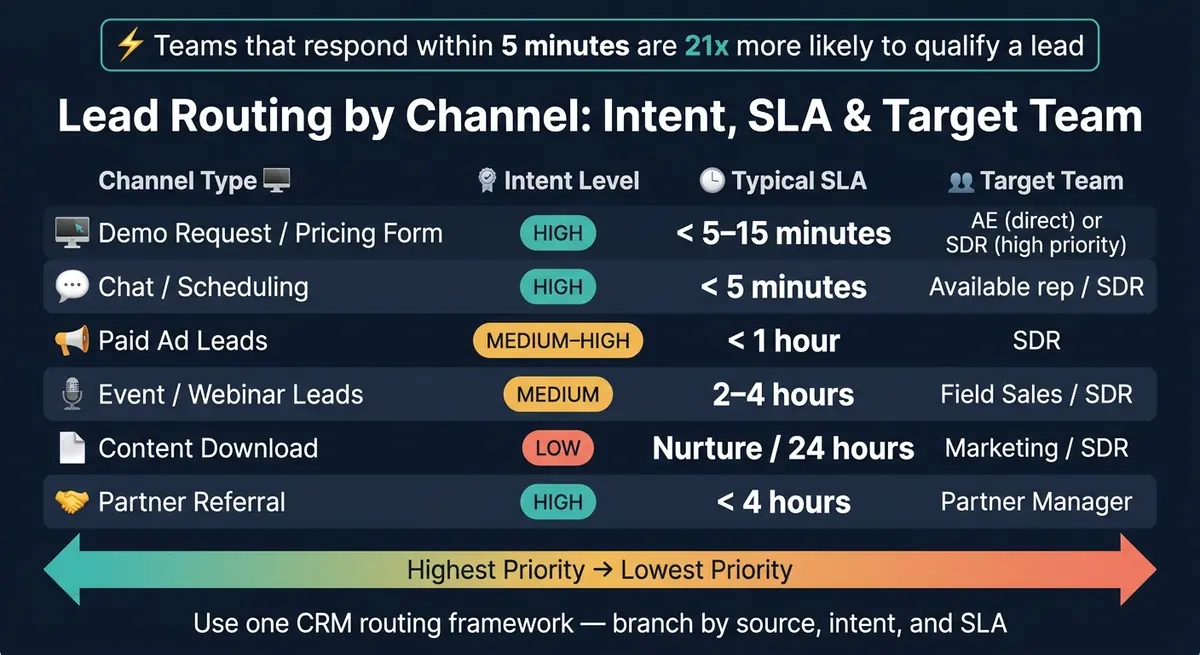
Lead Routing by Channel: Intent, SLA & Target Team
Route Leads to Sales Reps with HubSpot Workflows

sbb-itb-5f36581
1. Define routing rules around your CRM data model
Start with the CRM fields your routing rules will use. If the data is blank, messy, or stored in different formats across channels, the rule breaks. So the first job is simple: map each intake source to the right CRM object and field set.
Map lead sources to CRM fields and objects
Every intake channel needs a clear CRM destination.
CRMs handle intake in different ways, but the routing logic stays the same: one destination for each lead type.
In Salesforce, new inbound leads usually come in as Lead records. If the email already exists in the system, update the existing Contact or Account and create a Task for the owner. In HubSpot, inbound routing usually points to the Contact object by default. High-intent submissions, like a demo request, can also trigger Deal creation, while support inquiries should route to Tickets.
Before routing runs, standardize Lead Source, Campaign, and Channel.
Choose routing criteria that match your sales process
Your routing rules should line up with how sales assigns ownership. The cleanest setup is to use routing fields that reflect your sales structure.
| Routing Dimension | CRM Fields Needed | Purpose |
|---|---|---|
| Territory | Country, State, PostalCode, Territory_Code__c |
Assign leads to regional reps |
| Segment | NumberOfEmployees, AnnualRevenue, Sales_Segment__c |
Split between SMB, Mid-Market, and Enterprise |
| Product Interest | Product_Interest__c, Last_Page_Visited__c |
Route to specialized product reps |
| Lead Score | Lead_Score__c, Fit_Grade__c, Intent_Signal__c |
Prioritize high-intent leads for faster response |
| Account Ownership | Matched_Account_Owner_ID__c, Account_Status__c |
Send existing-account leads to the current AE or AM |
| Source/Intent | LeadSource, UTM_Campaign__c, Form_ID__c |
Apply different logic for demo vs. content leads |
Don’t route on raw input like mixed country spellings or uneven company-size ranges. That’s where things go sideways. Add a normalization step first: read the raw fields, then write a clean value like Enterprise into a dedicated routing field. Route only from those cleaned fields.
Direct assignment vs. queue-based assignment usually comes down to account ownership. If a lead’s email domain matches an existing account with a named owner, send it straight to that rep. If it’s a new lead with no account match, a round-robin queue is usually the safer default.
Clean up data quality before routing starts
Set validation, spam checks, and required core fields before intake ever hits the CRM. A form layer with conditional questions, email validation, and spam prevention helps shape the data before it lands in the system. Reform lets you build that layer before any record is written.
Also set up a fallback branch for leads that don’t meet any routing condition. A fallback queue catches records with missing or unexpected data and flags them for manual review, so they don’t sit unassigned forever.
With the routing fields in place, the next step is to connect every channel to one intake workflow.
2. Connect forms and channels to one CRM intake workflow
Using the routing fields from Section 1, send every lead through one intake path: one mapping setup, one dedupe check, and one routing workflow.
Map form fields and attribution data correctly
Every intake source should collect at least four required fields before a record is created in the CRM: First Name, Email Address, Lead Source, and Submission Timestamp. Standard fields like phone, company, industry, state, annual revenue, and product interest should map straight into matching CRM properties.
UTM parameters should go into hidden fields and then map to CRM source fields. If a channel can’t collect them on its own, use JavaScript to write the URL parameters into hidden fields before the form is submitted. Keep formatting consistent across the board: currency in USD, dates in MM/DD/YYYY, and phone numbers in one standard format.
Use email as the main deduplication key. Before you create a record, check the CRM for that email address. If it already exists, update the record. If it doesn’t, create a new one. Skip that step, and things get messy fast: the average B2B lead database can wind up with an 18% duplicate rate.
Standardize lead intake across web, paid, webinar, chat, and partner channels
Use the same normalized routing values across every channel so they all feed the same rules. The trigger may differ by source, but each one should pass through the same normalized workflow before routing starts.
| Channel Type | Trigger | Primary Routing Workflow |
|---|---|---|
| Web Forms | Form Submission (Webhook) | Territory or Round-Robin |
| Paid Media | Lead Gen Form API | Source-based (Intent/Product Interest) |
| Webinars | Registration / Attendance | Campaign-specific or SDR Queue |
| Live Chat | Contact Captured | Skills-based (SME Routing) |
| Partner Referrals | Webhook / Referral Form | Account-based (Existing Owner) |
This is where normalization does a lot of the heavy lifting. "Google Ads" and "FB Lead Gen" shouldn’t live as separate routing conditions. Map both to one shared picklist value, such as Paid Search/Social, in your middleware or CRM settings. That keeps routing logic clean instead of turning it into a patchwork of one-off rules.
Reform forms support hidden fields and partial submission capture, so channel-specific values and attribution data can still flow into CRM properties even if a person drops off before finishing the form.
Trigger routing in real time
Use webhooks or platform events instead of polling syncs. Route and notify right away. In Salesforce, Record-Triggered Flows run when a lead is created. In HubSpot, workflows can trigger from form submissions or field updates.
Common trigger types include:
- Form submission events
- A lead score crossing a threshold
- A program status change in Marketo
- A field update, such as
Lead Statusmoving toQualified
For U.S.-based teams, add business-hours logic to the trigger setup. After-hours leads should go to a global queue or create a "Follow up tomorrow" task for the morning shift. At the same moment the record is assigned, send the owner alert.
Once intake is standardized, move the ownership logic into CRM and marketing automation workflows.
3. Build routing workflows in your CRM and marketing automation tools
Once your intake process is standardized, move routing into the CRM. That keeps ownership steady across every channel. The goal is simple: use the same territory, segment, and source fields from your data model so each tool feeds one ownership model instead of inventing its own.
Set territory, queue, and owner rules in Salesforce and HubSpot
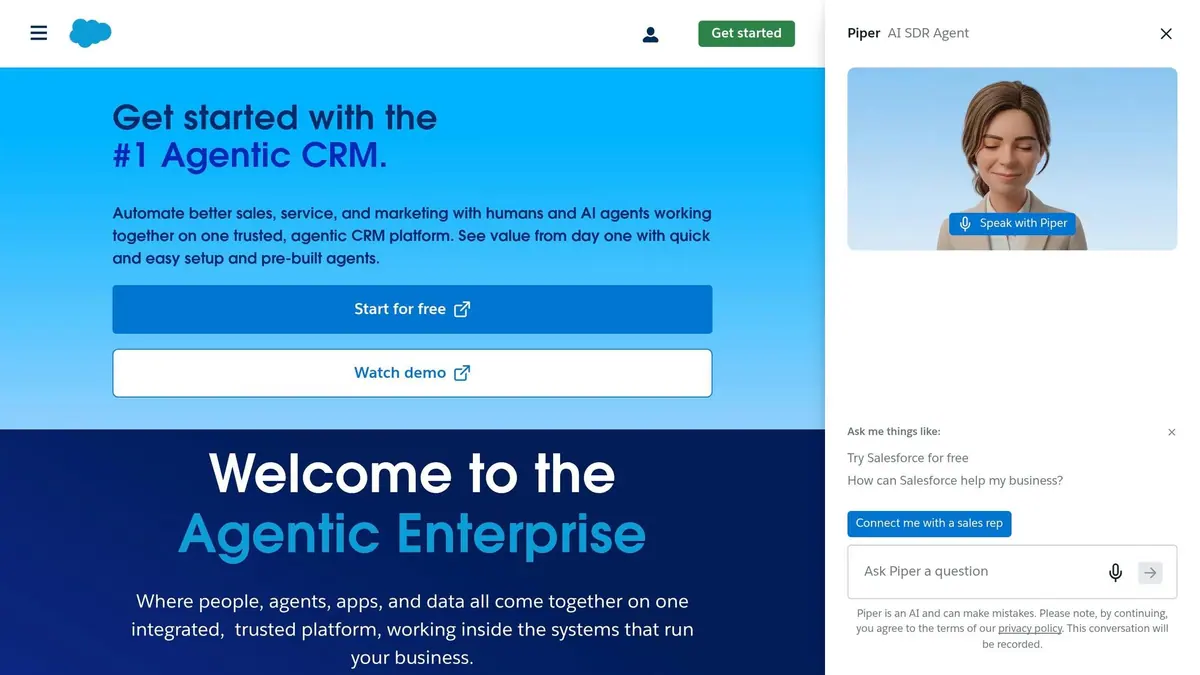
In Salesforce, set up routing in Lead Assignment Rules inside Setup. If you need more branching or multi-step logic, use Flow Builder.
In HubSpot, routing happens in Workflows. Use If/Then branches for territory logic, then apply Rotate record to owner for round-robin assignment. If you're syncing HubSpot with Salesforce, pick one system to control owner updates. If you don’t, ownership can bounce back and forth.
Every routing chain should also end with a fallback queue. Think of it as your safety net. If a lead comes in with a blank field or an odd value, it still lands somewhere instead of disappearing into the cracks.
Use Marketo and Pardot to qualify leads before CRM assignment
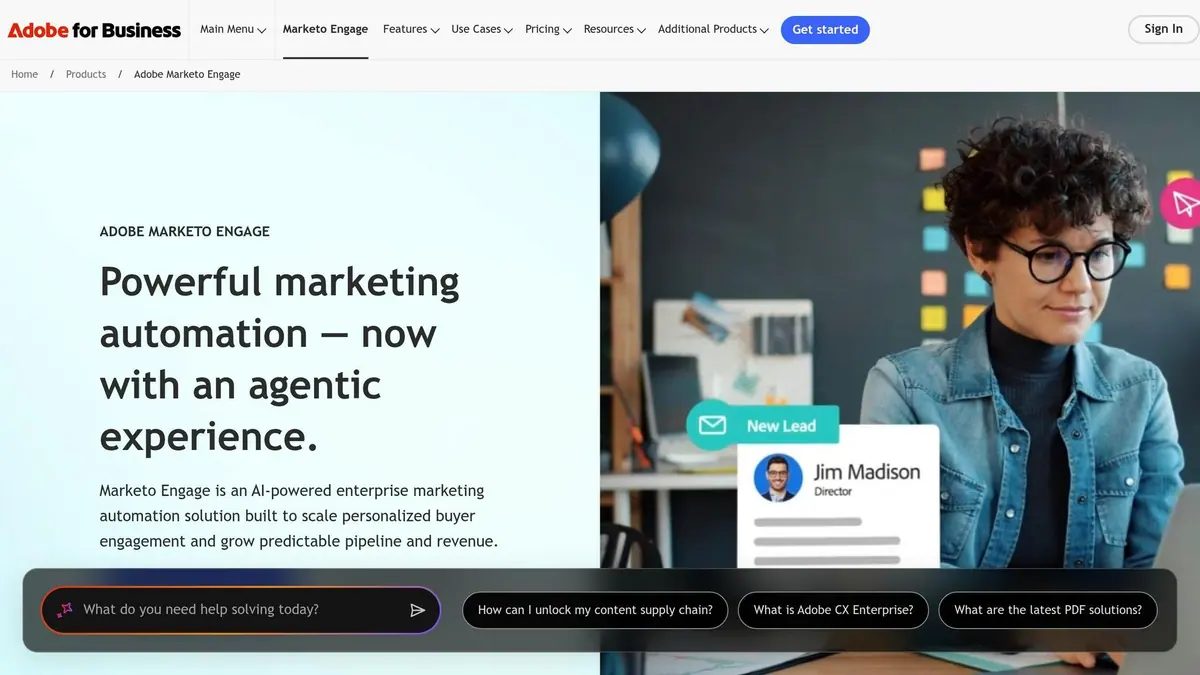
Marketing automation tools work best when they handle qualification before the lead reaches CRM ownership rules.
In Marketo, Smart Campaigns can trigger when a lead hits a score threshold or shows a certain level of engagement. From there, the lead can move into the CRM for assignment. In Pardot, use Automation Rules and Completion Actions for simple assignment steps, but keep territory logic in the CRM.
| System | Setup Location | Routing Complexity | Best-Fit Use Case |
|---|---|---|---|
| Salesforce | Lead Assignment Rules / Flow Builder | High | Enterprise teams with advanced territory and account hierarchy needs |
| HubSpot | Workflows (If/Then branches) | Medium | Teams using HubSpot CRM who need visual, branch-based logic |
| Marketo | Smart Campaigns / Sync to CRM | High | High-volume lead scoring and qualification before CRM handoff |
| Pardot | Automation Rules / Completion Actions | Medium | Salesforce-centric teams with straightforward marketing-to-sales handoff needs |
Once a lead is qualified, it should flow into the same CRM ownership rules every time. That’s what keeps routing clean as volume grows.
Use conditional forms to collect routing signals before CRM creation
Conditional forms help you collect routing signals before a record is even created in the CRM. That makes downstream routing much easier.
For example, a prospect who selects "Enterprise" may need a different path than someone who selects "Startup." Reform's multi-step forms can branch by segment and ask only for the fields that matter for that path. The result is cleaner input data, which makes channel-specific routing easier to manage in a single workflow.
4. Apply channel-specific routing without building separate systems
Don't split routing by channel. Use one CRM routing framework, then branch based on source, intent, and SLA. The same CRM fields from intake still do the heavy lifting - source, intent, completeness, and account match - but the routing rules should change by channel.
Here’s how intent and SLA targets shift by channel, even inside the same routing setup:
| Channel Type | Intent Level | Typical SLA | Target Team |
|---|---|---|---|
| Demo Request / Pricing Form | High | < 5–15 minutes | AE (direct) or SDR (high priority) |
| Chat / Scheduling | High | < 5 minutes | Available rep / SDR |
| Paid Ad Leads | Medium–High | < 1 hour | SDR |
| Event / Webinar Leads | Medium | 2–4 hours | Field Sales / SDR |
| Content Download | Low | Nurture / 24 hours | Marketing / SDR |
| Partner Referral | High | < 4 hours | Partner Manager |
That response gap is the reason demo, chat, and paid leads need tighter SLAs than content downloads.
Route form-based web leads by intent and completeness
Not every form fill means the same thing. High-intent forms should go to AE or priority SDR queues. Lower-intent forms should go to nurture. If the lead matches an account that already exists in the CRM, send it straight to the account owner instead of dropping it into a general queue.
Completeness matters too. A form with a work email, company name, and employee count gives the routing engine enough data to assign the lead cleanly. A form with only a first name and a personal email address doesn't. Reform's conditional multi-step forms let you ask for the right fields for each form type while keeping lower-intent paths short. That helps keep input data clean and routing decisions accurate.
Handle paid, event, and partner leads with source-specific logic
Paid-lead routing should run on campaign metadata. If a lead comes from an enterprise-focused paid campaign, it should go straight to an enterprise AE - not into the same round-robin pool as general inbound. Pass campaign metadata into the CRM at intake, then use those fields in your assignment rules.
Event and webinar leads need a different setup. Attendance status matters. Someone who showed up live is warmer than someone who registered and never attended. Use attendance data from your webinar platform to set a CRM field, then branch routing logic from that value. Attended leads can go to an SDR queue. No-shows can move into nurture.
Partner referrals also need their own path. They come in with high intent, but they shouldn't go to a standard AE or SDR by default. Send them to a Partner Manager. If the account already has an owner, route there first; if not, route to the Partner Manager.
Log source, intent, owner, and SLA timestamps in the CRM so Section 5 can report on routing performance.
Set fast-response rules for chat and scheduling channels
Chat and scheduling leads are the most urgent channels in the routing system. Someone starting a live chat or booking a meeting is showing immediate interest, so these leads should have a 5-minute SLA. Route chat to an available rep pool, not a named owner. Use CRM escalation rules to alert the rep's manager first, then reassign the lead if the SLA breach continues.
For scheduling channels, connect your booking tool to the CRM so the meeting record creates the lead record at the same time. No manual handoff. No lag between booking and assignment.
Record submission time, owner, and first-response time in the CRM so SLA performance can be measured later. Those same assignment timestamps also become the baseline for SLA alerts and reassignment rules.
5. Track SLA performance and refine routing over time
Once each channel has its own routing path, the next job is simple: check whether those paths assign leads fast and assign them to the right person. Your reporting should focus on routed paths, owners, and SLA results, not routing as a broad idea.
Record routing metadata for reporting
If you want to catch broken rules before they burn leads, you need clean assignment data. At the moment a lead is assigned, every lead record should store routing timestamp, assigned owner, the specific routing rule triggered, first response timestamp, and source channel. Those fields make it much easier to answer questions like "why did this lead go to the wrong rep?"
Start with your CRM's built-in logs. In HubSpot, Workflow History shows which rule fired and when. In Salesforce, Lead Assignment History shows the same kind of detail. If routing happens outside the CRM, push assignment updates back in real time. Even a 15-minute sync delay can wipe out the edge you got from routing a lead fast.
Set alerts, escalations, and reassignment rules
Send Slack or Teams alerts as soon as assignment happens. Then set escalation and reassignment rules for any lead that misses the SLA. Each routing chain also needs a fallback queue for leads with missing or unexpected field values, so they land in a named queue with an urgent alert instead of sitting there with no owner.
Test each channel path and document every rule change
Before any rule goes live, run a test lead through every main path - web, paid, webinar, chat, scheduling, and partner. Then confirm the right owner gets assigned and notified in the CRM. Log the result for each test. That log gives you a baseline later, when something goes sideways.
Track each channel path on the same reporting cycle:
| Key Metric | What It Measures | Action if Off Target |
|---|---|---|
| Speed-to-Lead | Time from lead submission to first rep outreach | Audit sync latency between systems; check notification delivery |
| First Response Time | Time taken for a rep to log a meaningful activity | Review rep capacity/workload; adjust weighted round-robin |
| SLA Breach Rate | % of leads not contacted within the defined SLA window | Trigger auto-reassignment; escalate to manager |
| Conversion Rate by Rule | Lead-to-opportunity rate per routing path | Refine qualification criteria or rule priority |
| Assignment Accuracy | % of leads routed to the correct owner on first try | Audit field mappings and rule order |
| Fallback Rate | % of leads hitting the catch-all queue | Identify missing form fields or unmapped lead sources |
Any time a rule changes, add a one-line note to your changelog with what changed, why, and when.
FAQs
How do I choose the best lead routing rules?
Start by qualifying leads so only people or companies that match your ideal customer profile move into routing.
Then apply ownership rules in this order:
- Existing account owners first
- Territory- or segment-based rules next
After that, send any leads that still don't have an owner through round-robin. If rep workloads differ, use weighted round-robin so distribution matches rep capacity and onboarding status.
Keep routing continuous and immediate. And make sure you have fallback rules in place when team members are out.
What should happen when lead data is missing?
When lead data is missing, your automation should do one of two things: reject the submission and alert the form owner, or send the record to manual review.
Add a catch-all at the end of every routing chain so leads don’t sit unassigned or slip past your rules. Route those leads to a named person or a shared team queue, and make sure alerts are turned on. Reform’s custom mapping and validation can also help keep your CRM data clean.
How often should I test and update routing workflows?
Treat lead routing workflows as living systems, not a set-it-and-forget-it setup. Review and tune them on a regular basis so rep pools and weights match staff changes, PTO, shifts in capacity, and sales territory updates.
It also helps to monitor and audit these workflows on a steady basis. That’s how you catch conflicting assignments or silent failures before they chip away at trust in your data. Reform’s real-time analytics can help you keep a close eye on routing performance.
Related Blog Posts
Get new content delivered straight to your inbox

The Response
Updates on the Reform platform, insights on optimizing conversion rates, and tips to craft forms that convert.




Drive real results with form optimizations
Tested across hundreds of experiments, our strategies deliver a 215% lift in qualified leads for B2B and SaaS companies.
