
.webp)
K-12 Privacy Compliance Checklist for Forms


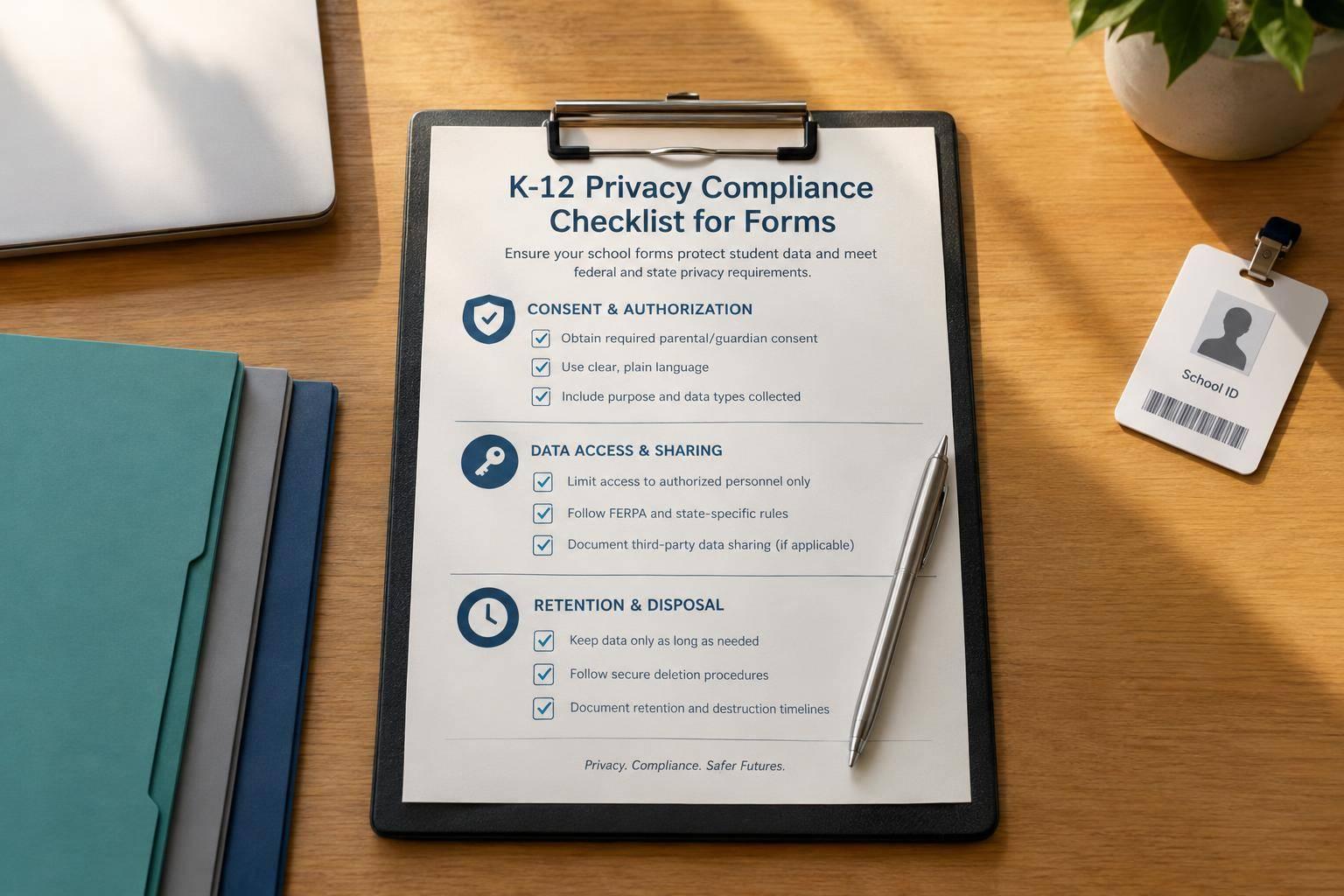
Before launching a K–12 form, I check what it collects, who can access the data, and when every copy gets deleted. I assign 1 review owner and confirm which FERPA, COPPA, and state rules apply. COPPA covers certain online collection from children under 13; FERPA concerns education records.
My prelaunch checklist covers:
- People and fields: Identify who submits the form, whose data it collects, and why each field is needed.
- Notices and consent: Choose the right consent or school authorization process, explain data uses, and set up parent rights requests.
- Storage and access: Review vendor terms, connected systems, staff permissions, and deletion rules - including backups.
- Testing and approval: Use synthetic data to test fields, routing, notices, accessibility, and integrations. Save results and approvals.
My rule: <u>unresolved high-risk issues mean no launch</u>. I review the checklist at least annually and whenever data uses, systems, vendors, or laws change. It supports the review - it doesn’t replace legal advice.
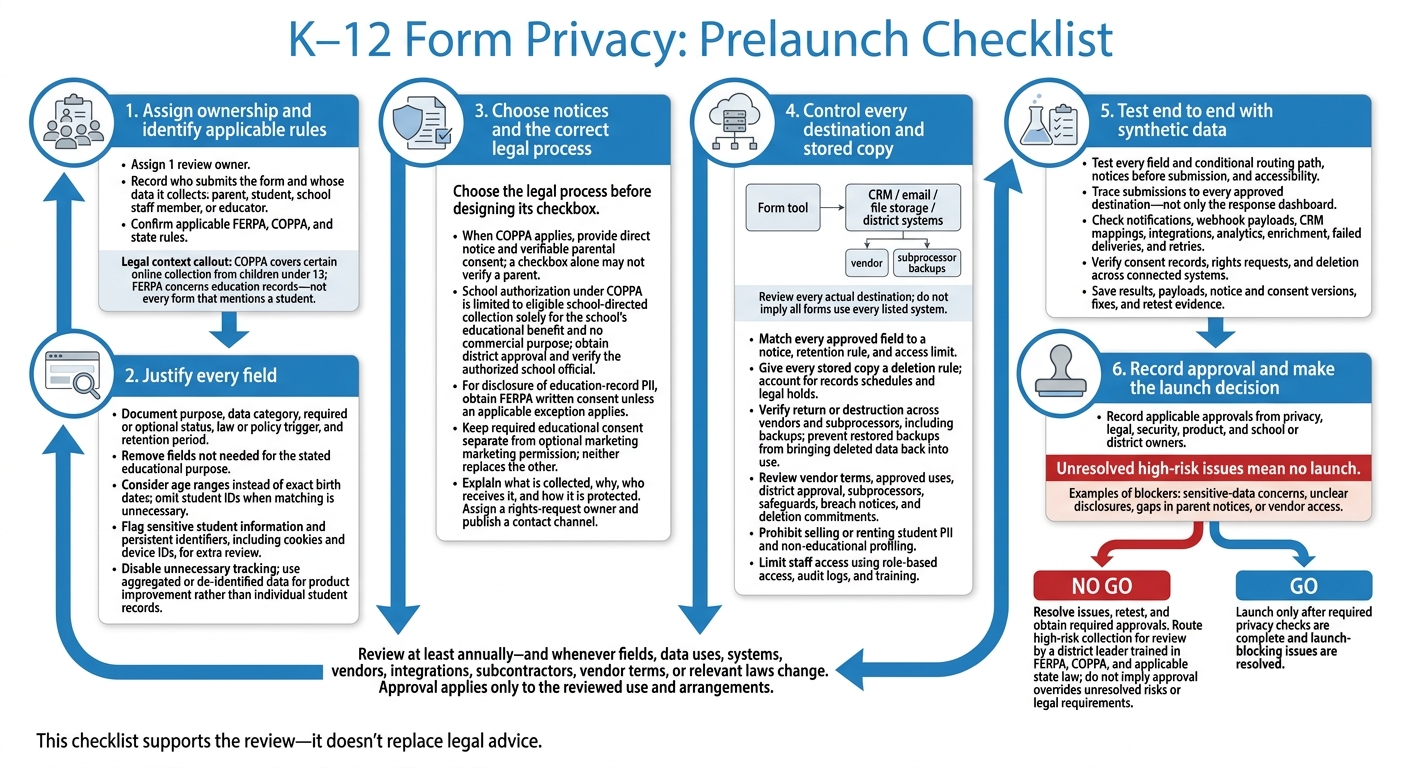
K–12 Form Privacy: Prelaunch Checklist
Define the Audience, Data Needs, and Consent Rules
Identify Who Submits the Form and Which Laws Apply
Record who submits the form and whose data it collects: a parent, student, school staff member, or educator. COPPA applies to covered online collection of personal information from children under 13. FERPA concerns education records - not every form that mentions a student. Flag sensitive fields and persistent identifiers for extra review before collection, especially medical histories, social-emotional assessments, test results, cookies, and device IDs.
Once you know which legal requirements apply, remove any field that isn't needed for the stated purpose.
Justify Each Field
Collect only what the specific educational service needs. Use age ranges instead of exact birth dates when possible, limit student identifiers, and treat persistent identifiers such as cookies and device IDs as personal data. For product improvement, use aggregated or de-identified data rather than individual student records.
Use this table to document each field decision and its approved deletion rule. Set each field's purpose, required status, and deletion rules before building the form.
| Field | Purpose | Data category | Required or optional | Law or policy trigger | Retention period |
|---|---|---|---|---|---|
| Birth date | Establish age only when needed; consider an age range | Age information | Required only with a documented need | COPPA age assessment | Use the shortest justified period |
| Student ID | Match an existing school record | Student identifier | Omit if matching isn't needed | FERPA | Follow the approved record schedule |
| Sensitive student information | Support a specific service | Sensitive data | Collect only for the relevant service | FERPA | Set a deletion rule tied to the service |
| Cookies or device IDs | Support needed form functions | Persistent identifiers | Disable unnecessary tracking | COPPA | Document expiration and deletion |
Choose the Correct Consent or Authorization Process
Choose the legal process before designing its checkbox. When applicable, COPPA requires direct notice and verifiable parental consent. A checkbox alone may not verify a parent. Schools may consent on behalf of parents only when the data serves solely the school’s educational benefit and no commercial purpose. Get school district approval for the arrangement, and verify that an authorized school official provides the authorization.
| Process | Trigger | Notice | Permitted purposes | Evidence | Withdrawal or review |
|---|---|---|---|---|---|
| COPPA parental consent | Covered collection from children under 13 | Direct notice to parent | Disclosed, legally permitted uses | Verifiable parental consent | Provide review, deletion, and a way to stop further collection |
| School authorization under COPPA | Eligible school-directed educational collection | Required notice to school | Solely school educational benefit | Verified school authorization | Support parent review, deletion, and stopping further collection |
| FERPA written consent | Disclosure of education-record PII unless an exception applies | Identify the proposed disclosure | Authorized disclosure or applicable exception | Written consent or documented exception | Confirm the applicable process before launch |
| Marketing consent | Separate, optional marketing use | Clear marketing disclosure | Only separately authorized, lawful uses | Separate affirmative opt-in | Document how permission can be withdrawn |
Keep required educational consent separate from optional marketing permission. Neither replaces the other. Design the checkbox, notice, and recordkeeping around the chosen legal process - not the other way around.
sbb-itb-5f36581
Adopting EdTech: FERPA and COPPA
Set Notice, Retention, Vendor, and Access Controls
Once you set consent rules, put notice, retention, vendor, and access controls in place for the same fields. Match every approved field to a notice, a retention rule, and an access limit.
Provide Privacy Notices and Rights Request Procedures
Write a notice for parents and guardians that explains what you collect, why you collect it, who receives it, and how you protect it. Include procedures for notifying schools and parents if data is disclosed without permission or a breach occurs.
Assign an owner for rights requests before launch. Publish a clear contact channel, and document how requests move through your team and reach connected vendors.
Define Retention and Deletion Across Systems
Give every stored copy a deletion rule. Base retention on the purpose of the data, covering completed submissions and copies in the form tool, CRM, email, file storage, and backups. Account for school record schedules and legal holds.
Use this table to document your decisions - not to set retention periods that apply to every situation.
| Record type | Purpose | System location | Retention trigger | Deletion method | Responsible owner |
|---|---|---|---|---|---|
| Education records / completed submissions | School service and recordkeeping | Form storage; district systems | School purpose is fulfilled or the applicable records schedule expires | Return to the district or securely destroy | School records lead |
| Vendor backups | Disaster recovery | Vendor and subprocessor backups | Backup cycle expires | Overwrite or cryptographic erase | IT and vendor owner |
Verify deletion across every system, including vendor and subprocessor return-or-destruction procedures. Review disaster recovery procedures, too, so restoring a backup doesn't bring deleted data back into use.
Check that every vendor and subprocessor follows the same deletion and access rules.
Review Vendor Terms and Limit Access
Review every system that receives form submissions: the form tool, CRM, email, file storage, and backup systems. Document the data shared, its purpose, the subprocessors involved, and storage locations.
Record each vendor's role, approved use, and district approval in the contract. Require confidentiality, security safeguards, breach notices, terms that extend the same requirements to subprocessors, and return-or-destruction commitments. Explicitly prohibit selling or renting student PII or using it for non-educational profiling.
If you rely on the FERPA school-official exception, document the school's ownership and control of the data. Review the vendor's information security program, incident response plan, and SOC 2 Type 2 report, if available.
Give access only to staff who need it. Support those limits with role-based access, audit logs, and staff training.
| Review item | What to record for each recipient |
|---|---|
| Data received | Exact fields, attachments, and identifiers |
| Purpose | Approved use and prohibited secondary uses |
| Contract status | Signed agreement and applicable district approval |
| Subprocessors | Names, storage locations, and flow-down protections |
| Deletion commitment | Return or destruction triggers and verification steps |
| Access controls | Roles, access needed for each job, training, and audit logs |
| Review date | Named owner and next contract/access review |
Review Every Field Before Launch
Once controls are set, test the live form from start to finish with synthetic submissions before collecting real student or parent information. Follow every conditional path and trace each submission to every approved destination - not just the response dashboard. Start with fields, routing, and notices.
Test Fields, Routing, Notices, and Accessibility
Check that each field serves its approved purpose. Review its label, data type, required setting, and approval for sensitive data. Test every routing path, confirm that notices appear before submission, and check that accessibility features work as intended.
Test Form Settings and Data Flows
Review notifications, webhook payloads, CRM mappings, and downstream outputs. Check whether analytics or enrichment settings collect data without an approved purpose. Test failed deliveries and retries. Then verify consent records, rights requests, and deletion across connected systems.
If you use Reform, review field configuration, conditional routing, integrations, and account access settings. Disable tracking or enrichment that lacks an approved purpose. These features do not replace legal compliance.
Record Launch Approvals and Review Dates
Resolve launch-blocking issues before the form goes live. Save test results, payloads, notice and consent versions, fixes, and evidence from retesting. Record approvals from privacy, legal, security, product, and school or district owners, as applicable.
Assign an owner and set the next review date. Repeat testing when fields, purposes, vendors, integrations, or relevant laws change.
Conclusion: Launch Only After Privacy Checks Are Complete
Use the checklist as a go/no-go record for launch. Before launching, confirm that every field is needed, each notice and consent rule fits the intended use, and retention rules cover every system. Document vendor, access, and field-level tests, and keep the approval record current.
Stop launch if high-risk issues remain unresolved, including sensitive student data, unclear disclosures, gaps in parent notices, or vendor access. Before launch, have a district leader trained in FERPA, COPPA, and applicable state law approve any unresolved high-risk collection.
Approval applies only to the reviewed use, laws, vendor terms, and subcontractor arrangements. Reopen the checklist whenever data uses, vendors, subcontractors, vendor terms, or legal requirements change.
FAQs
Do parent-only inquiry forms trigger FERPA or COPPA?
Yes, depending on what data is collected and how it’s processed. FERPA applies to student education records maintained by or for an educational institution. COPPA applies if a service is directed to children under 13 or knowingly collects personal information from a child.
To reduce risk, avoid collecting student identifiers. Also, add a disclaimer advising users not to submit student education records through general inquiry forms.
How do we verify parents requesting student data?
Confirm identity without collecting more personal information than needed. For sensitive requests, use multi-factor authentication or ask for a government-issued ID.
Make request channels easy to find and use, such as a dedicated email address or web form. Record dates, actions taken, and the final response to maintain a compliance audit trail. Under FERPA, schools must handle requests - including verification and any required redactions - within 45 days.
What if a vendor cannot delete student data?
A vendor that can’t delete student data poses a serious compliance risk. Address it before launch. During vetting, flag tools that lack auto-delete settings or clear deletion procedures.
Require your Data Processing Agreement (DPA) to mandate the vendor’s cooperation in returning or destroying student personally identifiable information (PII) and education records upon request or when the contract ends. Vendors that won’t or can’t guarantee deletion are likely a poor fit for sensitive K-12 data.
Related Blog Posts
Get new content delivered straight to your inbox

The Response
Updates on the Reform platform, insights on optimizing conversion rates, and tips to craft forms that convert.



Drive real results with form optimizations
Tested across hundreds of experiments, our strategies deliver a 215% lift in qualified leads for B2B and SaaS companies.
