
.webp)
Lead Form Consent Checklist for 2026


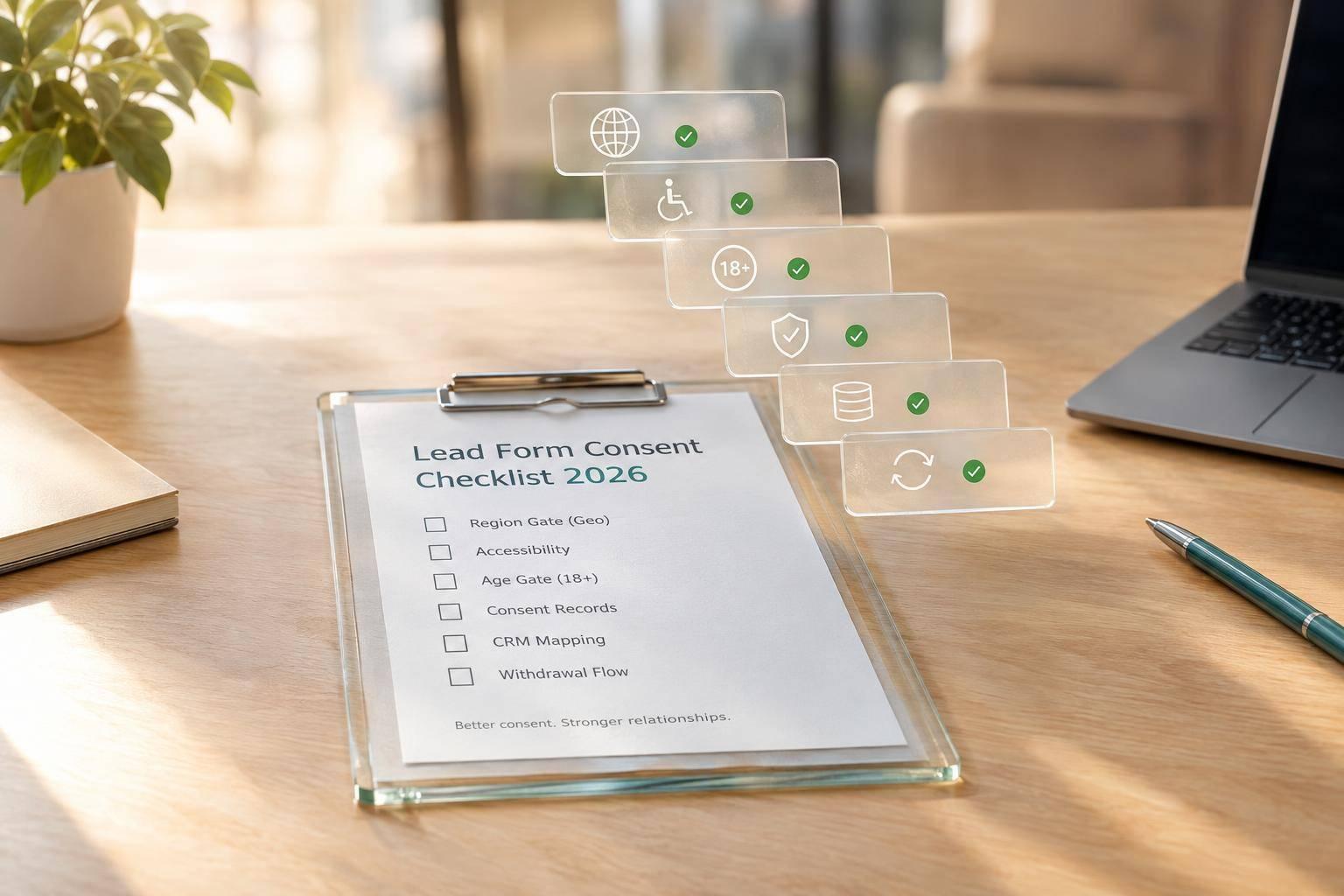
I don’t treat a form submission as marketing consent. Before launching a U.S. B2B lead form in 2026, I check that optional marketing stays unchecked, each choice reaches the CRM, and withdrawals stop the affected outreach. Commercial email opt-outs must be honored within 10 business days.
My review covers:
- Copy and controls: Clear purposes, separate channel choices, working privacy links, and accessible checkboxes.
- Collection rules: Age and state requirements, needed fields, enrichment, and data flows.
- Records and retention: What each person saw and chose, notice versions, storage limits, and deletion rules.
- Sales handoff: Permission mapping, suppression, duplicate records, retries, and withdrawal tests.
- Launch approval: An owner, deadline, and retest for each failed check, plus scheduled reviews.
My rule: <u>test the whole path, not just the checkbox</u>. This checklist is an internal review aid, not a substitute for legal review of the rules that apply to your business.

2026 Lead Form Consent Review Workflow
Checkbox Defaults and Placement
Once the consent copy is confirmed, test how the form works.
Leave Optional Marketing Unchecked
Start a new form session. Every optional marketing checkbox should be unchecked by default and separate from required terms and privacy acceptance. Remove default opt-in language and validation rules that force visitors to grant optional permission. Neither silence nor form submission counts as affirmative consent.
Submit the form with all optional boxes blank. The request should succeed without adding marketing permission. Record blank responses as no new marketing permission, not as instructions to replace existing records. For existing contacts, keep prior permissions and opt-outs intact.
Check Placement and Accessibility
Put each disclosure beside its checkbox. Controls should be visible before submission on both desktop and mobile. Open the privacy notice, then return to the form: entered data and choices should still be there. Check that larger text and browser zoom don’t cut off disclosures or cover controls.
Test the form using only a keyboard. You should be able to reach and toggle every checkbox, then submit. Check for a logical focus order, visible focus indicators, and clickable labels. With a screen reader, confirm that each control announces its purpose, checked state, required status, and related instructions. Link each validation error to the matching control.
If you use Reform, use multi-step forms and conditional routing to show only relevant choices. Then test every route, including back-navigation, refresh, retry attempts, and changed answers. Confirm that the final payload keeps the visitor’s choices, including unchecked values, and save evidence from desktop and mobile tests. Then move to age and regional gating.
sbb-itb-5f36581
Age, Region, and Required Data
Check Age and Regional Requirements
Check your audience, location, and product restrictions. B2B forms aren’t exempt by default. Use an age band or eligibility check only when it meets the business need. COPPA generally requires parental notice and verifiable parental consent before collecting, using, or disclosing information from children under 13 if the service is directed to children or the business has actual knowledge that it collects information from a child under 13. Send child-directed services or known collection from children to legal for review before collecting personal information.
Collect a full birth date only for a documented legal, safety, identity, or eligibility need. Explain that purpose in the privacy notice. Set rules for failed or unknown checks: block submission, route to review, or trigger deletion. An eligibility check is not marketing consent, and it doesn’t replace age- or parental-consent requirements.
Ask for state or country only when it affects notice, consent, routing, or eligibility. Don’t rely on IP location alone. For California, assess whether the business sells or shares personal information, processes sensitive personal information, and must honor an opt-out preference signal such as Global Privacy Control. Apply qualifying signals across linked profiles. A later absence of the signal does not count as renewed consent.
Justify Each Form Field
Once eligibility and region rules are set, trim the form to the minimum data needed for the approved use.
Create a field inventory that records each field’s purpose, required status, source, recipients, retention period, and deletion owner. Every mandatory field needs a specific business or legal reason. Review professional details, sensitive data, precise location, and enrichment separately. Remove fields you don’t need. Enrichment still requires a documented purpose, coverage in the privacy notice, and retention controls.
Use this inventory to mark each field as required, optional, or removed.
| Trigger | Form treatment | Escalation owner |
|---|---|---|
| Age check: Child-directed audience, known collection from children, below-threshold age, or age-based eligibility | Use the control that collects the least data while meeting the rule. Define blocking, parental-consent, review, and deletion handling. | Privacy or legal lead and product owner |
| Regional notice or opt-out: Applicable state rights, sensitive-information rules, or qualifying preference signals | Show required notices and controls. Suppress affected sale, sharing, advertising, or enrichment flows. | Privacy lead, CRM owner, and marketing operations |
| Data minimization review: Sensitive, precise, duplicative, enriched, or unjustified data | Remove the field, reduce precision, or make it optional. Document why any retained data is needed and what safeguards apply. | Data owner and privacy or security reviewer |
Keep the form’s eligibility logic, privacy notice, field list, and downstream CRM permissions aligned. Have counsel confirm applicable thresholds and state requirements before launch. Record the rule version, effective date, and update owner. Before approving collection, test underage, unknown-age, regional, and opt-out paths.
Consent Records and Privacy Notices
Log Consent Choices and Form Versions
Once the form copy, defaults, and field rules are set, record what each visitor saw and chose. A submission timestamp alone does not prove consent. Log the contact ID, form/version ID, page URL, timestamp and time zone, checkbox states, selected purposes, submitted values, source/campaign ID, and routing result. Preserve the exact consent wording and privacy notice, or immutable links to archived copies. Make records searchable by contact and exportable for authorized reviewers.
Record each purpose separately, using affirmative, declined, not presented, or withdrawn states, with timestamps. Archive changes to wording, checkbox defaults, notices, routing, privacy links, analytics settings, and CRM destinations. Include the editor, effective date, and version ID for each change. Restrict access to evidence by role, log exports, and prevent edits to historical records.
Review Privacy Links and Retention
Show the privacy notice and a clearly labeled privacy link before submission. Store the notice version with the consent record, but separately from the visitor’s choices, so reviewers can reconstruct exactly what appeared at submission. Test the link on desktop and mobile. The notice should explain the categories of data collected, collection and use purposes, recipients or third parties, sale or sharing, retention periods or criteria, consumer rights, opt-out methods, and a contact method.
Set separate retention rules for lead records, consent evidence, suppression records, abandoned or rejected submissions, and analytics events. For each, specify how long to keep the data and how to dispose of it securely. Keep only the suppression data needed to prevent re-contact, and define how withdrawals reach connected sales and marketing tools.
California requires consumer request and response records to be kept for at least 24 months. That requirement is not a universal retention period for lead-form consent evidence.
For Reform builds, check analytics, abandoned-submission tracking, email validation, lead enrichment, spam prevention, and integrations against these rules before launch. Document what each enabled feature collects, whether collection begins before submission, where the data goes, and when it is deleted. Disable or adjust settings that conflict with these rules. Analytics events do not prove consent, and platform features do not guarantee compliance. The records should match the permissions passed to sales tools.
Sales Handoff and Final Review
Map CRM Permissions and Enforce Opt-Outs
After verifying the consent record, check that the same permissions carry through to CRM and sales tools. Map each purpose and channel to the CRM field that controls outreach. Document what each permission allows, and don’t apply it to unrelated promotions.
Check suppression before enrolling contacts in outreach or sending sales notifications. Unchecked boxes, duplicate merges, imports, and retries must not overwrite an earlier opt-out without new, documented permission.
Assign an owner and an escalation path for failed syncs and conflicting permissions. Block outreach until those conflicts are resolved. The FTC requires email marketing opt-outs to be honored within 10 business days. Test that each request reaches every connected tool responsible for that outreach.
Test Submissions and Withdrawals
Use the CRM map to check that withdrawals stop every affected active sequence.
Run controlled submissions with opt-ins, opt-outs, and blank choices. Test withdrawals, duplicate contacts, blocked age and region paths, conditional paths, API failures, delayed retries, and record merges.
Record expected versus actual results for CRM assignment, enrichment, enrollment, notifications, and suppression. Confirm that withdrawals apply suppression in the CRM and stop affected sequences and sales notifications. Check that retries cannot restore outdated permissions. Email validation and spam checks qualify leads - not consent.
Use the results to mark each control’s status, and block launch until failures are fixed.
Record Findings and Review Dates
Mark each control Pass, Needs review, or Fail. Cover copy, defaults, placement, eligibility, data minimization, evidence, CRM mapping, and enforcement. For every finding, record the owner, corrective action, deadline, affected workflows, and next review date.
Keep affected workflows disabled until launch-blocking failures pass a retest. Repeat the audit after changes to wording, notices, routing, mappings, integrations, or applicable regulations. Schedule reviews even when nothing changes; quarterly is a practical baseline for high-volume lead programs.
FAQs
Can sales follow up without marketing consent?
Yes, sales can follow up on a specific request, such as a demo or brochure, without marketing consent - even if the contact has opted out of marketing.
Keep the required service acknowledgment separate from an unchecked, optional checkbox for marketing or AI analytics. Store consent status in an authoritative CRM field, and clearly segment contacts so sales can tell service-related follow-up apart from marketing outreach.
When should I ask existing leads to consent again?
Ask users to consent again when the original purpose for processing their data changes. Reach out to users who have been inactive for a long time; some regulatory frameworks require periodic consent reconfirmation for continued activities. If a user changes jurisdiction during a form session, get a new, active opt-in for that location.
Record each update in your audit trail, including the timestamp, policy version, and specific consent choices.
How do I handle deletion requests while preserving opt-outs?
Keep your audit trail separate from active marketing data. When someone requests deletion, remove their personal information from active CRM and marketing systems. Keep a dedicated opt-out log to maintain suppression lists and prevent accidental re-collection.
In your compliance logs, record the request date, the action taken, and confirmation of deletion. This documents that you handled the request and honored the opt-out.
Related Blog Posts
Get new content delivered straight to your inbox

The Response
Updates on the Reform platform, insights on optimizing conversion rates, and tips to craft forms that convert.



Drive real results with form optimizations
Tested across hundreds of experiments, our strategies deliver a 215% lift in qualified leads for B2B and SaaS companies.
