
.webp)
Top Tools for DSAR Timeframe Management



Managing DSARs (Data Subject Access Requests) is challenging but essential for compliance with regulations like GDPR. Here's what you need to know:
- Deadline: Organizations must respond within 30 days, extendable by 2 months for complex cases.
- Cost & Time: Manual processing can take 3-4 weeks and cost $500-$2,000 per request.
- Automation Benefits: Tools can reduce processing time by 90% and cut costs significantly.
- Top Tools:
- Reform: No-code forms for easy DSAR intake, starting at $35/month.
- OneTrust: Enterprise-grade automation with AI, costs $200,000+ annually.
- Logikcull: Focused on document-heavy requests, integrates with platforms like Google Workspace.
- DataGrail: Scalable for SaaS-heavy environments, connects to 2,500+ systems.
- Osano: Simple setup, includes compliance guarantees.
Quick Comparison
| Tool | Best For | Key Features | Pricing |
|---|---|---|---|
| Reform | Small businesses | No-code forms, spam prevention | $35/month |
| OneTrust | Large enterprises | AI-driven workflows, 2,000+ connectors | $200,000+ annually |
| Logikcull | Document-heavy requests | Bulk redaction, PII detection | Custom pricing |
| DataGrail | Growing SaaS businesses | Smart Verification, 2,500+ integrations | $150,000-$300,000 annually |
| Osano | Small to mid-sized organizations | Simple setup, compliance guarantee | Flexible pricing |
Choose a tool based on your organization’s size, request volume, and compliance needs. Automating DSAR workflows not only ensures compliance but also saves time and resources.
How to Automate Data Subject Requests (DSRs) with LightBeam | DSAR Compliance Made Easy
sbb-itb-5f36581
DSAR Deadlines and Compliance Requirements
Organizations have just one calendar month to respond to a DSAR (Data Subject Access Request) once it's received. The clock starts the moment the request is submitted - whether it arrives via email, social media, or a support ticket. If the deadline lands on a weekend or holiday, it automatically shifts to the next business day. Knowing these timing rules is critical for efficient DSAR handling.
For requests that are particularly complex or involve multiple layers, the deadline can be extended by up to two months. However, this extension is only valid if the requester is informed within the first month. Examples of valid complexities include retrieving data from offline archives, redacting large amounts of third-party information, or seeking specialized legal advice on exemptions. Internal challenges like staff shortages, heavy workloads, or poorly organized data systems do not justify an extension.
"You should not ask for clarification on a blanket basis. You should only ask if it's reasonably required." - Information Commissioner's Office (ICO)
The timeline can pause if identity verification or clarification is required, as outlined by the Data (Use and Access) Act 2025. For most routine requests, verifying an account or confirming an email address is enough. More formal identification, like a passport, is only necessary when dealing with highly sensitive data. These details highlight why having reliable DSAR tools in place is so important.
The consequences of missing deadlines are steep. Late responses can lead to heavy penalties and even civil claims. Alarmingly, nearly 75% of UK organizations fail to meet the one-month GDPR deadline, resulting in $55.96 million in fines. To avoid these risks, it's essential to train all customer-facing staff to recognize DSARs immediately, as the legal timer starts the moment a request is received. These strict timelines emphasize the importance of automated DSAR management solutions.
Top Tools for DSAR Timeframe Management
Managing DSAR deadlines goes beyond juggling spreadsheets and email threads. The right software can automate intake processes, track progress across systems, and help you meet the critical 30-day deadline. Each platform offers unique ways to locate, retrieve, and deliver personal data, whether by streamlining document handling, automating workflows, or creating intuitive intake systems. The challenge lies in finding a solution that aligns with your data environment and request volume. With tools tailored to various levels of complexity, businesses can choose what fits best.
Manual DSAR processing is both time-consuming and expensive, often costing between $500 and $2,000 per request and taking three to four weeks to complete. Automation tools, however, can slash these costs by up to 99%.
Here’s a closer look at tools designed to handle different aspects of DSAR management, from intake to data delivery.
Reform: Simplifying DSAR Intake with No-Code Forms

A smooth intake process is essential for meeting DSAR deadlines, and Reform excels in this area. This platform enables businesses to create branded, multi-step forms without any coding. These forms guide users through the submission process, ensuring all necessary details - like identity verification and data location info - are captured from the start.
Reform's features include conditional routing, which tailors the intake process based on the type of request (e.g., access, deletion, portability) and directs submissions to the right team for faster handling. Built-in spam prevention and email validation reduce fraudulent requests, while CRM integrations feed verified DSARs directly into your workflows. Real-time analytics help identify where users abandon the form, allowing you to make adjustments to improve completion rates. You can even create custom thank-you pages to set clear expectations for response timelines.
For businesses needing secure file uploads, Reform offers this feature on its Pro plan, starting at $35/month or $350/year. The platform also supports full customization to match your branding needs.
When it comes to enterprise-level automation, OneTrust offers a powerful solution.
OneTrust: Automating DSAR Workflows for Enterprises
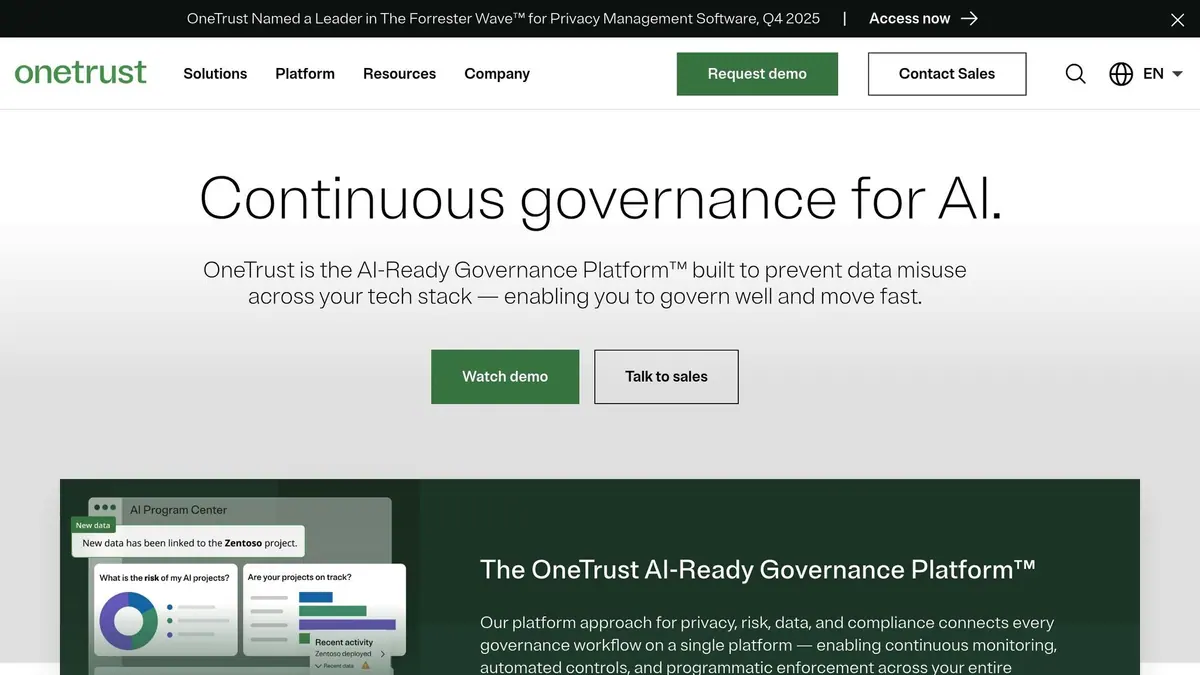
For organizations handling a high volume of DSARs, automation is key. OneTrust leverages its Athena AI engine to streamline data discovery and redaction across more than 2,000 pre-built connectors, covering both SaaS and on-premise systems. Its regulatory-aware workflows simplify data retrieval and deletion, ensuring compliance with the 30-day response requirement.
OneTrust has received a 4.3/5 rating on Gartner Peer Insights, based on 14 reviews. While implementation can take three to six months and costs range from $200,000 to over $500,000 annually, its capabilities make it a strong choice for enterprises with complex privacy needs.
For businesses dealing with document-heavy requests, Logikcull is a standout option.
Logikcull: Efficient Document Processing for DSARs
Logikcull specializes in managing large volumes of documents, making it easier to comply with tight DSAR deadlines. Its automated PII detection achieves over 99% accuracy in identifying sensitive data like Social Security numbers and addresses. Bulk redaction tools are another highlight, reducing error rates from around 20% (manual) to just 2% with AI assistance.
Spencer Davidson, Director and Associate General Counsel at Delicato Family Wines, shared, "I gained same-day access to over 2,100 documents for review and tagging - a process that used to take up to two weeks".
Logikcull integrates seamlessly with platforms like Microsoft 365, Google Workspace, and Slack, enabling data pulls in under 30 seconds. Its user-friendly design supports onboarding in just 30 minutes, making it a trusted choice for over 1,500 legal and IT teams worldwide.
For growing businesses, DataGrail offers a robust solution tailored to their needs.
DataGrail: Scalable DSAR Management for Growing Businesses
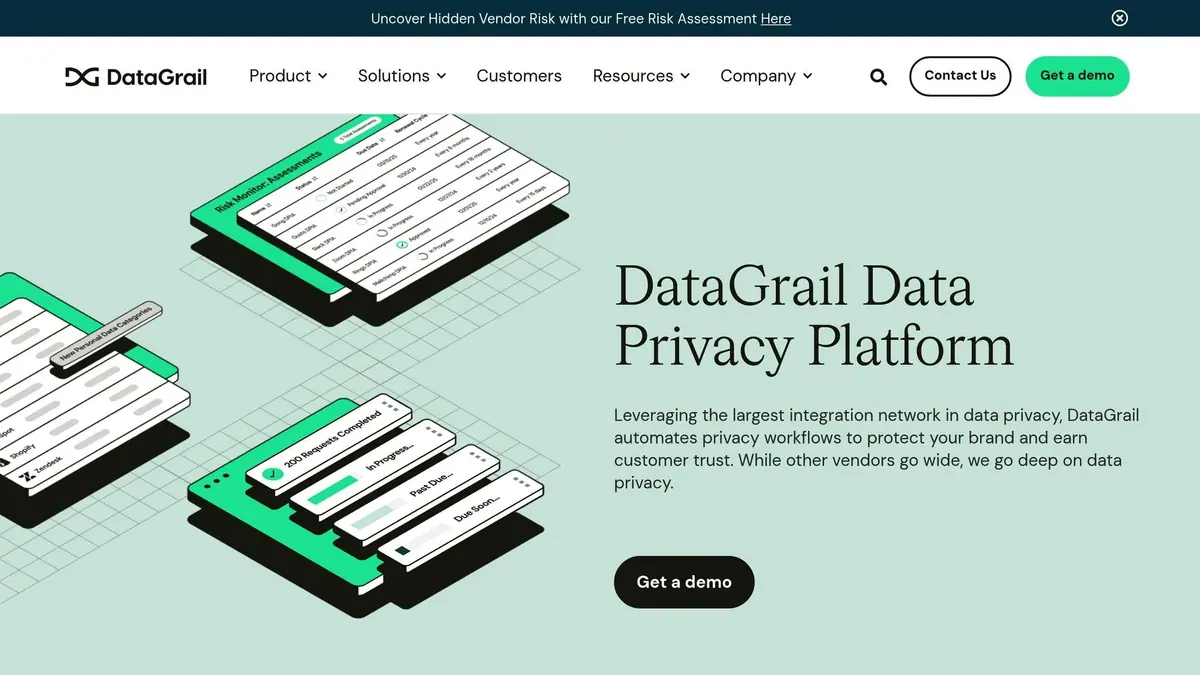
DataGrail focuses on automation and integration, connecting with over 2,500 cloud systems, infrastructure providers, and internal tools. This extensive network reduces the time needed to process DSARs and earned the platform a 4.7/5 rating on Gartner Peer Insights from 10 reviews.
One of its standout features is Smart Verification™, which uses existing data signals to authenticate requesters, eliminating the need for sensitive document uploads. This approach minimizes friction for users while blocking fraudulent requests. In 2025, Life360 implemented DataGrail to map over 400 systems, reducing DSAR processing staff from 18 to just one.
Jodi Chapin, General Counsel at REVOLVE, remarked, "DataGrail has saved us countless man hours and tech resources and really allowed us to be compliant in the easiest possible way".
Pricing for DataGrail typically ranges from $150,000 to $300,000 annually, with implementation taking two to four weeks.
For businesses seeking simplicity, Osano offers a straightforward option.
Osano: DSAR Intake with Built-In Compliance Assurance
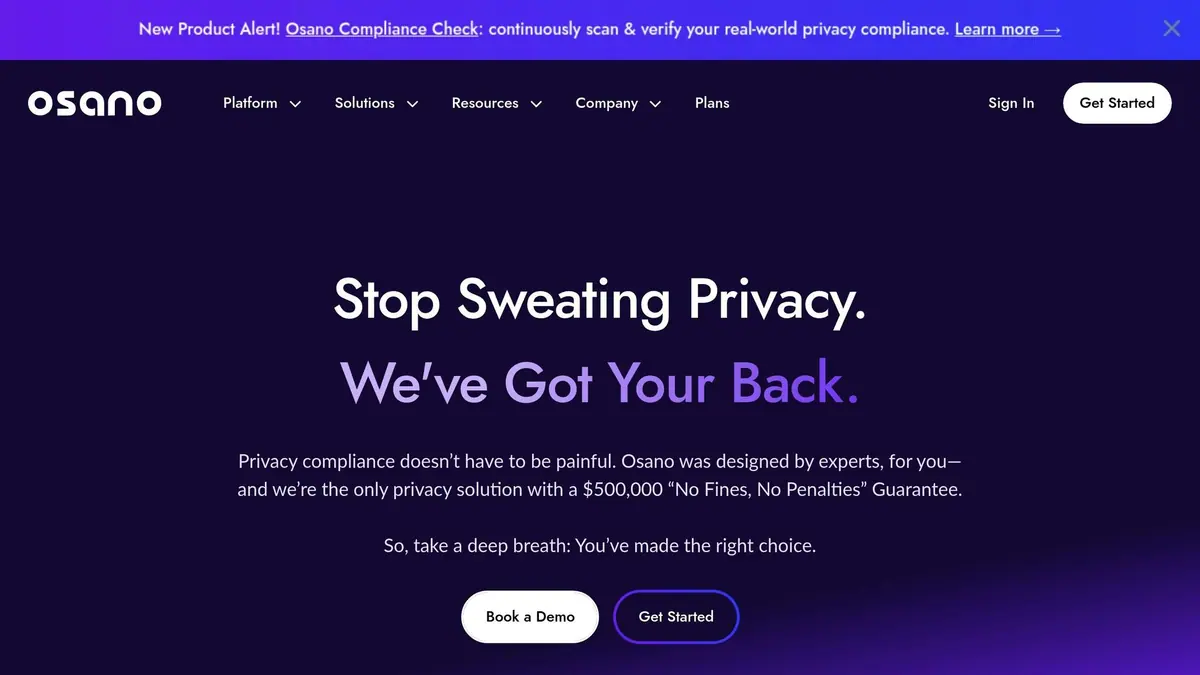
Osano stands out with its "No Fines, No Penalties" guarantee, backed by $500,000 in coverage. Its consent management solution is easy to implement, requiring just a single line of JavaScript. This makes it an appealing choice for organizations that need reliable DSAR tools without heavy technical demands.
The platform provides streamlined workflows and ready-to-use DSAR templates, helping teams stay on top of deadlines. Additionally, Osano offers an "Audit Defense" service to guide businesses through regulatory notices. While it may lack the deep integrations of tools like DataGrail or OneTrust, its simplicity and quick setup make it a solid choice for small to mid-size organizations. Pricing is flexible, with packages that scale to meet different business needs.
From no-code forms to enterprise-grade automation, these tools cover a wide range of DSAR management needs, ensuring businesses can stay compliant without breaking the bank - or their workflows.
Feature Comparison of DSAR Tools
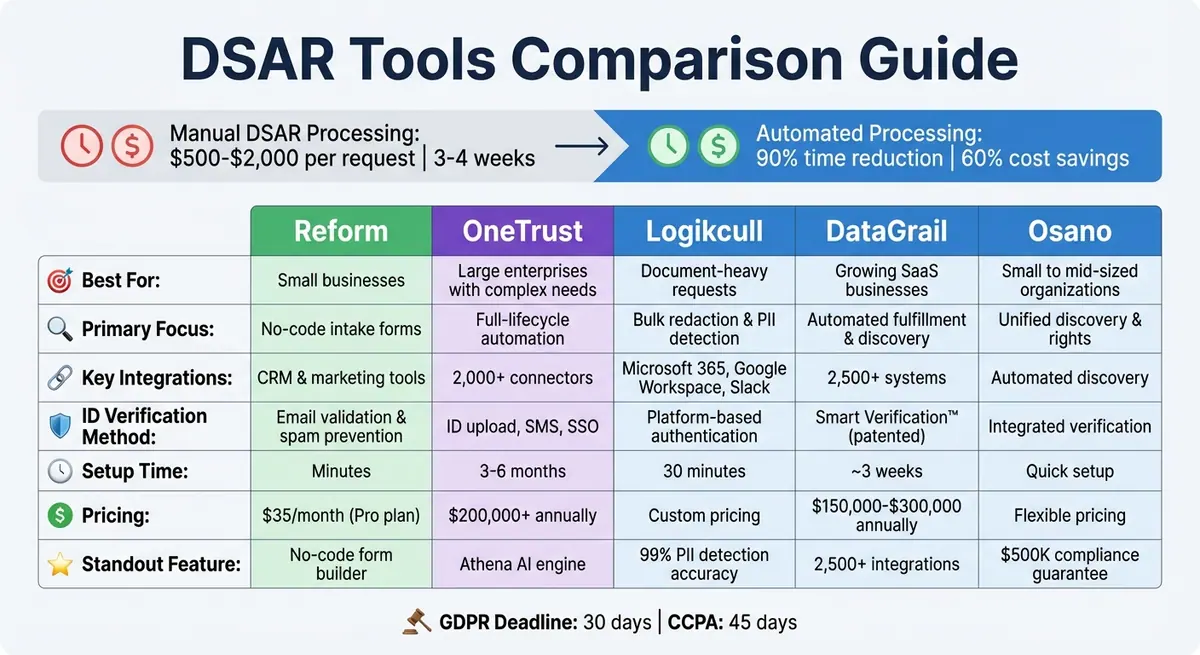
DSAR Tools Comparison: Features, Pricing and Best Use Cases
Selecting the right DSAR tool requires a clear understanding of how each platform handles intake, automation, and integration. Whether your priority is simplicity, comprehensive automation, or budget-conscious scalability, each tool offers something different.
Automation capabilities vary significantly. OneTrust provides end-to-end automation, covering everything from intake and ID verification to data discovery, AI-driven redaction, and secure response delivery. DataGrail excels in SaaS-heavy environments, boasting over 2,500 integrations to uncover "shadow IT" and automate discovery across cloud platforms. Meanwhile, Reform emphasizes simplicity in the intake process, offering no-code forms to capture and verify requests before they enter your workflow.
Deployment timelines also differ. DataGrail can be up and running in about three weeks, while OneTrust may take several months to implement. On the other hand, Reform stands out with a setup time of just minutes.
Verification methods are another key differentiator. DataGrail uses its patented Smart Verification to authenticate requests via data signals. OneTrust requires ID uploads, SMS/email checks, and SSO for verification. In contrast, Reform opts for form-based email validation combined with spam prevention measures.
The table below provides a side-by-side comparison of these tools, highlighting their unique strengths and features.
Comparison Table
| Feature | Reform | OneTrust | DataGrail | Osano |
|---|---|---|---|---|
| Primary Focus | No-code intake forms | Full-lifecycle automation | Automated fulfillment & discovery | Unified discovery & rights |
| GDPR Deadline Support | Intake logging & routing | Auto-extension requests | 30-day orchestration | Task assignment & tracking |
| Integrations | CRM & marketing tools | 500+ workflow-based integrations | 2,500+ integrations | Automated discovery |
| ID Verification | Email validation & spam prevention | ID upload, SMS, and SSO | Patented Smart Verification | Integrated verification |
| Setup Time | Minutes | Months | Approximately 3 weeks | - |
| Pricing | $15/mo (Basic), $35/mo (Pro) | High pricing (enterprise-level) | Cost-effective pricing | Free 30-day trial available |
| Best For | Optimizing DSAR intake | Large enterprises with complex needs | Growing businesses in SaaS environments | Small to mid-size organizations |
This comparison highlights the strengths of each platform, helping you identify the best fit for your organization's specific needs. Whether you're looking for fast setup, extensive integrations, or robust automation, there's a tool tailored to your goals.
How to Implement DSAR Tools
To start, map out your manual workflow. Identify all the departments involved in handling data - like IT, Legal, and HR - and figure out where requests tend to get delayed. On average, manually processing a DSAR takes about 18 hours per request. By documenting these bottlenecks, you’ll see where automation can make the most impact.
Centralize your DSAR intake process. If your team is juggling requests through scattered emails or web forms, consider consolidating everything into branded, no-code forms. Tools like Reform’s form builder can help you quickly create forms that automatically log and categorize requests. These forms also include features like email validation and spam prevention. Once centralized, connect your DSAR tool to your data systems - CRMs, cloud storage, and SaaS platforms - so it can automatically discover personal data wherever it’s stored.
With a centralized intake system, your team can shift its focus. Instead of spending time on routine data collection, train staff to handle exceptions. Run mock DSAR scenarios across departments to test response times and expose any gaps in your process. Quarterly workshops can also help keep your team up to date on changing privacy laws and new software features.
Make sure your automated system is set up to monitor compliance continuously. Automate compliance tracking by configuring your tool to calculate deadlines based on regulations (e.g., 30 days for GDPR, 45 days for CCPA). Set it to trigger reminders or escalations 72 or 24 hours before deadlines. Companies that automate DSAR workflows often see major improvements, such as reducing response times from 25 days to just 7 and cutting processing costs by 60%.
Finally, establish key metrics like response times, cost per request, and accuracy rates. Test your system in a sandbox environment to ensure identity verification and automated processes work smoothly. Regularly review and adjust your workflows - quarterly reviews are a good practice - to stay aligned with regulatory updates or organizational changes. This ensures your automation continues to provide measurable benefits.
Choosing the Right DSAR Tool for Your Business
When it comes to picking the best DSAR tool for your business, there’s no one-size-fits-all solution. The ideal choice depends on factors like the volume of requests, your existing tech setup, and your budget. To put things into perspective, manually processing a single DSAR can cost anywhere from $500 to $2,000 and take 3–4 weeks. On the other hand, automated enterprise platforms can lower costs to $50–$200 per request, with many organizations reporting a 60% annual increase in DSAR volumes.
Start by assessing how well the tool automates processes and integrates with your systems. A good DSAR tool should handle straightforward requests on its own and scale efficiently as your request volume grows. If your business operates across more than 50 systems, look for platforms offering at least 1,000 pre-built connectors to automatically locate personal data throughout your tech stack. Additionally, compliance with jurisdiction-specific deadlines is crucial - like 30 days for GDPR, 45 days for CCPA, 15 days for Brazil's LGPD, and 10 days for Argentina's regulations.
For businesses that need a simple, no-code solution, tools like Reform can be a great starting point. Reform’s form builder allows privacy and legal teams to create branded intake forms without requiring engineering help. Features such as email validation and spam prevention ensure clean, verified requests from the get-go. This approach centralizes request management, eliminating the confusion of juggling emails and spreadsheets by automatically logging and categorizing requests as they come in.
Look for tools that include AI-powered redaction and immutable audit trails. Manual redaction comes with a 20% error rate, while AI-assisted redaction reduces this to just 2%, saving over 8 hours per request on average. Moreover, having a complete, unchangeable log of every action - from request intake to final delivery - is critical for proving compliance during audits. While automation handles repetitive tasks, human oversight is still necessary to catch potential compliance errors.
Before implementing any tool, map out where your data is stored and confirm that the platform supports all data subject rights. This includes not just access and deletion rights but also the ability to opt out of automated decision-making and data sales. Balancing automation with human review will help ensure compliance and reduce risks.
FAQs
When does the DSAR 30-day clock start?
The 30-day timeline for handling a DSAR (Data Subject Access Request) starts the moment you receive the request - not when you verify the requester's identity. It's crucial to carefully log the submission date to stay aligned with GDPR deadlines.
What pauses or extends a DSAR deadline?
If a Data Subject Access Request (DSAR) is particularly complex or involves multiple requests, the deadline for response can be paused or extended. In these situations, businesses are allowed up to an extra two months on top of the standard one-month response period to fulfill the request.
What should I automate first in DSAR handling?
Automating the process of identifying and redacting personal data is a smart first step. It streamlines responses, improves accuracy, and cuts down on manual work - all while lowering the chances of mistakes slipping through.
Related Blog Posts
Get new content delivered straight to your inbox

The Response
Updates on the Reform platform, insights on optimizing conversion rates, and tips to craft forms that convert.



Drive real results with form optimizations
Tested across hundreds of experiments, our strategies deliver a 215% lift in qualified leads for B2B and SaaS companies.
