
.webp)
Top 10 HIPAA-Compliant Form Builders for Healthcare



When managing patient information, choosing a HIPAA-compliant form builder is critical to protect data and meet legal requirements. Platforms must offer a Business Associate Agreement (BAA) and robust security features like encryption and audit trails. Here's a quick overview of the best options for healthcare organizations:
- Jotform: Offers healthcare-specific templates, integrations with EHR/CRM systems, and HIPAA compliance starting at $129/month.
- Cognito Forms: Advanced workflows and conditional logic, HIPAA compliance on the Enterprise plan ($129/month).
- QliqSOFT: Combines secure messaging and forms, with custom pricing.
- FormDr: Tailored for healthcare with direct EHR integration, custom pricing.
- FormHippo: Budget-friendly, starting at $8.95/month with basic features.
- FormAssembly: Ideal for Salesforce users, HIPAA plans from $99/month.
- Formstack: Focused on automation, HIPAA plans from $83/month.
- 123FormBuilder: Large template library, HIPAA compliance starts at $199/month.
- Formsite: Affordable entry point at $24.95/month for basic HIPAA features.
- MakeForms: Cost-effective HIPAA compliance at $29/month.
Key Takeaways:
- Pricing: Ranges from $8.95/month (FormHippo) to $249.95/month (Formsite) for HIPAA-compliant plans.
- BAA Availability: Offered across all platforms but often limited to higher-tier plans.
- Best for: Jotform and Formstack excel in integrations, while FormHippo and MakeForms are budget-friendly.
Below is a quick comparison for easy reference:
| Platform | Starting Cost | BAA Included | Best Use Case | Key Feature |
|---|---|---|---|---|
| Jotform | $129/month | Yes | Templates + Integrations | 500+ healthcare templates |
| Cognito Forms | $129/month | Yes | Advanced workflows | Conditional logic, scoring tools |
| QliqSOFT | Custom pricing | Yes | Clinical assessments | Secure messaging, AI chatbots |
| FormDr | Custom pricing | Yes | EHR integration | Packet-based intake forms |
| FormHippo | $8.95/month | Yes | Budget solutions | Simple interface, secure messaging |
| FormAssembly | $99/month | Yes | Salesforce users | Salesforce Health Cloud integration |
| Formstack | $83/month | Yes | Automation | PDF generation, eSignatures |
| 123FormBuilder | $199/month | Yes | Multi-language practices | 3,000+ templates |
| Formsite | $24.95/month | Yes | Affordable HIPAA forms | Secure link sharing |
| MakeForms | $29/month | Yes | Affordable compliance | AI-powered form creation |
Choose a platform that aligns with your budget, workflow, and compliance needs to ensure both security and efficiency.
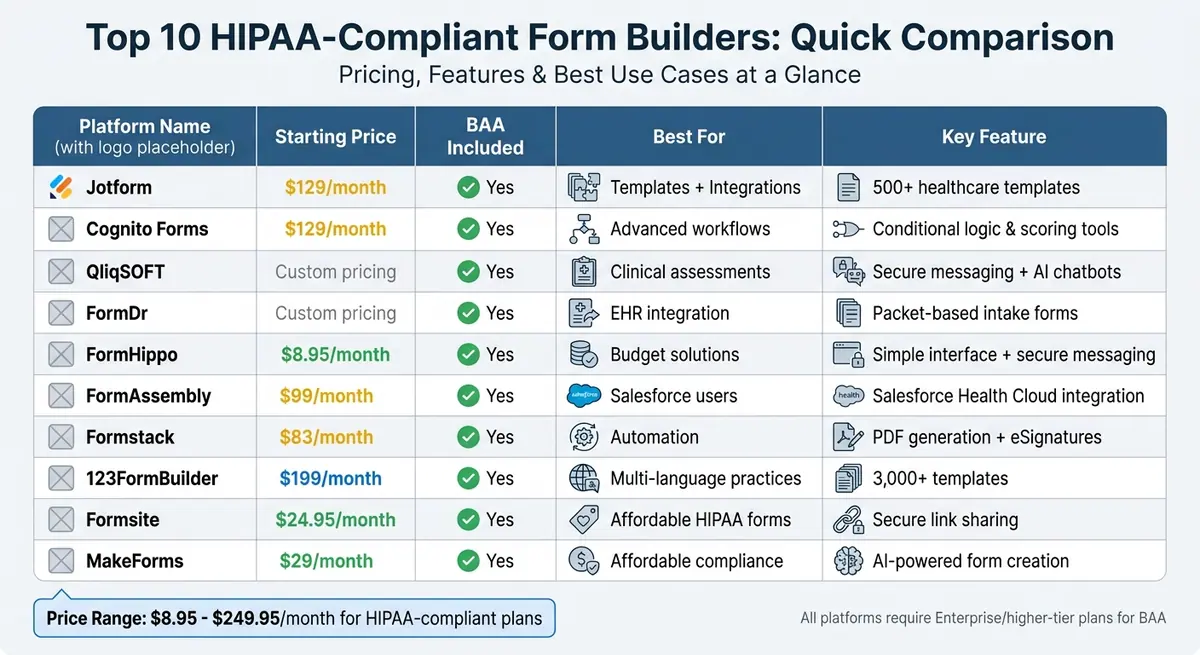
HIPAA-Compliant Form Builders: Pricing and Features Comparison Chart
Best No-Code Tools for HIPAA Compliance in 2026
sbb-itb-5f36581
1. Jotform
With a user base of 35 million people, Jotform has established itself as a reliable HIPAA-compliant platform tailored for healthcare organizations. It offers a combination of strong security measures and a wide range of healthcare-specific templates, making it a versatile choice for practices of all sizes.
HIPAA Compliance with BAA Availability
Jotform ensures data security through end-to-end encryption, both during transmission and while stored. It uses dedicated overlay networks backed by AWS firewalls and encrypted log files to safeguard ePHI. Access requires two-factor authentication via VPN, and permissions are set to "no access" by default unless explicitly granted. All access attempts are logged for transparency. For organizations on the Gold and Enterprise plans, Jotform provides a signed Business Associate Agreement (BAA). As the company explains:
To ensure your PHI stays secure, our Covered Entity customers that have enabled HIPAA compliance features in their account will also receive a signed Business Associate Agreement (BAA) that helps keep your business protected.
The platform also performs automated backups every 24 hours, retaining seven days of rolling backups to support disaster recovery. These security features integrate smoothly with essential EHR and CRM systems, ensuring a secure and efficient workflow.
Integration with EHR/CRM Systems
Jotform’s secure infrastructure is complemented by its ability to integrate with widely used systems, enhancing operational efficiency. It works seamlessly with platforms like Salesforce, HubSpot, Google Sheets, and Zapier to streamline patient data management. For payment processing, it integrates with Square, Stripe, and Authorize.net, enabling secure copay collection. Additionally, it connects with Google Calendar to automate appointment scheduling.
Healthcare-Specific Templates and Features
Jotform offers a variety of templates designed specifically for healthcare needs, including New Patient Enrollment, Counseling Intake, Laboratory Results, Medical Records Release, and Consent Forms. Its Smart PDF Forms feature allows providers to convert paper-based forms, such as medical release or consent forms, into secure and fillable online versions while maintaining their original layout. The Jotform Health App makes it easy to collect patient information and manage appointments on mobile devices, while Jotform Tables organizes PHI in spreadsheet, calendar, or card views for secure team collaboration.
Starting Monthly Cost
HIPAA compliance begins with the Gold plan, which costs $129 per month, or $64.50 per month when billed annually, thanks to a 50% discount for non-profits. This plan includes 100 forms, 1,000 monthly submissions, 1,000,000 form views, and 100 GB of storage. For organizations needing advanced features like unlimited usage, single sign-on (SSO), and dedicated support, the Enterprise plan offers custom pricing options.
2. Cognito Forms
Cognito Forms is known for its advanced workflow automation and a focus on security, earning a 4.3/5 rating from researchers. Its standout features include a powerful calculation engine and flexible conditional logic.
HIPAA Compliance with BAA Availability
HIPAA compliance is offered only with the Enterprise plan, which requires a signed Business Associate Agreement (BAA). This agreement can be signed digitally through account settings once enabled by an authorized account owner. Cognito Forms employs robust security measures, including AES-256 encryption at rest for all form data and file uploads, automatic session timeouts after one hour, and protected data fields that prevent PHI from being sent via unencrypted email.
Brandon V., Safety & Compliance Officer at NEOLab, shared his confidence in the platform's security:
There has never been a time where I felt our private data within the system was ever at risk. From encryption at rest to the protected data fields, automatic timeouts, and more, I feel assured that Cognito Forms is doing their part in helping to keep private data safe and secure.
The platform also supports two-factor authentication (2FA) and maintains detailed audit logs for all data access. While Cognito Forms can securely collect PHI, it is not an EMR system, so any collected data should be transferred to a dedicated EHR to serve as part of a legal health record. These security features make it a reliable tool for integrating with clinical systems.
Integration with EHR/CRM Systems
Cognito Forms integrates seamlessly with practice management systems and EMRs using API access, JSON webhooks, and third-party tools like Zapier, Make, and Power Automate. It can automatically generate PDF documents from form submissions, which can then be uploaded directly into patient records. However, organizations must ensure that any third-party services linked via webhooks also have BAAs in place, as Cognito Forms requires subcontractors to follow strict privacy standards.
Healthcare-Specific Templates and Features
The platform provides a range of pre-built templates tailored for healthcare, such as New Patient Registration, Medical History, Medical Release Form (HIPAA Form), and Doctor Referral Form. It also offers clinical assessment tools like GAD-7 for anxiety and PHQ-9 for depression, complete with automated scoring.
Cognito Forms' conditional logic and repeating sections allow for dynamic question flows, such as displaying pregnancy-related questions only for female patients. These features also make it easy to collect multiple data points, like medications or allergies, without overwhelming users. As Kim U., VP of Compliance at BlueSprig, explains:
Cognito Forms makes our patient experience much better. Rather than getting 300 sheets of paper, they're getting one link, and it's easy. Uploading documents to the forms itself has helped us create a more organized process.
The Save & Resume feature is particularly helpful for patients with complex medical histories, allowing them to complete lengthy forms over multiple sessions. Additionally, Entry Views provide granular access controls, so front desk staff can see only demographic details, while clinical staff can access full medical histories.
Starting Monthly Cost
To access HIPAA compliance, the Enterprise plan is required, starting at $129 per month. This plan includes 20 users, unlimited forms and entries, and 100 GB of storage. Additional users can be added for $5 per month each. Lower-tier plans - Individual ($0), Pro ($19/month), and Team ($39/month) - do not include HIPAA compliance or BAA availability.
3. QliqSOFT
QliqSOFT is a comprehensive clinical communication platform that blends secure messaging, automated workflows, and HIPAA-compliant forms. It has been recognized as a Market Leader in Gartner's Magic Quadrant for Clinical Communication and Collaboration 2024. This platform is trusted by over 1,000 hospitals, health systems, and physician practices.
HIPAA Compliance with BAA Availability
QliqSOFT goes beyond simply securing patient data - it enhances how clinical teams communicate. It ensures HIPAA compliance by using AES-256 encryption for data at rest and TLS 1.2 or higher for data in transit. For healthcare organizations, QliqSOFT offers a Business Associate Agreement (BAA) with all paid subscription plans, meeting a critical regulatory requirement.
The platform’s "Cloud Pass-Thru" architecture ensures that PHI is decrypted only on the end-user’s device, adding an extra layer of security. Additional features like multi-factor authentication, role-based permissions, automatic session timeouts, and tamper-proof audit trails further reinforce its security. These measures also integrate smoothly with QliqSOFT’s interoperability capabilities.
Integration with EHR/CRM Systems
QliqSOFT supports seamless bi-directional integration with EMR systems, allowing users to upload PDFs and patient data directly into charts. It adheres to key healthcare data standards, integrates with Active Directory for single sign-on, and pre-fills forms with patient data from the EMR.
A standout example of QliqSOFT’s impact is its implementation at First Choice Neurology, the largest private neurology group in the U.S. In December 2020, the group introduced QliqSOFT’s secure texting, chatbots, and virtual visit features across 45 clinics. Under the guidance of Jose Rocha, Director of Central Business Office, the practice digitized patient intake and payment notifications. This resulted in a 22% reduction in staff overtime, a 24% increase in revenue, and a 10x ROI within 10 months.
Healthcare-Specific Templates and Features
QliqSOFT comes equipped with tools tailored for healthcare, such as scored instruments for assessments like the PHQ-9 for depression and GAD-7 for anxiety. These tools automatically calculate scores, classify risks, and trigger clinical workflows based on patient responses. Users have reported saving 19 minutes per patient and reclaiming up to 60 staff hours each week.
The platform also includes conversational AI chatbots that integrate with forms, offering patients clear instructions and context. For example, AllianceChicago, a network of over 70 community health centers, used QliqSOFT’s AI-powered chatbots in a six-month outreach campaign. The result? A 27% increase in well-child visits and immunizations.
Other notable features include:
- PDF data mapping with e-signature support.
- Automated Form Completion Links that allow patients to resume incomplete forms securely.
- Dynamic reporting tools that provide insights into patient populations and individual risk levels.
Starting Monthly Cost
QliqSOFT’s pricing is tailored to fit the specific needs of each organization. While standard pricing isn’t publicly disclosed, costs are customized based on the organization’s requirements. A BAA is included with all paid subscription plans, and prospective users are encouraged to contact sales for a personalized quote.
4. FormDr
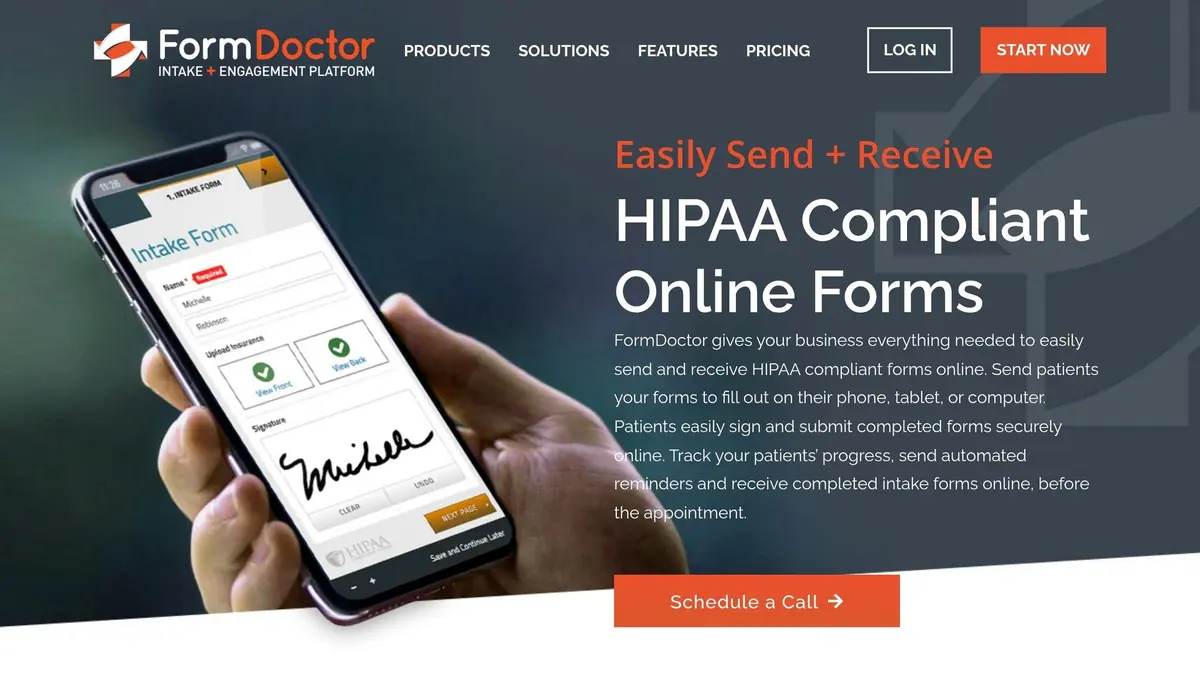
FormDr is a platform designed specifically for healthcare providers. Trusted by over 7,000 practices and managing millions of forms, it combines HIPAA-compliant data collection with tools tailored for clinical workflows, including patient intake and insurance verification.
HIPAA Compliance with BAA Availability
Every FormDr service account includes a signed Business Associate Agreement (BAA) at no extra cost. The platform ensures the security of Protected Health Information (PHI) with encryption both in transit (TLS 1.2+) and at rest (AES-256), while also adhering to SOC 2 Type II standards. These robust compliance measures extend to its integration capabilities, ensuring secure data handling.
Integration with EHR/EMR Systems
FormDr simplifies data management by automatically integrating completed forms into patient charts using HL7, Open API, and native integrations. Angela H. from Woodlands Dermatology highlights this benefit:
FormDoctor makes paperwork seamless - uploading directly into patients' EMRs saves both time and cost.
Healthcare-Specific Templates and Features
FormDr enhances clinical workflows with over 100 customizable templates designed for healthcare. These templates streamline tasks like medical history collection, consent forms, and demographic data. Key features include:
- Drawings and Diagrams: Patients can mark areas of pain or treatment needs directly on body images.
- Document Capture: Insurance cards and photo IDs can be uploaded digitally, eliminating the need for office scanning.
- Intake Form Packets: Multiple forms are grouped into one digital packet with autocomplete functionality, reducing repetitive data entry.
These tools, combined with HL7 integration, make FormDr a practical solution for healthcare providers. Lauren A. from FYZICAL MetroWest shared her experience:
Patients can fill out the forms at their leisure, and don't have to print anything. We're collecting more completed forms than ever.
Starting Monthly Cost
FormDr's Essential Plan starts at $39 per month when billed annually and includes a 30-day free trial. Additional features like enhanced HL7 integrations, two-way patient texting, and multi-location management are available as paid upgrades.
5. FormHippo
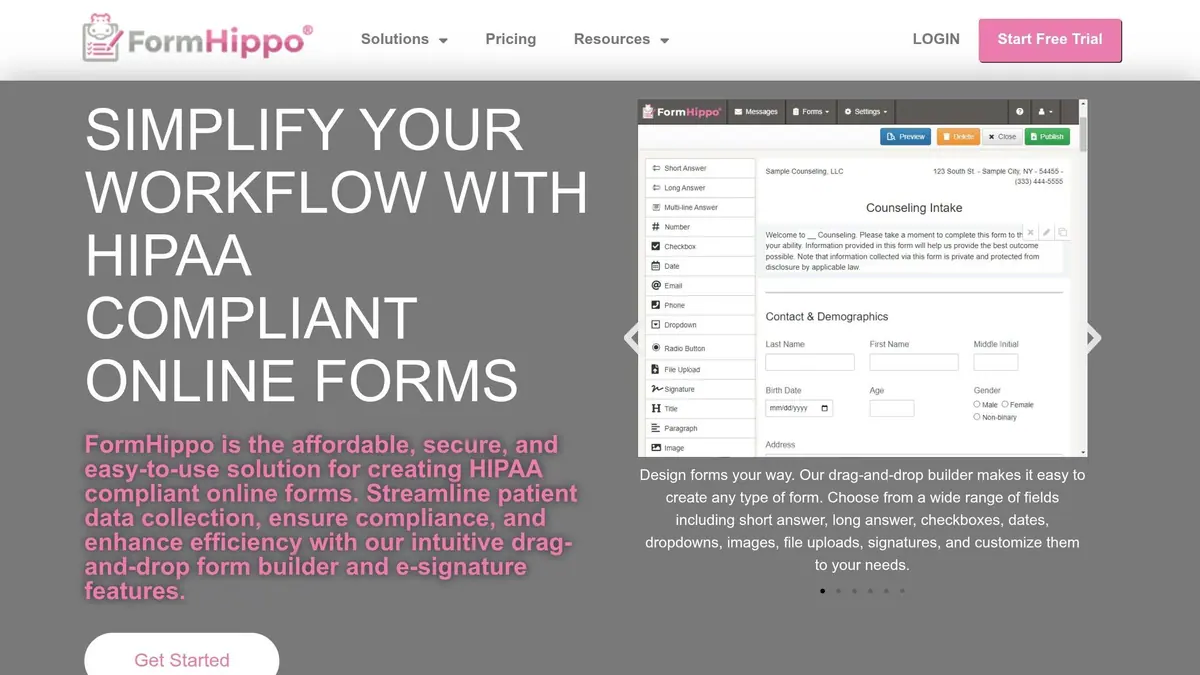
FormHippo provides a budget-friendly and simple option tailored for healthcare providers. Every subscription comes with crucial HIPAA compliance features, including a signed Business Associate Agreement (BAA) at no extra cost - even during the 30-day free trial. The platform uses AES 256-bit encryption to protect data at rest and SSL encryption for data in transit, aligning with the security protocols used by government and military organizations. Additionally, all plans feature MailHippo secure messaging, ensuring encrypted email communication alongside form submissions. Let’s take a closer look at its integration capabilities and healthcare-specific tools.
Integration with EHR/CRM Systems
FormHippo offers some integration features, though they lean toward simplicity. The Pro plan includes Google Drive integration, which automatically sends completed forms to a designated account. However, it lacks direct integrations with major EHR systems like Epic or Cerner. Instead, completed forms are sent via encrypted email, requiring manual uploads into patient management systems.
Healthcare-Specific Templates and Features
FormHippo is designed with healthcare workflows in mind, offering a collection of pre-built templates. These include Patient Intake, Notice of Privacy Practices, Release of Information, and Telehealth consent forms. The platform supports interactive fields, e-signatures, secure file uploads for records and IDs, and mobile-optimized forms that can be accessed through unique URLs or QR codes. Jessica T., LPCC, shared her experience:
My clients love the QR code and the ability to fill out our intake forms on their phone.
Starting Monthly Cost
The Basic plan is priced at $8.95 per month per user, offering 5,000 submissions, 5 forms, 5GB of storage, and a BAA. For $11.95 per month per user, the Pro plan increases these limits to 10,000 submissions, 10 forms, and 10GB of storage while adding Google Drive integration. A 30-day free trial is available, which includes 1,000 submissions and a BAA, allowing users to explore the platform before committing.
6. FormAssembly
FormAssembly has been HIPAA compliant since 2016 and holds SOC 2 Type II security certifications. For those on its Compliance Cloud plans, the platform provides a signed Business Associate Agreement (BAA). It ensures data security with features like AES-256 encryption for data at rest, TLS encryption for data in transit, detailed access controls, and audit trails to track data access. These measures create a solid foundation for connecting with essential healthcare systems.
Integration with EHR/CRM Systems
FormAssembly works seamlessly with Salesforce Health Cloud, offering native, bi-directional integration. It can pre-fill forms using existing patient data and securely route that information to various EHR systems. This setup allows data to move effortlessly between forms and Salesforce objects without needing middleware. Beyond Salesforce, FormAssembly also supports connections to other EHR systems and operational tools, ensuring secure data transfers between providers, care teams, and internal systems.
Healthcare-Specific Templates and Features
FormAssembly extends its security focus to include tools designed specifically for healthcare workflows. It offers pre-built templates for tasks like patient intake and registration, HIPAA release forms, doctor referrals, medical history, and research enrollment. A key feature is its AI assistant, "Fai", which can create compliant forms, apply validation rules, and design workflows based on simple descriptions. Additionally, the compliance dashboard provides a central hub to oversee form security and compliance.
Starting Monthly Cost
The Compliance Cloud plan, which includes HIPAA compliance and a BAA, starts at $99 per month. Custom pricing options are available for enterprise-level needs. While the platform is user-friendly, more advanced customizations might require some technical expertise.
7. Formstack
Formstack offers a powerful solution for healthcare organizations, combining data collection, document creation, and eSignature functionality into streamlined workflows. Designed for large, multi-department healthcare setups, it meets strict compliance standards, including HIPAA, SOC 2 Type II, and GDPR certifications.
HIPAA Compliance with BAA Availability
To protect PHI, Formstack uses AES-256 encryption for data at rest and TLS for data in transit. It provides a standard Business Associate Agreement (BAA) with all accounts and accommodates custom BAA requests. Additional security measures include audit logs, user permission controls, automatic session timeouts, and Single Sign-On (SSO) to reduce the risk of password breaches. Admins can also manage sensitive data access through field and folder-level controls.
Integration with EHR/CRM Systems
Formstack’s Intellistack Streamline connects seamlessly with EHR systems, enabling automatic data prefill for tasks like patient intake, referrals, and financial agreements - minimizing manual entry errors. With over 100 integration options, it connects effortlessly with tools like Salesforce Health Cloud, Google Suite, Box, and payment platforms such as Stripe, PayPal, and Authorize.Net. These integrations make it a versatile choice for healthcare-specific workflows.
Healthcare-Specific Templates and Features
The platform includes pre-built templates for common healthcare needs such as patient intake forms, referrals, waitlists, equipment requests, financial agreements, and satisfaction surveys. Its Documents tool generates compliant PDFs and patient records automatically, while Formstack Sign ensures secure eSignatures. These features support multi-step workflows and interdepartmental approvals, making it an efficient choice for healthcare organizations.
Starting Monthly Cost
HIPAA-compliant plans start at $83 per month, with a 14-day free trial available. For organizations needing advanced automation or extra security, custom enterprise pricing and an Enhanced Data Security Add-On are also available.
8. 123FormBuilder
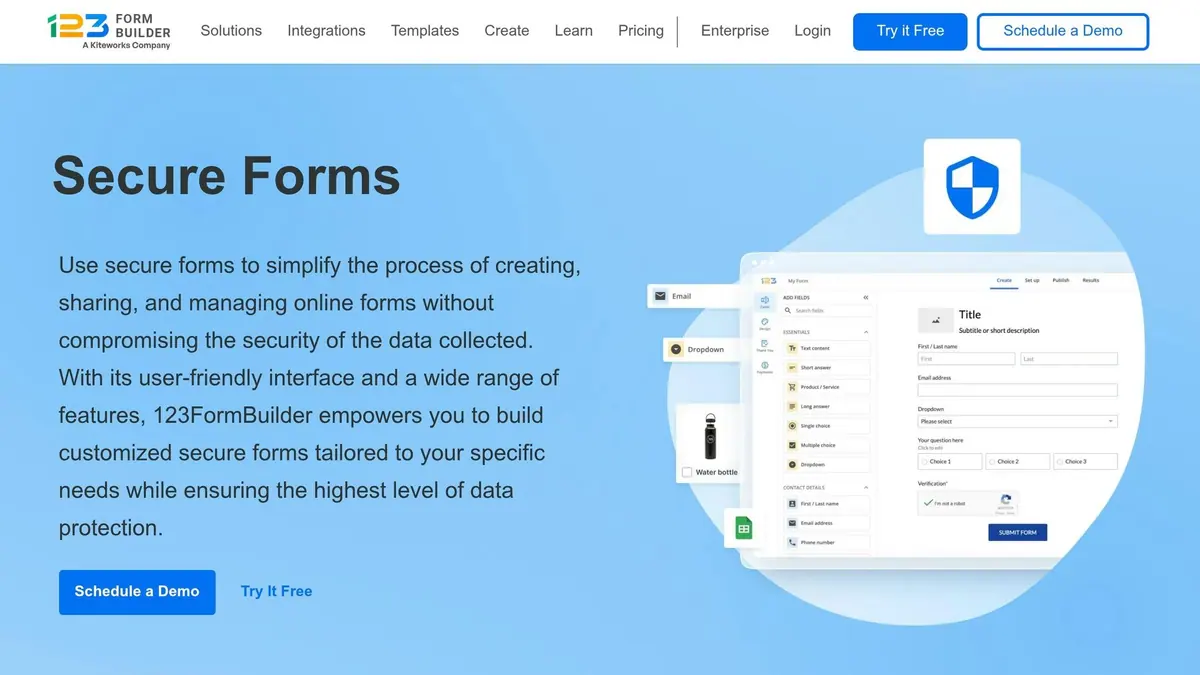
123FormBuilder has a standout approach to data retention for healthcare. It automatically deletes form submissions containing Protected Health Information (PHI) after just 5 days. This short retention period reduces the risk of exposure while still allowing enough time for necessary data processing. As Bianca Bobirca, Marketing Operations Manager at 123FormBuilder, puts it:
123FormBuilder automatically purges form submissions after just 5 days. This isn't just good security - it's smart compliance that minimizes exposure while still giving your systems time to process the data.
The platform also maintains secure daily archives and cleans testing environments to avoid accidental exposure of PHI. This thoughtful strategy distinguishes 123FormBuilder from other HIPAA-compliant form solutions.
HIPAA Compliance with BAA Availability
123FormBuilder ensures full HIPAA compliance through its Enterprise Compliance Plan, which includes a signed Business Associate Agreement (BAA). Security measures include 256-bit SSL encryption, ISO certifications, multi-factor authentication, automatic session timeouts, audit logs, and single-tenant hosting on AWS servers located in the US and Europe.
Integration with EHR/CRM Systems
The platform is designed to fit seamlessly into healthcare workflows. It integrates deeply with Salesforce to prefill forms and automatically update records. Beyond Salesforce, it connects with over 80 other tools, such as Google Sheets, Zapier, and payment processors like Stripe, PayPal, and Square. Jessica Beaty, EMR & Training Manager at Village Health Partners, highlighted the platform's reliability:
On the HIPAA compliance topic, we had the BAA and other well-known practices that helped us build trust... knowing that the data collection is safe and easy gives us peace of mind.
Healthcare-Specific Templates and Features
123FormBuilder offers a massive library of over 3,000 templates, including specialized forms for patient intake, medical history, and records release. Key features include:
- Legally binding electronic signatures
- File upload fields for documents like insurance cards or medical records
- Conditional logic to display relevant questions based on patient responses
Michelle Pelletier, Lead Product Manager at MDprospects, praised the platform's adaptability:
We were able to provide a cost-effective HIPAA-compliant solution for forms for our clients. Everyone I work with at 123 has been wonderful and always responsive.
These tools reflect the growing demand for secure, user-friendly digital form solutions in healthcare.
Starting Monthly Cost
HIPAA-compliant features, along with BAA availability, are part of the Enterprise Plan, which starts at $199 per month. This plan includes access to a Dedicated Account and Technical Manager to assist with implementation. Healthcare organizations can contact 123FormBuilder's sales team for tailored offers and to finalize the BAA.
9. Formsite
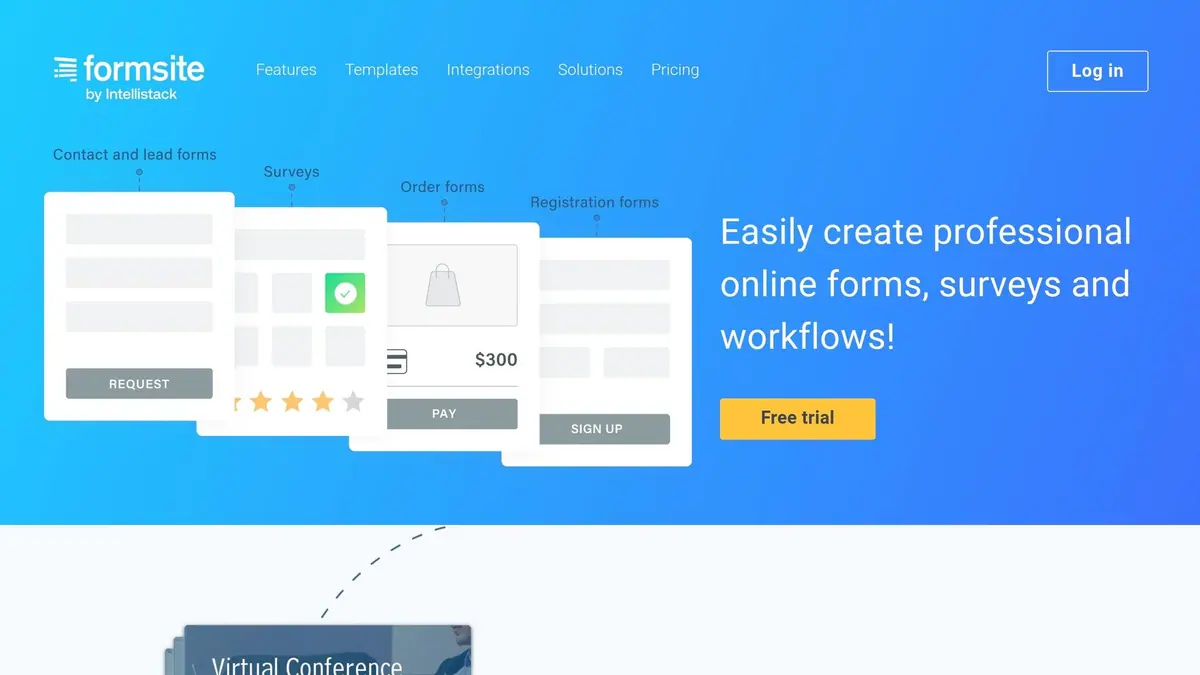
Formsite has placed HIPAA compliance at the core of its operations since the beginning. The company spent a full year collaborating with external experts to ensure its software met every requirement. This dedication has paid off, as the platform has handled billions of form submissions across industries like healthcare.
HIPAA Compliance with BAA Availability
Formsite's HIPAA-compliant service includes advanced security measures such as two-factor authentication (2FA) for all users and a unique "Secure Link" feature. This feature delivers password-protected links to form results via email, preventing the direct transmission of sensitive data. It also offers detailed sub-user access controls, allowing administrators to assign "Limited access" to specific forms and results. For healthcare organizations, a Business Associate Agreement (BAA) is available but only for Enterprise-level accounts. To comply fully with HIPAA, organizations must explicitly request the BAA and activate the platform's HIPAA-compliant settings.
Integration with EHR/CRM Systems
Formsite supports native integrations with Salesforce and Google Sheets, while also enabling secure data exports to systems like EMRs, Microsoft Word, or spreadsheets. This functionality ensures that patient data transfers are both efficient and compliant [58, 59].
Healthcare-Specific Templates and Features
The platform comes with a wide range of healthcare templates, including forms for patient registration, medical history, prescription refills, physician referrals, and mental health assessments. It also includes specialized forms for medical consent, hospital discharge, and Return to Work clearance. These forms are designed to be mobile-friendly and can be embedded into a medical practice's website or shared via QR codes. Additionally, Formsite allows secure file uploads for items like medical records, insurance cards, and driver's licenses [58, 59].
Starting Monthly Cost
To access HIPAA-compliant features and obtain a signed BAA, users need to subscribe to the Enterprise plan, which costs $249.95 per month [20, 58].
10. MakeForms
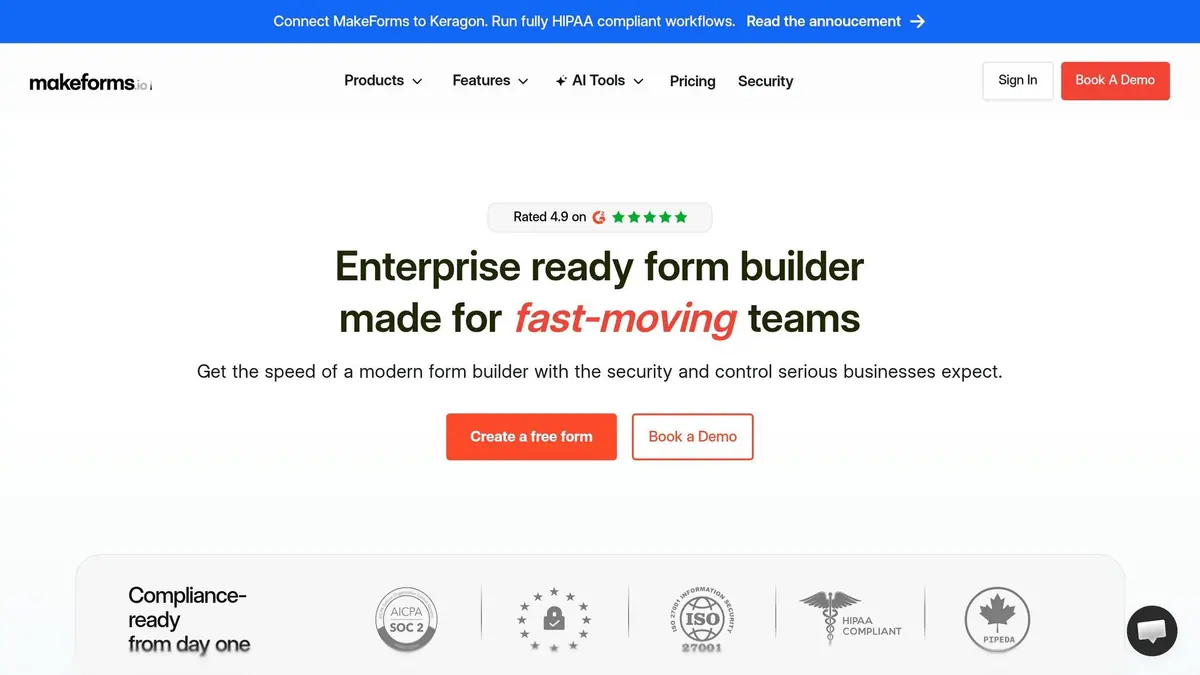
MakeForms stands out not just for its HIPAA compliance but also for making healthcare form creation straightforward and budget-friendly. It's no wonder the platform has earned a stellar 4.9 out of 5 rating on G2, especially from teams managing intricate workflows. One enthusiastic reviewer, Sahil Khosla, shared:
I recently got a demo and my mind was blown. It's a 'Mercedes' of forms. Got all the bells and whistles.
HIPAA Compliance with BAA Availability
MakeForms takes HIPAA compliance seriously, offering a Business Associate Agreement (BAA) to all healthcare clients, usually finalizing it within a week. The platform employs AES-256 and TLS encryption to safeguard data both at rest and in transit. Additional security measures include multi-factor authentication, role-based access controls, and the ability to use U.S.-based data centers for storing Protected Health Information (PHI) [5, 62, 63]. Every action is meticulously recorded with full, timestamped audit trails.
Integration with EHR/CRM Systems
Beyond its robust security, MakeForms integrates seamlessly with healthcare-specific tools like Keragon, ensuring HIPAA-compliant clinical automation [60, 64]. It also connects securely to EHRs, CRMs, and cloud storage platforms such as Google Drive through encrypted APIs. Plus, it works with Zapier to automate workflows securely between forms and other business tools.
Healthcare-Specific Templates and Features
MakeForms offers a range of pre-built templates tailored for healthcare needs, including patient intake, medical history, HIPAA authorization, and telehealth pre-visit forms. Its AI-powered builder makes creating structured medical forms a breeze - imagine instantly generating a patient intake form for a cardiology clinic. Other standout features include:
- Digital signatures for patient consent forms
- Secure file uploads for lab reports and medical records
- Conditional logic to display fields based on patient responses (e.g., showing glucose level fields only if "diabetes" is selected)
- OTP (One-Time Password) verification to prevent unauthorized submissions [60, 61, 63]
Starting Monthly Cost
The Essentials Plan is priced at $29 per month, covering full HIPAA compliance with no extra fees [5, 63]. This plan supports up to 5,000 submissions monthly. For larger healthcare organizations needing unlimited responses, MakeForms offers custom Enterprise Plan pricing.
Feature and Pricing Comparison
Choosing the right HIPAA-compliant form builder means finding a balance between your healthcare needs and your budget. Pricing can range significantly: Formsite starts at $24.95 per month, while Cognito Forms and Jotform begin at $129 per month. If you're looking for a more budget-friendly option, MakeForms offers an entry point at $29 per month.
Here's a detailed comparison of features, pricing, and ideal use cases for several popular platforms:
| Form Builder | Pricing Starts At | BAA Availability | Best Use Case | Key Feature |
|---|---|---|---|---|
| Jotform | $129/mo (Gold) | Yes | Quick deployment | 500+ healthcare templates |
| Cognito Forms | $129/mo (Enterprise) | Yes | Complex workflows | Advanced calculations and logic jumps |
| QliqSOFT | Custom pricing | Yes | Clinical assessments | PHQ-9/GAD-7 scoring and risk classification |
| FormDr | Custom pricing | Yes | Specialized intake | Direct EHR integration and packet-based forms |
| FormHippo | Custom pricing | Yes | General healthcare forms | Simple interface for basic intake |
| FormAssembly | $99/mo | Yes | Salesforce users | Native Salesforce Health Cloud integration |
| Formstack | $83/mo | Yes | Enterprise automation | Automatic PDF document generation |
| 123FormBuilder | Custom pricing | Yes | Multi-language practices | International patient support |
| Formsite | $24.95/mo | Yes | Budget-conscious practices | Lowest entry price point |
| MakeForms | $29/mo (Essentials) | Yes | Affordable compliance | U.S. data center residency control |
When evaluating these platforms, it's crucial to align your workflow needs with their pricing and features. Keep in mind that most platforms require an Enterprise-tier plan to include a signed Business Associate Agreement (BAA). Without this, lower-tier plans won't meet HIPAA compliance standards.
For more specialized workflows, consider platforms like QliqSOFT, which excels in clinical scoring with tools like PHQ-9 and GAD-7. On the other hand, if your organization relies on Salesforce Health Cloud, FormAssembly's seamless integration can save time by automating data entry.
Conclusion
Selecting a HIPAA-compliant form builder isn’t just a preference - it’s a legal requirement. Without a signed Business Associate Agreement (BAA), your practice cannot fully comply with HIPAA regulations. So, your first step should always be confirming whether the platform offers a BAA and understanding which pricing tier includes it.
Security must be a top priority. Look for platforms that use AES-256 encryption for data at rest and TLS 1.2 (or higher) for data in transit . Additional safeguards like multi-factor authentication, role-based access controls, and tamper-proof audit trails are essential for protecting patient information. Remember, HIPAA violations can lead to fines ranging from $137 to over $2 million annually.
"The right form builder should do more than just maintain compliance - it should improve your patient experience, streamline workflows, and support growth." - Orbit AI
Equally important is how well the form builder integrates with your existing systems. Seamless, two-way connections with tools like your Electronic Health Record (EHR) or CRM can save time, reduce errors, and allow staff to focus more on patient care. Smaller practices might get by with basic integrations, but larger or growing organizations need a platform that can handle increasing patient volumes and more complex workflows.
Lastly, while cost is a factor, watch out for hidden expenses. Some platforms impose restrictions on form views, file storage, or features that require costly upgrades to enterprise tiers. What seems affordable today could become expensive down the road if you hit limits that force an upgrade. Align your choice with your workflow and growth needs to avoid unexpected costs and ensure long-term efficiency. A platform that balances compliance, security, and scalability is essential for both legal protection and smooth operations.
FAQs
What makes a form builder HIPAA-compliant?
A HIPAA-compliant form builder is designed to safeguard protected health information (PHI) by incorporating key security features. These include data encryption, access controls, secure backups, and audit trails to monitor activity. Additionally, it ensures secure integrations with other tools and requires a signed Business Associate Agreement (BAA) to maintain confidentiality and align with HIPAA regulations.
Do I need a BAA for online patient forms?
Yes, a Business Associate Agreement (BAA) is necessary to maintain HIPAA compliance when managing protected health information (PHI) through online patient forms. This agreement plays a critical role in protecting patient data and ensures that all processing is secure and aligned with HIPAA regulations.
What should I check before connecting forms to my EHR?
Before linking your forms to an EHR, it's crucial to confirm that the form builder offers essential security measures. Look for data encryption to safeguard Protected Health Information (PHI), access controls to restrict who can view or modify data, and audit trails to track any changes made. Additionally, ensure the tool supports secure integration with your EHR and that a Business Associate Agreement (BAA) is established. These precautions are key to protecting patient information and staying compliant with HIPAA regulations.
Related Blog Posts
Get new content delivered straight to your inbox

The Response
Updates on the Reform platform, insights on optimizing conversion rates, and tips to craft forms that convert.




Drive real results with form optimizations
Tested across hundreds of experiments, our strategies deliver a 215% lift in qualified leads for B2B and SaaS companies.
