
.webp)
Encryption at Rest vs in Transit for PCI


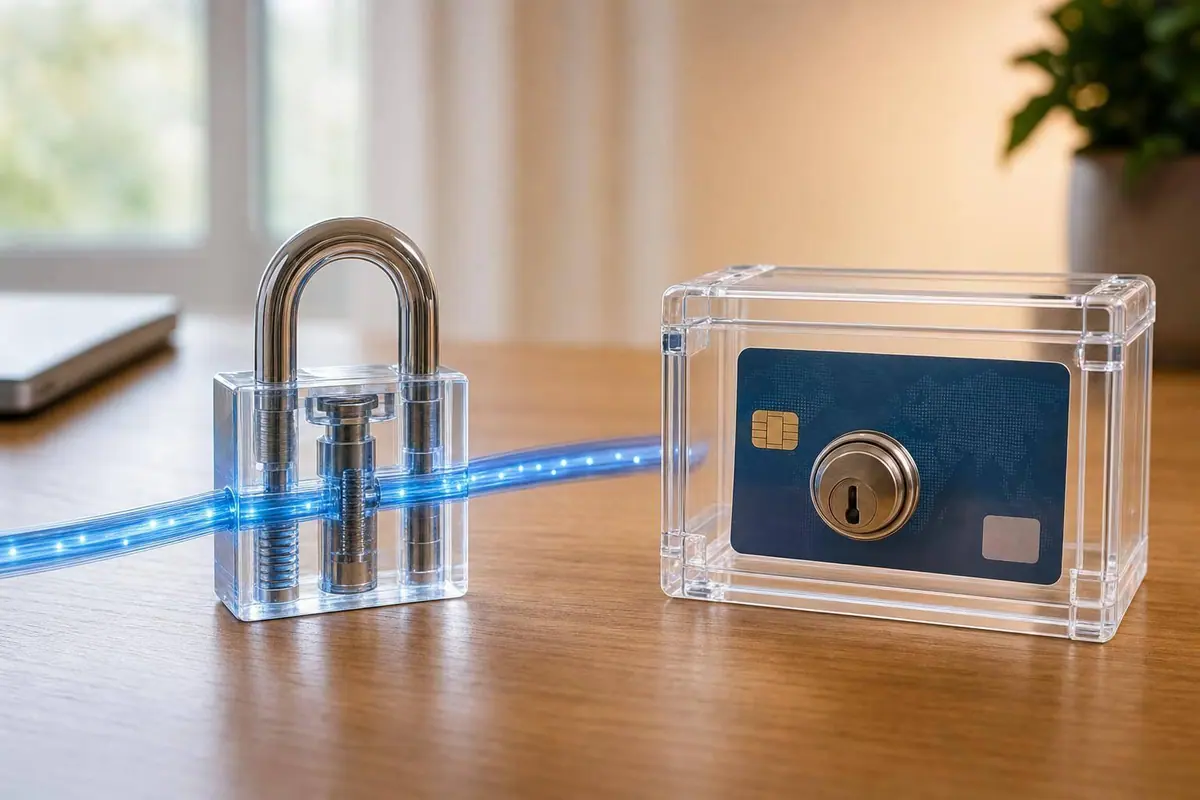
If you take card payments, you need both controls. PCI DSS treats encryption at rest and encryption in transit as two separate requirements, because card data can be exposed while it’s stored and while it moves.
Here’s the short version:
- Encryption at rest protects stored cardholder data like PAN in databases, backups, logs, and exports.
- Encryption in transit protects card data as it moves between the browser, your server, APIs, and the payment processor.
- They do not replace each other. If you only use one, you still have a PCI gap.
- Sensitive authentication data like CVV, PINs, and full track data cannot be stored after authorization, even if encrypted.
- TLS 1.2 or TLS 1.3 should protect payment traffic. TLS 1.0 and 1.1 should not be used.
- Encryption does not remove PCI scope. If your systems store, process, or transmit PAN, they stay in scope.
The main point: I’d treat this as a two-part job. TLS protects the trip. Encryption at rest protects the storage. Then I’d cut risk further with tokenization, log redaction, and payment flows that keep raw card data off my servers when possible.
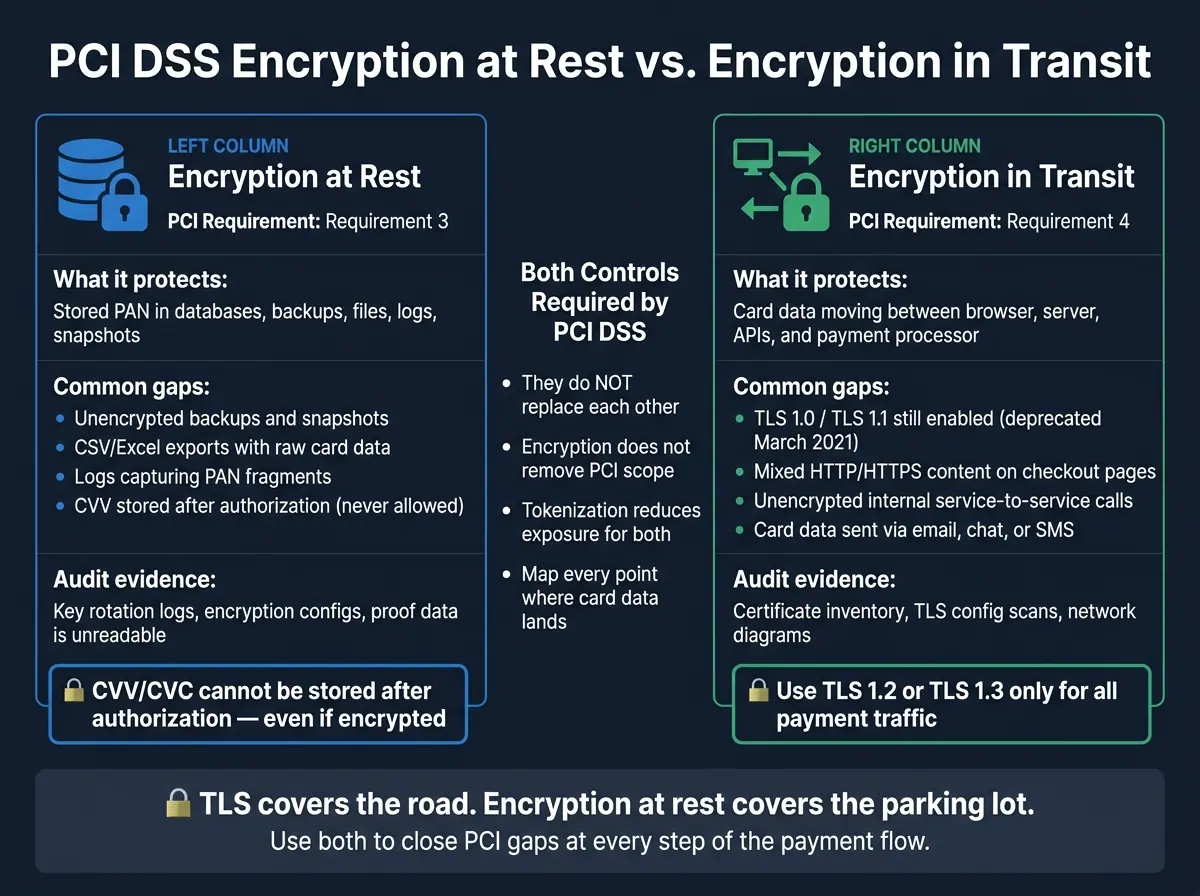
PCI DSS Encryption at Rest vs. In Transit: Side-by-Side Breakdown
Episode 88 - Encryption for Data at Rest and In Transit
sbb-itb-5f36581
Quick Comparison
| Control | What it protects | PCI DSS area | Common gaps | What auditors often look for |
|---|---|---|---|---|
| Encryption at Rest | Stored PAN in databases, backups, files, logs, snapshots | Requirement 3 | Unencrypted backups, exports, stored logs, saved CVV | Key records, encryption settings, proof stored data is unreadable |
| Encryption in Transit | Card data moving across networks | Requirement 4 | Old TLS versions, mixed content, unencrypted internal hops | Certificate inventory, TLS settings, network maps |
A simple rule I’d follow: map every place payment data can land, then check both controls at every step.
Encryption at rest for PCI payment data
How encryption at rest works and where it applies
Encryption at rest protects payment data saved on disks, cloud volumes, object storage, backups, and snapshots. In plain English, it makes stored data unreadable unless someone has the right key.
For PCI DSS, stored PANs must be protected with strong cryptography. Masking alone is not enough. That means at-rest encryption needs to cover more than just the main database. It should also apply to file systems, object storage, backups, snapshots, and stored logs.
The most common approaches are full-disk encryption (FDE) and file-level encryption. Both can help, but neither solves the whole problem on its own. The control only holds up when key management is done well and access to data is kept separate from access to keys.
One more point matters here: encryption at rest protects stored data. It does not protect data moving between the browser, server, and gateway.
Coverage gaps teams commonly miss at rest
The biggest misses usually don’t happen in the main database. They show up in the places teams forget to check.
A few problem areas come up again and again:
- Backups and snapshots need the same protection as the live database.
- CSV or Excel exports can move card data outside the database, and masking with asterisks is not encryption.
- Stored logs and telemetry exports are common blind spots. Logging pipelines can capture tokens, PAN fragments, or authentication data if data isn’t scrubbed before storage.
- CVV/CVC cannot be stored after authorization, even if it is encrypted.
That leaves transport encryption as the next control to close.
Encryption in transit for PCI payment forms
How encryption in transit works for payment pages and APIs
Stored data is only one PCI risk. The network path needs its own control too.
Encryption in transit protects cardholder data while it moves across a network. TLS protects each network hop that carries payment data. HTTPS relies on TLS. TLS sets up a secure session, checks the server certificate, and encrypts the traffic.
For PCI payment forms, every connection in the chain needs protection, not just the checkout page. That includes the links below.
| Connection | What it may carry |
|---|---|
| Browser ↔ Web server | PAN, billing fields, session cookies |
| Browser ↔ Payment API | Form submission payloads, auth data |
| Web server ↔ Payment processor | Authorization requests, PAN/token payloads |
For PCI payment traffic, use TLS 1.2 or TLS 1.3. TLS 1.0 and 1.1 were formally deprecated in March 2021 and should not be used for payment data. Certificate management is part of transit security, and automated renewal is becoming a baseline requirement.
Coverage gaps teams commonly miss in transit
Transit encryption gaps usually show up in the places teams forget to check.
A common one is old TLS support. If any part of a payment flow still allows TLS 1.0 or 1.1, move it to TLS 1.2 or 1.3.
Another issue is mixed content. A checkout page may load over HTTPS, but if it pulls even one image or script over plain HTTP, the page’s security model breaks and the browser may show warnings.
Internal traffic is another blind spot. Service-to-service calls that cross untrusted or semi-trusted network segments can expose PAN or auth data in plaintext when they are not encrypted. Any internal hop that can see card data before the pre-tokenization handoff should use TLS.
And one more thing: don’t send card data through email, chat, or SMS. Those channels sit outside the TLS-protected payment form flow and can create PCI exposure.
Encryption at rest vs. in transit: key differences, limits, and audit evidence
What each control protects and where it stops
Once you look at the two controls side by side, the key issue is simple: where does each one stop working?
Encryption at rest protects stored payment data. Encryption in transit protects payment data while it moves between systems.
But neither control covers everything.
Encryption at rest stops helping once an application decrypts the data. TLS stops helping once the data reaches memory, logs, or storage.
Here’s the side-by-side view:
| Encryption at Rest | Encryption in Transit | |
|---|---|---|
| Scope | Databases, backups, logs, files | Data moving between browser, server, and processor |
| PCI requirement | Requirement 3 | Requirement 4 |
| Audit proof | Key rotation logs, encryption configs, sample of unreadable data | Certificate inventory, configuration scans, network diagrams |
Under PCI DSS v4.0.1, auditors also check for a maintained certificate inventory that tracks expiry dates and cipher strengths under Requirement 4.2.1.1. They also want evidence of script integrity controls on payment pages under Requirement 6.4.3.
How the two controls work together in a payment-form setup
In a payment-form setup, you need both controls across the full data flow.
TLS protects the submission while the payment data moves from the browser to the server or processor. Then the processor returns a token, and any stored data that still needs to stay in your systems should remain encrypted.
A simple way to think about it: TLS covers the road, encryption at rest covers the parking lot. Once data leaves one place and settles in another, the control changes.
For most PCI payment forms, the setup looks like this:
- Use TLS for transport
- Use encryption for stored data
- Use tokenization when possible
- Keep key access separate from data access
That mix gives each control a clear job and helps produce the audit trail assessors expect.
Building payment forms with fewer PCI encryption gaps
A practical checklist for form teams
The fastest way to cut PCI encryption work is simple: stop card data from spreading past checkout.
Start by reducing the number of places where card data can exist before you encrypt it. Then map every point where that data moves, including checkout pages, internal APIs, webhooks, log pipelines, and any CRM or analytics exports. A current data-flow diagram helps you spot places where raw card data could leak into tools that were never built to handle it.
A few focused steps close the gaps teams run into most often:
- Use iFrame or redirect models so card entry stays off your servers. This can qualify your environment for a lighter SAQ A assessment.
- Tokenize early. Tokenize PAN right after entry so raw card data never touches your servers.
- Redact PAN before logs or SIEM ingestion. Set redaction rules in log shippers so PAN fragments don't end up in unmanaged analytics tools or storage.
- Protect internal APIs and webhooks that still carry payment data or token references with TLS 1.2 or 1.3.
- Maintain a script allowlist. Use Content Security Policy (CSP) and Subresource Integrity (SRI) to block unauthorized third-party scripts from running on payment pages.
Review scope every quarter. Check DNS records, script inventories, and your vendor list. That makes it easier to catch new marketing tags or A/B testing tools added to payment pages without a security review.
Where Reform fits in a PCI-conscious form workflow
Form design shapes where payment data goes after submission. Reform's multi-step forms and conditional routing can help keep payment fields separate from CRM, email, and analytics paths that should never store card data.
Conclusion: Use both controls to close the most common PCI gaps
These controls do more when the form stack limits exposure upstream. Encryption at rest and encryption in transit solve different problems. At rest protects stored data. In transit protects data moving between the browser, server, and processor. PCI expects both.
FAQs
Does HTTPS alone make a payment form PCI compliant?
No. HTTPS only secures data in transit. It does not protect data at rest or lock down the server-side setup.
PCI compliance takes more than encryption during transfer. If card data is stored - even in encrypted form - it can still stay in scope. That’s why card data should never touch your servers or persistent storage at all.
What card data can never be stored after authorization?
Under PCI DSS, you must never store sensitive authentication data after authorization - even if that data is encrypted.
That rule covers:
- Full magnetic stripe data
- The card verification code or value (CVV/CVC)
- The PIN
- The PIN block
How can we reduce PCI scope in payment forms?
The best way to cut PCI scope is simple: don’t collect, send, or store cardholder data on your own systems.
That’s why many merchants use embedded iframes or full-page redirects to a third-party service provider. It keeps the payment step off their own setup as much as possible.
But here’s the catch: an iframe by itself doesn’t solve the problem. If custom scripts on your page can touch the payment form, you may still pull that payment flow into scope.
Use tokenization too, so payment data never sits on your systems in the first place.
Related Blog Posts
Get new content delivered straight to your inbox

The Response
Updates on the Reform platform, insights on optimizing conversion rates, and tips to craft forms that convert.




Drive real results with form optimizations
Tested across hundreds of experiments, our strategies deliver a 215% lift in qualified leads for B2B and SaaS companies.
