
.webp)
PCI DSS Payment Gateway Integration Guide



If I want lower PCI scope, I should keep raw card data off my servers.
That’s the whole point of this setup. In most SaaS payment flows, I do that by using hosted payment pages or hosted fields, then working with tokens instead of card numbers. If raw PAN touches my backend, I usually move into SAQ D. If it does not, I may fit SAQ A or SAQ A-EP. And since March 31, 2025, PCI DSS v4.0.1 also puts more pressure on checkout-page scripts, because web-skimming attacks often start there.
Here’s the short version:
- I map where card data moves
- I choose the lowest-scope form model that still fits my checkout
- I send card data from the browser straight to the gateway
- I keep my app token-only
- I lock down scripts, logs, and access
- I confirm what my team owns and what the gateway owns
A few facts matter here:
- PCI DSS v4.0.1 is the current standard
- The CDE includes any people, process, or system that stores, processes, or transmits cardholder data
- Checkout-page scripts, tags, CDNs, and DNS can still be in scope if they can affect payment-page security
- Hosted fields lower scope, but they do not remove my duty to secure the page around them
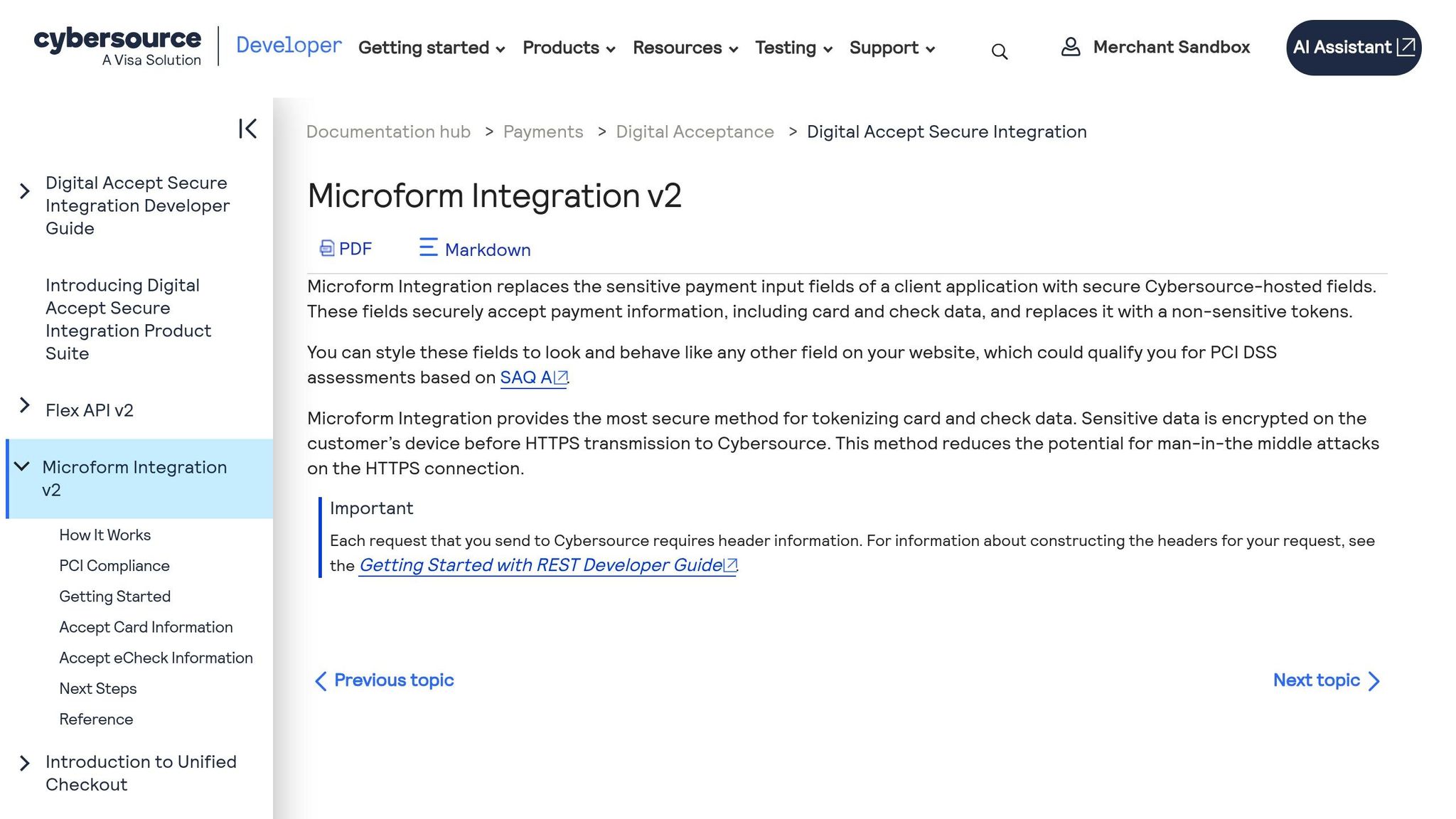
Cybersource Microform Integration: PCI-Compliant Payment Form in Node/React
sbb-itb-5f36581
Quick comparison
| Model | Does raw card data hit my server? | Usual SAQ path | Checkout control | Scope level |
|---|---|---|---|---|
| Hosted payment page | No | SAQ A | Low | Lowest |
| Hosted fields | No | SAQ A or A-EP | Medium to high | Low |
| Direct API capture | Yes | SAQ D | High | Highest |
So if I want a branded checkout without pulling card data into my stack, hosted fields + tokenization is often the middle ground. The rest of the work is making sure my page, scripts, logs, and team access do not pull me into more PCI scope than I planned for.
Choose the payment form model that fits your PCI scope
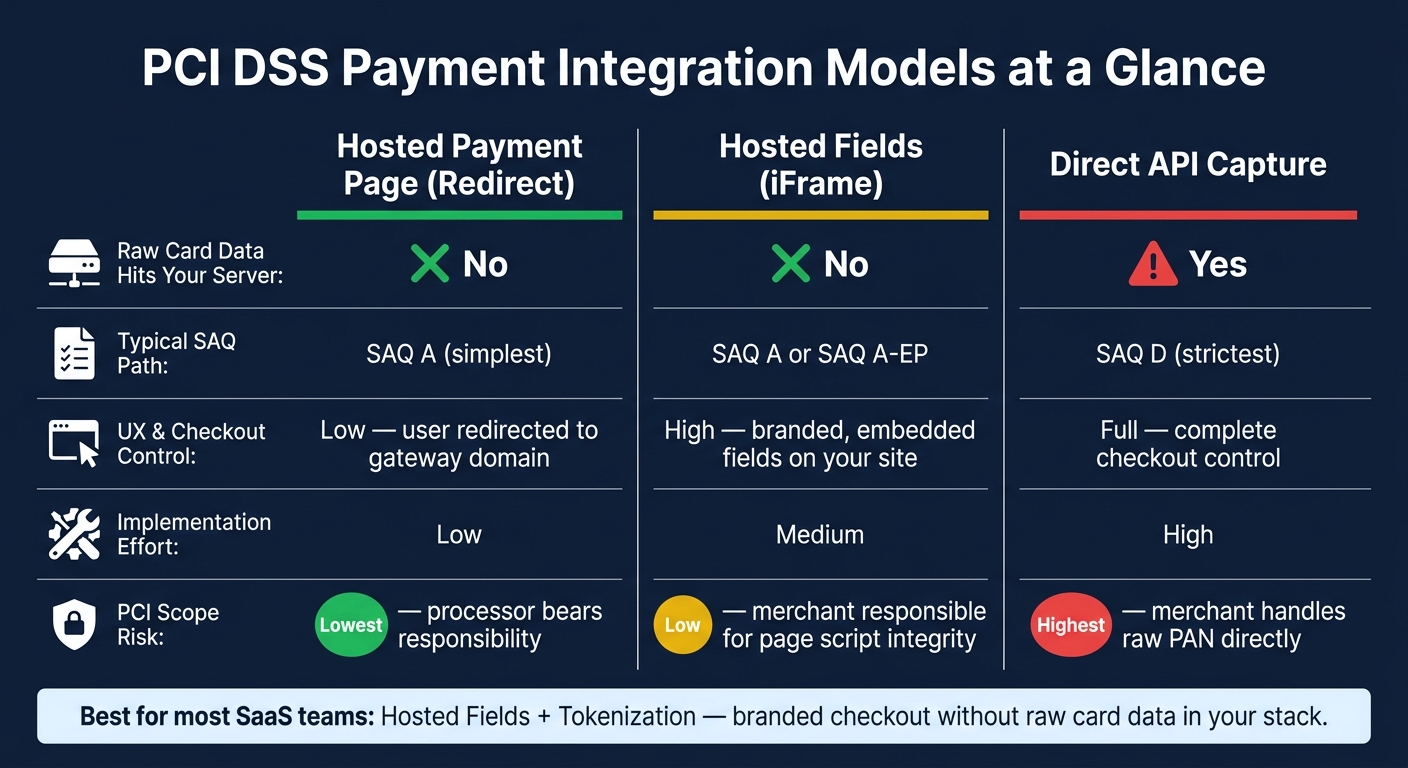
PCI DSS Payment Integration Models: Scope & Compliance Comparison
The form model you pick has a direct effect on your PCI scope and how much compliance work lands on your team. Once you've mapped the card flow, the next move is simple: choose the setup that keeps the fewest systems in scope.
Map cardholder data scope across your form, browser, app, and gateway
Any system that stores, processes, transmits, or can affect the security of cardholder data is in scope. That includes your checkout page, browser scripts, DNS, CDNs, analytics tags, and any third-party code that can affect payment-page security.
Build a data-flow diagram that follows the Primary Account Number (PAN) from the second a customer enters it to the point where the gateway vaults it. If a system touches that path - or can influence it - it needs to be documented and checked.
Compare hosted payment pages, hosted fields, and direct API capture
Most SaaS payment setups fall into three models. They vary a lot in scope, effort, and how much control you get over the checkout experience.
| Integration Model | Your Server | Typical SAQ | UX Flexibility | Implementation Effort | PCI Scope Risk |
|---|---|---|---|---|---|
| Hosted Payment Page (Redirect) | No | SAQ A | Low - sends users to the gateway domain | Low | Lowest; responsibility rests with the processor |
| Hosted Fields (iFrame) | No | SAQ A or A-EP | High - branded, embedded fields | Medium | Low; merchant is responsible for page script integrity |
| Direct API Capture | Yes - raw PAN hits your server | SAQ D | Full checkout control | High | Highest; merchant handles raw PAN directly |
With a hosted payment page, the customer leaves your site and finishes payment on the gateway's domain. That cuts your compliance burden down to SAQ A, the simplest self-assessment questionnaire. The downside is the checkout flow takes a detour, and your branding options are limited.
Hosted fields keep PAN away from your server while letting you keep a branded checkout on your site. This model usually fits SAQ A or SAQ A-EP, based on how much your page scripts can affect the payment fields.
Direct API capture pushes raw PAN through your server before it reaches the gateway. Once that happens, you're in SAQ D territory, which is the strictest assessment path.
Pick the lowest-scope model your checkout experience can support
For most SaaS teams, hosted fields are the best fit. They keep the checkout branded and smooth without bringing raw card data into your stack.
Pick the lowest-scope model that still meets your checkout needs. After that, you can build the form around gateway-hosted card inputs.
Build the payment form so card data goes straight to the gateway
Set up checkout so card data goes straight to the gateway, and your app deals only with tokens. There are three parts to this setup: gateway-hosted inputs in the browser, tokenization at the gateway, and token-only handling inside your app. The goal is simple: keep sensitive fields outside your app, and keep every internal process token-only.
Use hosted fields for card number, expiration date, and CVC
Hosted fields embed gateway-provided iframes into your checkout page. The card number, expiration date, and CVC are entered inside the gateway’s secure environment, so the card data goes from the browser straight to the gateway.
The form still appears on your page, but there’s an important catch: every script on that page stays in PCI scope. Under PCI DSS 4.0, every third-party script on that page should be inventoried and justified in writing. That’s the surface web skimming attacks go after.
Replace PANs with tokens in every internal workflow
After the customer submits card data, the gateway processes it and sends back a token to the browser. Your app gets that token, not the raw card number. Store only tokens and non-sensitive order data like billing ZIP, plan name, and amount. Never store PAN, CVC, or raw card fragments in databases, logs, or support tools. Token-only workflows help keep your internal systems out of the cardholder data environment.
Once token handling is locked down, document which PCI controls your team owns and which the gateway covers.
Use Reform for non-sensitive form steps while keeping card inputs gateway-hosted
A checkout flow also includes non-sensitive steps like plan selection, contact details, email validation, and conditional routing. Use Reform for those non-sensitive steps while the card inputs stay isolated inside gateway-hosted components. Reform handles the flow and logic. The gateway handles the sensitive inputs.
That split sets up the PCI ownership line between your team and the gateway.
Assign PCI responsibilities between your SaaS team and the gateway
Once card data stays out of your stack, the next step is simple: get crystal clear on ownership.
Hosted fields can shrink PCI scope. But they do not hand off your checkout page, its scripts, or its access rules to the gateway.
Document what the merchant still owns
The gateway protects what happens inside its iframes. Everything outside those frames is still on you: your web server, the page that hosts the iframes, and every third-party script loaded on that page.
That means your team should inventory every third-party script on checkout pages, approve each one, and set up tamper checks with CSP and SRI.
You should also lock down access to PSP accounts and payment-page data with:
- phishing-resistant MFA
- least privilege
- redacted logging
Verify what the gateway handles as a PCI service provider
The gateway usually handles vaulting, encryption, tokenization, and transaction processing. Still, don’t just assume that split. Get the provider’s current AOC and confirm it.
After that, map the AOC to your own controls. A simple responsibility table makes the handoff plain and keeps your evidence repository tidy:
| Responsibility Area | SaaS Team (Merchant) | Payment Gateway (Provider) |
|---|---|---|
| Card Data Storage | None, if using tokenization | Secure vaulting and PAN encryption |
| Checkout Page | Security of the hosting server and scripts | Security of the iframe or hosted field content |
| Access Management | Admin access to internal systems and PSP portals | Access to gateway infrastructure |
| Evidence | SAQ completion, data-flow diagrams, script logs | Providing current Attestation of Compliance (AOC) |
| Processing | Initiating requests and handling tokens | Authorization, clearing, and settlement |
Use this split to build the launch checklist.
Step-by-step checklist to reduce scope and stay compliant
With scope and responsibilities set, use this checklist to validate the integration before launch.
Plan the architecture and remove unnecessary card-data touchpoints
Start by mapping every PAN touchpoint before you write integration code. The goal is simple: find every place PAN or sensitive authentication data could show up, then cut those touchpoints before scope starts to sprawl.
Keep a data-flow diagram that shows both the card-data path and the token-return path. That diagram becomes your scope boundary. Anything outside the card-data path should never handle a raw PAN.
Next, review every third-party script on your checkout page. Each script should have a written reason for being there, and each one should be protected with CSP and SRI. Keep non-sensitive steps like billing address, plan selection, and contact details in multi-step forms within your own form layer. Card number, expiration date, and CVC should stay inside gateway-hosted iframes.
Test the live flow, logs, and payment page controls before launch
After the data flow is mapped, test the full path in sandbox before going to production. Run the entire payment loop: authorize, capture, and refund. Then inspect the browser, server, logs, and analytics path.
Here’s what you need to confirm:
- Card data posts straight from the browser to the gateway, not through your server
- Only tokens come back to your application layer
- No PAN, CVC, or expiration fragments show up in logs or other merchant-controlled systems
Pay close attention to logging pipelines. Standardize redaction in your log shippers and SIEM so that even partial card data doesn’t slip into observability tools. After launch, run synthetic monitors on a fixed schedule so you can catch regressions early.
On the checkout page, make sure your CSP blocks unknown script sources and that you have alerts for script changes. As of March 31, 2025, PCI DSS v4.0/4.0.1's expanded e-commerce script integrity controls became mandatory.
| Validation Check | When | What to Confirm |
|---|---|---|
| Data-flow diagram review | Pre-launch | Card path ends at gateway; token path returns to app |
| Script inventory + CSP/SRI | Pre-launch | All scripts authorized; tamper detection active |
| Log redaction audit | Pre-launch + quarterly | No PAN or CVC fragments in any log pipeline |
| Sandbox payment loop | Pre-launch | Authorize, capture, refund complete without merchant touching card data |
| Synthetic payment monitor | Post-launch (scheduled) | End-to-end gateway and tokenization functioning correctly |
Conclusion: Keep payment forms usable while keeping PCI scope small
If this checklist passes, your checkout can stay easy to use without pulling you into more PCI scope.
The main rule is straightforward: the less card data your systems touch, the less PCI scope you own. Hosted fields, tokenization, and a clear gateway responsibility split help keep the integration clean and your SAQ as simple as possible.
FAQs
Which SAQ applies to my checkout?
It depends on how your payment form touches card data.
- SAQ A: a full redirect to a third-party processor
- SAQ A-EP: JavaScript forms or hosted fields on your site
- SAQ D: your systems handle, store, or transmit card data
This part matters more than many teams expect. A small setup change can shift you from one SAQ type to another.
Because classification is strict and tied to your exact integration, confirm it with your acquiring partner or a Qualified Security Assessor.
Do hosted fields keep me out of SAQ D?
Hosted fields can help you avoid SAQ D because card data is entered inside the payment processor’s secure iframe. Your servers get only a token, not the raw card details.
That usually cuts down your PCI scope, often to SAQ A.
But it’s not automatic. You need to use a TPSP’s embedded payment form and make sure your scripts do not interact with the payment page. If they do, you may still need a higher SAQ.
What scripts are still in PCI scope?
Any scripts running on your website, or on the payment page where the payment form is embedded, are still in PCI scope. That includes scripts from your own site - not just the payment processor’s hosted iframe.
Third-party scripts on that page count too. As a rule of thumb, avoid loading scripts that interact with the payment page. If code is running on the embedding page from your domain, it remains in scope.
Related Blog Posts
Get new content delivered straight to your inbox

The Response
Updates on the Reform platform, insights on optimizing conversion rates, and tips to craft forms that convert.




Drive real results with form optimizations
Tested across hundreds of experiments, our strategies deliver a 215% lift in qualified leads for B2B and SaaS companies.
