
.webp)
How Secure Form Hosting Boosts Lead Trust


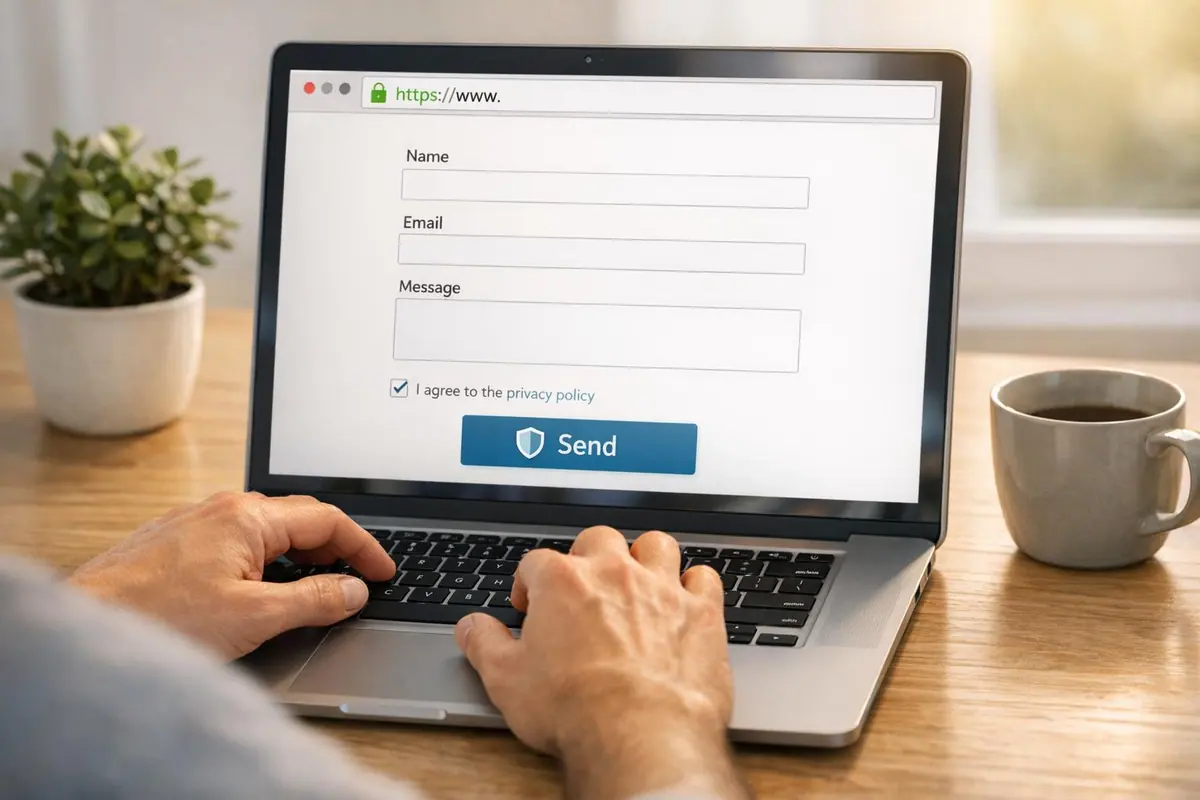
When users fill out a form, they want to feel safe sharing their personal details. Forms without visible security features - like HTTPS, clear privacy terms, or a familiar URL - often lead to abandonment. By ensuring secure form hosting, you not only protect user data but also build confidence, which can increase form completion rates by 15–25%.
Key takeaways:
- Visible security signals (e.g., HTTPS padlock, security badges) reduce form abandonment.
- Encryption (TLS for data in transit, AES-256 for data at rest) safeguards sensitive information.
- Spam prevention (honeypots, input validation) keeps junk submissions out of your pipeline.
- Compliance with regulations like GDPR, HIPAA, and CCPA avoids legal risks and fines.
Start by auditing your forms for HTTPS, clear privacy messaging, and security gaps. This audit is a critical step when you design landing page forms for high conversions. Tools like Reform offer secure hosting with built-in encryption, spam filters, and analytics to improve form performance while protecting user data.
Why Leads Hesitate to Fill Out Online Forms
Common Data Privacy and Security Concerns
When visitors casually browse a website, they may not think twice about exploring pages - until a form pops up asking for personal details. That’s when the question of trust hits: “Can I trust this site with my information?”
Many users fear their data could be sold, misused, or exposed in a breach. In industries like healthcare and finance, this fear is amplified. A leaked medical condition or financial record can lead to serious consequences. According to a survey by the Data Protection Commission, 66.6% of people say they would trust an organization much less if their personal data were mishandled.
Another concern is internal access to submitted data. Without proper safeguards, sensitive information could be exposed. Luna Qin, Content Strategist at PlatoForms, highlights this risk:
"A misconfigured form can expose submissions to anyone with the right URL. A platform without proper access controls means a disgruntled employee - or an outside attacker who compromises one account - can reach everything."
These fears often lead users to abandon multi-step or static forms before completing them.
How Visible Security Gaps Drive Form Abandonment
Security concerns are a major reason why nearly 29% of users abandon forms. One of the most common triggers is the absence of an HTTPS padlock. By 2026, browsers will actively flag sites without HTTPS as "Not Secure", and many users already know to look for this indicator. Anthony Savage from NEXTFLY explains the evolving expectations:
"For years, an SSL (Secure Sockets Layer) certificate was the gold standard... But as we navigate the digital landscape of 2026, that padlock has become the bare minimum. It is the 'entry fee' for having a website, not a comprehensive website security strategy."
A newer threat, known as formjacking, has made users even more wary. This involves malicious code being injected into a site to steal data at the moment it’s submitted. Even if users don’t fully understand these risks, the perception of insecurity is often enough to make them leave without completing the form. Strengthening visible trust signals can help mitigate this issue.
Trust Signals That Encourage Form Completion
Reducing form abandonment starts with addressing user concerns through clear trust signals. For instance, adding a security badge or a trust statement near the submit button can boost form completion rates by 8% to 15%. A simple message like "Your information is encrypted and protected", placed near the form fields, can make a big difference.
Consistency also matters. A form that matches your website’s branding - using the same colors, fonts, and logo - feels more professional and deliberate. Combine this with a plain-language privacy summary and an opt-in checkbox for marketing communications, and you’ve tackled some of the most common fears before they turn into reasons to abandon the form.
Josh Ternyak from Scalify.ai puts it best:
"A visitor who would have converted if they'd trusted the form with their email address is a conversion that was lost to a fixable confidence gap, not to genuine data risk."
sbb-itb-5f36581
Security for your online forms and data
Risks of Using Insecure Forms for Lead Generation
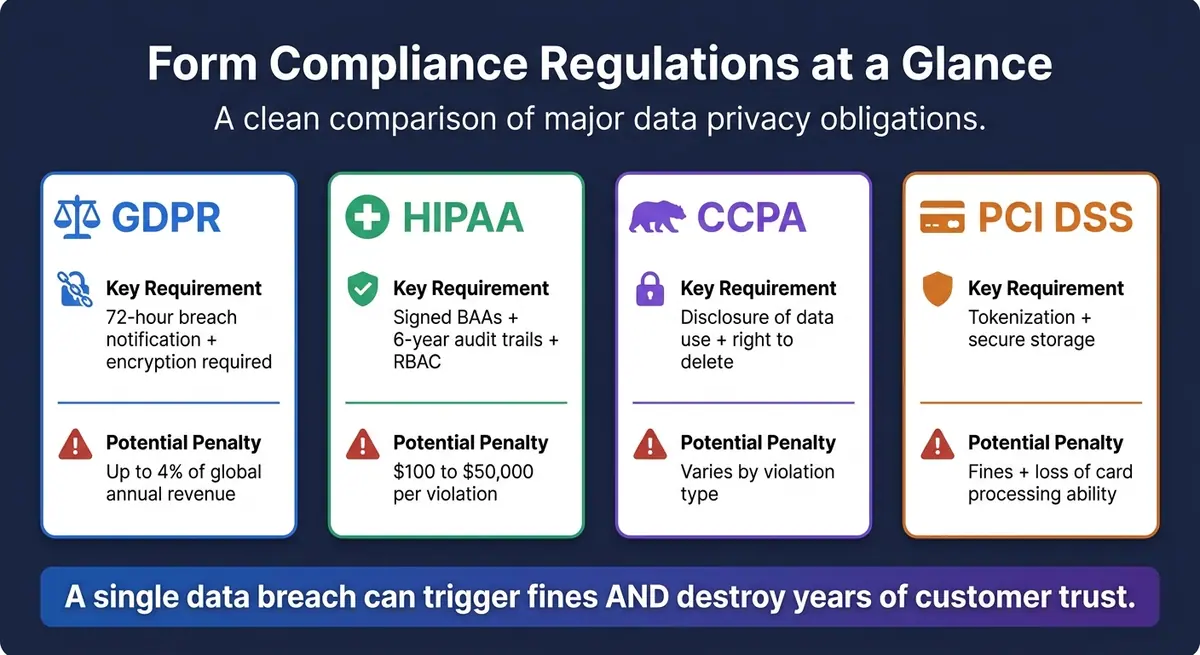
Compliance Regulations for Secure Form Hosting: Penalties & Requirements
How Unencrypted Forms Expose Lead Data
When form data is submitted via HTTP, it travels as plain text, making it vulnerable to interception. Anyone on a public Wi‑Fi network can easily read this data using a man-in-the-middle (MITM) attack - a method that doesn’t require advanced tools or expertise.
But the vulnerabilities don’t stop there. Once the data reaches the server, if it isn’t protected with AES-256 encryption at rest, it’s fully readable to anyone who gains unauthorized access to the database. The situation becomes even riskier if the platform managing the data controls its own encryption keys.
"When vendors control encryption keys, they can decrypt and access all form submissions. This technical capability exists regardless of vendor privacy policies or contractual restrictions." - Kiteworks
Weak access controls, such as the absence of multi-factor authentication (MFA) and role-based permissions, further increase the risk. A single compromised account could expose all stored lead submissions.
Spam, Bots, and Junk Submissions
Insecure forms are magnets for bots, which can flood your CRM with fake data - think bogus names, disposable email addresses, and invalid submissions. This forces sales teams to waste time chasing leads that don’t exist, distracting them from real opportunities.
As your lead generation campaigns scale, the problem only intensifies. Without automated filtering systems, the manual effort required to clean up this junk data can become overwhelming. Worse yet, poor-quality leads can quietly degrade your data integrity. For instance, high bounce rates from invalid email addresses can harm your marketing platform’s sender reputation over time.
In addition to these operational headaches, insecure forms can also lead to legal trouble.
Compliance Risks and Legal Exposure
Using insecure forms can expose your business to legal and regulatory penalties. As a data collector, your business is responsible for protecting the information you gather - even when using third-party platforms. Non-compliance can result in hefty fines.
Here’s a snapshot of some major regulations and their requirements:
| Regulation | Key Requirement for Forms | Potential Penalty |
|---|---|---|
| GDPR | 72-hour breach notification; encryption required | Up to 4% of global annual revenue |
| HIPAA | Signed BAAs; 6-year audit trails; RBAC | $100 to $50,000 per violation |
| CCPA | Disclosure of data use; right to delete | Varies by violation type |
| PCI DSS | Tokenization; secure storage | Fines and loss of card processing ability |
For healthcare organizations, the stakes are even higher. If a visitor enters their name or describes a health issue in a form, that data qualifies as Protected Health Information (PHI) under HIPAA. Any form platform that doesn’t provide a signed Business Associate Agreement (BAA) can put the entire organization out of compliance - no matter how secure the rest of the website might be.
"A single data breach doesn't just trigger regulatory fines that can reach 4% of global annual revenue under GDPR. It destroys the customer trust that took years to build, often irreparably." - OrbitForms
One common oversight? Sending full form submission details via unencrypted email notifications. Even if other security measures are in place, this single misstep can compromise the entire system.
These risks highlight why secure form hosting is critical - not just for data protection, but also for maintaining lead confidence and trust.
How Secure Form Hosting Earns Lead Trust
Protecting Data With Encryption
When a lead submits a form, their data takes a journey from their browser to your server. Without encryption, this sensitive information is vulnerable to interception. That's where HTTPS with TLS comes in - it transforms the data into ciphertext, making it unreadable to anyone trying to intercept it.
This isn't just a technical detail; it's a trust issue. According to GlobalSign, 84% of users would abandon a purchase if their data was sent over an insecure connection. If your form page displays a "Not secure" warning in Chrome, you've likely lost the lead before they even begin typing.
Encryption at rest offers an additional safety net. Even if someone gains access to your stored data, encryption ensures it's useless without the proper decryption keys. For U.S. businesses, this distinction can be a lifesaver. Many state-level breach notification laws treat encrypted data differently from plain-text data, potentially reducing both legal risks and reputational damage in the event of a breach.
Security at the Infrastructure Level
Securing your hosting infrastructure goes hand-in-hand with encrypting data. Together, these measures create a strong defense for your forms and the data they collect.
Web Application Firewalls (WAFs) play a critical role by filtering out malicious traffic before it can even reach your form’s backend. This helps block common threats like SQL injection attempts. Network segmentation adds another layer of protection by isolating your public-facing form from the database storing submissions. This way, even if one component is compromised, the other remains secure. And let’s not forget regular patching - it ensures known vulnerabilities are fixed before attackers can exploit them.
For U.S. B2B companies collecting sensitive data, these enterprise-grade measures aren’t just about security - they’re a trust signal. They show leads that their information is handled with care.
Spam Prevention and Input Validation
Spam submissions can wreak havoc on your pipeline, inflating bounce rates and damaging your email sender reputation. A layered approach to spam prevention can address this issue effectively.
Honeypot fields, for example, are invisible to real users but trap bots without adding any friction for genuine leads. Rate limiting further protects your forms by restricting how many submissions a single IP address can make in a short period. Considering that bad bots accounted for 47.4% of all internet traffic in 2022 (according to Imperva's Bad Bot Report), these defenses are essential for any public-facing form.
Real-time email validation is another powerful tool. It catches typos and filters out invalid email addresses, ensuring your leads list remains accurate. Input validation complements this by only accepting properly formatted data, while data sanitization removes any malicious code that might have been injected. Together, these measures prioritize genuine leads, maintain data integrity, and reinforce trust.
"Keep your leads list clean with advanced spam filters, ensuring that every submission is from a genuine prospect." - Reform.app
The result? Your sales team focuses on real opportunities, your email deliverability stays strong, and leads enjoy a seamless, intelligent form experience.
What to Look for in a Secure Form Hosting Platform
When choosing a form hosting platform, safeguarding lead data and maintaining user trust should be top priorities. Here’s what you need to focus on when evaluating your options.
Compliance and Data Privacy Standards
The platform you select should adhere to established security and privacy benchmarks. For U.S. businesses, this typically means SOC 2 Type II certification and GDPR/CCPA-ready features like configurable consent checkboxes, support for data subject requests, and automatic data deletion schedules. If your business handles healthcare data, HIPAA compliance is essential.
Ask for the platform’s Data Processing Addendum (DPA), a list of sub-processors, and documentation on data storage practices. It’s also wise to inquire about the frequency of audits and the specifics of their incident response protocols. A vendor unable to provide clear answers should raise concerns. Considering that data breaches in the U.S. average over $9 million in costs (according to IBM), this level of scrutiny is a necessary investment.
End-to-End Protection and Accessibility
A secure platform should safeguard data from the moment it’s entered until it’s deleted. Look for platforms that implement TLS 1.2 or higher for data in transit, AES-256 encryption for data at rest, and robust access controls like role-based permissions, Single Sign-On (SSO), and Multi-Factor Authentication (MFA). These measures should work alongside the hosting provider’s infrastructure without redundancy.
Security shouldn’t come at the expense of usability. Features like honeypots and server-side validation can block threats without slowing down the user experience. Additionally, forms should comply with WCAG 2.1 AA accessibility guidelines, ensuring compatibility with screen readers and keyboard navigation. This not only supports inclusivity but also mitigates legal risks under ADA-related rulings in the U.S.
These measures ensure forms are both secure and user-friendly, creating a seamless experience for users while protecting sensitive data.
How Reform Supports Secure, High-Converting Forms
Reform aligns with these stringent security standards, offering a no-code platform that prioritizes both data protection and user trust. Its no-code builder minimizes the risk of misconfigured security settings that can occur with custom-coded forms. Features like multi-step forms and conditional routing make forms concise and tailored, which helps boost completion rates.
Reform also includes built-in tools like spam prevention, email validation, and lead enrichment. For example, email validation prevents invalid addresses from entering your CRM, potentially reducing bounce rates by 20–40%. Webhook integrations use SHA-256 HMAC signatures to confirm data integrity during transit. Additionally, real-time analytics provide insights into completion rates and drop-offs, allowing you to measure how security and user experience adjustments impact conversions.
With affordable plans and features designed to secure data while enhancing form performance, Reform offers a reliable solution for creating secure, high-converting forms.
Conclusion: Why Form Security Directly Affects Lead Conversions
Form security is more than just a behind-the-scenes technical detail - it's a deciding factor in whether someone fills out your form. When users land on your form, they immediately assess its safety: Does this look secure? Elements like visible trust indicators, encrypted data, and a polished design all play a part in their decision. If even one of these is missing, the likelihood of abandonment shoots up. These components, as discussed earlier, are essential for converting cautious leads.
The financial impact is just as evident. Gaining trust means more people complete your forms, which leads to a steady flow of qualified leads. Plus, when spam prevention and input validation are in place, your sales team avoids wasting time on junk submissions and can focus on closing real deals. This efficiency improves your cost per lead and boosts your return on ad spend.
Ignoring form security also puts your business at risk. Regulations like GDPR and CCPA apply to businesses of all sizes, and a single data breach or mishandling of information can destroy customer trust that took years to build. By treating secure form hosting as part of your overall risk management strategy - not just a technical task - you’re safeguarding your reputation and staying compliant.
The good news? You don’t need an engineering team to make this happen. Tools like Reform offer secure hosting with a no-code approach. Features like encryption, spam prevention, email validation, and real-time analytics are built in. This allows your marketing team to focus on crafting the right message and following up with leads, instead of worrying about server setups or data issues.
Take action now: audit your highest-traffic form. Check for HTTPS, ensure privacy messaging is clear, and analyze where users drop off. Even a single, well-thought-out change - like switching to a secure, conversion-optimized platform - can significantly increase form completions using your current traffic, without requiring extra ad spend.
FAQs
What security signals should my form show to look trustworthy?
When designing for trust, incorporate subtle security cues that feel natural within your layout. For example, place short notes near fields like email or phone numbers to clarify how users' data will be handled. Choose calming colors, such as soft blues, and stick with consistent typography to create a cohesive and reassuring visual experience.
Avoid using complicated legal terms that might intimidate users. Instead, go for clear, conversational language that feels approachable. Add helpful inline guidance to make filling out the form straightforward and stress-free, ensuring users feel supported without being overwhelmed.
How can I tell if my form data is encrypted end-to-end?
To verify if your form data is secure, check that the platform uses Transport Layer Security (TLS) for safe communication. A quick way to confirm this is by looking for HTTPS in your site’s URL - this ensures data is protected while being transmitted. Additionally, make sure the platform uses strong encryption algorithms, such as AES with at least 128-bit keys, to safeguard data when stored. Reform takes these precautions seriously, ensuring your lead data is protected during both collection and transmission.
What’s the easiest way to cut spam without hurting conversions?
The easiest way to cut down on spam while still keeping conversions intact is by using advanced, behavior-based spam filters. These filters identify bots during interactions, eliminating the need for intrusive human-verification steps. Reform’s spam prevention tools, combined with features like multi-step forms and email verification, work seamlessly to keep your lead lists clean. The best part? They do this without disrupting the user experience.
Related Blog Posts
Get new content delivered straight to your inbox

The Response
Updates on the Reform platform, insights on optimizing conversion rates, and tips to craft forms that convert.




Drive real results with form optimizations
Tested across hundreds of experiments, our strategies deliver a 215% lift in qualified leads for B2B and SaaS companies.
