
.webp)
API Integration for CRM Lead Routing



API-driven lead routing is the key to faster response times and better sales outcomes. Studies show that responding to leads within 5 minutes increases lead qualification rates by 21 times compared to waiting hours. This article compares how top CRM platforms - Salesforce, HubSpot, Microsoft Dynamics 365, Zoho CRM, and Pipedrive - handle API-based lead routing.
Key Takeaways:
- Salesforce: Best for enterprises needing advanced routing and high-volume workflows but requires significant technical expertise.
- HubSpot: Ideal for mid-market, marketing-focused teams but has tier-based API limitations.
- Microsoft Dynamics 365: Suited for organizations in the Microsoft ecosystem with strong IT support.
- Zoho CRM: Affordable for SMBs but struggles with complex routing scenarios.
- Pipedrive: Easy setup for small teams but lacks enterprise-level customization.
Why It Matters:
Manual lead routing slows sales teams down. APIs automate the process, ensuring leads are assigned instantly based on rules like geography, workload, or lead value. Using interactive flows can further streamline this by qualifying prospects before they even hit your CRM. Faster routing means fewer missed opportunities and more closed deals.
Quick Comparison:
| CRM Platform | Best For | Key Limitation |
|---|---|---|
| Salesforce | Enterprises | Requires extensive technical setup |
| HubSpot | Mid-market, marketing teams | API access limited to higher tiers |
| Microsoft Dynamics | Microsoft-centric enterprise | IT-heavy integration process |
| Zoho CRM | SMBs | Limited support for complex routing |
| Pipedrive | Small teams | Lacks advanced customization |
Choosing the right CRM depends on your team size, technical skills, and sales goals. Let’s dive deeper into how these platforms compare.
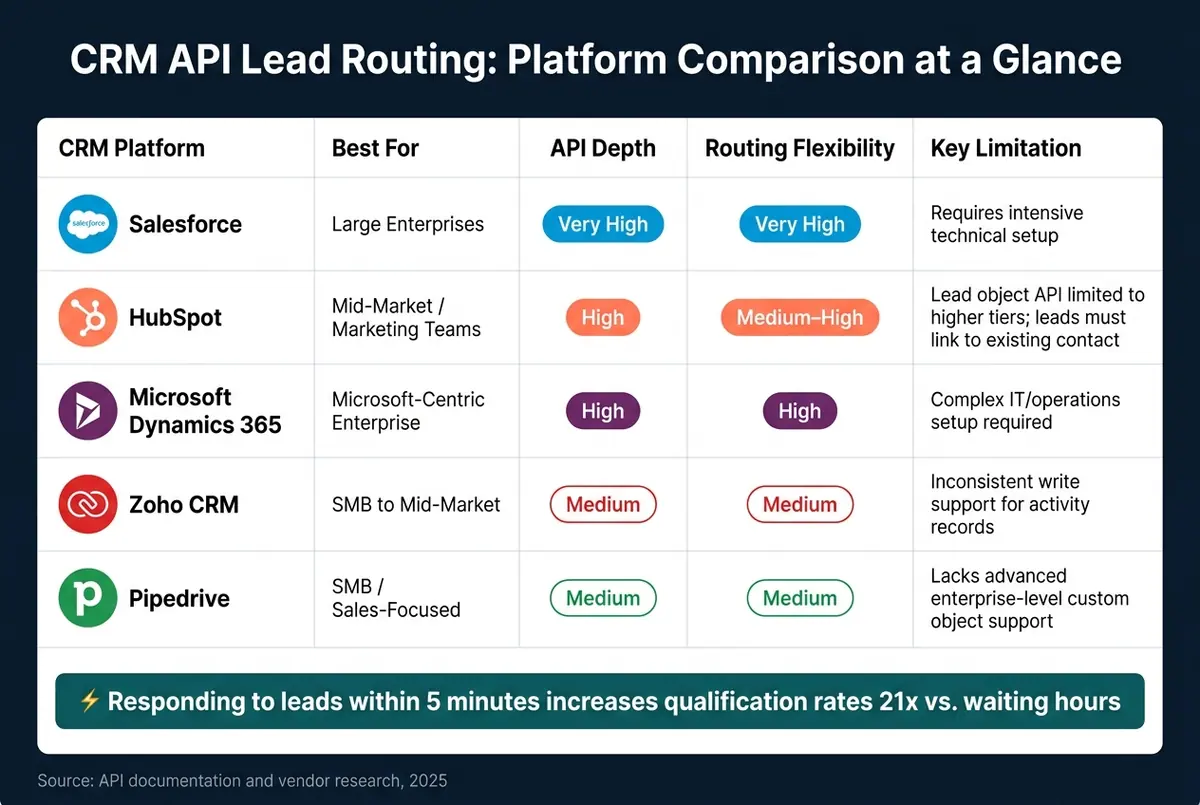
CRM API Lead Routing Comparison: Salesforce vs HubSpot vs Dynamics 365 vs Zoho vs Pipedrive
How We Automated Lead Routing in Salesforce
sbb-itb-5f36581
1. Salesforce CRM
Salesforce, a top-tier enterprise CRM, operates on API v66.0 and offers a range of APIs designed for handling lead routing tasks.
API Capabilities
Salesforce's REST API supports basic operations like creating, reading, updating, and deleting lead records. For real-time, event-driven integrations, the Pub/Sub API - built on gRPC and Apache Avro - handles Change Data Capture (CDC). If you need to perform more complex tasks, such as creating a Lead and linking it to an Account in a single step, the Composite API allows multiple operations to be bundled into one call.
"The Salesforce API isn't one API - it's a portfolio. REST API for standard CRUD, Bulk API 2.0 for large async loads, Pub/Sub API for change events, Composite for transactional multi-object operations." - Unified.to
These APIs form the backbone of Salesforce's automated lead routing capabilities.
Lead Routing Features
Salesforce uses Lead Assignment Rules to distribute leads based on factors like geography, industry, or company size. Additional tools like Einstein and Pardot enhance this process by scoring leads with firmographic and behavioral data. However, native assignment rules don't account for rep workload, which can lead to uneven distribution. Salesforce doesn't offer built-in round-robin lead distribution, so custom Apex code or an AppExchange app is necessary to implement this feature.
The impact of efficient lead routing is clear. For instance, Smith.ai reported that 34% of their marketing-qualified leads converted into appointments directly through their website, alongside a 26% increase in total demos booked.
Integration Complexity
Integrating external tools with Salesforce requires careful planning. Salesforce is shifting from classic Connected Apps to External Client Apps (ECA), which operate under a "closed by default" security model. To ensure stability during instance migrations, use My Domain–specific endpoints (e.g., https://<myorg>.my.salesforce.com) for OAuth flows.
Data quality plays a critical role too. Issues like missing fields or duplicate records can disrupt routing logic. Including deduplication as part of your integration strategy is essential for smooth operation.
Scalability and Performance
For Enterprise Edition organizations, Salesforce starts with an allocation of 100,000 API calls per 24-hour window, with additional calls granted based on the number of licenses. Production environments support up to 25 concurrent long-running requests (those exceeding 20 seconds), while sandbox environments are limited to 5. You can monitor your API usage through the /services/data/v66.0/limits endpoint and use exponential backoff with jitter to handle 429 errors effectively.
For large-scale operations, Bulk API 2.0 can process up to 150 million records within a 24-hour period. Managing these limits is critical to maintaining the efficiency of real-time lead routing.
2. HubSpot CRM
HubSpot offers a suite of specialized endpoints designed to work seamlessly across the entire customer journey. A standout feature is its date-based versioning (e.g., /crm/objects/2026-03/leads), which ensures developers have predictable update schedules and minimizes the risk of unexpected breaking changes.
API Capabilities
The Leads API allows developers to create and link lead records efficiently. Each lead must include a name (hs_lead_name) and be tied to an existing contact - no standalone records are permitted. For tracking cross-channel activity, the Timeline API imports external events like webinar attendance or SMS responses directly into contact records. These events can then inform lead scoring and routing logic. Additionally, the Automation API and Workflow Extensions enable developers to craft custom routing actions, such as sending real-time notifications to sales reps or implementing advanced distribution rules, eliminating the need for manual processes. Together, these tools provide a solid foundation for building advanced lead routing systems.
Lead Routing Features
HubSpot supports various lead routing strategies out of the box, including round-robin, territory-based, value-based, and specialization-based assignments. For smaller teams, the native workflows handle basic routing needs effectively. However, for more complex requirements, such as weighted distribution, capacity limits, or accounting for a rep's PTO, third-party solutions like Distributely can bridge the gap.
"As your sales team scales beyond five reps, lead routing stops being a background process and becomes a key driver of revenue." - Alex Umbhau, Senior Operations Strategist, New Breed
To access advanced lead scoring and workflow automation, a Professional or Enterprise subscription is required. Similarly, the Leads object is only available through Sales Hub Professional or Enterprise tiers.
Integration Complexity
HubSpot's robust API portfolio makes integrating third-party tools straightforward. Its App Marketplace features over 1,800 pre-built integrations, including popular platforms like Slack, Jira, and Shopify. For more intricate use cases, such as ETL pipelines or CPQ setups, HubSpot offers "Integration Blueprints", which help reduce the time spent on custom development. The platform's effectiveness is evident: 72% of customers integrate HubSpot faster than anticipated, and 79% report improved centralization of customer data. A real-world example comes from Mesa Labs, which adopted an integrated data approach with HubSpot in 2025 and achieved a 63% increase in captured leads.
Scalability and Performance
HubSpot's batch endpoints can handle up to 100 records per request for creating, updating, or archiving data. To avoid 423 Locked errors when hitting rate limits, developers should include a 2-second delay between heavy requests. HubSpot simplifies deduplication by using email addresses as the primary identifier for contacts and domain names for companies, ensuring that routing logic remains streamlined as databases grow. For multi-user applications, OAuth 2.0 is the preferred authentication method, offering scoped permissions and enhanced security compared to Private Apps.
3. Microsoft Dynamics 365 Sales
Microsoft Dynamics 365 Sales stands out as an excellent CRM option for businesses already invested in the Microsoft ecosystem. As Truto.one aptly describes it: "Dynamics 365 is not Salesforce, but it is the CRM that enterprise IT departments choose when they have already committed to the Microsoft ecosystem... the undisputed third pillar." Its API-driven approach to lead routing offers seamless integration capabilities and dynamic lead management, making it a key player in the CRM space.
API Capabilities
The backbone of Dynamics 365's programmatic functionality is the Dataverse Web API, which is an OData v4 RESTful service. For lead routing, the platform utilizes the msdyn_salesroutingrun table to monitor rule execution. This table provides real-time feedback on whether a lead was successfully assigned, no sellers met the criteria, or eligible sellers lacked capacity. Additionally, the QualifyLead Web API simplifies the process of creating linked Account, Contact, and Opportunity records while allowing marketers to tie leads to campaigns using high-quality lead forms using the SourceCampaignId parameter. Developers working with non-native channels, like third-party SMS platforms, can define custom inbound and outbound APIs to integrate these tools with the Dataverse during customer interactions.
Lead Routing Features
Dynamics 365 offers two key methods for distributing leads:
- Round Robin: Assigns leads to the seller who has waited the longest since their last assignment.
- Load Balancing: Routes leads based on a seller's current workload.
For global teams, the platform allows configuration of work schedule windows, ensuring leads are only assigned to sellers available within a specific timeframe (ranging from 1 to 120 hours). It also respects capacity limits, leaving leads unassigned if all eligible sellers are overburdened. Beyond these routing methods, Dynamics 365 includes predictive lead scoring and AI-driven agents to help prioritize high-value opportunities.
Integration Complexity
Integrating Dynamics 365 Sales involves several technical steps. Authentication relies on Microsoft Entra ID (formerly Azure AD) using OAuth 2.0, with the Authorization Code flow being the preferred method for multi-tenant SaaS applications. To avoid performance issues, developers should use efficient OData queries, such as leveraging the $select parameter to retrieve only essential fields. Handling polymorphic lookup fields can be tricky, but using specific navigation property patterns (e.g., _account_value) instead of standard filter syntax can help.
Custom schemas in Dynamics environments often include publisher-prefixed attributes (e.g., cr0a3_), making it necessary to query the EntityDefinitions metadata endpoint at runtime to dynamically identify custom lead fields. This ensures smooth integration even in highly customized setups.
Scalability and Performance
To maintain performance, Dynamics 365 enforces strict API-level Service Protection limits. Each user is allowed up to 6,000 requests within a 5-minute sliding window, with a combined execution time cap of 20 minutes (1,200 seconds) and at least 52 concurrent requests. Custom channel plugins, however, face tighter constraints, with a 20-second execution timeout per call.
For high-volume lead imports, batching up to 1,000 operations in a single $batch request is recommended. If a 429 Too Many Requests error occurs, it’s best to use the server-provided Retry-After header instead of a fixed delay. Additionally, refreshing OAuth tokens 5–10 minutes before their one-hour expiration can prevent 401 errors during processing.
Next, let’s take a closer look at how Zoho CRM handles API-driven lead routing.
4. Zoho CRM
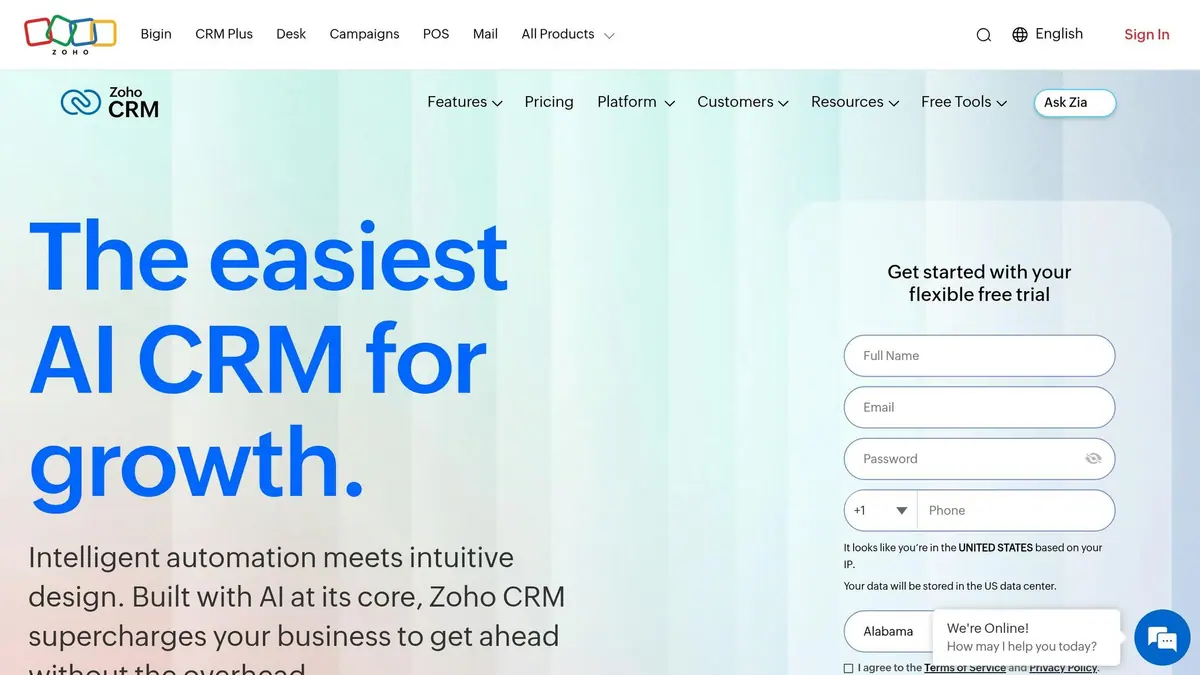
Zoho CRM offers API-driven lead routing at a competitive price point. Similar to platforms like Salesforce, HubSpot, and Dynamics, Zoho employs customizable APIs to simplify lead assignment. Its V8 API is compatible with Open API Specification 3.0.0 (OAS), making it easier for developers to understand and integrate from the outset.
API Capabilities
Zoho's Notification API sends real-time webhook alerts whenever a lead is created or updated, eliminating the need for constant polling. For geographic lead distribution, the Territories API allows developers to assign leads to specific regions and link them to the appropriate sales representatives. The Mass Convert Lead API processes up to 50 leads in a single call, with the assign_to parameter enabling direct assignment to specific representatives. Zoho also features its scripting language, Deluge, which supports tasks like zoho.crm.convertLead() to trigger workflows and blueprints during lead routing.
Lead Routing Features
Zoho's assignment rules allow up to 25 criteria per rule, covering conditions such as field values, field-to-field comparisons, territory, and lead source. If multiple representatives qualify, Zoho uses round-robin distribution to assign leads while checking representative availability. However, there may be up to a 5-minute delay in fetching online status data. For teams with at least six months of CRM usage, Zia AI offers predictive routing by analyzing past performance to recommend the best record owner.
"The best part is, it links well with Zoho CRM, enabling us to capture leads and directly put into the CRM and create tasks for different consultants and then follow up with those clients." - Paul Harvey, Governance and Operations Manager, Hanley Consulting
Integration Complexity
Zoho supports OAuth 2.0 authentication and provides server-side SDKs in Java, Python, PHP, Node.js, C#, and Ruby, along with mobile SDKs for Android and iOS, which simplifies integration. The COQL Query API offers SQL-like syntax for advanced lead filtering, making it accessible to developers familiar with database queries. For external marketing tool integrations, the Connections feature enables developers to call third-party REST APIs directly from Zoho functions, eliminating the need for additional middleware.
Scalability and Performance
Zoho employs a credit-based system with an API Dashboard for monitoring usage limits and setting alerts. To handle large datasets, the asynchronous Bulk Read and Bulk Write APIs allow high-volume imports in a single call, avoiding the need for individual record updates. However, the zoho.crm.searchRecords task is limited to 200 records per fetch, and the Update Related Records API can process a maximum of 100 related records per call. To prevent overloading representatives during busy periods, the Assignment Threshold API can validate capacity before assigning leads. This comprehensive API framework ensures Zoho CRM can scale effectively while maintaining performance during high-demand scenarios.
5. Pipedrive
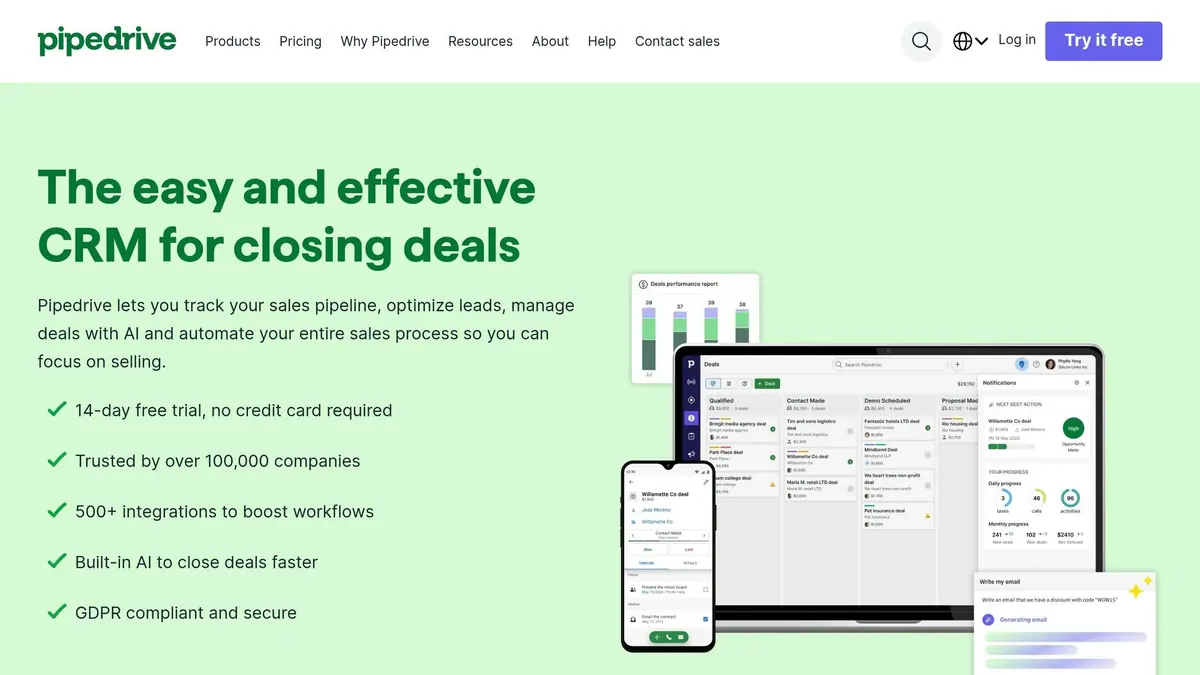
Pipedrive is a sales-focused CRM used by more than 100,000 businesses across 179 countries. While it may not cater to enterprises as much as Salesforce or Dynamics 365, its API provides dependable, real-time lead routing with minimal setup.
API Capabilities
Pipedrive’s API supports robust CRUD operations and real-time data syncing, similar to other top CRMs. It offers both v1 and v2 RESTful APIs, allowing users to manage leads, deals, pipelines, and activities. With webhooks, Pipedrive ensures instant data updates when events like new lead creation occur, enabling real-time routing. The LeadBooster add-on (starting at $32.50 per company per month, billed annually) further enhances lead capture by integrating high-converting lead forms, chatbots, and live chat into the routing process.
Lead Routing Features
Pipedrive’s built-in Automatic Assignment feature handles round-robin distribution and rule-based routing based on criteria like a team member’s location, availability, and skills. For advanced use cases, developers can utilize the API to gather user workload data and create custom routing scripts. For instance, a sustainable furniture company combines Pipedrive with RouterJet to route leads based on deal source (e.g., Instagram or showroom), location (e.g., California team), and urgency. Leads flagged as “ASAP” trigger immediate follow-up via escalation rules.
Key Search, a user of Pipedrive, reported a 40% boost in productivity after automating over 100 workflows, showcasing the platform’s efficiency in routing and automation. These features integrate smoothly with Pipedrive’s authentication and testing tools.
Integration Complexity
Integrating with Pipedrive is straightforward. Basic integrations require an API token, while apps for the Pipedrive Marketplace use OAuth 2.0. Developers can sync custom data fields from external tools through the /leadFields and /dealFields endpoints, tailoring routing to specific needs. A dedicated developer sandbox allows testing of routing logic with dummy data, minimizing risks before launching live workflows.
Scalability and Performance
API performance scales with the subscription tier, with OAuth access tokens offering significantly higher rate limits than standard API tokens:
| Plan | Requests per 2s (API Token) | Requests per 2s (OAuth Access Token) |
|---|---|---|
| Essential | 20 | 80 |
| Advanced | 40 | 160 |
| Professional | 80 | 320 |
| Enterprise | 120 | 480 |
Source:
Pipedrive imposes a daily cap of 10,000 POST and PUT requests, resetting at midnight UTC. To avoid hitting this limit during high-volume routing, monitor the x-daily-requests-left header in real time. GET requests are capped at 500 items per page, with varying endpoint costs - for example, fetching all pipelines costs 5 units, while retrieving a single pipeline costs 1 unit. To prevent 429 errors, consider adding 0.1–0.2 second pauses and limiting concurrent workers to around five.
Pros and Cons by Platform
CRMs vary widely in how they handle API-based lead routing, depending on factors like team size, technical expertise, and the complexity of sales operations. The table below captures the strengths and challenges of each platform, building on the analysis already discussed.
Salesforce is often considered the go-to option for large-scale enterprises. It offers robust API capabilities that support highly customized object models, intricate routing logic, and high-volume workflows. However, this level of customization requires a significant technical investment, making it ideal for U.S.-based organizations with dedicated developers and RevOps teams. Similarly, Microsoft Dynamics 365 Sales demands extensive IT infrastructure and back-office support, making it better suited for enterprises with substantial technical resources.
For mid-market companies, HubSpot stands out as a developer-friendly choice, particularly for businesses running campaigns with a strong marketing focus. However, it comes with some limitations: new leads must link to an existing contact record, batch operations are capped at 100 records, and the Lead object API is only available with Sales Hub Professional or Enterprise subscriptions. Zoho CRM offers flexibility for SMBs and mid-market teams but has inconsistent write support for activities like calls, notes, and tasks. On the other hand, Pipedrive is the easiest to implement for SMBs, though it lacks the advanced custom object capabilities required for complex, multi-channel enterprise routing.
It’s worth noting that none of these platforms natively emit webhooks for activity events, meaning polling and idempotent routing logic are still necessary.
When time is of the essence, the right CRM API can make all the difference in lead assignment efficiency. The table below provides a snapshot of each platform's performance across critical routing dimensions:
| CRM Platform | API Depth | Routing Flexibility | Fit for U.S. Multi-Channel Campaigns | Key Limitation |
|---|---|---|---|---|
| Salesforce | Very High | Very High | Enterprise / High Volume | Requires intensive technical setup |
| HubSpot | High | Medium–High | Mid-Market / Marketing-Heavy | New leads must link to an existing contact; Lead object API limited to higher tiers |
| MS Dynamics 365 | High | High | Microsoft-Centric Enterprise | Complex IT/operations setup required |
| Zoho CRM | Medium | Medium | SMB to Mid-Market | Inconsistent write support for activity records |
| Pipedrive | Medium | Medium | SMB / Sales-Focused | Lacks advanced enterprise-level custom object support |
Contacting leads quickly is critical - reaching out within five minutes can significantly boost conversion rates.
"Our team is not left having to deal with unnecessary lead-flow logistics. More productivity at scale means more revenue secured." - Bryce Kropf, Sales Enablement Manager, Smith.ai
These insights can help you match your CRM choice to your operational goals and campaign demands.
Conclusion
Picking the right CRM for API-driven lead routing boils down to your team's technical expertise, sales strategy, and how quickly you need to act on incoming leads. Quick response times matter - a company responding within 5 minutes is 100 times more likely to connect with a lead than one that waits an hour.
Salesforce works best for large enterprises managing territory-based routing, intricate assignment rules, and high-volume workflows. HubSpot is a strong choice for marketing-driven teams seeking seamless form-to-pipeline automation without needing heavy developer input. Microsoft Dynamics 365 is ideal for organizations already invested in Microsoft's ecosystem. For smaller teams, Zoho CRM and Pipedrive offer easier entry points, though they may struggle to handle more complex routing needs as your business grows.
This comparison highlights the importance of precise integration design. Prioritize real-time pass-through API access over sync-based models since outdated, cached data can lead to mistakes and erode trust when sales reps or AI tools rely on it. For businesses juggling multiple CRMs, a unified API layer can cut down on both integration time and ongoing maintenance.
To avoid losing leads, implement deduplication at the point of entry and establish fallback assignment rules.
FAQs
What routing rules should I use first?
Start by creating straightforward routing rules that match your sales structure and business priorities. Use clear criteria like geographic location, company size, industry, or lead source to guide the process. Make sure these rules don’t overlap or conflict with each other. Once you’ve nailed down the essentials, you can layer in more advanced elements, like incorporating lead scoring or using multiple criteria together, to fine-tune and improve how leads are routed.
How do I prevent duplicates from breaking routing?
When integrating with a CRM, avoiding duplicate entries is crucial for maintaining clean and reliable data. Here are some strategies to help you achieve that:
- Use Deduplication and Idempotency: Always query the CRM for existing records using stable identifiers like an email address before creating a new entry. If a match is found, update the existing record instead of adding a duplicate.
- Leverage Idempotency Keys: These keys are essential for handling repeated submissions. By using them, you can ensure that the same data isn't processed multiple times, preventing duplicate records from being created.
- "Update Only If Empty" Logic for Enrichment Fields: This approach ensures that fields meant for enrichment are updated only when they’re blank. It helps avoid overwriting corrected or verified data with less accurate information.
- Delay Processing for Incomplete Entries: Introducing a slight delay before processing incomplete records can give you time to gather missing information, reducing the likelihood of creating duplicates or incomplete data entries.
By combining these strategies, you can streamline your CRM integration and maintain a more accurate and organized database.
How can I handle API rate limits in real time?
Managing API rate limits in real time requires smart strategies to handle traffic efficiently and avoid disruptions. For instance, message queues can buffer requests during sudden traffic spikes, ensuring no data is lost while keeping the system steady.
You can also use exponential backoff with jitter to manage retries. This approach spaces out retry attempts and adds randomness to prevent overwhelming the server. Be sure to monitor for Retry-After headers, as they indicate when it's safe to send requests again without breaching server limits.
For enforcing quotas dynamically, consider using token bucket rate limiters or adaptive rate control. These methods can allocate resources flexibly, ensuring critical tasks - like real-time lead routing - are prioritized over less time-sensitive operations. This way, you maintain a balance between adhering to limits and meeting business needs effectively.
Related Blog Posts
Get new content delivered straight to your inbox

The Response
Updates on the Reform platform, insights on optimizing conversion rates, and tips to craft forms that convert.




Drive real results with form optimizations
Tested across hundreds of experiments, our strategies deliver a 215% lift in qualified leads for B2B and SaaS companies.
